
iTechGuides is reader-supported. When you buy through links on our site, we may earn an affiliate commission. As an Amazon Associate I earn from qualifying purchases. Learn more
A foldable phone’s cover screen usually wakes or becomes active for one of two reasons: the phone detected a fold-state change, or something issued a wake command while the device was closed. Folding-related switches are generally controlled by the phone maker’s external-display and fold-lock rules. Waking in a pocket or on a table is more often linked to gestures, notifications, button pressure, touch contact, an app, a charger, or an accessory.
Separate those two patterns first. If the screen changes exactly when you open or close the handset, inspect fold and external-display behavior. If it lights up while closed and untouched, investigate wake settings, accidental touches, accessories, and third-party apps.
First identify which behavior you are seeing
| What you observe | Most likely category | Start with |
|---|---|---|
| The inner display appears when you open the phone, or the cover display takes over when you close it | Normal fold-state or external-display transition | Fold-lock, continue-apps, and external-display settings |
| The cover screen lights while the phone is closed in your hand, pocket, or bag | Wake trigger or accidental contact | Lift to wake, Double tap to wake, notifications, touch protection, and button pressure |
| The screen wakes only during charging | Charger, charging animation, cable movement, or a third-party wireless fast charger | Test a different charger and remove accessories |
| The display changes near a stand, grip, or case | Accessory interaction or physical pressure | Remove the accessory and repeat the test |
| The same app is visible whenever the phone wakes | An app may be keeping the device awake with a wake lock | Check the app in Safe mode or remove recently installed apps |
This distinction matters because disabling wake gestures will not change a deliberate screen transition caused by folding, while changing fold behavior will not stop a notification from waking the cover screen.
What’s actually slowing this PC down?
Pick the symptom - the matching free tool is one click away.
Why the screen switches when you fold the phone
Cover and main displays have different roles
Foldables are designed around two displays. Samsung’s foldable guidance describes the cover screen as the display used while the device is closed and the main screen as the display used while it is open. Switching between them as the hinge moves is therefore expected behavior, not by itself evidence of a failing panel.
#1 Best Overall

- Compatibility: Only compatible with iPhone 17 (6.3-inch display, 2025 release). Note: Do not fit other devices. This case is made from premium PU leather, providing a comfortable grip and a great impression
- Precise Cutouts & Card Slots: This iPhone 17 leather wallet case is designed specifically for your new iPhone, allowing full access to all features (buttons, speakers, cameras, etc. ). Bottom lanyard holes provide an option for lanyard strap attachment (strap not included). The leather flip cover includes 4 card slots and a money pocket, without taking an extra wallet when going out
- Highlights: (1). It is equipped with advanced RFID blocking technology to block signals and effectively protect your personal information. (2). The stand function allows you to prop up your phone for hands-free viewing. (3). Magnetic flap to keep it closed and protected, secure magnetic closure
- Fully Effective Protection: The iPhone 17 flip wallet leather case covers all corners and provides great dual-layer protection for your smartphone. The soft TPU full-body inner case features a shockproof edge and protects your phone against scratches and bumps
- Product Service: We stand behind the quality of our products. For any phone case purchased from our store, we offer a replacement or refund for any manufacturing defect
Fold-lock behavior is controlled by the device maker
Android’s fold-lock documentation describes configurable behavior when a device is folded from an unlocked, unfolded state. Depending on the phone, the system may continue an app on the outer display, show a confirmation such as “Swipe up to continue,” lock the handset, or use another manufacturer-defined rule. Android’s documentation is platform guidance, not a promise that every foldable exposes the same controls or uses the same wording.
Auto-transition settings can deliberately move an app outside
Motorola’s support documentation for the 2024 Razr gives a concrete example: an Auto transition option can show an app on the external display after the phone is closed. A different Razr generation, or a foldable from Samsung, Google, or another manufacturer, may place the control elsewhere or omit it. Treat the menu name as model-specific rather than a universal Android setting.
A wake lock can make a transition appear to persist
The Android documentation also notes that an app holding a wake lock can keep the device awake on that app. In practice, the phone may switch displays correctly when folded but remain lit longer than expected because the foreground app has requested continued wakefulness. This is different from the hinge sensor choosing the wrong display.
Why a closed cover screen wakes by itself
Lift to wake and Double tap to wake
Motion and touch gestures are common causes of a cover display lighting in a pocket or on a desk. Samsung’s support guidance specifically identifies Lift to wake and Double tap to wake. Temporarily disable both features, then carry the phone normally for a day. If the unwanted wake stops, re-enable one feature at a time to find the trigger that fits your use.
Rank #2
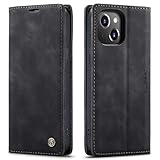
- 【 Compatible with iPhone 15 Case 】 Specially Designed wallet Case for iPhone 15. ONLY COMPATIBLE WITH iPhone 15 (2023 Release), easily access buttons, speaker, camera, charging interface at the precise cutouts made from precision molding.
- 【 Compatible with iPhone 15 Leather Case 】 High Quality: This wallet case are precision made from High Quality PU leather. They look stylish and feel nature and soft.
- 【 Compatible with iPhone 15 Case with Card Holder 】 Multi-Function Wallet Case: 2 card slots for your cards IDs also features cash money pocket. Perfect Combination of wallet and cell phone case. Smart Design allows you to easily flip the inner holder to access all your cards conveniently. Accessible to all the phone's functions such as camera, mik. Suitable for everyday life and business trip.
- 【 Compatible with iPhone 15 Case Wallet 】 Full Protection: The case surrounds all the edges, cover the whole phone with a full body protection on front and back when phone in your pocket and purse, Protect well, It holds the phone tightly. Magnetic closure keeps all your valuables in place neatly and securely, protecting it against dust, dirt, and scratches.
- 【 Compatible with iPhone 15 Case with Stand 】 Stand View Design: Designed for iPhone 15 flip cover featuring kickstand allows you to enjoy your phone without holding it by hand, even when you do some housework, you can still enjoy your favorite video.
Notifications and charging events
A notification can wake the cover screen even when the handset remains closed. Review notification behavior for messaging, mail, social, and other high-volume apps rather than turning off every notification. Charging can also wake a display briefly for a charging animation or status update. Samsung warns that some third-party wireless fast chargers may cause unexpected wake-ups; that warning does not apply automatically to every charger or every wireless pad.
Accidental side-button presses
A tight case, a pocket seam, a car mount, or the way the phone is held can press the side or power button. Remove the case and repeat the same movement. If the wake occurs only with the case installed, check that the case does not sit over the button or hinge and that it is designed for the exact handset model.
Third-party apps
An app can request wakefulness, display notifications, or react to motion and charging. If the phone behaves normally in Safe mode, a downloaded app is a strong suspect. Uninstall or restrict recently added apps in small groups, restarting after each change, until the behavior disappears. Safe mode does not prove which app is responsible; it only separates downloaded software from the phone’s core system.
Do these 3 things before closing this tab:
1Scan for outdated or missing drivers - takes under a minute2Repair Windows errors before they cause bigger problems3Fix the driver behind crashes, sound loss and screen glitchesWhy it happens in a pocket or bag
Movement plus contact can imitate a deliberate gesture
Walking can trigger Lift to wake, while fabric, skin, keys, or another device can produce a tap on the cover display. Samsung recommends reducing touch sensitivity if necessary and enabling Accidental touch protection for pocket or bag use. The exact names and locations vary by model and software version.
Rank #3

- Compatibility: Only compatible with iPhone 14 (6.1") 5G 2022. Note: Do not fit other devices. This case is made from premium selected PU leather, providing a comfortable hand feeling and a super impression
- Highlights: (1). It is supported by advanced RFID blocking technology to block signals and protect your personal information effectively. (2). Can stand the phone up to watch something hands-free. (3). Magnetic flap to keep it closed and protected, secure magnetic closure
- Precise Cutouts & Card Slots: This iPhone 14 leather wallet case is designed specifically for your new iPhone, which allows full access to all features (buttons, speakers, cameras, etc.). The leather flip cover has 4 card slots and a larger money pocket, without having to take an extra wallet when going outside
- Fully Effective Protection: The iPhone 14 flip wallet leather case covers all corners and provides great dual-layer protection to your smartphone. The soft TPU full-body inner case comes with a shockproof edge and ensures your phone is against drops and bumps
- Lifetime Warranty: All phone cases sold in our store are covered with a lifetime warranty. If there are any non-artificial quality problems, please feel free to contact us to get a replacement or a refund
Use a compatible cover as a physical barrier
Samsung also describes a compatible flip or wallet-style case as a way to block accidental touches. Choose a case listed for the exact handset and generation, and verify hinge, button, sensor, and cover-display compatibility. A case can reduce pocket touches; it is not a general fix for a screen transition that occurs every time the hinge closes. Remove it again during diagnosis if you suspect it is pressing a button or sensor.
Can a case, magnet, or charger make the screen turn on?
Accessories are worth isolating, but their effects should not be overstated. Remove the case, magnetic grip, vehicle mount, ring, and wireless charger, then test the bare phone in the same conditions. Add accessories back one at a time.
- Case: Look for button pressure, a cover that touches the outer display, or a hinge fit that prevents the handset from closing evenly.
- Wireless charger: Compare wired charging with the charger removed. Samsung’s warning is specifically about some third-party wireless fast chargers.
- Magnetic accessory: Samsung UK documents magnetic-accessory guidance in the context of unexpected call behavior on a foldable. That does not establish that magnets always switch a cover screen. Use removal and repeat testing rather than assuming a magnet is the cause.
- Mount or grip: Check whether the clamp contacts the side button, cover glass, or hinge area.
Step-by-step troubleshooting
- Describe the exact trigger. Note whether the change happens only during opening or closing, while the phone is closed and still, after a notification, during charging, or near a case or magnetic stand. A short video can help document an intermittent event.
- Check fold behavior if the event follows the hinge. In Settings, search for terms such as fold lock, external display, continue apps, or auto transition. Read the option’s description before changing it. On Motorola’s 2024 Razr, Auto transition controls showing an app on the external display after closing; other models use different labels.
- Disable wake gestures temporarily. Turn off Lift to wake and Double tap to wake, then test the closed phone in a pocket and on a table. If the issue stops, restore one gesture at a time to identify the useful setting that causes the unwanted wake.
- Review notification and button behavior. Silence notifications from one app at a time if a particular alert precedes the wake. Remove the case and check that the side button is not being held or bumped.
- Enable pocket protection. Reduce touch sensitivity if your model offers that control and enable Accidental touch protection. Keep the cover display facing away from keys and other hard objects while testing.
- Strip the setup to the phone. Disconnect wireless charging and remove cases, grips, mounts, rings, and magnetic accessories. Test wired charging separately. Reintroduce each item individually only after the phone is stable.
- Use Safe mode. If the problem remains without accessories, start Safe mode according to your manufacturer’s instructions. Observe whether the cover still wakes. A change in Safe mode points toward a downloaded app or its notification behavior.
- Install available system updates and retest. Foldable behavior and menu labels can change with firmware. Record the model, software version, and exact sequence before contacting support.
How behavior differs by manufacturer
Samsung
Samsung documents the cover/main-screen relationship, unexpected wake causes, pocket wakes, accidental-touch protection, and model-dependent menu differences in separate support materials. Its troubleshooting specifically calls out Lift to wake, Double tap to wake, notifications, accidental button presses, third-party apps, and some third-party wireless fast chargers.
Motorola Razr
Motorola’s Razr 2024 support page documents external-display controls, including Auto transition, and an approach gesture that can show the lock screen. Do not assume those names or gestures exist on another Razr generation.
Rank #4
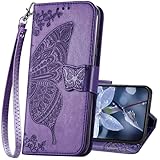
- The Wallet Case only compatible with iPhone 17 6.3 inch,Not fit for iPhone 17 Pro 6.3"/iPhone 17 Pro Max 6.9"/iPhone 17 Air 6.5"Made of premium PU leather,Fully wrapped leather edge craft with neatly thick stitching,ensure the durability and long time use.
- Multi Card Slot Design:Wallet phone case for iPhone 17 with 3 card slots and a pocket help you store ID card,credit cards and several cash. This portable wallet phone case meets your daily needs.
- Exquisite Butterfly Pattern Design: For iPhone 17 case for women girls with 3D emboss cute butterfly flowers pattern,premium leather with soft TPU interior material brings very comfortable touch feel.This folio case will bring you charm while offering protection and convenience.
- Stronger Protection: The wallet flip case provides full frame protects case from scratches,drops,shock,dust and other unwanted damages.Also,The wallet case cover provides additional protection for your phone's screen.
- Stand Function: The cute leather case for iPhone 17 has a stand function,A folding line on the back of case allows you to convert the wallet case into a kickstand.The fold book style phone case offers a hands-free viewing experience.
Other Android foldables
Android’s fold-lock documentation explains the platform concept but leaves outer-screen policy to the original equipment manufacturer. A Pixel, Xiaomi, Oppo, or other foldable may therefore expose different choices, use different wording, or offer no user-facing switch. Search the exact model’s support documentation rather than following instructions written for a different handset.
Independent reader supportYour contribution helps us test, update, and keep practical guides available for everyone.When the behavior may indicate a hardware problem
Seek manufacturer service when the phone repeatedly selects the wrong display after fold settings, gesture settings, accessory removal, and Safe mode testing; when the display flickers or shows lines; when the hinge no longer closes evenly; or when the phone reports a sensor or display fault. The symptom alone does not identify a particular failed component, and there is no universal user repair that applies to every foldable.
Before service, back up your data, note whether the problem occurs open, closed, or both, and record any recent drop, moisture exposure, case change, charger change, or software update. Those details help support distinguish a software transition rule from a physical sensor or display fault.
Recommended Free Tools
FAQ
Why does my foldable phone’s cover screen turn on by itself?
Most cases are a wake trigger: Lift to wake, Double tap to wake, a notification, button pressure, touch contact, an app, charging activity, or an accessory. Disable gestures, remove the case and charger, and test in Safe mode before assuming hardware failure.
Best Value

- Compatibility: Only compatible with iPhone 16 (6.1 Inch Display, Dual Rear Cameras, 2024 Released). Note: Do not fit other devices. This case is made from premium selected PU leather, providing a comfortable hand feeling and a super impression
- Precise Cutouts & Card Slots: This iPhone 16 leather wallet case is designed specifically for your new iPhone, which allows full access to all features (buttons, speakers, cameras, etc.). The leather flip cover with 4 card slots and a larger money pocket, without having to take an extra wallet when going outside
- Highlights: (1). It is supported by advanced RFID blocking technology to block signals and protect your personal information effectively. (2). Can stand the phone up to watch something hands-free. (3). Magnetic flap to keep it closed and protected, secure magnetic closure
- Fully Effective Protection: The iPhone 16 flip wallet leather case covers all corners and provides great dual-layer protection to your smartphone. The soft TPU full-body inner case comes with a shockproof edge and ensures your phone is against drops and bumps
- Lifetime Warranty: All phone cases sold in our store are covered with a lifetime warranty. If there are any non-artificial quality problems, please feel free to contact us to get a replacement or a refund
Why does the screen switch every time I fold the phone?
That is usually the phone’s intended fold-state transition. Check fold-lock, continue-apps, external-display, or auto-transition controls for your exact model. Android allows manufacturers to configure this behavior, so instructions from another foldable may not match.
Can a magnet always cause a foldable cover screen to wake?
No universal rule establishes that. Remove magnetic accessories during testing. Samsung’s magnetic-accessory guidance concerns unexpected call behavior in a specific context, while its general wake guidance separately mentions some third-party wireless fast chargers.
Will a wallet case fix unexpected screen switching?
A compatible flip or wallet case can block accidental pocket touches, but it will not normally change a deliberate fold-state transition. Verify model, hinge, button, and sensor compatibility, and remove the case if it introduces pressure or new wake events.
Frequently Asked Questions
Why does my foldable phone’s cover screen turn on by itself?
Most cases are a wake trigger: Lift to wake, Double tap to wake, a notification, button pressure, touch contact, an app, charging activity, or an accessory. Disable gestures, remove the case and charger, and test in Safe mode before assuming hardware failure.
Why does the screen switch every time I fold the phone?
That is usually the phone’s intended fold-state transition. Check fold-lock, continue-apps, external-display, or auto-transition controls for your exact model. Android allows manufacturers to configure this behavior, so instructions from another foldable may not match.
Can a magnet always cause a foldable cover screen to wake?
No universal rule establishes that. Remove magnetic accessories during testing. Samsung’s magnetic-accessory guidance concerns unexpected call behavior in a specific context, while its general wake guidance separately mentions some third-party wireless fast chargers.
Will a wallet case fix unexpected screen switching?
A compatible flip or wallet case can block accidental pocket touches, but it will not normally change a deliberate fold-state transition. Verify model, hinge, button, and sensor compatibility, and remove the case if it introduces pressure or new wake events.
Quick wins for a faster PC:
Fix the driver behind crashes, sound loss and screen glitchesFind Drivers →Repair Windows errors before they cause bigger problemsFix Now →Quick Recap
Product prices and availability are accurate as of the date/time indicated and are subject to change. Any price and availability information displayed on Amazon at the time of purchase will apply.

