
iTechGuides is reader-supported. When you buy through links on our site, we may earn an affiliate commission. As an Amazon Associate I earn from qualifying purchases. Learn more
Yes. Accessibility remains widely overlooked in the home pages WebAIM measured: its February 2026 scan found automatically detectable WCAG 2 failures on 95.9% of one million popular home pages. The result points to persistent barriers in that sample—not a census of every website or a complete assessment of anyone’s experience.
What the latest website scan found
WebAIM’s 2026 WebAIM Million report analyzed rendered home pages drawn from the Tranco ranking. It counted 56,114,377 distinct automatically detected errors, averaging 56.1 per page—10.1% more than the 51-per-page average in 2025. The scan also found an average of 1,437 elements per home page, a 14.3% year-over-year increase.

WebAIM detected at least one WCAG 2 failure on 95.9% of pages, up from 94.8% in 2025. It concluded that full WCAG 2 A/AA conformance was certainly lower than 4.1% in this sample, since an automated scan can miss failures. Although 20.5% of pages had five or fewer detected errors, a low automated count is not proof of accessibility.
The Tool Desk
Outbyte PC Repair FREEClear out junk files and repair common Windows errorsFree Scan →Outbyte Driver Updater FREEScan for outdated or missing drivers - takes under a minuteDriver Scan →These findings concern a ranked sample of home pages and this scan’s method. They do not describe every page on each site, every website, or every user’s experience. The report also notes that error density—the share of elements with detected errors—is an unreliable measure on its own.
#1 Best Overall
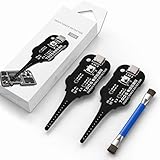
- Precise Coil Testing: With the ability to conduct simple fault checks and precise coil testing, this tool provides accurate measurements, locates damaged parts, and delivers dependable consistent readings
- Fast Fault Detection: Enables rapid identification of issues through dependable results and fast fault detection, fitting various common motherboard models for efficient use
- Wide to Application: Assures broad compatibility across major brands and devices, adapting effectively to repair needs while cutting down on unnecessary tool switching interruptions
- Ease of Use: Effortless to use with a clear concentrate on accessibility, this motherboard coil tester supports users of any experience level through its straightforward design and approachable step-by-step guidance
- Easy to Carry: Combining convenient storage and compact portability, this tester is crafted to fit easily into any tool kit and travel anywhere without adding bulk or complexity during usage
Which barriers appeared most often?
Six recurring categories accounted for 96% of detected errors. Each percentage below is the share of sampled home pages with at least one finding in that category, not the share of all web pages worldwide.
| Detected issue | Home pages affected | What to check |
|---|---|---|
| Low-contrast text | 83.9% | Text and its background need sufficient contrast to remain readable. |
| Images missing alternative text | 53.1% | Provide text that conveys an image’s purpose when it matters to the user. |
| Form inputs missing labels | 51% | Give every field a clear, programmatically available name. |
| Empty links | 46.3% | Ensure a link exposes a name that explains its destination or purpose. |
| Empty buttons | 30.6% | Ensure a button exposes a name that explains its action. |
| Missing document language | 13.5% | Identify the page’s language in the document markup. |
Contrast and image descriptions
Low contrast was the most frequent category: 83.9% of pages had at least one detected instance, with an average of 34 distinct instances per page. The report also found missing alternative text on 16.2% of images; another 10.8% had questionable or repetitive alt text. Merely filling the alt attribute is not enough: a filename or the word “image” may not tell someone what the image contributes.
Rank #2

- Our cake tester helps determine when your baked goods are ready for consumption
- Has a soft grip handle with a stainless steel wire for maximum durability, tester is 6 inches long
- Comes with a plastic cover for easy and safe storage
- Stick the tool into the middle of the baked good and if it is clean when taken out, it is done
- Is dishwasher safe for easy and convenient cleaning
Choose alternative text according to the image’s role. If an image communicates information, describe that information concisely. If it functions as a link, its text should communicate the link’s purpose when that is not already clear. An image that adds no useful information may need to be treated as decorative rather than given redundant wording.
Forms and interactive controls
Sampled home pages averaged 6.9 form inputs, and about one third of inputs were not properly labeled through a label or another supported accessible-name mechanism. A prompt shown only as placeholder text or a label placed nearby visually may not provide a reliable name for assistive technology. Check each field’s name and purpose, including in the context of the form.
Rank #3
Empty links appeared on 46.3% of pages and empty buttons on 30.6%. A control can look obvious while exposing no useful name to a screen reader. Check the accessible name as well as the visible design, including icon-only controls and image links.
Headings and page structure
WebAIM found skipped heading levels on 41.8% of home pages. Headings are a primary navigation aid for screen-reader users, so mark them up to reflect the document’s real outline. Choose heading levels for structure, not just to obtain a particular visual size; styling can control appearance separately.
Rank #4

- Basic introduction:1. It is made according to GB4706.1, GB2099.1, IEC61032, UL and other standards.
- 2. Accessibility probe is a standard instrument for testing the protection against electric shock of household and similar electrical appliances.
Why the scan is a warning, not an accessibility verdict
WAVE analyzes rendered pages and can efficiently identify some recurring, machine-detectable problems. It cannot determine every conformance failure or whether every important task works for people with different disabilities. As WebAIM puts it, “Absence of detected errors does not indicate that a page is accessible or conformant.”
Free tools Windows power users keep installed
One-click scans. No signup required.
The report observed that page complexity and ARIA use increased alongside detected error counts. That is a correlation, not evidence that ARIA itself causes errors. ARIA can support accessible interfaces when implemented correctly; use it only when needed, and test the resulting behavior rather than treating added attributes as a substitute for sound structure.
Best Value

- VERSATILE FUNCTIONALITY: Measures AC/DC voltage up to 600V, 10A AC/DC current, 50MΩ resistance; additional features include continuity, temperature, capacitance, frequency/duty cycle and diode test
- LEAD-ALERT PROTECTION: LEDs on the meter illuminate to indicate proper test lead placement, enhancing accuracy and safety during measurements
- BACKLIT DISPLAY: LCD shows clear readings in low-light conditions for enhanced visibility
- ACCURATE MEASUREMENTS: Auto-ranging and True Root Mean Squared (TRMS) technology provides precise and accurate measurements
- CONVENIENT FEATURES: Test lead holders on the back of the meter, kickstand and optional magnetic hanger (Cat. Nos. 69445 or 69417) for hands-free operation
How to build accessibility checks into website work
- Start with structure. Use semantic HTML, meaningful headings, and clear content organization in designs and code. Give images, fields, links, and buttons names that communicate their purpose.
- Check common failure points during implementation. Review text contrast, alternative text, form names, control names, and the page’s document language before launch.
- Run an automated scan on the rendered interface. Use its findings to locate detectable issues and regressions. Fixing a clean scan result does not establish that the page is accessible.
- Test keyboard operation and interactions manually. Work through the page without a mouse and check that controls, focus, and task flows behave as expected.
- Evaluate with assistive technology and disabled users where possible. Standards-based checks provide consistent criteria; real task evaluation can expose barriers that a scan cannot judge.
- Repeat checks as the site changes. New components, content, and interactions can introduce fresh barriers, so include accessibility review in design, code review, and post-build testing.
Which accessibility standard and legal rules apply?
The W3C WCAG 2 Overview identifies WCAG 2.2 as the latest version in the WCAG 2 series and encourages teams to use the latest version. WCAG 2.2 was published on October 5, 2023, and updated on December 12, 2024. It adds nine success criteria and is backward compatible with WCAG 2.1 and 2.0: content conforming to 2.2 also conforms to those earlier versions. The W3C overview identifies WCAG 2.2 as ISO/IEC 40500:2025 and notes that the 2026 version of European Standard EN 301 549 uses it.
WCAG is a useful technical reference, but the version and obligations that apply depend on location, organization type, and the relevant law, procurement requirement, or contract. The W3C’s Web Accessibility Laws & Policies index distinguishes public-sector rules, private-sector requirements, procurement provisions, and non-discrimination law. For example, its U.S. entries include Section 508, the ADA, and a 2024 rule for state and local government web information and services based on WCAG 2.1. Check the rule that actually covers your organization rather than assuming one standard or deadline applies to every website.
Quick Recap
Product prices and availability are accurate as of the date/time indicated and are subject to change. Any price and availability information displayed on Amazon at the time of purchase will apply.

