
What’s actually slowing this PC down?
Pick the symptom - the matching free tool is one click away.
iTechGuides is reader-supported. When you buy through links on our site, we may earn an affiliate commission. As an Amazon Associate I earn from qualifying purchases. Learn more
If you want an actual light attached to the webcam, the Razer Kiyo is the clearest match: it has an adjustable ring light built into the camera. Its video modes are 1080p at 30 fps or 720p at 60 fps, so it is not the choice for 4K. Higher-resolution models such as the Razer Kiyo V2 and Insta360 Link offer image features for challenging lighting, but their cited product pages do not describe a built-in lamp.
That distinction matters: an attached light illuminates your face, while sensor and software features process the image. A separate desktop light gives you more freedom to position the light, but adds another device to your setup.
Which webcams actually have a built-in light?
Among the models covered here, only the Razer Kiyo is documented as having a physical light built into the webcam. Razer describes it as an adjustable, daylight-balanced ring light. The Kiyo V2 and Insta360 Link are alternatives for other image priorities, not documented built-in-light replacements.
Razer Kiyo: the direct fit for an attached light
Razer’s official Kiyo product page describes a multi-step ring light rated at 5600 K. You adjust it by rotating the ring, without configuring software. Razer says: “The Razer Kiyo comes with a built-in 5600 K daylight-balanced ring light that provides even lighting without the hassle of additional lighting equipment.”
#1 Best Overall

- CRYSTAL-CLEAR 4K 30FPS VIDEO — Powered by a high-performance Sony STARVIS sensor, create professional content that stands out and looks sharp
- AI POWERED AUTO-FRAMING — This webcam catches every clip worthy moment with natural face tracking and intelligent pan, tilt, and zoom effects
- ONE-CLICK IMAGE ENHANCEMENT — Experience superior low-light performance; from low-light RGB battlestations to backlit setups, appear crisp and clear with automatic exposure, white balance and noise reduction
- POWERFUL, INTUITIVE SOFTWARE CUSTOMIZATION — Take control through Razer Synapse that's both easy to use and powerful enough for pros—featuring advanced settings like ISO and shutter speed
- HIGH DYNAMIC RANGE (HDR) — From Chroma-filled gaming sessions to GRWM streams, bring more depth to content with richer hues and enhanced contrast
The listed video modes are 1080p at 30 fps and 720p at 60 fps. Choose it if having a lamp physically attached to the webcam matters more than 4K resolution. The available product information establishes the light and video modes, but does not provide an independent comparative test of illumination.
How do the alternatives differ?
These models address different needs: one has an attached light, one emphasizes automatic image correction, and another adds 4K, tracking, HDR, and flexible mounting. The specifications below are manufacturer-listed; they are not results from hands-on testing.
Rank #2

- 1440P 60 FPS VIDEO — From intense gaming sessions to casual chats, be set to impress with smooth, natural movement and clarity that will wow everyone watching
- FAST, ACCURATE AUTO FOCUS — Always stay in the moment and look sharp whether it’s a clutch play or an exciting unboxing
- QUICK, EASY SOFTWARE CUSTOMIZATION — Kickstart any stream with intuitive presets or fine-tune every detail with precise color and lighting adjustments using Razer Synapse
- WIDE ANGLE LENSE — Whether zooming out to show off a full setup or getting up close and personal with viewers, a wide-angle lens offers ultimate flexibility
- BUILT-IN MIC — With crystal-clear audio and sharp, smooth video, have everything needed to start creating or streaming in one convenient package
| Model or setup | Lighting approach | Video and image features | Best fit |
|---|---|---|---|
| Razer Kiyo | Built-in adjustable 5600 K ring light | 1080p at 30 fps; 720p at 60 fps | Someone who wants a light attached to the webcam |
| Razer Kiyo V2 | Real-time light correction; cited product page does not describe a built-in lamp | 4K at 30 fps; AI-powered auto-framing; automatic exposure, white balance, and noise reduction | Someone who prioritizes 4K and automatic image adjustments |
| Insta360 Link | HDR and sensor-based image features; cited product page does not describe a built-in lamp | 4K up to 30 fps; 1/2-inch sensor; PDAF autofocus; AI tracking. HDR is limited to 1080p at 24, 25, or 30 fps, and 720p at 24, 25, or 30 fps. | Someone who prioritizes tracking, HDR, or flexible mounting |
| Logitech G Litra Beam LX with a webcam | Separate front-facing TrueSoft key light with diffusion and rear-facing LIGHTSYNC RGB light | Not a webcam; video specifications depend on the webcam paired with it | Someone who wants to position a desktop light independently |
Razer Kiyo V2: 4K and automatic correction, not a documented ring lamp
Razer lists 4K at 30 fps, AI-powered auto-framing, and real-time light correction for the Kiyo V2. Its automatic exposure, white balance, and noise reduction are intended to handle dim or brightly backlit scenes. These processing features may help the camera produce a more usable image, but they are not the same as adding a lamp to illuminate your face. See the Razer Kiyo V2 product page.
The Tool Desk
Outbyte Driver Updater FREEFix the driver behind crashes, sound loss and screen glitchesFind Drivers →Outbyte PC Repair FREERepair Windows errors before they cause bigger problemsFix Now →Insta360 Link: 4K, tracking, and HDR
The Insta360 Link product page lists a 1/2-inch sensor, 4K video up to 30 fps, PDAF autofocus, AI tracking, and HDR. HDR is available only at the listed 1080p and 720p frame rates shown in the table, not at 4K. The camera has a 1/4-inch mounting point and a monitor clip, offering options for placement. Its product page does not identify a built-in light.
Rank #3

- 1440P 60 FPS VIDEO — From intense gaming sessions to casual chats, be set to impress with smooth, natural movement and clarity that will wow everyone watching
- FAST, ACCURATE AUTO FOCUS — Always stay in the moment and look sharp whether it’s a clutch play or an exciting unboxing
- QUICK, EASY SOFTWARE CUSTOMIZATION — Kickstart any stream with intuitive presets or fine-tune every detail with precise color and lighting adjustments using Razer Synapse
- WIDE ANGLE LENSE — Whether zooming out to show off a full setup or getting up close and personal with viewers, a wide-angle lens offers ultimate flexibility
- BUILT-IN MIC — With crystal-clear audio and sharp, smooth video, have everything needed to start creating or streaming in one convenient package
Logitech G Litra Beam LX: a separate lighting option
The Logitech G Litra Beam LX is a desktop light, not a webcam. Its front-facing TrueSoft key light has diffusion, while the rear-facing light provides LIGHTSYNC RGB. Because it is separate, you can position it independently of the camera; it also means adding equipment to your desk setup.
How to choose for your room and setup
- Choose the Kiyo if your priority is a physical light mounted on the camera and its listed 1080p/30 fps or 720p/60 fps modes suit your needs.
- Consider the Kiyo V2 if you want 4K at 30 fps and automatic exposure, white balance, noise reduction, or auto-framing rather than a documented built-in lamp.
- Consider the Insta360 Link if tracking, autofocus, HDR within its supported modes, or monitor-clip and tripod-style mounting are more important than an attached light.
- Add a separate desktop light if you want to control its placement independently and are comfortable with another piece of equipment.
In a dim room, a built-in lamp directly addresses illumination; image correction instead changes how the camera captures or processes the scene. If you need both camera flexibility and deliberate lighting placement, treating the webcam and light as separate choices gives you more control, at the cost of a larger setup.
Rank #4

- 1440P 60 FPS VIDEO — From intense gaming sessions to casual chats, be set to impress with smooth, natural movement and clarity that will wow everyone watching
- FAST, ACCURATE AUTO FOCUS — Always stay in the moment and look sharp whether it’s a clutch play or an exciting unboxing
- QUICK, EASY SOFTWARE CUSTOMIZATION — Kickstart any stream with intuitive presets or fine-tune every detail with precise color and lighting adjustments using Razer Synapse
- WIDE ANGLE LENSE — Whether zooming out to show off a full setup or getting up close and personal with viewers, a wide-angle lens offers ultimate flexibility
- BUILT-IN MIC — With crystal-clear audio and sharp, smooth video, have everything needed to start creating or streaming in one convenient package
What current webcam roundups tell you—and what they do not
Tom’s Guide’s 2026 webcam roundup names the Insta360 Link 2C as its overall pick and discusses the Anker PowerConf C200 as a budget webcam. Its coverage considers resolution, low-light performance, microphones, and frame rate. That editorial assessment provides broader webcam context, but an overall ranking does not establish which model has a physical lamp built in.
Quick Recap
Best Value
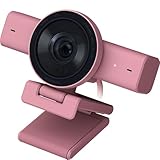
- CRYSTAL-CLEAR 4K 30FPS VIDEO — Powered by a high-performance Sony STARVIS sensor, create professional content that stands out and looks sharp
- AI POWERED AUTO-FRAMING — This webcam catches every clip worthy moment with natural face tracking and intelligent pan, tilt, and zoom effects
- ONE-CLICK IMAGE ENHANCEMENT — Experience superior low-light performance; from low-light RGB battlestations to backlit setups, appear crisp and clear with automatic exposure, white balance and noise reduction
- POWERFUL, INTUITIVE SOFTWARE CUSTOMIZATION — Take control through Razer Synapse that's both easy to use and powerful enough for pros—featuring advanced settings like ISO and shutter speed
- HIGH DYNAMIC RANGE (HDR) — From Chroma-filled gaming sessions to GRWM streams, bring more depth to content with richer hues and enhanced contrast
Product prices and availability are accurate as of the date/time indicated and are subject to change. Any price and availability information displayed on Amazon at the time of purchase will apply.

