
Do these 3 things before closing this tab:
1Repair Windows errors before they cause bigger problems2Fix the driver behind crashes, sound loss and screen glitches3Clear out junk files and repair common Windows errorsiTechGuides is reader-supported. When you buy through links on our site, we may earn an affiliate commission. As an Amazon Associate I earn from qualifying purchases. Learn more
To collect Windows Defender Antivirus events in Wazuh, configure the Windows agent to monitor the Microsoft-Windows-Windows Defender/Operational event channel using the eventchannel log format. Wazuh includes Defender decoders and baseline rules, so basic collection does not require a custom decoder. You can manage the setting centrally or add it to the endpoint’s local agent configuration.
Before you configure the Defender channel
Install a Wazuh agent on the Windows endpoint and ensure you have permission to manage its configuration. Wazuh’s Windows agent installation instructions require administrator privileges: Deploying Wazuh agents on Windows endpoints.
Windows agents monitor the System, Application, and Security channels by default. Defender’s Operational channel is an additional channel, so check that your agent configuration explicitly includes it. Wazuh’s overview of Windows event collection lists the available channels and their purposes: Configuring log collection for different operating systems.
Quick wins for a faster PC:
Repair Windows errors before they cause bigger problemsFix Now →Scan for outdated or missing drivers - takes under a minuteDriver Scan →Clear out junk files and repair common Windows errorsFree Scan →Choose local or centralized configuration
| Route | Best fit | What to consider |
|---|---|---|
| Local agent configuration | A single endpoint or a small number of endpoints managed directly | Add the block to that Windows agent’s ossec.conf and restart its service to apply the change. |
| Centralized configuration | Endpoints managed through Wazuh’s centralized agent configuration | Apply the setting to the appropriate agent group and follow your existing change-control process. |
Wazuh documents both routes; neither is universally required. Use the one that matches how you administer your agents. The detailed Defender guide covers configuration and collection: Windows Defender logs collection – Malware detection.
#1 Best Overall

- Made in USA - Proudly produced in Ohio by a Veteran-owned business
- Comprehensive Coverage: This BookFactory log book includes essential fields such as post/shift, time of change, date, weather conditions, and a designated space for detailed notes. This ensures that all relevant information is captured and easily accessible.
- Sturdy Cover: The trans-lux cover protects the log book from wear and tear, ensuring its longevity and maintaining the integrity of your recorded data.
- Essential Security Tool: This log book is an indispensable tool for any organization that values security and accountability. It helps to prevent misunderstandings, improve communication, and ensure a smooth transition between shifts.
- Wire-O with Trans-lux cover, 100 Pages, Dimensions 8.5" x 11" - (Security-Pass-Down) Reorder SKU: LOG-100-7CW-PP(Security-Pass-Down)
Add the Windows Defender Operational channel
Use this localfile block in the agent configuration:
<localfile>
  <location>Microsoft-Windows-Windows Defender/Operational</location>
  <log_format>eventchannel</log_format>
</localfile>
The channel name and format must match exactly. The channel’s provider is Microsoft-Windows-Windows Defender. For a local configuration, place the block in the Windows agent’s ossec.conf, save the file, and restart the Wazuh agent service. If you use centralized configuration, deploy the equivalent setting through the relevant agent group instead of editing each endpoint individually.
Rank #2

- Made in USA - Proudly produced in Ohio by a Veteran-owned business
- This BookFactory log book is for security guards in any sector or business. You can report location, circumstances and report number.
- There are spaces to log the individual's names address, description and other identifying information. There are also spaces to note others involved, notes, and vehicle information if one was involved
- Wire-O, 100 Pages, Dimensions 3.5" x 5.25"
- Reorder SKU: LOG-100-M3CW-PP(Security-Report)
What Wazuh does with Defender events
Wazuh supplies Windows Defender decoders and rules, including the server-side rules file 0600-win-wdefender_rules.xml. That built-in support means you do not need to write a decoder just to begin collecting and processing standard Defender events. It does not guarantee that every event or organization-specific condition will produce the alert you want; add or tune rules for local detection requirements.
Defender events can describe service status, scans, malware detections, and actions taken. The Wazuh guide includes an example malware-detection alert with rule ID 62123; this is a documentation example, not a prediction that every deployment will generate that alert.
Rank #3

- Made in USA - Proudly produced in Ohio by a Veteran-owned business
- Comprehensive Coverage: This BookFactory log book includes essential fields such as post/shift, time of change, date, weather conditions, and a designated space for detailed notes. This ensures that all relevant information is captured and easily accessible.
- Essential Security Tool: This log book is an indispensable tool for any organization that values security and accountability. It helps to prevent misunderstandings, improve communication, and ensure a smooth transition between shifts
- Wire-O with Trans-lux cover, 100 Pages, Dimensions 8.5" x 11"
- Reorder SKU: LOG-100-7CW-PP(Watch-Log)
Verify collection in Wazuh
- Confirm the configuration is active. Check the relevant local
ossec.confor centralized agent-group configuration for the event-channel block. For local edits, restart the Wazuh agent service. - Check the manager’s alerts. Inspect
alerts.logoralerts.jsonfor Defender-related alerts. - Review the dashboard. Search or filter for Windows Defender alerts and examine the event details. The exact alerts present depend on the events recorded by Defender and the rules that match them.
Wazuh documents these alert locations and shows a sample detection in its Windows Defender collection guide. Seeing the channel configured confirms the collection setting is present; seeing an alert depends on a matching event and rule.
Independent reader supportYour contribution helps us test, update, and keep practical guides available for everyone.When Defender events are not enough
Defender telemetry is about Defender’s own activity and outcomes; it is not a complete record of everything happening on a Windows endpoint. If your detection goals also require broader system activity—such as process or network events—consider collecting Sysmon events separately. Wazuh documents Sysmon collection from the Microsoft-Windows-Sysmon/Operational channel in its server event logging documentation.
Defender and Sysmon serve different purposes and can complement one another. Choose additional telemetry based on the event types and detection objectives you need; Wazuh’s documentation does not establish a universal performance or data-volume trade-off for every deployment.
Quick Recap
Best Value
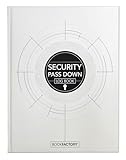
- Made in USA - Proudly produced in Ohio by a Veteran-owned business
- Comprehensive Coverage: This BookFactory log book includes essential fields such as post/shift, time of change, date, weather conditions, and a designated space for detailed notes. This ensures that all relevant information is captured and easily accessible.
- Soft Touch and Section Sewn: The soft laminate hardbound cover protects the log book from wear and tear, ensuring its longevity and maintaining the integrity of your recorded data. This log book is section sewn so it lies flat when open without risk of losing pages.
- Essential Security Tool: This log book is an indispensable tool for any organization that values security and accountability. It helps to prevent misunderstandings, improve communication, and ensure a smooth transition between shifts.
- Soft-touch Laminate Hardbound, 100 Pages, Dimensions 8.5" x 11" Reorder SKU: LOG-100-7CS-VM(Security-Pass-Down)
Product prices and availability are accurate as of the date/time indicated and are subject to change. Any price and availability information displayed on Amazon at the time of purchase will apply.

