
iTechGuides is reader-supported. When you buy through links on our site, we may earn an affiliate commission. As an Amazon Associate I earn from qualifying purchases. Learn more
If your Vizio remote has no AV button, that does not necessarily mean it is broken. Vizio used different remote layouts for different TV models: some have a dedicated AV button, while others use INPUT to select available sources. Press INPUT and choose the source that matches the device’s cable connection; check your TV’s manual for its exact labels and sequence.
Why doesn’t my Vizio remote have an AV button?
Vizio remote controls vary by television model. The VA26L HDTV10T manual describes a remote with separate TV, AV, COMP, and HDMI buttons, as well as an INPUT button. By contrast, the XVT423SV/XVT473SV/XVT553SV manual explains selecting inputs by cycling with INPUT. These examples show model differences, not a universal date when Vizio changed its remotes.
AV is a source or input label on some TVs, often associated with composite video. Depending on the model, the source may appear as AV, AV1, or another label. Not every Vizio TV has an AV input, and the available sources and their order differ. The absence of a dedicated AV button alone is not evidence of a defective remote.
How to select the right input
- Turn on the device connected to the TV, such as a DVD player or game console.
- Press INPUT on the Vizio remote. On some models, the TV’s physical controls can also open the input selection.
- Cycle through the listed sources and select the one that matches the port and cable used by your device. Check the TV’s screen for the current source; on the VF551XVT, Vizio’s manual says to cycle through available inputs until the desired device’s input appears in the Info box.
Input names and navigation differ by model. The VF551XVT manual, for example, describes cycling through available inputs with HDMI or COMP buttons. Follow the instructions for your exact TV rather than assuming every set has the same source list or button sequence.
#1 Best Overall

- 【KEY FEATURES】This remote control supports a faster transmission.The fastest response NOT over 0.2 seconds to lauch to your TV. It had been successfully tested to click the buttons highly over 150,000 clicks. Also with a longer distant transmit ( >12m/40ft)
- 【UPGRADE MATERIAL】Fabulous High-end glossy design had been upgraded to the remote. Draw your sight view. ABS made to improve its durability, also keep you and your kids away from no harms
- 【USER GUIDANCE】No worries and just use it right out of the box! No pairing or programming needed,insert 2 *1.5V AAA Batteries to get it to work (Batteries are not included with the package)
- 【COMPATIBLE TVs】Compatible with All VIZIO LED LCD HD UHD HDR Smartcast 4K 3D Smart TVs, including D-Series, E-Series, M-Series, P-Series, PX-Series, V-Series, OLED-Series
- 【REMOTE MODELS】This universal TV remote XRT140 is compatible with XRT136, XRT112, XRT122, XRT260, XRT302, XRT135, XRT510, XRT500, XRT100, VR1, VR2, VR10, VR15 and More
What to check if there is no picture
- Confirm the connected device is powered on.
- Check that the cable is firmly connected at both the TV and the device.
- Verify that the TV is set to the input corresponding to that cable connection. Selecting AV will not display a device connected through HDMI, for example.
- If INPUT is not on the remote, use the TV’s physical input or menu controls if available, then consult the manual for the exact model. There is no button combination established for every Vizio TV.
How to find the instructions for your TV
Find the full model number on the television’s label or in its settings, then locate that model’s manual through Vizio Support. Look for the sections covering remote-control buttons and input-source selection. That manual is the best guide to your TV’s source names, available inputs, and controls.
When to consider another remote
If the remote is missing or unusable, identify the TV’s full model number and verify compatibility before choosing a replacement. Vizio’s XRT140R product page lists compatibility with Vizio Smart TVs and Onn powered by Vizio Smart TVs; it does not establish compatibility with every older Vizio television. Check the product page and your TV’s documentation for a match. Availability can change.
Rank #2

- Compatibility Models : XRT136 TV Remote Compatible with all VIZIO smartcast V Series M Series D Series P Series PX Series E Series Smart TVs.Compatible with XRT140 / XRT260 / XRT136 / XRT270 / XRT112 / XRT122 / XRT302 / XRT135 / XRT510 / XRT500 / XRT100 / VR1 / VR2 / VR10 / VR15 and More VIZIO Smart TV Remote Control model
- Free of Setup Requirements : Work right out of the box and without program. Put 2 AAA batteries (Not included) to replace your original remote control perfectly
- Short Keys Launch : The remote features 6 shortcut buttons, giving you quicker access to your favorite apps
- No Delay Response: Strongest signal by Infrared technology further transmission for multi-angle induction. Precisely control far from 40 feet.Fastest response not over 0.1 second to your TV, It supports over 150,000 clicks approved test
- Premium After-sale: We provide a 100-day warranty return service. If you have any questions about your order, please feel free to contact us directly and we will get back to you within 12 hours
Vizio’s XRT270 product page describes a voice remote that can switch inputs by voice and notes that a virtual remote is available in the Vizio Mobile app. These options are relevant only if they are compatible with your particular TV; the product information does not establish compatibility with an unspecified model.
Quick Recap
Best Value
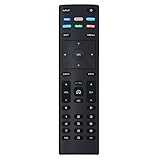
- XRT136 Replace Remote Control fit for VIZIO Smart TV D50x-G9 D65x-G4 D55x-G1 D40f-G9 D43f-F1 D70-F3 V505-G9 D32h-F1 D24h-G9 E70-F3 D43-F1 V705-G3 P75-F1 D55x-G1 V405-G9 E75-F2 D32f-F1 D24f-F1 D43fx-F4 V655-G9 PQ65-F1 V605-G3 V555-G1 ;
- M658-G1 M657-G0f M557-G0 V435-G0 D50f-F1 M55-F0 M70-F3 M558-G1 P659-G1 M507-G1 D32h-G9 PX65-G1 V556-G1 V436-G1 D55-F2f D50-F1 PX75-G1 D40f-F1 M65-F0 D55-F2 P759-G1 D24hn-g9 PQ75-F1 V555-G4 P55-F1 P65-F1;
- D50xG9 D65xG4 D55xG1 D40fG9 D43fF1 D70F3 V505G9 D32hF1 D24hG9 E70F3 D43F1 V705G3 P75F1 D55xG1 V405G9 E75F2 D32fF1 D24fF1 D43fxF4 V655G9 PQ65F1 V605G3 V555G1 M658G1 M657G0f M557G0 V435G0 D50fF1 M55F0 M70F3 M558G1 P659G1 M507G1 D32hG9 PX65G1 V556G1 V436G1 D55F2f D50F1 PX75G1 D40fF1 M65F0 D55F2 P759G1 V755-G4 D24f-G1D32f-G1 V585-G1 M656-G4 M556-G4;
- just put in new battery to use; with Watchfree key;
- Works for VIZIO All Smart LED LCD HD 4K UHD HDR TVs D-Series,E-Series, M-Series, P Series, PX Series, V-Series; Package included: 1 x Remote Control;
Rank #4

- 【UNIVERSAL for VIZIO TV REPLACEMENT】Works flawlessly for ALL VIZIO SmartCast TVs including V-Series, M-Series, D-Series, P-Series, PX-Series, E-Series & models like D40fM-K09, V505M-K09, M55Q7-J01, P75Q9-J01, VQP75C-84 & more. Perfectly replaces XRT136, XRT140, XRT260, XRT270, XRT112, XRT122, VR1, VR2, VR10, VR15 & other original for VIZIO remotes.
- 【PLUG & PLAY - NO SETUP NEEDED】 Simply insert 2 AAA batteries (not included) and start using it immediately. No complicated programming or pairing required. Works right out of the box.
- 【FAST ACCESS SHORTCUTS & RESPONSE】 Features 6 dedicated shortcut buttons for quicker launching of your favorite apps. Enjoy a super-fast, no-delay response (under 0.1 seconds!) and reliable control from up to 50 feet away thanks to upgraded strong IR technology and multi-angle induction.
- 【RELIABLE & BACKED BY SUPPORT】Built tough with over 150,000 click-tested durability. Feel confident with our premium 180-Day Warranty. Contact us with any questions - we promise a response within 12 hours.
- 【UPGRADED PERFORMANCE & NOTE】Experience greater range (50+ ft) and more stable signal than your old remote. Please Note: This IR remote does NOT have voice control.
Rank #3

- COMPATIBLE MODELS: The XRT140 is compatible with almost all VIZIO Smart TV remote control models, XRT136 XRT135 XRT260 XRT270 XRT122 XRT112 XRT510 XRT500 XRT302 XRT100 and for more VIZIO TV remote control models
- NO PAIRING REQUIRED: The XRT140 remote control features the latest infrared technology and does NOT require any pairing, just insert a fresh pair of AAA batteries to use (Batteries Not Included) and completely replace your old remote
- NO DELAYED RESPONSE: Professionally tested, our XRT140 remote control further transmits the strongest signals for multi-angle sensing with infrared technology. Accurate control up to 40 feet, fastest response to TV in less than 0.2 seconds, and each button supports more than 150,000 clicks test. Completely compatible with your VIZIO Smart TV
- 6 HOT SHORTCUTS: The XRT140 remote control includes shortcuts to 6 popular channels, giving you quicker access to your favorite apps
- QUALITY AFTER-SALES SERVICE: We provide 60 Days After-sales. If there is any problem, please prioritize to contact us in time, we will reply you within 12 hours and will try our best to help you solve any problem as soon as possible
Product prices and availability are accurate as of the date/time indicated and are subject to change. Any price and availability information displayed on Amazon at the time of purchase will apply.
Independent reader supportYour contribution helps us test, update, and keep practical guides available for everyone.
