
What’s actually slowing this PC down?
Pick the symptom - the matching free tool is one click away.
iTechGuides is reader-supported. When you buy through links on our site, we may earn an affiliate commission. As an Amazon Associate I earn from qualifying purchases. Learn more
Before paying for a used Nintendo GameCube, test it with at least two clean, known-good GameCube discs that match the console’s region. If only one game fails, the disc may be the problem; if several compatible discs fail, the console may have an internal drive fault—but the symptom alone cannot identify which component is at fault.
How do I test a used GameCube before buying it?
- Bring two or more known-good GameCube discs. Use discs that you know work, rather than relying only on games supplied by the seller.
- Check that each disc is compatible with the console’s region. Nintendo’s instruction booklet describes region compatibility and, for the North American system covered, lists discs made for the USA, Canada, Mexico, and Latin America. Compatibility depends on the console version; do not assume every GameCube has identical features. Nintendo’s GameCube instruction booklet explains the console-specific checks.
- Inspect and place each disc correctly. Make sure it is seated as intended and look for dirt, fingerprints, or visible damage.
- Test each disc separately. Give the console a chance to start the game. Note whether it reads both discs reliably or displays a message that it cannot read a disc.
- Compare like with like if considering two consoles. Use the same discs and setup on each, and note whether a failure follows one disc or happens with several.
A seller who allows only one quick test may not be giving you enough evidence to distinguish a bad disc from a console problem. If you cannot test multiple known-good discs, treat the drive’s condition as uncertain when deciding what to pay.
| # | Preview | Product | Price | |
|---|---|---|---|---|
| 1 |

|
Gamecube Console Platinum (Renewed) | $156.00 | Buy on Amazon |
| 2 |

|
Nintendo Gamecube System Console - Jet Black (Renewed) | $140.00 | Buy on Amazon |
| 3 |
|
GameCube (Jet Black) (Renewed) | $172.42 | Buy on Amazon |
| 4 |
|
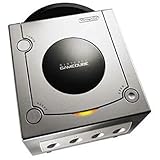
Gamecube Console Platinum | $146.38 | Buy on Amazon |
| 5 |

|
GameCube Console - Indigo (Renewed) | $188.84 | Buy on Amazon |
What does it mean if the GameCube cannot read a disc?
Start with the disc, not a component-level diagnosis. Nintendo lists disc placement, cleanliness, condition, and region compatibility as possible checks when a game does not work. Dirt or fingerprints can prevent correct reading, and a single failed disc does not establish that the console is faulty.
If one disc fails
Inspect that disc and, if needed, clean it using Nintendo’s recommended method: a soft cotton cloth slightly dampened with water, wiping from the center toward the edge. Do not use soap or solvents, and do not wipe in a circular motion. Then test a different clean, known-good, region-compatible disc. Nintendo’s safety and care guidance describes disc cleaning and handling.
#1 Best Overall
- Includes Nintendo Platinum GameCube Console, Power Cable, AV Cable, and Nintendo Platinum Controller
- Supports instructions for incredible effects -- your games will be brighter, faster, and more dramatic
- External bandwidth of 3.2GB/sec, for really fast gameplay
- The processor creates 6 to 12 million ploygons per second -- no more slowdowns in the middle of the game
If several compatible discs fail
Repeated failures across multiple clean, known-good discs make an internal drive problem more plausible, but they do not prove that the lens—or any particular part—is defective. iFixit lists dirty-lens and optical-drive problems among possible explanations for disc-reading or disc-spinning symptoms. Its repair documentation is third-party guidance, not a diagnosis of your specific console. iFixit’s GameCube troubleshooting information covers possible causes.
Should I buy a GameCube that fails the disc test?
Unless you are comfortable taking on uncertain repair costs, buy only if the seller can demonstrate that the console reads multiple compatible discs, or price the console on the assumption that the drive may need attention. A failure across several test discs does not reveal the exact repair required, and the available documentation does not establish that any particular replacement part fits every GameCube revision.
Rank #2
- Includes Nintendo GameCube Jet Black Console, Power Cable, AV Cable, and Nintendo Jet Black Controller for Nintendo GameCube
- The 485MHz processor makes loading & starting the games faster than ever -- no more long load times
- The processor creates 6 to 12 million ploygons per second -- no more slowdowns in the middle of the game
- Supports instructions for incredible effects -- your games will be brighter, faster, and more dramatic
If the seller will not permit a meaningful test, you cannot verify the drive’s condition before purchase. Decide whether that uncertainty is acceptable rather than treating a seller’s single working game—or a single failed game—as conclusive evidence.
Can you clean or repair the GameCube lens yourself?
Nintendo says not to touch the lens and not to disassemble or try to repair the console, its accessories, or components. It identifies the GameCube as a Class I laser product and advises that servicing be handled by qualified personnel. Nintendo’s safety guidance states: “The Nintendo GameCube is a Class I laser product” and “Do not disassemble or try to repair the Nintendo GameCube, accessories or components.”
Rank #3
- Comes with console, 1 controller, power cord, video cord
- Controller is original OEM (not 3rd party)
- Tested and works well. Nice condition
Nintendo UK’s legacy support page says that when the laser is dirty, dirt may be carefully blown off when dry; it also warns against cleaning agents and says Nintendo cannot service this product. That is regional legacy guidance, not a universal repair diagnosis or a recommendation to open the console. Nintendo UK’s laser guidance gives that specific advice.
Third-party repair documentation describes an optical-laser-lens replacement path, but it does not establish that a failed read proves the lens is at fault or that a specific part is compatible with every revision. For a console that repeatedly fails with clean, compatible discs, consider the risk of professional repair before purchasing rather than inferring a specific laser, capacitor, or other component fault.
Quick Recap
Best Value
Rank #4
- Includes Nintendo Platinum GameCube Console, Power Cable, AV Cable, and Nintendo Platinum Controller
- Supports instructions for incredible effects -- your games will be brighter, faster, and more dramatic
- External bandwidth of 3.2GB/sec, for really fast gameplay
- The processor creates 6 to 12 million ploygons per second -- no more slowdowns in the middle of the game
- It also includes 64 sound channels -- you'll feel like you're in the game, with the top-quality audio
Product prices and availability are accurate as of the date/time indicated and are subject to change. Any price and availability information displayed on Amazon at the time of purchase will apply.

