
Do these 3 things before closing this tab:
1Fix the driver behind crashes, sound loss and screen glitches2Repair Windows errors before they cause bigger problems3Scan for outdated or missing drivers - takes under a minuteiTechGuides is reader-supported. When you buy through links on our site, we may earn an affiliate commission. As an Amazon Associate I earn from qualifying purchases. Learn more
To program a third-party universal remote to an LG TV, use the code list or search procedure for the exact remote model; there is no verified LG code that works across all universal remotes. If you have an LG Magic Remote and want to control a cable or satellite box connected by HDMI, use the TV’s on-screen Universal Control setup instead. First check the remote’s model number and the TV’s full model number so you follow the right instructions.
Which remote setup are you trying to do?
| Remote in hand | Device you want to control | Setup route |
|---|---|---|
| Third-party universal remote | The LG TV | Follow the programming instructions and code list for that exact remote model. |
| LG Magic Remote | A set-top box connected to the TV by HDMI | Use the TV’s Universal Control Settings; menu names vary by webOS version. |
| LG Magic Remote or another compatible HDMI remote | HDMI equipment with device-control features | Check SIMPLINK (HDMI-CEC), a separate HDMI control option—not a remote-code setup. |
These are different jobs. LG’s Magic Remote setup instructions do not provide a programming sequence for every third-party remote.
How do I program a third-party universal remote to my LG TV?
- Identify both models. Find the brand and model number printed on the remote, and the full model number on the TV label or in its settings.
- Open the programming section for that exact remote. Use the remote maker’s manual or official code lookup. Do not enter a code copied from a manual for a different remote; code lists and key sequences depend on the remote model.
- Follow its code-entry or search procedure. A code-based remote may require selecting TV mode, entering an LG code from its list, and saving it. If it uses automatic search, follow that model’s stated sequence; there is no universal key combination.
- Test the functions you need. Check power, volume, input, navigation and, if relevant, channel or playback controls. If only some work, try another LG code listed for that remote or repeat its search procedure.
Do not assume a basic infrared remote will reproduce Magic Remote pointer, voice or smart-TV functions. Support and available buttons depend on the remote and TV.
A code-entry example is not a universal code list
An LG-hosted manual for the 32LP1D describes a particular procedure for the multi-brand remote supplied with that TV: turn on the component, press its mode button, hold MENU and MUTE together for two seconds, enter a code from that manual, press MENU to store it, and test. That sequence and its codes apply to the equipment covered by that manual—not arbitrary third-party remotes or all LG TVs. See the LG 32LP1D manual only if it is the manual for your equipment.
#1 Best Overall

- 1. Part Number: A-AKB75375604 2. This remote is in new condition. 3. Lg 70UK6570PUB 4. Compatible with All LG TV models
How do I set up an LG Magic Remote for a cable or set-top box?
Connect the box to the TV by HDMI, switch the TV to that HDMI input, then follow the setup route for the TV’s webOS generation. LG’s U.S. support instructions give these paths:
webOS 23, webOS 22 and webOS 6
- On the Magic Remote, open Universal Control Settings.
- Select Manage Settings, then choose Set-top Box.
- Verify the address and locale, then select the service provider shown for your setup.
- Complete the on-screen steps and run any remote test offered.
webOS 5.0 and webOS 4.5
- Open Device Connector from the TV’s device or connection setup area.
- Choose the connected set-top box and follow the on-screen provider and device instructions.
- Use the explicit remote test to check whether the selected setup controls the box.
Menu availability and automatic setup vary by TV model and external device. LG’s support page says that for certain supported configurations running webOS 4.5 or later, a set-top box connected to HDMI is automatically configured; that is not a guarantee for every TV or box. For the latest information, LG advises connecting the TV to the network and accepting the User Agreements. The feature requires a Magic Remote, which may be sold separately if it was not included with the TV. Consult LG’s Universal Control Feature guide and webOS TV universal remote setup guide for the instructions applicable to your model.
Rank #2

- 【Applicable TV Series】Replacement IR remote control fit for LG smart TV, UHD TV's UP70, UP75, UP76, UP80, UP87 Series, OLED TV's OLED A1,OLED A2, OLED B1,OLED B2, OLED C1, OLED C2, OLED G1, OLED G2 , OLED Z2, ZX Serie, QNED Mini-LED TV's QNED 90, QNED 80, QNED 85, QNED 99 Series, NanoCell TV's Nano 55, Nano 75, Nano 80, Nano 85, Nano 90, Nano 99, UQ9000, UQ7070, UQ7570, UQ8000 Series etc
- 【Remote Compatibility】2 remotes in one pack, compatible with all lg tv remote control. Exact replacement for your old or damaged remote control, also a better backup remote for your LG TV
- 【Shortcut Buttons】 The remote control is designed with 4 shortcut buttons, quickly access to your favorite channels
- 【Easy to use】Use it just right out of the box, no need any setup, just insert 2*AAA batteries and it will work well with your LG TV. (Note: Batteries and manual are not included)
- REMOTE CONTROL DISTANCE: Our remote control is made of ABS material, tested to be responded to TV in 0.2 seconds and precisely remote up to 40 feet. If there are any questions, you could contact us in time, we will reply to you within 12 hours and will be happy to help you
When should you use SIMPLINK (HDMI-CEC)?
SIMPLINK is LG’s name for its HDMI-CEC setting. CEC can let compatible HDMI devices share certain controls or power behavior. It is separate from entering a code into a universal remote, and enabling it does not guarantee every device button will work.
What’s actually slowing this PC down?
Pick the symptom - the matching free tool is one click away.
- webOS 6.0: Settings → All Settings → General → Devices → HDMI Settings → SIMPLINK (HDMI-CEC) → On.
- webOS 4.5: Settings → All Settings → Connection → HDMI Device Settings → SIMPLINK (HDMI-CEC) → On.
- webOS 4.0 or earlier: LG lists a path through the General menu; the exact labels can differ by model.
Use the LG HDMI-CEC instructions to confirm the path for your TV.
Rank #3

- 【Universal for LG Smart TVs】this high-quality universal remote is designed for 2015-2026 LG Smart TVs. It serves as a perfect replacement for LG TV remotes. It only works with LG TVs; NOT for soundbars or DVDs. ol for TV
- 【NOT for Voice Search or Pointer】Please note this is an infrared remote. It DOES NOT support voice search, pointer or bluetooth functions.
- 【No Programming Required】It works right out of box. Just insert 2 AAA batteries (batteries not included), and it's ready to go!
- 【Safe to Kids, Pets and Elderly】This remote is crafted with high-end, sustainable materials. It's safe and easy-to-use for all age groups.
- 【1-Year Full Warranty】 Your satisfaction is guaranteed with our 1-year full warranty. Backed by over 30 years of experience, we’re dedicated to delivering top-quality products to customers across the United States. If you need any product support, find your Order > Get product support > Message Now > Product Question > Select the relevant product > Product Details.
What to check if setup does not work
- Wrong setup path: Confirm whether you are programming a third-party remote for the TV or configuring an LG Magic Remote for an HDMI-connected box.
- Wrong code or sequence: Recheck the remote’s exact model and use only its own code list or search routine. Try another listed code if the first controls only some functions.
- Unsupported device or model: LG says Universal Control support varies by TV and external device, and not all models support the feature. Its 2025 guide states, “The manual setting feature for universal remote control is not supported for any game console.”
- Incomplete button coverage: LG also cautions, “Some buttons may not work depending upon the model of the external device.” Test the functions you actually need rather than assuming setup success from one working button.
- Signal path blocked: For Magic Remote control, make sure the remote has an unobstructed path to the device.
- HDMI control expectations: If you are relying on CEC, enable SIMPLINK and check that the external equipment supports HDMI-CEC; this is not a substitute for the correct remote code or Universal Control setup.
LG’s instructions and cited limitations are on its webOS TV universal remote controller setup page.
Quick Recap
Best Value

- 【Wide Compatibility】This high-quality remote is compatible with All 2019–2025 LG Smart TVs that support voice control. It's a perfect replacement for LG Magic Remotes, including (but not limited to) MR24GN/GA, MR23GN/GA, MR25GA/GN, MR22GA/GN, MR21GA/GC, MR20GA, MR19BA, AKB75855501 and many others. 【Important Notice】 For TV models that do not support voice control or were released before 2018, the voice search functionality may not work. This remote only works with LG TVs; Not for LG soundbars or TV boxes.
- 【Intelligent Voice Control】Please pair your remote with the LG TV first to enjoy the advanced voice and pointer function. Enhanced with voice control and six dedicated hot-keys for instant access to popular services like NETFLIX, Disney+, LG Channels. Purchase it now and use your voice to search and stream millions of movies, sports, and TV series!
- 【Pointer & Cursor Function】The device also offers intuitive navigation through point, click, and scroll capabilities, allowing the viewers to control the contents from anywhere and any angle within the household.
- 【Reliable & Energy-Saving】Crafted with sustainable, high-end ABS materials, this remote is built to last - each button can endure 120,000 clicks or last 10 years. It is safe for children, pets and elderly . Thanks to our advanced energy-saving technology, you can enjoy prolonged battery life.
- 【1 Year Full Warranty】We offer a full 1-year warranty, ensuring you're fully protected for an entire year. If you need any product support, Go to your order > Get product support > Message Now > Product Question > Select the relevant product > Product Details. With over 30 years of experiences, we are dedicated to providing the quality TV remotes to millions of american customers.
Rank #4
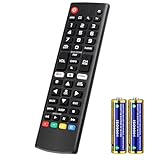
- Compatible Models: It is applicable for your LG Smart TV Remote Controls AKB75095307 AKB74475401 AKB74475433 AKB73975702 AKB75055701 AKB73975711 AKB73715608 AKB74475401 AKB75375604 AGF76631064 AKB74915324 AKB73715601 AKB75095308
- TV COMPATIBILITY: An universal replacement upgraded remote version AKB75095307 for lg tv remote,compatible lg Smart LCD LED HDTV UHD OLED 3D 4K TVs
- Performance: The newly upgraded smart chips, Precisely control far from 12 meters/40 feet.The fastest response takes less than 0.2 seconds to your TV, and it supports over 160,000 clicks via approved tests
- Easy to use: No programming or setup required, the remote control works when the batteries are inserted (2PS AAA batteries are coming inclusive with the package)
- 1 Year Full Warranty: We offer a full 1-year warranty, ensuring you're fully protected for an entire year. If you need any product support, Go to your order > Get product support > Message Now > Product Question > Select the relevant product > Product Details. With over 30 years of experience, we are dedicated to providing the quality TV remotes to millions of American customers
Product prices and availability are accurate as of the date/time indicated and are subject to change. Any price and availability information displayed on Amazon at the time of purchase will apply.

