
The Tool Desk
Outbyte PC Repair FREEClear out junk files and repair common Windows errorsFree Scan →Outbyte Driver Updater FREEScan for outdated or missing drivers - takes under a minuteDriver Scan →iTechGuides is reader-supported. When you buy through links on our site, we may earn an affiliate commission. As an Amazon Associate I earn from qualifying purchases. Learn more
Yazi, fzf, lnav, Atuin, trash-cli, and zoxide can cover specific jobs that often send people to a graphical app: browsing files, finding a forgotten command, inspecting logs, and returning to a directory. They do different things, so the useful question is which task you want to handle in the terminal—not whether to install all six.
What each tool does
The recommendations come from a first-person article in Skeptic Society Magazine dated September 20, 2026. Its author describes personal workflow choices, not results from a controlled comparison or a measured productivity test. The six tools are best understood as options for separate terminal tasks.


| Tool | Use it for | What makes it distinct |
|---|---|---|
| Yazi | Browsing and managing files | Interactive navigation with previews, so you can inspect files rather than relying only on names. |
| fzf | Finding and selecting items from a list | Fuzzy matching helps when you remember only part of a filename, command, Git commit, or other entry. |
| lnav | Investigating logs | Log-focused viewing, filtering, chronological inspection, and SQL queries over log data. |
| Atuin | Searching shell history | Search can use context such as the directory, Git workspace, session, or host in which a command ran. |
| trash-cli | Removing files with a trash-and-restore workflow | It offers a trash-oriented alternative to immediate removal with rm, including ways to list or restore trashed items. |
| zoxide | Returning to directories you have visited | It helps you jump to a remembered folder with a short query, rather than browse the filesystem from scratch. |
For visual file browsing: Yazi
When a filename is not enough to identify the right item, an interactive file manager can make terminal navigation more practical. Yazi is the pick in the source article for browsing files, previewing them, and performing common file operations. Its role is different from a graphical file manager, but the author says they still use File Explorer in situations where it makes more sense.
Free tools Windows power users keep installed
One-click scans. No signup required.
That makes Yazi a fit for readers who want to inspect files while moving through folders, not a reason to treat every file task as a terminal task.
#1 Best Overall
For fuzzy selection: fzf
fzf addresses a different problem: locating an entry when you remember only some of its name or text. The article describes using it to select from files and other lists, including command history and Git commits. Think of it as an interactive search-and-selection aid, not a file manager: it can help find an item, but it does not replace Yazi’s browsing and file-operation role.
For log investigation: lnav
When the question is what happened in a log, lnav is the log-oriented option among these six. The article describes filtering and inspecting logs chronologically, running SQL queries over log data, and bringing multiple logs into a common chronological view. These are the source author’s descriptions; they are not independent performance findings or a guarantee that every log format or investigation will work the same way.
Rank #2
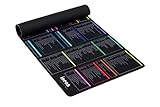
- 【A DECADE OF DEV EXPERTISE (EST. 2014) 🚀】 The INEAN Studio team has been in the commercial coding trenches since 2014. After 7 years of deep server management, we launched this tool in 2021 to bridge the knowledge gap. We’ve since watched 1,000+ beginners use it to transition into fluent Linux power users. Mastering the terminal takes serious grit (and yes, some do quit), but for those who stay the course, this mat is your ultimate physical mentor. 🏆
- 【A-Z INDEX FOR THE AI AGENT ERA 🔤】 In 2026, autonomous agents like Claude Code, OpenClaw, Moltbot, and Open Interpreter write the scripts, but you must approve them. When an AI pauses to ask for permission to execute a terminal command, you can't waste time guessing which "functional category" it belongs to. Our Alphabetical (A-Z) layout allows for instant, human-in-the-loop (HITL) syntax verification before you hit "Approve". ⚡
- 【BEAT THE TOKEN ECONOMY 💰】 Stop burning expensive AI API credits on basic syntax. At ~$0.02 per simple query, asking a cloud model "what does the -la flag do?" is a waste of your token budget. This mat serves as your zero-latency "Physical Local Model"—a one-time investment in knowledge sovereignty that pays for itself by optimizing your AI prompt costs. 🧠
- 【THE ULTIMATE SAFETY NET (RM -RF WARNING) ⚠️】 Whether you buy this mat or not, remember the developer's golden rule: NEVER execute rm -rf * unless you truly intend to wipe your device’s soul from existence. It’s an insider joke for the 1,000+ pros we’ve helped, and a vital, system-saving warning for every beginner. We put the most dangerous flags right where you can see them. 🛑
- 【COMMERCIAL-GRADE XXL BUILD 📏】 Massive 900x400mm surface with 3.5mm high-density rubber. Features a spill-resistant coating—because we know developers live on coffee, energy drinks, and late-night debugging. Precision-stitched edges ensure this "terminal workstation" stands the test of time and intensive mouse tracking. ☕
For remembered commands: Atuin
Atuin is aimed at finding a command you ran before. A plain text search can be awkward when you remember the general situation but not the exact command. The article highlights contextual information—such as the directory, Git workspace, session, or host—as a way to narrow shell-history searches. That makes it distinct from fzf’s broader role in selecting from many kinds of lists, even though the two can overlap when searching command history.
For a recoverable deletion workflow: trash-cli
Ordinary rm removes files without the trash-and-restore workflow described for trash-cli. The latter is intended to let you send items to a trash area, list them, and restore them. That is a useful safeguard against some mistakes, but it is not a promise that every deletion can always be recovered; do not treat it as a substitute for backups.
For revisiting folders: zoxide
zoxide helps you return to directories you have visited by entering a short query. It solves directory recall: getting back to a familiar location without manually retracing the path. fzf, by contrast, is a general fuzzy selector for lists. A reader may value both, but they are not interchangeable tools.
Independent reader supportYour contribution helps us test, update, and keep practical guides available for everyone.Which one should you try first?
- You want to inspect files while navigating: start with Yazi.
- You remember part of a name or entry: try fzf for interactive fuzzy selection.
- You are tracing events in log data: consider lnav.
- You recall a command’s context better than its exact text: consider Atuin.
- You want a trash workflow instead of relying on immediate removal: look at trash-cli, while keeping backups for important files.
- You often return to the same folders: consider zoxide.
The source article characterizes the tools as free and describes Yazi as free and open source, but those descriptions are not an independently verified check of current pricing or licensing. It also does not establish current releases, installation steps, dependencies, supported operating systems, or maintenance status. Check the projects’ own documentation for those details before installing; no project documentation URL is provided here.
The practical takeaway is selective adoption. The article’s author keeps GUI applications in their workflow when those are the better fit. These tools are ways to bring particular tasks into a terminal, not evidence that a terminal can or should replace every graphical app.
Quick wins for a faster PC:
Clear out junk files and repair common Windows errorsFree Scan →Fix the driver behind crashes, sound loss and screen glitchesFind Drivers →Quick Recap
Best Value

- COMMAND REFERENCE: Organizes essential command line tools for files, navigation, search, processes, permissions, archives, networking and remote access.
- QUICK CHEAT SHEET: Common commands such as pwd, ls, cd, grep, find, chmod, tar, curl and ssh are arranged by category for convenient everyday reference.
- TERMINAL EXAMPLES: Includes useful keyboard shortcuts and practical command examples to help learners understand common shell workflows at a glance.
- DEVELOPER WALL ART: Dark terminal styling, monospace typography and bright command highlights create a modern technical display for coding workspaces.
- TECH LEARNING DECOR: Suitable for developer offices, computer labs, programming classrooms, IT training rooms and home workstations.
Product prices and availability are accurate as of the date/time indicated and are subject to change. Any price and availability information displayed on Amazon at the time of purchase will apply.

