
Quick wins for a faster PC:
Scan for outdated or missing drivers - takes under a minuteDriver Scan →Repair Windows errors before they cause bigger problemsFix Now →iTechGuides is reader-supported. When you buy through links on our site, we may earn an affiliate commission. As an Amazon Associate I earn from qualifying purchases. Learn more
TrueNAS can run in a Proxmox virtual machine, but whether it is a sound replacement for a separate storage server depends on how its disks are presented and what data it protects. TrueNAS documentation permits virtualized installation while warning that virtual disks in a storage pool are unsupported and that virtualized TrueNAS is not safe for regular production or critical-data deployment. The account behind this headline does not establish its hardware, configuration, performance, or reliability, so treat consolidation as a possible design—not a measured outcome.
Can TrueNAS run in a Proxmox VM?
Yes. TrueNAS’s installation documentation lists Proxmox among the virtual-machine solutions that can host TrueNAS. Its example minimum VM configuration includes 8 GB of RAM and separate virtual disks for the operating system and data. That is an installation example, not a sizing recommendation for a combined Proxmox and storage workload.
Installation being possible does not mean every virtual storage design is appropriate or supported. TrueNAS distinguishes a proof of concept from regular use: its Hardware Guide states, “While you can deploy TrueNAS in a virtual environment, it is not safe for regular deployment of TrueNAS when storing production or critical data.” The guide also says using virtual disks for a pool is unsupported and might result in data corruption. That is the vendor’s risk guidance, not evidence that a particular home setup has failed.
How should storage be connected to a TrueNAS VM?
When virtualizing TrueNAS, the Hardware Guide advises passing physical disks or the complete storage controller through to the VM where possible. This gives the guest direct access to the storage hardware rather than making its pool depend on virtual disks managed by the hypervisor.
#1 Best Overall

- Performance-Oriented and Quiet Hardware Design: 32GB ECC RAM | 8-Core 2.2GHz Intel Atom CPU | 12x 3.5” Hot-Swap SATA Drive Bays | 2x RJ45 10Gigabit Ethernet LAN ports | Remote Management (IPMI) | 2x USB 2.0 Ports - 1x USB 3.0 Port | 1x Internal Boot Device | Built-in RAID | Boost performance by adding SSDs for read and write caching.
- Ideal for file-sharing, backup, multimedia processing, transcoding, and distribution, video surveillance, edge/remote office, development, personal cloud, and other small/home office & SMB applications. Broaden your Mini’s capabilities with VMs and an extensive suite of software plugins.
- TrueNAS software supports Windows, MacOS, Linux, and Unix clients and syncs with AWS, Azure, Dropbox and more. Supports NFS, SMB, AFP, iSCSI and S3 file sharing protocols. Use TrueCommand to manage multiple TrueNAS systems from a single interface.
- Includes Short Rail Kit - 19" to 26.6" rackmount depth for short racks and optional rubber feet for desktop.
- Item Weight: 41.7 lbs
- Physical disk passthrough: Assign the actual drives to the TrueNAS VM, subject to the host’s and hypervisor’s device-passthrough capabilities.
- Controller passthrough: Assign the full storage controller, such as a compatible SAS HBA, to the VM when the hardware layout supports it. The host must retain the resources it needs to boot and run Proxmox.
- Virtual disks: Do not treat virtual disks as a supported TrueNAS pool configuration; the Hardware Guide warns this may lead to data corruption.
PCIe passthrough requires platform support, such as Intel VT-d or AMD-Vi. The exact steps depend on the motherboard, processor, controller, Proxmox release, and disk layout; there is no safe universal sequence without those details.
What does consolidation change?
Replacing two machines with one can simplify a physical setup, but it also combines workloads and failure domains. If the Proxmox host, its power supply, or its motherboard fails, both the hypervisor and the virtualized storage service may become unavailable. Resource contention is also possible when other VMs compete with TrueNAS for memory or CPU.
Rank #2

- Dual 1/10 GbE, full-featured, compact, and quiet NAS & SAN storage system. Powered by TrueNAS Community Edition, and protected by the self-healing ZFS filesystem. Built-in RAID keeps your data safe and available, error-protection keeps it free from corruption, and snapshots protect it from ransomware attacks and human error.
- Compact mini-tower design for quiet desktop operation: 32 GB ECC DDR4 RAM | 8-Core 2.2 GHz Intel Atom CPU | 5x 3.5” Hot-Swap SATA Drive Bays | 2x 2.5” Hot-Swap SATA SSD Bays | Dual 1/10 Gigabit Ethernet | Remote Management (IPMI) | 3x USB 2.0 Ports - 1x USB 3.0 Port | 1x Internal Boot Device | Speed up workflows by adding cache SSDs | Ultra-quiet Nanoxia fans.
- TrueNAS Community Edition supports Windows, MacOS, Linux, and Unix clients and syncs with AWS, Azure, Dropbox and more. Supports NFS, SMB, iSCSI and S3 file sharing protocols.
- Ideal for file-sharing, backup, multimedia processing and distribution, video surveillance, edge/remote office, development, personal cloud, and other small/home office & SMB applications. Broaden your Mini’s capabilities with VMs and an extensive suite of software applications including Plex and NextCloud.
- Built, tested, and supported in the U.S. by TrueNAS. Proceeds support TrueNAS development.
- Storage access: A separate server owns its drives directly; a VM needs a deliberate passthrough arrangement to present physical storage appropriately.
- Failure isolation: Separate machines can keep a hypervisor outage from also taking down the storage host. A consolidated machine has fewer boxes but concentrates risk.
- Resources: TrueNAS and other VMs share the host. Allocations that work for an idle demonstration may not be sufficient under concurrent workloads.
- Recovery: Plan for restoring both the Proxmox host and the TrueNAS service, including how the pool is reconnected after hardware or configuration changes.
No verified measurements are available for power use, noise, cost, performance, or reliability for the specific consolidation described in the headline. Those outcomes depend on the actual machines and workload and should not be assumed from the fact that one host replaces two.
How much RAM and storage does the setup need?
The current TrueNAS Hardware Guide’s minimum physical-hardware table lists an x86_64 CPU, 8 GB of memory, a 20 GB SSD boot device, and two identically sized devices for a single pool. These are TrueNAS baseline figures, not a guarantee that the same resources can also run Proxmox and other VMs adequately. The guide is development documentation modified September 11, 2026; check the version selector for the stable release relevant to a particular deployment.
Rank #3

- 【High-Performance Multitasking for Speed & Endurance】Powered by AMD Ryzen Embedded R2514, 4 cores, 8 threads, and up to 3.70GHz, with 8GB DDR4 RAM expandable to 64GB, DXP4800 GT handles backups, media processing, Docker apps, and multi-user workloads smoothly. Dual 10GbE networking and high-speed SSD expansion deliver fast transfers, stable streaming, rapid backups, and local-like 4K/8K editing directly from the NAS.
- 【UGOS Pro with Expandable Media & App Ecosystem】UGOS Pro makes NAS management simple with guided setup, a clean interface, and helpful on-screen tips. Beyond files, photos, backup, and search, it supports Docker, virtual machines, and SAN Manager, letting users expand into Plex, Emby, Jellyfin, Home Assistant, web hosting, and other self-hosted workflows—all managed through the UGREEN NAS app across phone, tablet, computer, and TV.
- 【Surveillance Center Built-In】Connect compatible IP cameras to DXP4800 GT and turn your NAS into both the storage drive and control center for home or small-business security. UGREEN Surveillance Center only supports ONVIF/RTSP cameras, live multi-view, PTZ control, event detection, recording, and timeline playback from one NAS-based platform. Footage stays stored locally, so you can review, manage, and share access without separate camera apps or cloud subscriptions.
- 【USB & SD Instant Backup】Built-in SD card slot lets creators import photos and videos without an external card reader. Simply insert an SD card into the NAS, open the UGREEN NAS app, and copy or back up files to your selected folder in just a few clicks. Combined with USB-A 10Gbps, USB-C 10Gbps, USB 2.0, and 4K HDMI connectivity, DXP4800 GT helps you quickly transfer camera footage, media assets, or surveillance files—saving time and simplifying your workflow without relying on a computer.
- 【Local Privacy, Pro-Grade Security】Store files locally on DXP4800 GT instead of third-party cloud servers, with local account mode for LAN-only access when needed. TLS/SSL, RSA, AES, and SHA-512 help secure logins and data transfers, while Security Manager, and flexible permissions provide continuous protection. RAID support adds data redundancy to help reduce the risk of data loss and improve file recovery in the event of drive failure.
The separate 8 GB RAM figure in TrueNAS’s installation page is part of an example VM minimum. It should not be read as a complete recommendation for a real workload or as proof that 8 GB is enough for both the guest and the host.
Independent reader supportYour contribution helps us test, update, and keep practical guides available for everyone.What to verify before moving a storage server into a VM
- Identify the exact software releases. Record the TrueNAS edition and release and the Proxmox version. Check the TrueNAS hardware guidance for the stable release you intend to use.
- Map the storage topology. List each physical disk, its controller, the host boot device, and which device will be passed through. Confirm whether disk-level or complete-controller passthrough is feasible on the platform.
- Confirm platform support. Check that the CPU and motherboard support IOMMU-based PCIe passthrough, such as VT-d or AMD-Vi, if passing through a controller.
- Size resources for concurrent work. Allocate memory and CPU with both Proxmox services and TrueNAS workloads in mind; the cited minimums are not combined-host sizing guidance.
- Write and test a recovery plan. Document how to restore the hypervisor, reconnect the storage devices, and recover access to data if the host or its configuration fails.
Without the specific TrueNAS release, Proxmox version, memory allocation, disk and controller topology, passthrough method, and tested recovery plan, a reader cannot reproduce or independently assess the particular one-machine result implied by the headline.
Quick Recap
Best Value
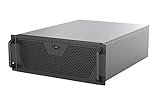
- Engineered for High-Performance Computing: Supports E-ATX motherboards for multi-GPU setups and top-tier hardware, making it a solid foundation for rendering, AI training, and virtualization servers
- Ready for 360mm AIO Liquid Cooling: Directly supports a 360mm radiator for extreme CPU cooling, enabling sustained performance under heavy computational loads without modification
- Triple 120mm PWM Fans for Effective Airflow: Three pre-installed, quiet PWM fans work with the AIO to ensure optimal airflow, keeping GPUs and other critical components cool and stable
- Front-Access 10Gbps USB-C for Fast Transfers: A front-panel USB 3.2 Gen Type-C port delivers up to 10 Gbps transfer speeds, drastically improving efficiency when working with large files
- Versatile Storage Configuration: Accommodates up to 2 x 3.5-inch hard disk drives and 4 x 2.5-inch solid state drives, providing flexible storage options for your server needs
Rank #4

- 8 hot-swappable drive trays accommodates 2.5" or 3.5" SAS-12G / SATA-6G drives with LED indicators displaying drive operation status
- Supports Micro-ATX / Mini-ITX motherboard and ATX (PS2) power supply
- Compatible with 240 or 280mm liquid cooling radiators
- Supports up to 11 total drives plus one 9.5mm slim optical drive
- Front I/O includes: 1 x USB Type-C, 2 x USB 3.0 & 1 x combo audio
Product prices and availability are accurate as of the date/time indicated and are subject to change. Any price and availability information displayed on Amazon at the time of purchase will apply.
Do these 3 things before closing this tab:
1Fix the driver behind crashes, sound loss and screen glitches2Clear out junk files and repair common Windows errors3Scan for outdated or missing drivers - takes under a minute
