
Recommended Free Tools
iTechGuides is reader-supported. When you buy through links on our site, we may earn an affiliate commission. As an Amazon Associate I earn from qualifying purchases. Learn more
Choose an SSD for frequently accessed data that must feel responsive, an HDD for online bulk storage where disk access is still required, and LTO tape for backups, long-term retention, and archives that are not read constantly. The best choice depends on access pattern and total system cost, not a single speed or price ranking.
SSD and HDD comparisons are usually made at the device level. Tape must be evaluated as a system: cartridges need compatible drives or libraries, software, handling procedures, and a tested restore process. The figures below separate native capacity from compressed capacity and distinguish sequential transfer from random-access responsiveness.
| # | Preview | Product | Price | |
|---|---|---|---|---|
| 1 |

|
10 Pack Q2078A- HP LTO Ultrium 8, 12TB/ 30TB, Part # Q2078A- 10 HP LTO-8 Tapes | $831.59 | Buy on Amazon |
| 2 |

|
Quantum Lto 8 - 10 Pack | $799.90 | Buy on Amazon |
| 3 |

|
Fuji LTO Ultrium 6 Tape Cartridge 10 Pack | $241.75 | Buy on Amazon |
| 4 |
|
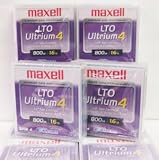
Maxell 183906 10-Pack LTO Ultrium 4 Tape Cartridge LTO-4 800GB (Native) / 1.6TB 120 Transfer Rate | $121.01 | Buy on Amazon |
| 5 |

|
Fuji Lto 9 - 10 Pack | $879.99 | Buy on Amazon |
SSD, HDD, and tape at a glance
| Criterion | SSD | HDD | LTO tape |
|---|---|---|---|
| Access pattern | Online, highly responsive random and sequential access; exact performance depends on the model. | Online random and sequential access from magnetic disks; performance depends on the device and workload. | Sequential media for backup, archive, and large transfers; access requires a compatible tape drive or library and a retrieval workflow. |
| Capacity | Varies by product class; no market-wide maximum is established here. | Varies by product class; no market-wide maximum is established here. | LTO-10 media provide 30 TB or 40 TB native capacity. The LTO Program lists up to 75 TB or 100 TB at a 2.5:1 compression ratio. |
| Speed | Typically the practical choice when applications need quick, frequent access; use the specific model’s tested figures for a quantitative comparison. | Suitable for online bulk storage, but mechanical seeks make interactive access less responsive than solid-state storage. | LTO-10 is specified for up to 400 MB/s native or 1,200 MB/s compressed transfer. Those are sequential maximums, not SSD-style random-access latency. |
| Cost position | Device, endurance, workload, and replacement horizon determine the economics. | Often useful where online capacity economics matter, but a fair comparison requires a defined model and system. | The LTO Program positions tape as a lower-cost tier for less frequently accessed data. Total cost includes drives or libraries, media, power, administration, and retrieval. |
| Best-fit workloads | Operating systems, applications, active databases, virtual machines, scratch space, and other frequently accessed data. | File servers, media libraries, NAS pools, and other online bulk data that still needs disk access. | Backup, long-term retention, archives, nearline storage, high-capacity transfer, and capture or offload. |
| Main caveat | Performance and endurance are model-specific; do not generalize from one SSD to all SSDs. | Performance, failure behavior, and energy use vary by model and system design. | It is not plug-and-play consumer storage. LTO-10 does not support backward read or write compatibility, so every drive, cartridge, library, and software component must be checked. |
For LTO specifications, see the LTO Program’s LTO-10 technology page. The SSD and HDD descriptions above are workload guidance rather than model-level benchmarks.
How the three technologies actually store and retrieve data
SSD: flash storage for active, responsive data
An SSD stores bits in flash memory and has no spinning platters or moving heads. That architecture makes small, scattered reads and writes feel responsive, which is why SSDs are a sensible default for an operating-system volume, application drive, database tier, virtual-machine datastore, or project workspace. It does not mean every SSD has the same endurance, sustained-write behavior, interface, or capacity. A consumer NVMe drive, enterprise SSD, and external SATA SSD can have very different specifications, so a purchasing decision should use the exact model’s workload ratings.
#1 Best Overall
- High Capacity Storage: Provides 30TB recording capacity for extensive data archiving
- Long-Term Archival: 30-year archival life ensures data preservation for decades
- Secure Data Protection: Barium Ferrite technology provides reliable data security
- Professional Grade: Meets demanding requirements for business-critical information storage
- Cost Efficient: Reduces per-gigabyte storage costs compared to disk-based solutions
HDD: magnetic disks for online bulk capacity
An HDD records data magnetically on rotating platters. It remains online and addressable like an SSD, but a mechanical head must seek to the relevant location. Sequential transfers can be practical for large files, while many small random operations expose the mechanical delay. HDDs therefore fit file shares, media collections, backup staging, and other large datasets that do not require constant low-latency access. RAID, NAS, controller, and workload choices can change real-world results substantially.
Tape: removable, sequential media
LTO tape stores data on a removable cartridge that is read and written by a compatible drive or library. A tape system is optimized for streaming large runs of data rather than jumping instantly between unrelated files. Loading a cartridge, locating a file, and moving the tape to the correct position add retrieval steps that do not exist with an online SSD or HDD. Those characteristics are valuable when data is retained for months or years and is read only occasionally, but they require deliberate cataloging and restore procedures.
Capacity: native versus compressed numbers
What an LTO-10 cartridge holds
The official LTO-10 specification lists two native media capacities: 30 TB and 40 TB. It also lists up to 75 TB and 100 TB at a stated 2.5:1 compression ratio. Native capacity is the figure to use when estimating storage for arbitrary data. The compressed figures are conditional: text and structured data may compress well, while already-compressed video, photographs, encrypted files, and many backups may gain little or nothing. Treat 75 TB or 100 TB as a quoted maximum under the stated ratio, not as guaranteed usable space for every dataset.
The LTO-10 page also specifies 15,104 data tracks, described as 68.5% more than the previous generation’s 8,960 tracks. That engineering change helps explain how the format increases capacity, but it does not alter the need to plan using your own data’s compressibility and retention copies.
Rank #2
- High Storage Capacity of 12TB and up to 30 TB compressed capacity.
- Supports transfer speeds of 360 MB/s (native), 900 MB/s (2.5:1) with Generation 8
- Barium Ferrite (BaFe) technology
- Support for tape drive hardware encryption
- Compatible with Linear Tape File System (LTFS)
Why SSD and HDD capacity cannot be reduced to one maximum
SSD and HDD capacities depend on product class, interface, form factor, sector format, workload, and the number of devices in a pool. A single maximum would be misleading: an individual drive, a RAID array, and a multi-shelf storage system are different units of comparison. When comparing them with tape, state whether you mean raw device capacity, usable redundant capacity, or the capacity of an entire system after filesystem overhead and spare space.
Speed: random responsiveness versus sequential throughput
Which is faster, SSD or HDD?
For interactive work and small random operations, an SSD is generally the faster and more responsive choice because it avoids mechanical seeks. An HDD can still deliver useful sequential throughput for large files, but applications that constantly jump between locations usually feel slower. Exact results depend on the drive, interface, queue depth, cache, thermals, and workload; do not attach a universal MB/s or latency number to every SSD or HDD.
Where tape’s transfer rate fits
The LTO Program specifies LTO-10 at up to 400 MB/s native and 1,200 MB/s compressed. These are maximum sequential transfer rates under the stated conditions. A tape stream can be excellent for writing or reading a large backup, yet still be a poor fit for opening thousands of small files one at a time. The compressed rate also depends on the data compressing sufficiently and on the stated interface configuration. It should not be compared directly with an SSD benchmark that measures random I/O or application latency.
Plan around the workload: use SSD or HDD when users and applications need online, mixed-access data; use tape when the job is a sustained backup, archive export, or large restore in which streaming is practical.
Rank #3
- LTO ultrium 6
- 2.5 TB / 6.25 TB
Cost: compare complete systems, not just media
Why there is no universal price-per-terabyte winner
A fair SSD-versus-HDD-versus-tape calculation needs the same scope on all three sides. At minimum, define:
- Usable capacity after formatting, redundancy, and spare space.
- Media or drives, plus the compatible enclosure, controller, tape drive, or library.
- Power, cooling, rack space, and networking.
- Administration, monitoring, software licensing, and operator time.
- How often data is retrieved and how quickly it must be available.
- Retention length, duplicate copies, off-site storage, and migration requirements.
- Replacement, warranty, and failure-recovery costs over the planned lifetime.
The sources available for this comparison do not establish a current, apples-to-apples price benchmark across all three technologies. Current retail prices change by region and capacity tier, and a cartridge-only price omits the drive or library needed to read it.
When tape can lower archive cost
The LTO Program describes tape as a lower-cost tier for data that is accessed infrequently or retained for a long time. In an active-archive design, frequently used data remains on an online tier while older or less time-critical data moves to lower-cost storage with a defined path back to retrieval. That can reduce the amount of powered disk capacity required, but only if the organization budgets for compatible hardware, media rotation, cataloging, off-site copies, and periodic restore tests.
Outdated Drivers Are Slowing You Down
One free scan finds every outdated or missing driver and matches the right update for your exact hardware.Free scan · exact hardware matchWindows Errors? Fix Them Before They Spread
Repair common Windows errors and clear accumulated junk for a smoother, more stable PC - no reinstall needed.Free scan · no reinstallLTO benefit materials also publish claims about energy savings when disk storage is converted to tape, including an estimate of about 200 million megawatt-hours per year for a 33% conversion and a statement that HDD systems use 70 times more energy than tape. The underlying assumptions are not shown in the cited page text, so treat those as LTO-published claims rather than independent, consumer-level estimates.
Rank #4
Best use cases for each medium
Choose SSD for active and latency-sensitive workloads
- Boot volumes and applications that must launch quickly.
- Transactional databases, indexes, and virtual machines with frequent random I/O.
- Video, design, software, or data-science projects where users repeatedly open and modify working files.
- Scratch space, caches, and build directories where responsiveness matters more than the lowest cost per terabyte.
Keep a separate backup. An SSD’s speed does not protect against deletion, ransomware, controller failure, or a site-wide incident.
Choose HDD for online bulk data
- Large file shares and NAS volumes that users access throughout the day.
- Media libraries and repositories where capacity is more important than instant random access.
- Backup staging areas that need online access before data is copied to another tier.
- Nearline datasets that are too active for tape but do not justify an all-SSD design.
Use redundancy and monitoring appropriate to the array or server. A group of HDDs is still online storage and should not be treated as an offline backup.
Choose LTO tape for backup, retention, and archive
- Full and synthetic backups that can be streamed sequentially.
- Regulatory or business retention measured in years rather than hours.
- Cold or nearline archives that are rarely opened but must remain recoverable.
- High-capacity transfer between sites, capture/offload workflows, and large-scale ingest.
- Offline copies intended to create a physical separation from production systems.
The LTO Program’s active-archive guidance describes putting less time-critical information on a lower-cost tier while preserving a retrieval path. Retrieval speed, catalog quality, and the number of tape drives available determine whether that arrangement meets your recovery objective.
Do these 3 things before closing this tab:
1Clear out junk files and repair common Windows errors2Scan for outdated or missing drivers - takes under a minute3Repair Windows errors before they cause bigger problemsHow to design a tape tier without creating a recovery problem
- Classify the data. Record which files need immediate online access, which can tolerate a longer restore, and which must be retained for a defined period.
- Set recovery objectives. Define the maximum acceptable data loss and restore time. A tape copy alone may not meet a short recovery-time objective.
- Size from native capacity. Start with 30 TB or 40 TB per LTO-10 cartridge, then model your actual compression rather than assuming the 2.5:1 maximum.
- Choose compatible hardware. Confirm that the drive or library, cartridge type, backup software, interfaces, and operating systems support the LTO generation you intend to use.
- Create more than one copy. Keep copies in separate locations and include at least one copy that is offline or otherwise isolated from routine administrative credentials.
- Catalog every cartridge. Track cartridge identity, contents, encryption keys, retention date, location, and the drive or software version required for restoration.
- Test restores on a schedule. A successful backup job is not proof that a file can be recovered. Restore representative files and a complete system image, document timings, and fix failures while the media and hardware are available.
- Plan migration. Because generations have compatibility limits, budget time and hardware to copy retained data to a supported generation before the current drives are retired.
Protection features and their limits
LTO-10 includes hardware-based encryption and support for WORM (write once, read many) media. Removable cartridges can also be stored offline, providing a potential air gap from production networks. These features strengthen a protection design but do not make the whole system automatically secure.
Best Value
- Barium Ferrite (BaFe) technology
- Compatible with Linear Tape File System (LTFS)
- Supports transfer speeds of 400 MB/s (native), 1000 MB/s (2.5:1) with Generation 9 tape drives
- Pack of 10
- Protect and escrow encryption keys separately from the cartridges.
- Restrict who can export, erase, or overwrite media and record those actions.
- Use immutable or WORM policies where regulations or threat models require them.
- Keep offline media physically protected and maintain environmental controls recommended for the cartridges.
- Test that backup software can reconstruct catalogs and restore without the original server.
LTO-10 compatibility and lifecycle checks
The LTO Program states that LTO-10 does not support backward read or write compatibility. Before purchasing, verify the exact generation supported by the drive, the cartridges supplied, the library robotics, and the backup or archive application. If you inherit older cartridges, confirm a supported migration path instead of assuming a new drive can read them.
Also document the interface and compression settings used for performance estimates. A quoted 1,200 MB/s compressed maximum does not guarantee that a particular host, network, library, or dataset will sustain it.
A practical decision framework
| Question | Prefer SSD when… | Prefer HDD when… | Prefer tape when… |
|---|---|---|---|
| How often will the data be opened? | Continuously or many times each day. | Regularly, but not with strict low-latency requirements. | Occasionally, on a restore or archive request. |
| What access pattern dominates? | Small random reads and writes or mixed application I/O. | Online file access and large sequential transfers. | Long sequential backup, export, or restore streams. |
| What matters most? | Responsiveness and predictable application performance. | Online capacity with conventional disk access. | Long retention, removable copies, and archive economics. |
| What infrastructure can you operate? | SSD servers or arrays with model-specific monitoring. | Disk servers, NAS, or arrays with redundancy and replacement plans. | Compatible drives or libraries, media handling, catalogs, and tested retrieval. |
Many organizations use all three tiers rather than selecting one winner: SSD for the active working set, HDD for online bulk data and backup staging, and tape for independent backup copies and long-term archives. The boundary between tiers should be defined by access frequency, recovery objectives, retention rules, and a documented transfer policy.
The Tool Desk
Outbyte PC Repair FREERepair Windows errors before they cause bigger problemsFix Now →Outbyte Driver Updater FREEFix the driver behind crashes, sound loss and screen glitchesFind Drivers →Common mistakes to avoid
- Comparing unlike speed tests. Do not place tape’s sequential MB/s beside an SSD’s random-I/O result and call one universally faster.
- Budgeting only for cartridges. Include the compatible drive or library, software, spares, operator time, and restore testing.
- Planning from compressed capacity alone. Size for native capacity and measure your own compression ratio.
- Calling online HDD storage a backup. Deletion, malware, and hardware failures can affect the live array and its local copy.
- Assuming offline means indestructible. Protect facilities, labels, encryption keys, and environmental conditions, and maintain more than one copy.
- Ignoring generation compatibility. Verify read and write support before retiring an older drive or accepting inherited cartridges.
- Skipping recovery drills. A catalog error, damaged cartridge, missing key, or unsupported software version can turn an apparently successful backup into an unusable one.
Bottom line for a purchase decision
Use an SSD when the user or application needs the most responsive online access. Use an HDD when data remains online and capacity is the priority, provided the workload tolerates mechanical access. Use LTO tape when the dominant requirement is dependable backup, long retention, archive storage, or a removable copy that is not continuously exposed to production systems.
For LTO-10 specifically, plan around 30 TB or 40 TB native per cartridge, regard 75 TB or 100 TB as conditional 2.5:1 compressed figures, and treat 400 MB/s native or 1,200 MB/s compressed as sequential maximums. Make the final choice from a complete system design and recovery test, not from a single capacity, speed, or media-price number.
Quick Recap
Product prices and availability are accurate as of the date/time indicated and are subject to change. Any price and availability information displayed on Amazon at the time of purchase will apply.

