
iTechGuides is reader-supported. When you buy through links on our site, we may earn an affiliate commission. As an Amazon Associate I earn from qualifying purchases. Learn more
If your Sony TV powers on without you pressing the power button, check its On timer first, then look for HDMI-CEC commands from connected equipment. Depending on the model and setup, Remote Start, a voice device, or a stuck remote button may also be involved. These are troubleshooting possibilities, not a diagnosis; Sony’s menu names and available settings vary by model.
What may be causing your Sony TV to turn on
The pattern can help narrow down what to check. A TV that starts at a regular time may have a timer enabled. One that turns on when a receiver, player, or other HDMI-connected device starts may be responding to HDMI-CEC. If there is no clear pattern, check the TV’s other power-related settings, voice devices, and remote.
- Turns on at a regular time: Check On timer or Timer.
- Turns on when another device starts: Check BRAVIA Sync or HDMI-CEC settings on the TV and connected equipment.
- Seems random: Check applicable Remote Start and voice settings, inspect the remote, and try Sony’s power-reset step.
Sony’s current US guidance covers Google TV, Android TV, and older models, but not every setting appears on every television. See Sony’s automatic power-on troubleshooting guide and the manual or support page for your exact model.
PC Slower Than It Used to Be?
A free scan shows the junk files, broken settings and background clutter dragging Windows down - then fixes them in one click.Free scan · Windows 10 & 11Outdated Drivers Are Slowing You Down
One free scan finds every outdated or missing driver and matches the right update for your exact hardware.Free scan · exact hardware matchCheck the On timer or Timer
An enabled timer can bring the TV out of standby. Sony recommends checking On timer or Timer when a BRAVIA turns on automatically. The setting’s location depends on the TV’s software generation, and it may not be available on every model.
#1 Best Overall

- 【Wide Compatibility】this high-end remote is designed for All 2019-2026 SONY TVs. It serves as an excellent replacement for various SONY voice remote controls such as RMF-TX520U/500U, RMF-TX800U/810U/811U/820U, RMF-TX900U/910U/920U, RMF-TX300/310U, RMF-TX600U/611U/621U and others. 【Important Notice】 For TVs that do not support voice control or were released before 2018, the voice search functionality may not work. This remote requires two AAA batteries, and is NOT backlit.
- 【Advanced Voice Control】With its advanced chip, this remote offers precise Bluetooth voice control from a long distance. Please make sure following the user manual to pair this remote before using the bluetooth voice function.
- 【Number Pad & Four Hotkeys】 The number pad helps you quickly access the TV channels you want to watch, while dedicated shortcut buttons give you one-click access to Netflix, YouTube, Prime Video, and Disney+. Unlike other replacement Sony remotes that skip these features, you get complete control in one device.
- 【2-Year Full Warranty】We offer a 1-year full warranty to ensure your complete satisfaction with your purchase. If you need any product support, find your Order > Get product support > Message Now > Product Question > Select the relevant product > Product Details.
- 【Instructions of Pairing】navigate to Settings -> Remotes & Accessories -> Remote Control -> Connect A New Remote. To initiate the pairing process, press and hold the "VOL -" button while simultaneously pressing the "Mic" button for 3-5 seconds.
- Open the TV’s settings or Quick Settings menu.
- Find On timer or Timer using the path applicable to your model. Sony’s instructions give different paths for Google TV, Android TV, and older televisions.
- If the timer is enabled, turn it off and see whether the TV remains off at the time it previously started.
Because menu paths and labels differ, do not assume a path shown for another Sony TV will match yours. Use the model-specific manual or support page if you cannot find the option.
Check HDMI-CEC and BRAVIA Sync
HDMI-CEC lets compatible audio/video devices send certain control commands to one another over HDMI. Sony uses the names BRAVIA Sync, BRAVIA Link, and CONTROL for HDMI for its HDMI-CEC feature. A connected device may be sending a power command, particularly if the TV turns on as that device starts.
Rank #2

- RMT-TX100U TV Remote Control Fit for Sony Smart Televisions (RMTTX100U)
- Compatible with All Sony LCD LED HDTV Smart TVs Remote
- No programming or setup required. Just install new batteries, it is ready to use.
- This Remote can replace All Sony LCD LED HDTV Smart TVs Remote with Netflix shortcut button.
- Battery Required: 2 x AAA Alkaline Battery (not included).
- Note whether the TV powers on when a connected receiver, player, or other device is turned on.
- In the TV settings, look for BRAVIA Sync, HDMI-CEC, or CONTROL for HDMI, then check the TV’s auto-power-on setting. Sony lists disabling this setting as a troubleshooting step.
- If needed, check the connected device’s CEC settings too. You can test with CEC control disabled, but doing so may also stop intended device-control functions.
Sony explains that “BRAVIA™ Sync, BRAVIA Link, and CONTROL for HDMI are names of the HDMI-CEC feature on Sony products.” See its BRAVIA Sync (HDMI-CEC) overview and troubleshooting information for background on the feature.
Review Remote Start and voice-device settings
Sony includes Remote Start among the settings to check on Android TV models when a TV powers on by itself. Look for it only if your model offers the setting; its presence and menu location depend on the television.
Rank #3

- 【Applicable TV Types】Voice remote compatible with the Sony Bravia Google Smart TVs, it covers models such as BRAVIA 3, BRAVIA 7, BRAVIA 8, BRAVIA 9, X90L, X90CL, X93L, X93CL, X95L, A75L, A80L, A80CL, A95L etc
- 【Remote Control Compatible Models】Universal replacements for Sony TV remotes cover the following models: RMF-TX810U, RMF-TX820U, RMF-TX910U, and RMF-TX920U
- 【Elemental Features】Our replacement remote comes with 6 popular shortcuts such as Netflix, Prime Video, disney+, YouTube, Bravia core, crunchyroll for one-touch access to your favorite apps
- 【Activate Voice Function】Insert 2*AAA batteries after opening the box to start the pairing process.Press the "Power" button to turn on the TV. Press and hold the [VOL(-)] button and [VOICE] button for 3 seconds to start the pairing process with the TV.(Batteries Not Included)
- 【Quality Product】Suitable for Sony Smart TV remote control, made of high quality ABS material, equipped with advanced voice technology, can be activated by one button for fast response and precise control, a perfect replacement for the original TV remote control
A voice remote or smart speaker may also mistake everyday conversation for a command. If one is part of your setup, review its settings and consider whether it could be hearing a wake phrase or power command. Treat this as a possibility only when a relevant voice device is present.
Inspect the remote and power-reset the TV
A stuck button on the remote can interfere with the TV. Check whether any button is physically held down or failing to release. Sony’s general self-power-on steps then recommend disconnecting the device from AC power for 60 seconds before reconnecting it.
Rank #4

- 【Compatible Remote Models】-Universal Voice Remote Control Replacement for Sony TV Remote RMF-TX800U/810U/811U/820U, RMF-TX900U/910U/920U, RMF-TX520U/500U, RMF-TX600U/611U/621U, RM F-TX300U/310U
- 【Compatible TV Models】-Compaitble with all 2018-2025 Sony Google Bravia Series TVs, Sony XBR/XR/KD/KDL Series TVs, Sony 4K UHD Crystal HDR TVs, Sony OLED Ultra HD TVs
- 【Voice Control Function】This smart tv remote enable voice control function which let's you tell the TV everything What you want and it happens,at the push of a microphone button,It will make life more convenient and add more funny. Note: ONLY Compatible with Voice-enabled devices.
- 【Quikly Link Buttons】- Quick skip to your favorite content with preset app buttons for Ntflx,YouTobe,disny+, Prm Video
- 【Pairing Instruction】- Please follow the following steps to pair this remote before using the voice search. Go to your TV Settings -> Remotes & Accessories or BT -> Remote Control -> Connect via BT. To initiate the pairing process, press and hold the "VOL -" button while simultaneously pressing the "Mic" button for 3-5 seconds. 1x New Remote (battery not included), 1x User Manual.
- Check the remote for stuck buttons.
- Unplug the TV from the AC outlet and leave it disconnected for 60 seconds.
- Reconnect the TV and observe whether the behavior continues.
A replacement remote is relevant only if the existing remote appears faulty; it is not a general fix for timer, HDMI-CEC, or network settings. Sony’s self-power-on troubleshooting instructions include the remote check, 60-second unplug, and service guidance.
Update the software and get model-specific help
Sony recommends checking for a TV software update because an update may resolve specific issues. Use the update instructions for your model rather than relying on a universal button sequence: menus differ across Google TV, Android TV, and older Sony televisions.
Best Value
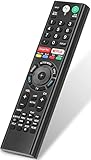
- 【Compatible TVs】RMF-TX310U voice remote replacement for Sony XBR, KD series 4K Ultra HD Smart Bravia LED/ OLED Android TV and for Sony XBR KD XR series 4K Ultra HD Smart Bravia LED/ OLED Google TV.
- 【Shortcut Button】This RMF-TX310U voice remote control for Sony TV remote comes with two applications buttons for popular streaming channels (for Netflix, for Google Play), effortlessly stream your favorite streaming service quickly and directly just need a click.
- 【Voice Recognition】Our RMF-TX310U replacement remote for Sony bravia TV remote has voice search function and this offer great connection between the Sony TV and voice remote. You can press the microphone button on the remote and say what you want to search.
- 【Pairing Method】 Please pair this RMF-TX310U voice remote with your Sony TV before use. Pairing Steps: (1) Press the power button to turn on your TV. (2) Hold "VOL-" button and "Microphone" button for 2 seconds to initiate pairing. (3) All pairing transaction is behind the scene and no setup is required.
- 【Stable Performance】Our updated replacement RMF-TX310U for Sony Smart TV remote has a quick transmission response time of 0.2 seconds. It transmits a signal over long distances (>10m/33inch) and is 100% identical to the original remote, making it an ideal choice for when your remote is broken or missed.
If the relevant settings are absent, named differently, or the TV still turns on after the applicable checks, consult the model’s support page or manual. Sony says service may be required if its troubleshooting steps do not resolve the problem.
Quick Recap
Product prices and availability are accurate as of the date/time indicated and are subject to change. Any price and availability information displayed on Amazon at the time of purchase will apply.

