
Outdated Drivers Are Slowing You Down
One free scan finds every outdated or missing driver and matches the right update for your exact hardware.Free scan · exact hardware matchPC Slower Than It Used to Be?
A free scan shows the junk files, broken settings and background clutter dragging Windows down - then fixes them in one click.Free scan · Windows 10 & 11iTechGuides is reader-supported. When you buy through links on our site, we may earn an affiliate commission. As an Amazon Associate I earn from qualifying purchases. Learn more
Sonic Racing: CrossWorlds lets you choose a racer and customize a machine, but those are different systems. The documented customization options focus on the vehicle, its setup, and gadgets—not a general editor for changing a character’s body or outfit. You can personalize a machine’s parts and appearance, choose among five machine types, and use gadgets that alter your abilities and playstyle.
Racer selection is not the same as character customization
In Sonic Racing: CrossWorlds, choosing a character means choosing whom to race as. SEGA’s September 25, 2025 launch announcement described 23 Sonic-universe characters at launch, alongside guest and premium crossover racers. That number is a launch-era figure, not a guarantee of the current roster after updates.
The customization details SEGA documents center on machines and gadgets. They do not describe a general character-appearance editor for changing a racer’s body or outfit. That distinction matters when deciding what “customization” means here: changing machine colors, decals, or parts is vehicle customization, not a character skin. The documented systems focus on racer selection and machine customization, while the available material does not establish whether every character-specific cosmetic possibility is absent. In other words, select the racer you want first, then treat the machine as the main personalization project.
What’s actually slowing this PC down?
Pick the symptom - the matching free tool is one click away.
This also prevents a common misunderstanding when comparing screenshots or promotional language. A different paint scheme, texture, aura, horn, or body component belongs to the machine. It does not mean that Sonic, Shadow, a guest racer, or another character has been given a new outfit. The racer and the ride are separate choices that can be combined freely within the options your current game version has unlocked.
#1 Best Overall

- READY, SET, WARP! Race across 24 tracks and warp to 15 CrossWorlds with Travel Rings, a unique gameplay mechanic that transports the iconic characters from the Sonic and SEGA universes into new dimensions. Use unpredictability to your advantage as you change the landscape of each race!
- RACE WITH THE BEST! Choose from 23 iconic Sonic characters, the largest roster of any Sonic racing game!
- MAKE IT YOURS: Mix and match between 45 unique original vehicles and 70 different gadgets to trick out your ride, level up your kart, and create the ultimate machine to match your racing style.
- GAIN THE ADVANTAGE WITH POWERFUL ITEMS! Dominate your opponents with 23 different items including returning favorites and all-new items like the Monster Truck!
- MULTIPLE WAYS TO PLAY: Gather with friends and play local split-screen in Grand Prix and the new party mode Race Park, compete against a community of players from around the world with up to 12 players online in World Match, or test your driving skills in Time Trials.
What you can customize on a machine
SEGA describes the machine as highly configurable, saying, “Every part of your vehicle is yours to customize!” Its Machines feature page names six appearance options: parts, colors, decals, textures, a custom aura, and a horn. Earlier launch material also describes combining tires and parts, applying stickers, and changing color. The online manual’s search result specifies front parts, rear parts, and tires, with decals applied to the front and rear.
| Choice | What it changes | What is established |
|---|---|---|
| Parts | The machine’s components and look | SEGA identifies parts as customizable; the manual search result names front and rear parts. |
| Tires | The machine’s configuration and appearance | The launch announcement describes combining tires and parts; the manual search result also names tires. |
| Colors | The machine’s color | Named on SEGA’s Machines page and in launch material. |
| Decals | Applied visual designs | SEGA names decals; the manual search result says they can be applied to the front and rear. |
| Textures | The machine’s surface appearance | Named on SEGA’s Machines page; specific texture options are not stated here. |
| Aura and horn | Finishing touches for the machine | SEGA presents both as customization options; their full option lists are not stated here. |
These are machine-level choices. A decal, color, texture, aura, or horn should not be described as changing a racer’s outfit or appearance. SEGA’s own description frames the aura and horn as finishing touches for a distinctive ride. The result is a layered system: you can make the same racer feel different by changing the vehicle, and you can use the same machine concept with different racers.
Parts and tires are worth considering separately from purely visual details. The official descriptions confirm that they are components you combine, but do not publish a complete stat table or explain that every visual part has a specific performance value. Avoid assuming that a dramatic-looking component is automatically faster, tougher, or better at turning. Read the current in-game information for the item and test it in races instead of treating appearance as proof of performance.
Recommended Free Tools
Machine types are setup choices, not appearance presets
SEGA lists five machine types: Speed, Acceleration, Handling, Power, and Boost. It recommends choosing a type that complements your racing style. The names indicate the categories SEGA provides, but the feature description does not give numerical stat values, exact trade-offs, or a universally best type. Treat them as options to try, rather than assuming one is objectively strongest.
| Machine type | How to approach the choice |
|---|---|
| Speed | Consider it if you want to explore the Speed-oriented setup category; exact stat effects are not specified in the feature description. |
| Acceleration | Consider it if the Acceleration category appeals to your racing style; specific values and trade-offs are not stated. |
| Handling | Consider it if the Handling category fits how you prefer to race; the available description does not quantify its effect. |
| Power | Consider it as the Power-category setup; exact performance behavior is not detailed in the source description. |
| Boost | Consider it as the Boost-category setup; the feature page does not publish comparative numbers. |
The practical point is to separate what you can see from what you choose for your setup. Colors, textures, decals, aura, and horn are listed as appearance options. Machine type is a setup category, so it belongs in a different decision from how you want the vehicle to look. If you are unsure which type suits you, try the available options in play and decide based on your own preference rather than relying on an unsupported “best type” ranking.
Rank #2
- READY, SET, WARP! Race across 24 tracks and warp to 15 CrossWorlds with Travel Rings, a unique gameplay mechanic that transports the iconic characters from the Sonic and SEGA universes into new dimensions. Use unpredictability to your advantage as you change the landscape of each race!
- RACE WITH THE BEST! Choose from 23 iconic Sonic characters, the largest roster of any Sonic racing game!
- MAKE IT YOURS: Mix and match between 45 unique original vehicles and 70 different gadgets to trick out your ride, level up your kart, and create the ultimate machine to match your racing style.
- GAIN THE ADVANTAGE WITH POWERFUL ITEMS! Dominate your opponents with 23 different items including returning favorites and all-new items like the Monster Truck!
- MULTIPLE WAYS TO PLAY: Gather with friends and play local split-screen in Grand Prix and the new party mode Race Park, compete against a community of players from around the world with up to 12 players online in World Match, or test your driving skills in Time Trials.
Do not confuse the type label with a mandatory character class. SEGA presents the five types as machine choices that complement a player’s racing style, not as permanent roles assigned to particular racers. You can therefore evaluate a type by how it feels in your hands, then change the machine’s visual theme without implying that the racer has changed abilities or identity.
Gadgets add abilities and can change your approach
Gadgets are another part of machine customization, but they are not simply decorative. SEGA says gadgets grant abilities that change playstyle. Its examples include Item Stock Plus, Quick Charge, and Giant Rocket Punch. The feature material establishes that these gadgets can change how you play, but does not provide enough detail to compare their exact effects, conditions, or strength. Check each gadget’s in-game description when choosing one.
SEGA advertised more than 70 gadgets at launch. That is a dated launch figure, not a complete count guaranteed to remain current. It is also separate from the “more than 70,000 Machine combinations” figure in the launch announcement: one refers to gadgets, the other to possible machine combinations. Neither number is an independent measurement, and the combination count may change as the game is updated.
For a useful mental model, consider three decisions separately:
- Appearance: choose parts, colors, decals, textures, aura, and horn to personalize the machine’s look.
- Machine type: choose among Speed, Acceleration, Handling, Power, and Boost according to your racing style.
- Gadgets: select abilities that can change your playstyle, using the current in-game descriptions to understand each one.
This separation is useful when troubleshooting a disappointing setup. If the machine looks right but handles differently than expected, the relevant question is the type or gadget, not the decal or aura. If an ability feels unfamiliar, inspect the gadget description rather than assuming it is a cosmetic attachment. Keeping those categories distinct makes experimentation easier and prevents wasted time chasing a visual option for a gameplay effect.
Rank #3
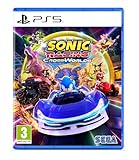
- Pre-order Sonic Racing: CrossWorlds and receive the playable character Werehog, the Werehog vehicle "Beast Spike", and the Werehog Decal!
- Race across land, sea, air, space, and time in Sonic Racing: CrossWorlds! Warp through Travel Rings into new dimensions where something new awaits around every twist and turn.
- Speed to victory solo or as a team in a variety of offline and online modes and compete against players from around the world. Build the ultimate vehicle to match your racing style, unlock gadgets to gain the upper hand, and unleash power-up items to bring home the win!
- Gain the Advantage with Powerful Items! Dominate your opponents with 23 different items including returning favorites and all-new items like the Monster Truck!
- Make It Yours Mix and match between 45 unique original vehicles and 70 different gadgets to trick out your ride, level up your kart, and create the ultimate machine to match your racing style.
How to get started without confusing the options
The official descriptions establish what can be customized, but do not provide a stable, exact menu path for every current version. Use the game’s current customization menus rather than relying on an outdated sequence of button presses. Names, item placement, and available content can change when the game is patched.
Quick wins for a faster PC:
Clear out junk files and repair common Windows errorsFree Scan →Fix the driver behind crashes, sound loss and screen glitchesFind Drivers →Repair Windows errors before they cause bigger problemsFix Now →- Choose a racer. Pick the character you want to race as. This is racer selection, not an appearance-editor step.
- Open the machine customization area. Look for the in-game options for machine parts and appearance. The exact menu labels or navigation sequence are not specified in the feature descriptions.
- Set the machine’s look. Explore the available parts, tires, colors, decals, textures, aura, and horn. Not every item’s availability or unlock route is necessarily the same.
- Choose a machine type. Select the type that fits your preferred racing style. Because official feature material does not publish a numerical comparison, use the choices available in-game to decide what feels right to you.
- Review gadgets separately. Read the in-game descriptions and select abilities that match how you want to approach a race. Examples named by SEGA include Item Stock Plus, Quick Charge, and Giant Rocket Punch.
- Check how you unlock unavailable items. SEGA’s earlier announcement says more gadgets unlock through play. The online manual’s search result says tickets can be used to purchase machine parts and other customization items. For a particular item, use its current in-game listing rather than assuming every item follows the same route.
- Test before committing to a favorite. Compare a few combinations in actual races. A striking appearance, a machine type, and a gadget solve different problems, so change one category at a time when you are trying to understand what affected your result.
Unlocks and updates can change what is available
Customization is not necessarily a fixed launch-day list. SEGA’s June 24, 2026 version 1.4.1 notice lists a new racer and machine, eight new gadgets, and collaboration decals. In that update, the eight gadgets were obtainable once the Gadget Plate reached Gold Plate or higher. The notice also said certain gadgets previously distributed through festivals became purchasable with Donpa Tickets after reaching Master Plate or higher.
Those are conditions for the items named in that particular update, not general rules for every gadget or cosmetic. Unlock routes, availability, and item counts can vary by update. If an item is missing or an older guide gives a different requirement, check the game’s current menus and SEGA’s current update notes for that item. The official descriptions do not establish a single unlock path that applies to all customization content.
The same caution applies to collaboration decals and other event-linked material. An item may be tied to a particular version, festival, plate rank, or ticket shop rule. Do not assume that an item once distributed through an event is permanently unavailable, or that every event item can be bought in the same way. Verify the individual listing and requirement shown by the current game.
What the launch numbers do—and do not—tell you
SEGA Corporation’s September 25, 2025 launch announcement reported more than 70,000 machine combinations, over 70 gadgets, and 23 Sonic-universe characters at launch. These figures help convey the scale SEGA advertised at release, but they answer different questions: the character figure describes the launch roster, the gadget figure describes launch gadget availability, and the combination figure describes machine combinations. They should not be treated as a current inventory or as independently verified counts.
The Tool Desk
Outbyte PC Repair FREEClear out junk files and repair common Windows errorsFree Scan →Outbyte Driver Updater FREEFix the driver behind crashes, sound loss and screen glitchesFind Drivers →Rank #4

- UK PSN account may be required for any online features
“More than 70,000” is also a publisher estimate of possible combinations, not a promise that every combination is immediately unlocked on a new save. Parts, tires, colors, decals, textures, auras, horns, machine types, and gadgets may become available through different routes. The number describes the breadth of the system, while your practical collection depends on progress, tickets, plate requirements, events, and the current version.
Later additions show why launch figures can become outdated. The June 2026 version 1.4.1 notice lists new content, including a machine and eight gadgets. For current availability, the game itself and the latest official update notices are more useful than a launch count.
Independent reader supportYour contribution helps us test, update, and keep practical guides available for everyone.Do you need anything beyond the game?
No separate accessory is identified as necessary for these customization systems. SEGA’s official material presents machine customization and gadgets as features of the game. Choose the game edition and platform that suit you; customization is an in-game system, not a separate hardware product. The launch announcement listed physical and digital Standard Editions and platform availability, but it did not identify a special controller, accessory, or add-on required to customize a machine.
Common mistakes to avoid
- Calling a vehicle design a character skin: machine paint, decals, textures, aura, and horns change the ride, not necessarily the racer.
- Assuming a type has a published best ranking: SEGA names five categories but does not provide comparative numbers in the feature description.
- Treating launch counts as current totals: the September 2025 figures predate later additions such as those in version 1.4.1.
- Applying one unlock rule to every item: Gold Plate, Master Plate, Donpa Tickets, play progress, and event distribution are examples tied to particular content.
- Guessing from appearance: a visually aggressive part or bright aura is not proof of a specific performance effect.
Frequently Asked Questions
Can you customize a character’s body or outfit?
The documented systems focus on selecting a racer and customizing the machine. SEGA’s feature descriptions do not document a general editor for changing a racer’s body or outfit, so do not treat machine decals or paint as character skins.
Do these 3 things before closing this tab:
1Scan for outdated or missing drivers - takes under a minute2Clear out junk files and repair common Windows errors3Fix the driver behind crashes, sound loss and screen glitchesWhat parts of the vehicle can be changed?
SEGA lists parts, colors, decals, textures, a custom aura, and a horn. Launch material and the online manual search result also identify tires, front parts, rear parts, and decals applied to the front and rear.
Best Value

- READY, SET, WARP! Race across 24 tracks and warp to 15 CrossWorlds with Travel Rings, a unique gameplay mechanic that transports the iconic characters from the Sonic and SEGA universes into new dimensions. Use unpredictability to your advantage as you change the landscape of each race!
- RACE WITH THE BEST! Choose from 23 iconic Sonic characters, the largest roster of any Sonic racing game!
- MAKE IT YOURS: Mix and match between 45 unique original vehicles and 70 different gadgets to trick out your ride, level up your kart, and create the ultimate machine to match your racing style.
- GAIN THE ADVANTAGE WITH POWERFUL ITEMS! Dominate your opponents with 23 different items including returning favorites and all-new items like the Monster Truck!
- MULTIPLE WAYS TO PLAY: Gather with friends and play local split-screen in Grand Prix and the new party mode Race Park, compete against a community of players from around the world with up to 12 players online in World Match, or test your driving skills in Time Trials.
What are the five machine types?
The five named types are Speed, Acceleration, Handling, Power, and Boost. SEGA presents them as choices to match different racing styles, without publishing a universal best option or complete comparative stat values in the feature description.
What do gadgets do?
Gadgets grant abilities that can change your playstyle. SEGA’s examples are Item Stock Plus, Quick Charge, and Giant Rocket Punch. Read each current in-game description for its exact effect and conditions.
How many machine combinations are there?
SEGA reported more than 70,000 machine combinations in its September 25, 2025 launch announcement. That is a publisher launch figure, not an independently measured current inventory, and later updates can change the available content.
How do you unlock parts and gadgets?
SEGA said more gadgets unlock through play, while the online manual search result says tickets can purchase machine parts and other customization items. Requirements are item-specific. Version 1.4.1, for example, tied eight gadgets to Gold Plate or higher and certain festival gadgets to Donpa Ticket purchases after Master Plate or higher.
Did updates add customization content?
Yes. SEGA’s June 24, 2026 version 1.4.1 notice listed a new racer and machine, eight new gadgets, and collaboration decals. Current menus and the latest update notes are the best way to check what is available now.
Do I need a special accessory to customize a machine?
No separate accessory is identified as necessary. Machine customization and gadgets are presented as in-game features; choose the game edition and platform that fit you.
The Bottom Line
Sonic Racing: CrossWorlds separates racer choice from machine customization. Pick the character you want, then build the ride with parts, tires, colors, decals, textures, an aura, and a horn. Choose one of five machine types for your preferred setup and use gadgets for abilities that can change playstyle. Unlock routes and item lists can shift with updates, so confirm individual requirements in the current game and SEGA’s latest notices rather than relying on launch figures or a single universal rule.
Free tools Windows power users keep installed
One-click scans. No signup required.
Quick Recap
Product prices and availability are accurate as of the date/time indicated and are subject to change. Any price and availability information displayed on Amazon at the time of purchase will apply.

