
iTechGuides is reader-supported. When you buy through links on our site, we may earn an affiliate commission. As an Amazon Associate I earn from qualifying purchases. Learn more
To change your smartwatch wallpaper, change its watch face—the screen design that can combine a background, time display, and complications such as weather, activity, or shortcuts. “Wallpaper” usually means the face’s background, and it is not a universal menu label. The available choices depend on your watch model and the face you select: some let you adjust colors and information fields, while others support a personal photo.
Start by identifying your watch’s brand and model, then follow the matching route below. There is no single gesture or photo-wallpaper feature that works on every smartwatch.
What can you personalize on a smartwatch?
A watch face is more than a background image. Depending on the face and device, you may be able to choose a preset design, adjust colors or style, add or move complication fields or widgets, or use a personal photo. A complication is a small on-face display of information or a shortcut; the choices and available slots vary by face.
Crashes, No Sound, or Screen Glitches?
Random freezes, missing sound and display glitches usually trace back to one bad driver. Find and replace yours safely.Free scan · under a minuteWindows Errors? Fix Them Before They Spread
Repair common Windows errors and clear accumulated junk for a smoother, more stable PC - no reinstall needed.Free scan · no reinstallBefore looking for a photo setting, check whether your model and the currently selected face support photos. Some devices offer photo faces only through particular face options, and not every watch supports personal imagery.
#1 Best Overall

- Compatibility: 6 Pack Flexible TPU Protector; Compatible for IDW13 / IDW15 / IDW19 / ID208 Plus Smart Watch
- Coverage: Material flexibility allows screen coverage even on curved devices
- Self-healing Film: If there are small bubbles on the surface, they will disappear naturally. It will improve over time, it will show the invisible effect of the fusion of the film and the machine
- HD Clear: Use of high-quality ultra-thin TPU、Clear transparent screen can restore the original color of Watch
- Easy Installation: Comes with an installation tool and instruction manual
How to change your smartwatch wallpaper
Apple Watch
The Apple Watch app on iPhone provides a Face Gallery for browsing and adding faces. Choose a category and face, adjust the available color, style, and complication positions, then add the face to your watch. Apple also documents selecting and customizing faces directly on the watch; the controls available depend on the face and watchOS version.
For a personal image, Apple documents a Photos face. You can add a photo to the face while viewing it in Photos on Apple Watch. Follow Apple’s Photos watch face instructions for the current steps, and use its guide to changing Apple Watch faces to browse faces and adjust their options.
Rank #2
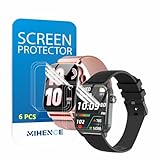
- Suitable for : Surface dedicated Screen protector Compatible for TRAUSI TG08 1.83'' Smartwatch / Trendia / iBesi TG09 1.83'' Smartwatch explosion proof film guard shield(Note: This item is TPU screen protector 6PCS, does not include watches)
- Note: Only fits Compatible for TG08 / TG09 1.83" Smartwatch, Not suitable for other 1.83'' Watch
- Easy installation: Easy installation, ultra clear HD, you will install quickly, save time and effort, hassle-free and bubble-free ( If there are tiny bubbles left during the lamination process, they will be automatically repaired within 12 hours to achieve a bubble-free invisible screen protector)
- Material : TPU,High quality transparent clear screen protector
- It has excellent window display, high sensitivity and comfortable touch feeling
Wear OS watches
On many Wear OS watches, wake the display and touch and hold the screen to open the face list; some watches use a swipe instead. Browse and tap a face to select it. To customize, choose a face that offers settings, then adjust the styles or data and complication fields shown for that face. Additional faces may be available from the face list or the watch’s companion app.
Free tools Windows power users keep installed
One-click scans. No signup required.
Exact gestures, labels, and options vary by manufacturer and model. Google’s Wear OS instructions for changing the home screen cover face selection and customization, but do not assume that every Wear OS watch or face supports a personal photo.
Rank #3
![YMHML 8 Pack Screen Protector Compatible for Apple Watch 40mm SE 3 / SE 2/1 Series 6/5 / 4, [Upgrade Flexible Film] Soft HD Clear Anti-Scratch Film for iWatch Accessories](https://m.media-amazon.com/images/I/51IF4ciAl+L._SL160_.jpg)
- ❥[Compatible models]: Specially designed for iWatch 40mm SE 3 / 2 /1 series 6/5/4 , not applicable to any other models. It is very important to check your size, please pay attention before buying!
- ❥[Max Coverage Protection]: Provide protection for your apple watch against scratches, waterproof, anti-fingerprint. Precise cutting technology and soft TPU material make the protective film perfectly cover the corners and edges of the device, the protector will not easily warp or even fall off.
- ❥[Easy installation]: To install the product more quickly, please view the online video. Even if you have never used the protector yourself, our video can make it easy to install, and no residue after removal.
- ❥[Anti-Scratch]: This screen protector is made of military-grade polyurethane, which can protector your Apple Watch SE series 6 / 5 / 4 40mm from scratch and daily wear. Advanced TPU materials make it self-healing within 24 hours.
- ❥[Hassle-free Service]: We provide you with professional customer service, any problems about quality or your order, please feel free to contact us, we will provide a satisfied solution for you within 24 hours.
Samsung Galaxy Watch
Samsung documents two ways to manage faces on supported Galaxy Watch models: use the Galaxy Wearable app or customize on the watch. Select a face, then choose Customize when it is available. Depending on the face, options can include background color, hands, dials, and widgets.
Galaxy Watch models running Wear OS, older Galaxy Watch and Gear devices, and Galaxy Fit products do not all use the same menus or offer the same features. Follow Samsung’s watch-face instructions for your exact model rather than relying on a path intended for another product family.
Rank #4

- 6 Pack TPU Protector, For IDW26 Smart Watch 1.83" (Note: 1.83" refers to the watch screen size and specifications, not the size of the protective film)
- Which is flexible to offer maximum screen coverage. Material flexibility allows total coverage even on curved devices
- Films with Optically transparent, virtually invisible, and HD Clear screen protector with smooth glass-like surface and "True Touch" feel.
- With "scratch self-healing function", it can heal small scratches
- Lmmediately after application, there may be wavy or residual small air bubbles on the surface, and they will disappear naturally within a few hour.It will improve over time, please wait after pasting, it will show the invisible effect of the fusion of the film and the machine
Garmin watches
Garmin watches may offer preinstalled faces, additional faces through Connect IQ, and Face It, which uses personal photos to create a face. A typical route to a preinstalled face begins at Settings > Watch Face, but Garmin says steps vary by watch. Check the manual for your exact model and Garmin’s watch-face personalization instructions before following a particular menu path.
Recommended Free Tools
Fitbit and other models
Menu names and photo support can differ across Fitbit models. Use the official instructions for your specific watch or tracker rather than assuming a procedure or feature applies across the Fitbit range. The same model-first approach applies to other brands: confirm the face’s available settings and the manufacturer’s guidance before installing a third-party app.
Best Value

- Compatibility: 6 Pack TPU Protector, Compatible for ID208 Plus / P114 / P125 / MT65 / P66D Smart Watch 1.85" (Note: 1.85" refers to the watch screen size and specifications, not the size of the protective film)
- Coverage: Material flexibility allows screen coverage even on curved devices
- Self-healing Film: If there are small bubbles on the surface, and they will disappear naturally. It will improve over time, it will show the invisible effect of the fusion of the film and the machine
- HD Clear: Use of high-quality ultra-thin TPU、Clear transparent screen can restore the original color of Watch
- Easy Installation: Comes with an installation tool and instruction manual
What to check if you cannot find a photo or wallpaper option
- Confirm the model. Find the exact model name in the watch’s settings, its companion app, or its documentation; product families can have different controls.
- Try a different face. Photo support and customization are face-dependent. A face with no photo option may still offer colors, styles, or complications.
- Check the companion app. Some platforms offer face browsing or customization both on the watch and through a phone app.
- Use model-specific support. Follow the manufacturer’s instructions for your watch rather than importing gestures or menu paths from another brand or generation.
Choosing a face that fits your needs
When comparing faces for your watch, check whether they support personal photos, which color and style controls they offer, how many complication or widget fields they provide, and whether you can make changes on the watch or must use a companion app. Confirm compatibility with your model and operating-system version before choosing a face; a catalog listing or feature on another model does not establish support for yours.
Wear OS faces can combine visual styling with glanceable information, such as data fields and shortcuts, as described in Google’s overview of personalization on Wear OS. Pick the balance that works for you: a photo or simple design may make the screen more personal, while complications can make useful information easier to check.
Quick Recap
Product prices and availability are accurate as of the date/time indicated and are subject to change. Any price and availability information displayed on Amazon at the time of purchase will apply.

