
PC Slower Than It Used to Be?
A free scan shows the junk files, broken settings and background clutter dragging Windows down - then fixes them in one click.Free scan · Windows 10 & 11Outdated Drivers Are Slowing You Down
One free scan finds every outdated or missing driver and matches the right update for your exact hardware.Free scan · exact hardware matchiTechGuides is reader-supported. When you buy through links on our site, we may earn an affiliate commission. As an Amazon Associate I earn from qualifying purchases. Learn more
A black screen on a Sharp TV does not, by itself, identify a failed part. First check whether the problem is limited to one connected device or input; if every source remains black after safe external checks, consult the manual for your exact model and contact Sharp or a qualified repair provider. Do not open the cabinet: Sharp warns that high voltage is present inside.
Start by checking whether the TV is receiving power
Check that the TV’s power connection is secure and that the outlet works. Note any indicator light or response when you turn the TV on, but use the manual for your exact model to interpret it. The available Sharp information does not establish a single indicator code that applies to all Sharp televisions.
Rule out the selected input and connected equipment
Confirm that the external device—such as a receiver, streaming player, or game console—is on, and that the TV is set to the input it uses. With the equipment powered down as its own manual directs, check that the external connections are seated securely. Sharp’s AQUOS manual includes checking the connection to the device among its no-picture steps: Sharp AQUOS manual.
Compare another source before suspecting a TV fault
Try the TV’s own interface or another available input. If another source displays normally while one HDMI device produces a black screen, focus first on that device’s output settings, connection, and cable. If you can test with a known-good cable that suits both the TV and connected device, do so before buying a replacement. A problem isolated to one source does not establish that the TV itself has failed.
#1 Best Overall
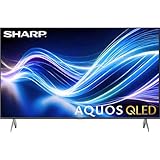
- Deep Chroma Quantum Dot Technology
- Dolby Vision
- Voice Control Remote
- Alexa And Apple Home Integration
Check HDMI settings only when your model’s manual calls for it
Sharp’s LC-70XU830X and LC-80XU930X manual describes an HDMI setting for a particular no-picture condition involving 4K60P. That instruction is specific to those models and condition; do not apply it to other Sharp TVs without checking their manuals: Sharp product support.
Find instructions for your exact Sharp model
Menu labels and troubleshooting steps can differ by model and region. Search Sharp’s support portal using the TV’s exact model name or number, then consult its product information or manual before changing settings. The Android 11 AQUOS manual and the LC-70XU830X/LC-80XU930X manual cover particular models, not the whole Sharp range. The support portal is a regional entry point, so contact options may vary by country.
Rank #2

- Sharp 50 Inch Class AQUOS QLED Smart TV delivers brilliant Quantum Dot color technology with enhanced brightness and vibrant lifelike visuals for movies, sports, gaming, and streaming
- 4K Ultra HD 3840 x 2160 resolution provides exceptional clarity and sharp detail for a more immersive viewing experience with compatible content
- Built-in Xumo Smart TV platform offers fast access to streaming apps, live TV channels, movies, shows, and personalized entertainment recommendations
- HDR10 and Dolby Vision support improve contrast and color performance with deeper blacks, brighter highlights, and enhanced image realism
- Included HDMI cable allows quick and convenient connection to gaming consoles, Blu ray players, soundbars, streaming devices, and more
When to contact Sharp or a repair provider
If the picture remains absent on every source after checking power, input selection, external devices, and connections, the fault may need service. Contact Sharp support, the dealer, or a qualified TV repair provider. A black screen alone is not enough to diagnose a backlight, panel, or circuit-board failure.
Keep the cabinet closed
Do not remove the TV’s back cover or attempt internal repairs. Sharp warns that high voltage is present inside the cabinet and directs owners to contact the dealer if maintenance is required. External checks are the safe limit of the troubleshooting described here.
Quick Recap
Product prices and availability are accurate as of the date/time indicated and are subject to change. Any price and availability information displayed on Amazon at the time of purchase will apply.

