
Do these 3 things before closing this tab:
1Fix the driver behind crashes, sound loss and screen glitches2Clear out junk files and repair common Windows errors3Scan for outdated or missing drivers - takes under a minuteiTechGuides is reader-supported. When you buy through links on our site, we may earn an affiliate commission. As an Amazon Associate I earn from qualifying purchases. Learn more
To keep Wi-Fi on while using a Samsung Galaxy hotspot, enable Wi-Fi Sharing in the hotspot’s advanced settings. Go to Settings → Connections → Mobile Hotspot and Tethering → Mobile Hotspot → Advanced, switch on Wi-Fi Sharing, then turn on Mobile Hotspot. The option is not available on every model or software version, and carriers can affect which settings appear.
Turn on Wi-Fi Sharing on your Samsung Galaxy
-
Open Settings → Connections → Mobile Hotspot and Tethering.
-
Open the Mobile Hotspot settings page. If needed, open or edit the hotspot details to find its configuration options.
Recommended: PC Feels Slow? A Free Scan Shows What's Dragging Windows Down →Recommended: Crashes or Glitches? A Free Driver Scan Usually Finds the Culprit →Special offer. See more information about Outbyte and uninstall instructions. Please review EULA and Privacy policy. -
Tap Advanced and enable Wi-Fi Sharing. If your phone displays a Save button, tap it.
#1 Best Overall
Sale Samsung Galaxy A37 5G (2026), Unlocked Android Smartphone, 128GB, AMOLED Display, Triple Camera, IP68, Slim Phone, 5000mAh Battery, US Version, US 1 Yr Warranty, Awesome Charcoal
- AWESOME SCREEN. ENDLESS POSSIBILITIES: Elevate your content no matter where you are with the 6.7" Super AMOLED display¹ of the Galaxy A37 5G. Enjoy massive detail and stunning clarity on the go
- LONG-LASTING BATTERY: Whether it’s family moments or important calls, stay powered without the wait with Galaxy A37 5G. Super Fast Charging 2.0² ensures you’re back up and running quickly
- NEVER MISS THE SHOT, EVEN IN LOW LIGHT: With effortless Nightography, you can capture clear high-quality photos and videos on your phone automatically without adjusting manual settings
- PRO SHOTS, NO PROBLEM: Capture every moment effortlessly on Galaxy A37 5G with the advanced triple-lens camera system featuring a 50MP HDR main camera and a studio-grade front camera
- MORE POWER. MORE AWESOME: Enjoy smooth performance on Galaxy A37 5G. From detailed graphics while gaming to quick app launches and effortless multitasking, the Exynos 1480 keeps everything running
-
Turn on Mobile Hotspot, then connect the other device to the hotspot network shown on your phone.
Samsung says a mobile hotspot normally disables Wi-Fi when activated; Wi-Fi Sharing is the separate advanced option for sharing the Wi-Fi connection already in use. Menu labels and availability vary by carrier, model, and software version. Samsung’s mobile hotspot instructions describe the setting and the default behavior.
Rank #2

- Display: 5.83 inches PLS TFT capacitive touchscreen, Resolution: 720 x 1560 pixels
- Memory: 32GB 2GB RAM - microSD, up to 512 GB
- Main Camera: 8 MP, f/1.9, AF w/ LED flash, panorama, HDR - Selfie Camera: 5 MP, f/2.0
- OS: Android 9.0 (Pie) - Chipset: Exynos 7884 - CPU: Octa-core (2x1.6 GHz Cortex-A73 & 6x1.35 GHz Cortex-A53) - GPU: Mali-G71 MP2
- Dimensions: 5.80 x 2.74 x 0.33 in, Weight: 4.97 oz
What Wi-Fi Sharing does—and how it differs from a mobile-data hotspot
With a standard mobile-data hotspot, the phone shares its cellular connection. With Wi-Fi Sharing enabled, it shares the Wi-Fi network the phone is connected to, letting another device get online through the phone without being given the original network password. Samsung describes this use case in its Galaxy hotspot guide.
Quick wins for a faster PC:
Fix the driver behind crashes, sound loss and screen glitchesFind Drivers →Repair Windows errors before they cause bigger problemsFix Now →Scan for outdated or missing drivers - takes under a minuteDriver Scan →Auto Hotspot is a different feature: Samsung describes it as a way to share the phone’s internet connection with eligible devices signed in to the same Samsung account or family group. It is not the Wi-Fi Sharing toggle.
Rank #3
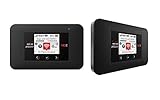
- Powerful Performance: Surf at top speed. Use a device that offers the latest in bandwidth, speed, and performance - ideal for stremaing videos, sending emails, and keeping your social status up-to-date while on-the-go.
- Powerful Battery - Recharging is the least of your worries. Last the day out with up to 24 hours of continuous use. The Jetpack 971L can also charge a smartphone or small portable USB device while on the go.Battery Up to 650 hours on standby
- Connect up to 15 Wi-Fi devices: Share a secure connection with friends and family, or simply connect all your Wi-Fi devices - whether it be a smartphone, tablet, laptop, or portable gaming device. LCD Screen 1.77” LCD Display with Touch Navigation Buttons
- Global Ready - Stay connected, even abroad. The Jetpack 791L is Global Ready, meaning you can bring Wi-Fi with you and use it in 200+ countries.
If Wi-Fi Sharing is missing or Wi-Fi still turns off
-
Check the Mobile Hotspot configuration page, including Advanced, rather than relying only on the hotspot on/off switch.
-
Check the manual for your exact Galaxy model. Samsung notes that available options can vary by carrier, phone model, and software version, so the setting may not appear on every device.
Rank #4
 Samsung Galaxy A37 5G (2026), Unlocked Android Smartphone, 128GB, AMOLED Display, Triple Camera, IP68, Slim Phone, 5000mAh Battery, US Version, US 1 Yr Warranty, Awesome White
- AWESOME SCREEN. ENDLESS POSSIBILITIES: Elevate your content no matter where you are with the 6.7" Super AMOLED display¹ of the Galaxy A37 5G. Enjoy massive detail and stunning clarity on the go
- LONG-LASTING BATTERY: Whether it’s family moments or important calls, stay powered without the wait with Galaxy A37 5G. Super Fast Charging 2.0² ensures you’re back up and running quickly
- NEVER MISS THE SHOT, EVEN IN LOW LIGHT: With effortless Nightography, you can capture clear high-quality photos and videos on your phone automatically without adjusting manual settings
- PRO SHOTS, NO PROBLEM: Capture every moment effortlessly on Galaxy A37 5G with the advanced triple-lens camera system featuring a 50MP HDR main camera and a studio-grade front camera
- MORE POWER. MORE AWESOME: Enjoy smooth performance on Galaxy A37 5G. From detailed graphics while gaming to quick app launches and effortless multitasking, the Exynos 1480 keeps everything running
-
If this is a work-managed phone, ask your administrator whether a device policy blocks Wi-Fi sharing. Samsung Knox device-control policies can restrict device features.
Special offer. See more information about Outbyte and uninstall instructions. Please review EULA and Privacy policy. -
If Wi-Fi turns off after you enable the hotspot, return to its Advanced settings and verify that Wi-Fi Sharing is enabled.
Best Value
 SpeedTalk Mobile SIM Card Starter Kit, Smartphone Cell Phone, GPS Tracker and IoT, Plan Starting at $5 Prepaid, Data, Talk and Text, High Speed 5G 4G LTE, Android iOS, USA, 3 in 1 SIM Kit
- ✅ 𝗔𝗳𝗳𝗼𝗿𝗱𝗮𝗯𝗹𝗲 𝗣𝗹𝗮𝗻𝘀 𝗳𝗿𝗼𝗺 $𝟱/𝗠𝗼𝗻𝘁𝗵 – Choose your plan for your device. Get a SIM card with plans starting at just $5/month. Perfect for Any type of devices, smartphones, cameras, Smartwatch, hotspots, GPS trackers, IoT devices, tablets & more.
- ✅ 𝗦𝗜𝗠 𝗞𝗶𝘁 𝗶𝗻𝗰𝗹𝘂𝗱𝗲𝘀: 3-in-1 Physical SIM card (standard, micro, and nano sizes) to fit all SIM-compatible devices. During activation, you can choose to keep the physical SIM or switch to an eSIM on compatible Apple, Google, and Samsung smartphones (please see the device compatibility chart in this listing). Activation is required to begin SpeedTalk Mobile service.
- ✅ 𝗲𝗦𝗜𝗠: Bring your own unlocked phone, keep your current number (or get a new one), and activate online. Use the ICCID number on the SIM card delivered to you for both Physical SIM and eSIM activations. eSIM available on all iPhone 11 and newer, Google phones Pixel 2 or higher, and Samsung phones.
- ✅ 𝟱𝗚 𝟰𝗚 𝗟𝗧𝗘 𝗛𝗶𝗴𝗵-𝗦𝗽𝗲𝗲𝗱 𝗗𝗮𝘁𝗮 – Stay connected with fast & reliable speeds for talk, text & data. Ideal for Smartphones, hotspot, IoT devices, GPS trackers, Smartwatches, cameras & tablets.
- ✅ 𝗢𝘂𝗿 𝗦𝗜𝗠 𝗰𝗮𝗿𝗱 𝗰𝗮𝗻 𝗯𝗲 𝘂𝘀𝗲𝗱 𝘄𝗶𝘁𝗵 𝘂𝗻𝗹𝗼𝗰𝗸𝗲𝗱 𝟰𝗚 𝟱𝗚 𝗱𝗲𝘃𝗶𝗰𝗲𝘀: Including smartphones such as Apple iPhone, Android phones. It is also compatible with smartwatches, laptops, tablets, MiFi hotspots, routers, GPS trackers, cameras, and other IoT devices.
If the other device cannot find the hotspot
Change the hotspot band to 2.4 GHz and make sure Hidden network is off. Samsung says 2.4 GHz works with more devices, while 5 GHz offers better performance. Its Galaxy S23 series EU manual recommends trying 2.4 GHz and disabling Hidden network when a hotspot cannot be found. The exact controls may differ on other Galaxy models.
Data limits and battery settings
If the hotspot uses cellular data rather than the phone’s Wi-Fi connection, your mobile operator may limit tethering or charge extra; check your plan. You can also set a hotspot timeout so it switches off when no device is connected. Android recommends turning tethering off when you finish to help conserve battery. See Android Help’s hotspot and tethering guidance and Samsung’s Galaxy hotspot instructions.
Quick Recap
Product prices and availability are accurate as of the date/time indicated and are subject to change. Any price and availability information displayed on Amazon at the time of purchase will apply.

