
What’s actually slowing this PC down?
Pick the symptom - the matching free tool is one click away.
iTechGuides is reader-supported. When you buy through links on our site, we may earn an affiliate commission. As an Amazon Associate I earn from qualifying purchases. Learn more
For most households, Roku Ultra is the best 4K streaming box. It combines 4K, HDR10+, Dolby Vision, Dolby Atmos, Wi-Fi 6, Ethernet, USB storage support and Roku’s Voice Remote Pro in one broadly compatible package. It is the easiest recommendation when you want one box that works well with a mixed collection of televisions, receivers and streaming services.
Choose Apple TV 4K instead if Apple devices, fast navigation and Siri matter most. Choose the third-generation Fire TV Cube if hands-free Alexa control of the television, receiver and smart-home equipment is the reason you are buying a box. There is no universal winner: the best streamer depends on whether you value platform simplicity, speed or voice-first control.


Roku Ultra vs Apple TV 4K vs Fire TV Cube: the short answer
| Device | Best for | What stands out | Main compromise |
|---|---|---|---|
| Roku Ultra | Most households | Broad 4K HDR support, Dolby Atmos, Wi-Fi 6, Ethernet, USB and Voice Remote Pro | Less tightly integrated with a single phone, tablet or smart-home ecosystem |
| Apple TV 4K | Apple users and speed-focused buyers | A15 Bionic performance, Dolby Vision up to 2160p/60 fps, Siri Remote and Apple services | Costs more than many streaming sticks; Ethernet is limited to the 128GB configuration |
| Fire TV Cube (3rd generation, 2022) | Hands-free Alexa and smart-home control | Wi-Fi 6E, far-field microphones, Dolby Vision and control of TV/AV equipment without holding a remote | Voice-first operation can be more complex than a conventional remote interface |
Use the table as a starting point, then check the detailed differences below. A television must support the relevant HDR format, and an app must provide compatible video or audio before any box can display it.
Core specifications compared
| Feature | Roku Ultra | Apple TV 4K | Fire TV Cube |
|---|---|---|---|
| Model generation identified in current materials | Current Roku Ultra page does not state a model year in the cited passage | Third generation, identified by Apple as a 2022 model | Third generation, 2022 |
| Maximum video class | 4K | 4K; Dolby Vision up to 2160p at 60 frames per second | 4K Ultra HD |
| HDR called out by the manufacturer | HDR10+ and Dolby Vision | Dolby Vision and HDR10+ | Dolby Vision; Amazon identifies the device as a 4K HDR streamer |
| Object-based audio | Dolby Atmos | Dolby Atmos | Dolby Atmos support is listed for compatible content and equipment |
| Wi-Fi | Wi-Fi 6 | Wi-Fi on both configurations; the cited Apple materials do not specify a Wi-Fi generation | Wi-Fi 6E with tri-band 2×2 MIMO |
| Wired networking | Ethernet | 128GB Wi-Fi + Ethernet model | Ethernet |
| USB | USB port | No user USB port is identified in the cited Apple product material | USB availability is not stated in the cited device specification |
| Control method | Voice Remote Pro and conventional on-screen navigation | Siri Remote with USB-C charging | Far-field Alexa microphones plus remote control |
| Storage configurations | Capacity is not stated in the cited Roku material | 64GB Wi-Fi or 128GB Wi-Fi + Ethernet | Capacity is not stated in the cited Amazon material |
Picture quality: 4K, Dolby Vision and HDR10+
Roku Ultra for broad format coverage
Roku positions Ultra as a 4K player with HDR10+, Dolby Vision and Dolby Atmos. That combination covers the two HDR formats most often used by premium televisions and streaming services. HDR10+ and Dolby Vision both carry scene-by-scene or dynamic metadata when the service, television and playback chain agree on the format; a compatible display can therefore make better use of its brightness and color capabilities than with basic SDR.
#1 Best Overall

- Ultra-speedy streaming: Roku Ultra is 30% faster than any other Roku player, delivering a lightning-fast interface and apps that launch in a snap.
- Cinematic streaming: This TV streaming device brings the movie theater to your living room with spectacular 4K, HDR10+, and Dolby Vision picture alongside immersive Dolby Atmos audio.
- The ultimate Roku remote: The rechargeable Roku Voice Remote Pro offers backlit buttons, hands-free voice controls, and a lost remote finder.
- No more fumbling in the dark: See what you’re pressing with backlit buttons.
- Say goodbye to batteries: Keep your remote powered for months on a single charge.
Roku’s product description promises “spectacular 4K, HDR10+, and Dolby Vision” picture. Treat that as a capability of the box, not a guarantee that every title will appear in Dolby Vision. Services publish titles in different formats, and some television models accept only one of the competing dynamic HDR standards.
Apple TV 4K for high-frame-rate Dolby Vision
Apple specifies Dolby Vision output up to 2160p at 60 frames per second. That matters for owners of a Dolby Vision television who want the box to pass 4K/60 material without dropping to a lower frame rate. Apple also lists HDR10+, so the box is not restricted to Dolby Vision sets.
Apple TV can match a television’s range and frame rate when those options are enabled in its video settings. Matching avoids converting every program into one fixed output mode, although the visible result still depends on the television’s processing and the source app.
Fire TV Cube for a Dolby Vision television
Amazon identifies the third-generation Cube as a 4K Ultra HD device with Dolby Vision. It is a strong match for a Dolby Vision television and an AV receiver that can pass the required signal. Amazon’s specification emphasizes 4K and Dolby Vision rather than providing the same detailed frame-rate statement Apple publishes, so buyers who specifically require 4K/60 Dolby Vision should verify the television and receiver combination before purchase.
What you need for HDR to work
- A television whose HDMI input supports the desired resolution and HDR format.
- An HDMI cable rated for the bandwidth required by your TV and source; an older cable can cause black screens, sparkles or a fallback to SDR.
- An app and title mastered in 4K HDR. A 4K box cannot upgrade an HD stream into genuine 4K detail.
- Correct input settings on the television or receiver. Some sets label their full-bandwidth input “Enhanced,” “Deep Color” or a similar term.
Audio and home-theater compatibility
All three products target modern surround systems and support Dolby Atmos with compatible content and equipment. Atmos is not created simply by selecting an Atmos setting: the streaming service must supply an Atmos track, the app must pass it through, and the television, soundbar or receiver must decode it.
Roku Ultra
Roku combines Atmos with its 4K HDR feature set and includes HDMI and Ethernet connections suited to a conventional television or receiver installation. If your receiver is older, connect the Ultra directly to the television and send audio back over the television’s ARC or eARC connection, provided that the television supports the required audio format.
Apple TV 4K
Apple TV 4K is designed to work with Dolby Atmos soundbars and receivers through HDMI. Its Siri Remote and system menus make it straightforward to switch between streaming apps, but the final audio format can still be limited by the television’s ARC/eARC implementation.
Fire TV Cube
The Cube’s value is greatest when it sits at the center of a TV and AV setup. Amazon says its far-field controls can adjust volume, switch inputs and operate compatible television and AV equipment. For reliable results, the Cube needs a clear path for its microphones and correctly configured HDMI-CEC or infrared control on the equipment.
Speed and everyday responsiveness
Apple TV 4K has the clearest independent speed advantage in the available testing. Tom’s Guide reported that the A15 Bionic model launched Netflix, YouTube, Disney Plus and Spotify faster than the latest Fire TV Cube and Roku Ultra in its tests. The report also noted that Apple TV costs more, while the Fire TV Cube offers hands-free operation. App updates and network conditions can change perceived speed, so the result is a useful directional comparison rather than a permanent ranking for every task.
Roku Ultra’s interface is intentionally simple: a grid of apps, a search function and a consistent home screen across televisions. That simplicity reduces the amount of time spent managing recommendations, but it does not provide the same processor headroom Apple advertises through the A15 platform.
Fire TV Cube has enough performance for 4K applications and voice control, but its experience is built around Alexa recommendations and device control. If you prefer to browse with a remote and keep the home screen visually minimal, Roku is usually less demanding. If you want to jump directly to an app, a title or an HDMI input by voice, the Cube can feel faster even when an app itself is not launching as quickly as it does on Apple TV.
Crashes, No Sound, or Screen Glitches?
Random freezes, missing sound and display glitches usually trace back to one bad driver. Find and replace yours safely.Free scan · under a minuteWindows Errors? Fix Them Before They Spread
Repair common Windows errors and clear accumulated junk for a smoother, more stable PC - no reinstall needed.Free scan · no reinstallNetwork connections and ports
When Ethernet is worth paying for
Ethernet is valuable when the box is near your router, when Wi-Fi is crowded, or when a wireless signal must cross several walls. It can reduce interference and make 4K playback more consistent, although it cannot fix congestion or an internet plan that is already too slow.
Roku Ultra and Fire TV Cube provide a wired-network option. Apple offers Ethernet on the 128GB Wi-Fi + Ethernet configuration, not on the 64GB Wi-Fi model. Check the exact box listing before ordering: the Ethernet model and the Wi-Fi-only model are different configurations.
Wi-Fi differences
Roku Ultra uses Wi-Fi 6. The third-generation Fire TV Cube uses Wi-Fi 6E with tri-band 2×2 MIMO, which can use the newer 6 GHz band when the home router and regional regulations support it. Wi-Fi 6E does not automatically make streaming faster; the benefit depends on having a compatible router, short enough range and limited interference on the available bands.
Rank #3

- Ultra-speedy streaming: Roku Ultra is 30% faster than any other Roku player, delivering a lightning-fast interface and apps that launch in a snap.
- Cinematic streaming: This TV streaming device brings the movie theater to your living room with spectacular 4K, HDR10+, and Dolby Vision picture alongside immersive Dolby Atmos audio.
- The ultimate Roku remote: The rechargeable Roku Voice Remote Pro offers backlit buttons, hands-free voice controls, and a lost remote finder.
Apple lists Wi-Fi capability but the cited product material does not identify a Wi-Fi generation. In a strong wireless network, that omission is unlikely to affect normal 4K streaming. Buyers with a difficult wireless environment should favor a model with Ethernet or test the intended location before permanently mounting the box.
Quick wins for a faster PC:
Scan for outdated or missing drivers - takes under a minuteDriver Scan →Repair Windows errors before they cause bigger problemsFix Now →USB and external accessories
Roku Ultra includes USB, which can be useful for supported local-media playback or storage accessories. Apple’s cited specifications identify the USB-C Siri Remote charging connection, not a user-accessible USB port on the box. Amazon’s cited Cube specification does not establish a USB port, so do not choose the Cube expecting Roku-style USB expansion.
Remote controls, voice and accessibility
Roku Voice Remote Pro
Roku’s Voice Remote Pro is a traditional handheld remote with voice input. It suits households where people want buttons for navigation but also want to search for actors, titles or channels without typing. A conventional remote is also easier for guests and children who do not know the exact Alexa or Siri phrase for an action.
Apple Siri Remote
Apple’s Siri Remote uses a touch-enabled clickpad and charges over USB-C. Siri can search for programs and perform system actions, while the remote remains the primary control method. This is the most natural fit when household members already use iPhone, iPad or other Apple devices and understand Siri’s terminology.
Fire TV Cube far-field Alexa
The third-generation Cube has microphones that can hear commands from across the room. Amazon says Alexa can access and launch content, control the TV and AV devices, switch inputs and adjust volume without a remote or a paired Echo speaker. That makes the Cube the best hands-free Alexa streamer for users who regularly change inputs, operate a receiver or control smart-home equipment from the sofa.
The Tool Desk
Outbyte PC Repair FREERepair Windows errors before they cause bigger problemsFix Now →Outbyte Driver Updater FREEFix the driver behind crashes, sound loss and screen glitchesFind Drivers →Far-field microphones also create trade-offs. You must decide whether you are comfortable with a voice-enabled device listening for its wake word, and you may need to repeat commands in a noisy room. The Cube’s voice control is a reason to buy it, not merely an optional feature hidden in the settings.
Ecosystem fit
Roku’s broad platform
Roku is the neutral choice for a mixed household. It does not require an Apple phone or an Alexa-based smart-home system, and its familiar app grid makes it easy to move between services. Choose it when different people use different phones, assistants or subscriptions and you want the television interface to remain independent of those choices.
Apple services and devices
Apple TV 4K makes the most sense when Apple services and devices are already central to the home. The platform is designed around Apple’s account system, Siri and Apple media features, and the fast A15 processor keeps navigation immediate. It is also the strongest choice for buyers who want the same interaction model across Apple hardware.
Amazon Alexa and smart-home control
Fire TV Cube is the specialist option for an Alexa-centered home. Its ability to operate a television, receiver and compatible smart-home devices from far-field voice commands can eliminate several remotes. If you mainly want to open an app and watch a show, the extra voice-control layer may be unnecessary; if the TV is part of a larger Alexa routine, it can be the deciding advantage.
Storage and configuration choices
Apple is the only product here with two clearly identified storage configurations: 64GB with Wi-Fi, or 128GB with Wi-Fi plus Ethernet. The larger configuration is not simply a storage upgrade; it is also the Apple TV version that provides wired networking. Pick it when you plan to install many large apps, use Apple’s gaming features or need Ethernet.
The cited Roku and Amazon product material does not state storage capacities for Ultra or the third-generation Cube. Neither box should be purchased on the assumption that an advertised capacity matches Apple’s numbers. For ordinary streaming, app storage is rarely the limiting factor; the network connection and display compatibility matter more.
Which streamer is best for specific buyers?
Best general-purpose 4K streaming box: Roku Ultra
Buy Roku Ultra when you want the fewest compromises across picture formats, audio, networking and control. It is the broadest all-rounder because one device combines Dolby Vision, HDR10+, Dolby Atmos, Wi-Fi 6, Ethernet, USB and a voice-enabled physical remote. It is also the safest recommendation for a household that has not committed to Apple or Alexa.
Best streamer for Apple users: Apple TV 4K
Buy Apple TV 4K when your priority is quick app launches, polished navigation and integration with Apple devices and services. The 128GB Ethernet version is the practical choice for a wired installation; the 64GB model is suitable when Wi-Fi is reliable and you do not need the additional storage.
Recommended Free Tools
Best hands-free Alexa streamer: Fire TV Cube
Buy the third-generation Fire TV Cube when you want to speak to the television from across the room and have Alexa control inputs, volume and compatible AV equipment. Its Wi-Fi 6E hardware is useful in a matching network, but the voice-control capability—not the Wi-Fi label alone—is the reason to select it.
Best Value
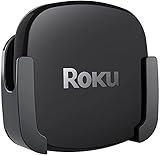
- DESIGNED IN THE USA.
- COMPATIBLE with ALL Roku Ultra models (including Roku Ultra 2024, 2025, and 2026).
- WHAT’S IN THE BOX: Premium mount for Roku Ultra and all mounting hardware.
- PERFECT FOR WALL-MOUNTED TELEVISIONS: Attaches Roku Ultra to the back of your television (or to a wall near your television). Makes Roku Ultra installation easy. Provides direct access to the HDMI ports on the back of your television and eliminates the need to tunnel an HDMI cable through your wall.
- HEAT MANAGEMENT – Ventilation channels allow cool air to flow under your Roku Ultra.
Best streamer for Dolby Vision
All three are candidates for a Dolby Vision television, but Apple provides the most explicit output specification by stating Dolby Vision up to 2160p/60 fps. Roku is attractive when you also need HDR10+ and USB. Fire TV Cube is appropriate when Dolby Vision and hands-free Alexa are more important than detailed output documentation.
Which streaming box has Ethernet?
Roku Ultra and Fire TV Cube include Ethernet. Apple includes it on the 128GB Wi-Fi + Ethernet model only. Confirm that your television or receiver has the correct HDMI input and that you have an Ethernet cable long enough to reach the router.
Independent reader supportYour contribution helps us test, update, and keep practical guides available for everyone.Setup checklist for any of the three boxes
- Check the display chain. Confirm that the television and, if used, the receiver or soundbar support 4K and the HDR format you intend to use. If the receiver cannot pass the signal, connect the streamer to the television and use ARC or eARC for audio.
- Choose wired or wireless networking. Use Ethernet for a nearby router or a crowded wireless environment. Otherwise select the strongest 5 GHz or 6 GHz network available at the installation point.
- Use a suitable HDMI cable. Connect the box directly to the television or a compatible receiver input. If the screen flashes, loses HDR or stays black, try another high-speed HDMI cable and another input before changing streaming settings.
- Complete the account setup. Sign in to Roku, Apple or Amazon as prompted, then install only the services your household uses. Fewer unused apps make search results and home screens easier to manage.
- Enable the correct video mode. On Roku, open Settings and then Display type. On Apple TV, open Settings, Video and Audio. On Fire TV, open Settings, Display & Sounds. Select the television’s native 4K mode and enable HDR or format matching where the menus provide it.
- Configure audio. Set the television, soundbar or receiver to its HDMI-CEC and ARC/eARC mode as appropriate. Play a known Atmos title and check the receiver’s information panel rather than relying only on a logo in the app.
- Test the connection. Launch a 4K HDR title, pause for several minutes and watch for buffering, dropouts or repeated resolution changes. Move the router, use Ethernet or select a less congested Wi-Fi band if the test fails.
- Set up voice control deliberately. On Roku and Apple, test voice search from the supplied remote. On Fire TV Cube, teach household members the wake word, confirm input and volume commands, and review Alexa privacy controls before leaving the microphones enabled.
Common problems and fixes
The television shows 1080p instead of 4K
Check the television input’s enhanced-bandwidth setting, replace the HDMI cable, and make sure the streamer is connected directly to a 4K-capable input. Then revisit the device’s display menu and select the 4K option. Some older receivers accept only HD on certain HDMI inputs, which is why bypassing the receiver is a useful diagnostic.
HDR appears washed out or too dark
Verify that the title actually carries HDR and that the television has switched to its HDR picture mode. A set that receives HDR10 but not Dolby Vision may fall back to another format. Leave automatic or matching output enabled when available so the box does not force HDR on ordinary SDR programs.
Dolby Atmos does not appear on the receiver
Confirm that the subscription tier and title include Atmos, that the app is updated, and that every HDMI component supports the required audio pass-through. ARC may have lower limits than eARC. Testing the streamer directly on the television can identify whether the receiver is the bottleneck.
Streaming buffers even though the internet plan is fast
Run the box at its final location, not beside the router. Interference, weak signal, an overloaded access point or a failing Ethernet cable can interrupt playback. The Fire TV Cube’s 6 GHz capability helps only when the router supports Wi-Fi 6E and the box is close enough to use that band reliably.
Voice commands control the wrong device
Recheck HDMI-CEC, infrared-device profiles and input assignments. On the Cube, place the unit where its microphones and infrared signals are not blocked by a cabinet door or soundbar. On Roku or Apple, use the supplied remote for commands that require precise input selection.
Free tools Windows power users keep installed
One-click scans. No signup required.
Price and value considerations
Current prices and promotions change by retailer, country and configuration, so there is no responsible universal price winner here. Apple’s 64GB and 128GB models are different hardware configurations, and a sale can change their relative value. Roku Ultra and Fire TV Cube pricing also fluctuates. Compare the exact model, included remote, Ethernet capability and return policy on the day you buy rather than relying on an old list price.
Think about total installation cost as well. A wired setup may require an Ethernet cable, and a receiver that cannot pass 4K HDR may require a new HDMI cable or a different connection arrangement. Those small requirements can matter more than a modest difference in the box price.
Quick Recap
A practical buying decision
- Choose Roku Ultra if you want the simplest general-purpose experience, broad HDR support, a physical voice remote, Ethernet and USB.
- Choose Apple TV 4K if fast navigation and Apple integration outrank price, and select the 128GB Ethernet model when you need wired networking.
- Choose Fire TV Cube if hands-free Alexa control of the television, receiver and smart-home devices is central to how you use the room.
- Do not choose on Wi-Fi branding alone. Router placement, HDMI compatibility, the television’s HDR support and the streaming service’s actual catalog determine what you will see and hear.
Product prices and availability are accurate as of the date/time indicated and are subject to change. Any price and availability information displayed on Amazon at the time of purchase will apply.

