
Quick wins for a faster PC:
Fix the driver behind crashes, sound loss and screen glitchesFind Drivers →Clear out junk files and repair common Windows errorsFree Scan →iTechGuides is reader-supported. When you buy through links on our site, we may earn an affiliate commission. As an Amazon Associate I earn from qualifying purchases. Learn more
Short answer: RayNeo GT Max has no standalone video battery. The connected phone, tablet, computer, console adapter, or handheld supplies power and processes the video, so runtime follows that host’s battery and the glasses may make it warmer. Audio comes from open-ear speakers; Whisper Mode 2.0 reduces leakage but does not create earbud-level isolation. The 78 g frame, adjustable nose pads, three IPD sizes, spatial display modes, dimming features, and prescription inserts can make long sessions comfortable when the fit is right. Direct USB-C use requires DisplayPort Alt Mode. HDMI and older Lightning devices need separate adapters. Pocket TV Pro is optional for normal use, but it is the accessory RayNeo associates with Dolby Vision playback and has its own 6,500 mAh battery rated for up to 5.5 hours of continuous viewing.
How long does the RayNeo GT Max battery last?
The glasses themselves do not have a battery that powers video. RayNeo’s official FAQ says, “The connected device powers the glasses and processes video, so slight warmth and increased battery consumption are normal.” In practical terms, a viewing session lasts as long as the device or powered adapter connected to GT Max can supply power. A phone with a nearly empty battery will provide less usable time than a laptop connected to its charger, and demanding games can drain a host faster than a simple video stream.
This design also explains why the phone or computer can feel warm. It is simultaneously driving an external display and handling the video signal. That behavior is expected rather than evidence that the glasses are charging internally.
Crashes, No Sound, or Screen Glitches?
Random freezes, missing sound and display glitches usually trace back to one bad driver. Find and replace yours safely.Free scan · under a minutePC Slower Than It Used to Be?
A free scan shows the junk files, broken settings and background clutter dragging Windows down - then fixes them in one click.Free scan · Windows 10 & 11What affects practical runtime?
- Host battery capacity and condition: an older phone battery or a small handheld generally gives less viewing time than a recent laptop battery.
- Workload: high-frame-rate games, 3D content, wireless networking, and maximum screen brightness increase host consumption.
- Power state: charging the host while wearing the glasses can extend a session, provided the required adapter or hub supports simultaneous video and USB-C Power Delivery.
- Display settings: lower host brightness and RayNeo’s XR Space power-saving options reduce unnecessary drain.
Use Eco Mode and Auto-Dim Brightness
RayNeo recommends two software settings. Eco Mode in XR Space places a black overlay over the phone while playback continues, reducing the phone’s visible-screen power use. Auto-Dim Brightness for casting dims the phone after it has been inactive. These settings do not create a battery inside GT Max; they reduce the load on the device supplying power.
#1 Best Overall

- World's First Dolby Vision AR Glasses System: Experience cinematic HDR with Dolby Vision when paired with RayNeo Pocket TV Pro. AI-powered SDR-to-HDR conversion enhances compatible content with richer contrast and vivid color. A premium tech gift for movie lovers, gamers, travelers, and AR enthusiasts.
- 59° FOV with 267'' Equivalent Giant Display: See more of the virtual display with an expansive 59° field of view that creates a wider, more cinematic viewing experience. Powered by the Peacock Optical Engine 3.0 Max, GT Max delivers a 267-inch-equivalent screen with adjustable 227", 267", and up to 307" viewing sizes for movies, gaming, and immersive entertainment.
- Dual-Chip Architecture & Native 3DoF: Vision 4000 delivers advanced image processing, while Zone 360 chip provides native, low‑latency 3DoF spatial trackingF directly on the glasses—keeping your virtual screen anchored as you move your head for a more natural, stable viewing experience. No external computing box required. Choose Steady, Pinned, or Follow mode to position your screen your way.
- Audio by Bang & Olufsen & Spatial Tracking: Enjoy immersive sound through the Racetrack Quad-Speaker system co-tuned by Bang & Olufsen. A 38% larger speaker area and 5dB sensitivity boost deliver fuller sound, while Zone 360 head-tracking spatial audio creates directional, lifelike sound for movies, music, gaming, and live concerts—without extra earbuds.
- Top-Tier Picture Quality with 120Hz: Enjoy vivid, lifelike visuals with up to 1200 nits perceived brightness, 145% sRGB, 98% DCI-P3, 200,000:1 contrast, and up to 38 PPD. The 120Hz refresh rate delivers silky-smooth motion and fluid details for movies, sports, and gaming.
- Open RayNeo XR Space on the connected phone.
- Enable Eco Mode when you are watching through XR Space and do not need the phone’s own display visible.
- For casting, open the casting controls and turn on Auto-Dim Brightness.
- Keep the host connected to a charger when a long session matters, using a video-capable hub or adapter if one is required.
There is therefore no honest fixed answer such as “the glasses last three hours.” Your runtime is determined by the host and its settings, not by a GT Max battery specification.
Is RayNeo GT Max audio private?
GT Max uses four open-ear speakers tuned with Bang & Olufsen. Open-ear audio lets you hear your surroundings, but it also means sound is not sealed inside your ear canal. RayNeo says the audio is difficult to hear clearly from approximately 1.5 meters away while acknowledging that a person very close to you may still hear it. Treat that as practical leakage reduction, not complete privacy.
What Whisper Mode 2.0 does
Whisper Mode 2.0 is designed for quieter public or shared environments. It reduces the amount of sound that escapes from the open speakers, but it cannot guarantee that a nearby seatmate, partner, or colleague will hear nothing.
- Press and hold the glasses’ volume rocker to toggle Whisper Mode, or
- Open RayNeo XR App > Glasses Settings > Whisper Mode and switch it on.
An optional Sound Tube accessory directs sound more toward the wearer and can help when someone is sitting immediately beside you. It still should not be treated as sealed-earbud isolation.
Rank #2
- World's First Dolby Vision AR Glasses System: Experience cinematic HDR with Dolby Vision when paired with RayNeo Pocket TV Pro. AI-powered SDR-to-HDR conversion enhances compatible content with richer contrast and vivid color. A premium tech gift for movie lovers, gamers, travelers, and AR enthusiasts.
- 59° FOV with 267'' Equivalent Giant Display: See more of the virtual display with an expansive 59° field of view that creates a wider, more cinematic viewing experience. Powered by the Peacock Optical Engine 3.0 Max, GT Max delivers a 267-inch-equivalent screen with adjustable 227", 267", and up to 307" viewing sizes for movies, gaming, and immersive entertainment.
- Dual-Chip Architecture & Native 3DoF: Vision 4000 delivers advanced image processing, while Zone 360 chip provides native, low‑latency 3DoF spatial trackingF directly on the glasses—keeping your virtual screen anchored as you move your head for a more natural, stable viewing experience. No external computing box required. Choose Steady, Pinned, or Follow mode to position your screen your way.
- Audio by Bang & Olufsen & Spatial Tracking: Enjoy immersive sound through the Racetrack Quad-Speaker system co-tuned by Bang & Olufsen. A 38% larger speaker area and 5dB sensitivity boost deliver fuller sound, while Zone 360 head-tracking spatial audio creates directional, lifelike sound for movies, music, gaming, and live concerts—without extra earbuds.
- Top-Tier Picture Quality with 120Hz: Enjoy vivid, lifelike visuals with up to 1200 nits perceived brightness, 145% sRGB, 98% DCI-P3, 200,000:1 contrast, and up to 38 PPD. The 120Hz refresh rate delivers silky-smooth motion and fluid details for movies, sports, and gaming.
Choosing settings for common situations
| Situation | Recommended approach | Why |
|---|---|---|
| Watching alone at home | Normal open-ear mode | Maximum volume and the most natural awareness of the room. |
| Quiet office or library | Whisper Mode 2.0 at a moderate volume | Reduces leakage, although a very close person may still hear speech or music. |
| Shared bed, airplane, or adjacent seat | Whisper Mode; consider Sound Tube | These measures aim the sound toward you but do not make it private like sealed headphones. |
Are the glasses comfortable for long sessions?
RayNeo lists a 78 g weight, adjustable nose pads, and S/M/L interpupillary-distance (IPD) sizing. Comfort depends more on balance and fit than on weight alone. A hands-on Tom’s Guide report from IFA 2026 described the 78 g frame as comfortable for extended use and praised its non-front-heavy balance; that is one reviewer’s experience, not a guarantee for every face.
Choose the correct IPD size
RayNeo’s sizes are based on the wearer’s measured IPD:
| Size | IPD range |
|---|---|
| S | Under 64 mm |
| M | 64–67 mm |
| L | Over 67 mm |
Measure your IPD before ordering. A size that is too narrow or too wide can make the virtual image harder to fuse, increase eye strain, and create pressure at the nose or temples. After selecting a size, adjust the nose pads so the frame sits level rather than sliding down during movement.
Understand the three spatial modes
- Follow: the virtual screen follows your head movement, useful when you want the display to remain in front of you while changing posture.
- Steady: the display is stabilized for a more fixed viewing experience without permanently pinning it to one position.
- Pinned: the virtual screen stays anchored in space, useful for looking away and then returning to a fixed screen location.
Mode choice affects comfort. Follow can feel natural for handheld use, while Steady or Pinned may be preferable for a film or a large desktop workspace. If an anchored screen feels disorienting, switch modes rather than forcing your eyes to adapt.
Rank #3

- World's First Dolby Vision AR Glasses System: Experience cinematic HDR with Dolby Vision when paired with RayNeo Pocket TV Pro. AI-powered SDR-to-HDR conversion enhances compatible content with richer contrast and vivid color. A premium tech gift for movie lovers, gamers, travelers, and AR enthusiasts.
- 59° FOV with 267'' Equivalent Giant Display: See more of the virtual display with an expansive 59° field of view that creates a wider, more cinematic viewing experience. Powered by the Peacock Optical Engine 3.0 Max, GT Max delivers a 267-inch-equivalent screen with adjustable 227", 267", and up to 307" viewing sizes for movies, gaming, and immersive entertainment.
- Dual-Chip Architecture & Native 3DoF: Vision 4000 delivers advanced image processing, while Zone 360 chip provides native, low‑latency 3DoF spatial trackingF directly on the glasses—keeping your virtual screen anchored as you move your head for a more natural, stable viewing experience. No external computing box required. Choose Steady, Pinned, or Follow mode to position your screen your way.
- Audio by Bang & Olufsen & Spatial Tracking: Enjoy immersive sound through the Racetrack Quad-Speaker system co-tuned by Bang & Olufsen. A 38% larger speaker area and 5dB sensitivity boost deliver fuller sound, while Zone 360 head-tracking spatial audio creates directional, lifelike sound for movies, music, gaming, and live concerts—without extra earbuds.
- Top-Tier Picture Quality with 120Hz: Enjoy vivid, lifelike visuals with up to 1200 nits perceived brightness, 145% sRGB, 98% DCI-P3, 200,000:1 contrast, and up to 38 PPD. The 120Hz refresh rate delivers silky-smooth motion and fluid details for movies, sports, and gaming.
Eye-comfort and prescription options
The product page lists OptiCare 3840 Hz high-frequency dimming and TÜV SÜD certifications for eye comfort, low blue light, and flicker-free operation. These features are intended to reduce visual fatigue, but they do not eliminate the need for breaks or correct fitting.
GT Max is prescription-ready. RayNeo names Lensology as its professional prescription-lens partner. Prescription inserts sit in front of the display optics, so provide an up-to-date prescription and confirm insert availability and lead time for your region before ordering. Do not assume ordinary clip-on sunglasses or generic lenses will align correctly with the displays.
Which phones, tablets, laptops, and consoles work?
Direct connection uses USB-C DisplayPort Alt Mode. A USB-C-shaped connector alone is not enough: the host must support video output through that port and provide the necessary power. Compatibility can also vary by exact model, regional edition, operating-system behavior, and the hub or cable used.
What’s actually slowing this PC down?
Pick the symptom - the matching free tool is one click away.
Direct USB-C DisplayPort connections
| Device category | Supported examples and conditions |
|---|---|
| iPhone | iPhone 15, 16, and 17 series. The cited RayNeo compatibility page excludes iPhone 16e, 17e, and Air models. |
| Android phones | Compatible video-output models, including Samsung Galaxy S8 through S25 examples listed by RayNeo. The specific USB-C port must support DisplayPort Alt Mode. |
| iPad | USB-C iPad 10th generation or newer, provided the model supports the required external-display output. |
| MacBook | MacBook models from 2015 or newer with USB-C, subject to the computer’s video-output configuration. |
| Laptops and PCs | USB-C systems with DisplayPort Alt Mode or equivalent video output over USB-C. |
| Handheld consoles | Compatible USB-C gaming handhelds that output video through USB-C. |
Before buying, look up the exact model’s technical specifications for “DisplayPort Alt Mode,” “USB-C video out,” or external-display support. A port used only for charging and data will not produce an image in the glasses.
Rank #4
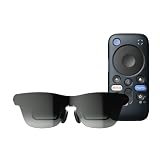
- World's First Dolby Vision AR Glasses System: Experience cinematic HDR with Dolby Vision when paired with RayNeo Pocket TV Pro. AI-powered SDR-to-HDR conversion enhances compatible content with richer contrast and vivid color. A premium tech gift for movie lovers, gamers, travelers, and AR enthusiasts.
- Dual-Chip Architecture & Native 3DoF: Vision 4000 delivers advanced image processing, while Zone 360 chip provides native, low‑latency 3DoF spatial trackingF directly on the glasses—keeping your virtual screen anchored as you move your head for a more natural, stable viewing experience. No external computing box required. Choose Steady, Pinned, or Follow mode to position your screen your way.
- Astonishingly Lightweight 68g: At just 68 grams, RayNeo GT offers burden‑free, all‑day wear. Over 10 lightweight design optimizations—premium nylon, high‑elasticity aluminum alloy hinges, and custom magnesium alloy light engine brackets—make it feel almost invisible.
- Peacock Optical Engine 3.0: Experience a larger, clearer virtual screen with a next-generation optical architecture 29% thinner and lighter than traditional Birdbath designs, paired with a 5.5th-gen Tandem MicroOLED display for exceptional visual performance.
- Audio by Bang & Olufsen & Spatial Tracking: Enjoy immersive sound from the Racetrack Quad-Speaker system co-tuned by Bang & Olufsen, with 38% more speaker area and a 5dB sensitivity boost. Zone 360 head-tracking spatial audio adds directional, lifelike sound without extra earbuds.
HDMI consoles and older Lightning devices
HDMI-only sources such as PS4, PS5, Xbox, and Nintendo Switch require RayNeo’s HDMI Adapter. The adapter is separate and needs USB-C Power Delivery, so plan for both an HDMI cable and a power source. The console itself does not power the glasses through HDMI.
Older iPhones and iPads with Lightning connectors require Apple’s Digital AV Adapter path, followed by the appropriate HDMI connection and powered RayNeo adapter. This adds more hardware and can make charging and cable management less convenient than a direct USB-C phone connection.
If you get a black screen
- Confirm that the source device supports DisplayPort Alt Mode if you are using USB-C.
- Try the cable supplied or a known-good full-featured USB-C video cable; charge-only cables cannot carry the display signal.
- Disconnect docks, capture devices, and hubs temporarily to eliminate compatibility conflicts.
- For HDMI, verify that the RayNeo HDMI Adapter is receiving USB-C PD power and that the console is set to an active output resolution.
- Restart the host and reconnect the glasses after the operating system has finished booting.
Do you need Pocket TV Pro?
No. Pocket TV Pro is optional for ordinary GT Max use. A compatible phone, tablet, laptop, handheld, or properly powered adapter can provide the video signal directly.
Do these 3 things before closing this tab:
1Repair Windows errors before they cause bigger problems2Fix the driver behind crashes, sound loss and screen glitches3Clear out junk files and repair common Windows errorsRayNeo associates Pocket TV Pro with Dolby Vision playback. The RayNeo GT-series page lists a 6,500 mAh battery and up to 5.5 hours of continuous viewing for the Pocket TV Pro device. Those figures describe the accessory, not the glasses, and represent a stated maximum rather than a guaranteed runtime under every brightness, network, or content condition.
Best Value
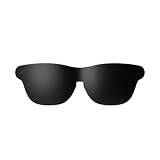
- Official Lens Shade for GT Max AR/XR Glasses – Designed exclusively for RayNeo GT Max (Fits S, M, and L), this accessory delivers a precise, secure fit and seamless integration for optimal light-blocking performance.
- Reduces Glare & Light Leakage – The carefully engineered design minimizes glare and light leakage, eliminating distractions and keeping your focus squarely on displayed content at all times.
- Improved Contrast & Clarity – Blocking stray light enhances contrast and color clarity, delivering sharper, more vivid visuals that bring movies, games, and work to life on your XR Glasses.
- Immersive Theater-Like Viewing – Enjoy a private, cinema-quality experience for movies, gaming, and work with GT Max, even in bright environments where ambient light would normally interfere.
- Lightweight & Easy to Attach – Made from premium lightweight materials, the shade attaches quickly and securely with minimal bulk, ensuring comfortable all-day wear without pressure or fatigue.
When Pocket TV Pro makes sense
- You want a dedicated streaming source instead of tying up your phone.
- Dolby Vision playback through the supported accessory is important to you.
- You prefer a separate battery for viewing rather than draining your primary handset.
- Your phone, tablet, or computer lacks compatible USB-C video output.
If you only need a large virtual screen from a USB-C laptop or phone, Pocket TV Pro is not a prerequisite.
What display experience does GT Max provide?
RayNeo positions GT Max for movies, gaming, and extended viewing. Its listed specifications are:
| Specification | RayNeo-listed value |
|---|---|
| Field of view | 59° |
| Virtual display presets | 227-inch, 267-inch, and 307-inch |
| Resolution | 1920 × 1080 |
| Refresh rate | 120 Hz for 2D; 60 Hz for 3D |
| Brightness | Up to 1,200 nits in non-Pinned modes |
| Color coverage | 98% DCI-P3 and 145% sRGB |
| Color accuracy | Delta E less than 2 |
The large-inch figures describe virtual screen size, not a physical panel in front of your face. Brightness can change with the selected spatial mode; the “up to 1,200 nits” figure does not mean every mode or scene will appear at that level. The narrower GT model is positioned as the lighter travel-oriented alternative, whereas GT Max emphasizes a larger, more immersive display and extended viewing.
A reliable first-use checklist
- Measure IPD: choose S, M, or L from the under-64 mm, 64–67 mm, or over-67 mm ranges.
- Verify the source: confirm USB-C DisplayPort Alt Mode on the exact phone, tablet, laptop, PC, or handheld model.
- Prepare adapters: use the HDMI Adapter and USB-C PD power for HDMI consoles, or the Digital AV Adapter route for Lightning devices.
- Connect before launching content: attach GT Max, wait for the host to recognize the external display, then open the game or video app.
- Set the spatial mode: start with Follow, Steady, or Pinned according to whether you want a following, stabilized, or anchored screen.
- Set audio responsibly: enable Whisper Mode in shared spaces and lower volume when someone is nearby.
- Manage host power: enable Eco Mode or Auto-Dim Brightness and connect a charger for long sessions when your adapter supports simultaneous charging and video.
- Adjust the fit: reposition the nose pads and check that the image is clear without pressing the frame tightly against your face.
Common problems and practical fixes
The phone gets hot or loses charge quickly
That is consistent with GT Max’s externally powered design. Reduce host brightness, enable Eco Mode or Auto-Dim Brightness, close background applications, lower demanding game settings, and use a charger-capable video hub where appropriate.
People nearby can still hear the sound
Open-ear speakers are not sealed. Turn on Whisper Mode, reduce volume, move farther from others, or add the optional Sound Tube. For confidential calls or media in a silent room, use a separate private listening solution instead of assuming GT Max can provide complete isolation.
The image looks uncomfortable or unstable
Recheck IPD size, level the nose pads, and change Follow, Steady, or Pinned mode. If discomfort persists, stop using the glasses and verify prescription-insert alignment rather than increasing brightness or forcing your eyes to accommodate.
An HDMI setup powers on but shows no picture
Check USB-C PD power to the HDMI Adapter, confirm the console is awake and outputting video, test another HDMI cable, and remove unsupported splitters or capture hardware. HDMI carries the signal, but the adapter’s power input is still required for the glasses.
The Tool Desk
Outbyte PC Repair FREERepair Windows errors before they cause bigger problemsFix Now →Outbyte Driver Updater FREEFix the driver behind crashes, sound loss and screen glitchesFind Drivers →Quick Recap
Product prices and availability are accurate as of the date/time indicated and are subject to change. Any price and availability information displayed on Amazon at the time of purchase will apply.

