
Pegasus Mail
Pegasus Mail: A mature free desktop client with strong mail fundamentals and Windows-only coverage. Ranked #97 of 142 in Email Clients by our editors (3.0/10); pricing: Free plan; best for long-time Windows users wanting a free classic client.
At a glance
- Editor score3.0 / 10
- PricingFree plan
- Best forLong-time Windows users wanting a free classic client
- Free planYes
- Paid fromNone
- App coverageDesktop
- Facts checked23 Sep 2026
Where it wins
- Supports SMTP, IMAP4, and POP3 across multiple mailboxes
- Combines rule-based filtering with Bayesian spam filtering
- Supports offline composition, encryption interfaces, and plugins
Where it doesn't
- Available for Windows desktop only
- Calendar tools and scheduled sending are not part of its described feature set
- Its interface is focused on traditional email rather than broader productivity tools
Our verdict on Pegasus Mail
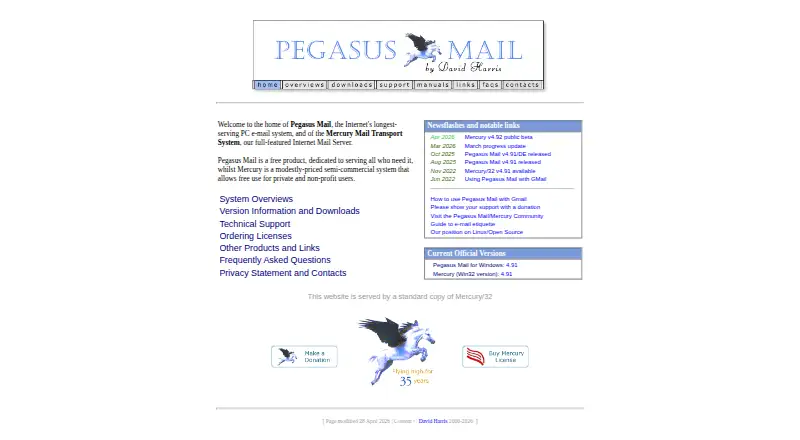
Pegasus Mail is a free, standards-based desktop email client developed by David Harris. It is designed for individuals, multiple users on one computer, and local-area-network environments. The current official distribution supports Windows 7 or later. For long-time Windows users who want a traditional mail application without a subscription, it covers the core workflow: sending and receiving messages, organizing mail, composing offline, and working with multiple mailboxes.
Its mail handling is the main strength. Pegasus Mail supports SMTP, IMAP4, and POP3, with selective POP3 mailbox downloading and multiple simultaneously accessible mailboxes. Rule-based filtering and Bayesian spam filtering help organize incoming messages, while the formatted message editor supports HTML mail generation. Multiple address books, an encryption interface, and LDAP support extend its usefulness for established desktop email setups. Offline reading and composition are particularly relevant for users who want a client that continues to support local work when a connection is unavailable.
The trade-off is a narrow, classic desktop focus. Pegasus Mail is Windows-only, and its published feature set is centered on email rather than calendars, scheduled sending, or a broader productivity workspace. Its plugin interface allows third-party extensions, but the product remains a traditional mail client rather than a cross-platform service. Choose it if free Windows coverage, protocol support, filtering, offline access, and multiple mailboxes matter most. Users seeking a multi-platform experience or integrated calendar-oriented workflows should consider an alternative built around those needs.
Your product? Our editors can test Pegasus Mail in depth and publish a review, labelled as paid · from $99/mo →
Pegasus Mail pricing
All 1 Pegasus Mail plans and prices →
Pegasus Mail fact sheet
| Free plan | Yes |
|---|---|
| Paid from | None |
| App coverage | Desktop |
| Account limit | Not verified |
| Unified inbox | Not verified |
| Offline access | Yes |
| Scheduled sending | Not verified |
| Calendar tools | Not verified |
| Deployment | Desktop |
| Platforms | Windows |
| Support | Community |
| Built for | Solo, Small business (editorial estimate) |
| Pricing | Free plan (source) |
| Website | pmail.com |
| Facts checked | 23 Sep 2026 |
Alternatives to Pegasus Mail
- Mozilla ThunderbirdA capable free client for multi-account email, offline access, and desktop productivity tools.9.4
- Zoho MailA flexible hosted email service with free access, migration tools, and Zoho collaboration options.9.2
- Apple MailA capable Apple-focused email client with unified inboxes, scheduling, privacy controls, and AI assistance.9.1



See all Pegasus Mail alternatives →
Also Ranked In
Pegasus Mail is ranked in 2 of our directories.
Used Pegasus Mail? Be the first to review it
The editor score above is our own research. What this page doesn't have yet is a reader's view — what you used Pegasus Mail for, what worked and what didn't. No stars are seeded and no review is paid for; an editor reads every one before it appears.
Write a reviewTwo minutes · verified accounts only · read by an editor before it appears
Featured on iTechGuides

Pegasus Mail is listed in our Email Clients directory. Add the badge to your site — it links back to this page.
<a href="https://www.itechguides.com/products/pegasus-mail/"><img src="https://www.itechguides.com/best/badge/pegasus-mail.svg" alt="Featured on iTechGuides" width="230" height="46"></a>
Guides on email clients
- Best Email Client For Windows 11Aug 2026
- Top 10 Free Email Clients for Windows 11 in 2026Aug 2026
- What is Outlook (PWA): Exploring Microsoft's Web-Based Email ClientAug 2026
Reviewed by iTechGuides Editors · Editorial team · Updated Oct 2026
Advertiser disclosure: iTechGuides is reader-supported. Vendors can pay for top positions in our rankings and for a place on other products' pages, and we may earn a commission when you click some links. How we rank.
Last updated · How we research and update