CombineZP
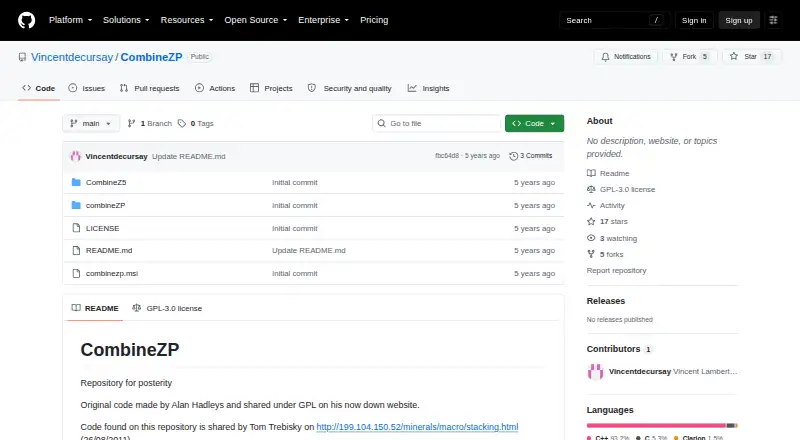
CombineZP: A free Windows focus-stacking tool with alignment controls and multiple stacking methods. Ranked #17 of 24 in Focus Stacking Software by our editors (7.2/10); pricing: Free plan; best for free Windows users needing straightforward stacking.
At a glance
- Editor score7.2 / 10
- PricingFree plan
- Best forFree Windows users needing straightforward stacking
- Free planYes
- Paid fromFree
- Facts checked20 Sep 2026
Where it wins
- Free, GPL-licensed software for Windows focus stacking
- Quick and thorough alignment, including rotation correction
- Multiple stacking methods with memory and macro controls
Where it doesn't
- Windows-only availability
- JPEG is the documented output format
- Archival software with a 2012 x86 installer reference
Our verdict on CombineZP
CombineZP is desktop image-processing software for focus stacking, aimed at photographers working with close-up or macro images. It combines focused areas from multiple photographs into a composite with greater depth of field. The workflow centers on automatic frame alignment, stacking methods, and saved-image export, making it suited to Windows users who want a focused tool rather than a broader image-processing suite. It is distributed as GPL-licensed open-source software and is available at no cost.
The feature set covers both quick and more thorough alignment. Quick alignment is intended for a faster workflow, while thorough alignment adds rotation correction for frames that need more adjustment. CombineZP includes several stacking methods, including Do Stack and Pyramid Maximum Contrast, and can run all available methods. Memory-usage configuration is useful when image sets place heavier demands on the computer, while macro parameter editing gives users additional control over close-up stacking. The documented output is JPEG, with result generation and saved-image export included in the workflow.
CombineZP fits users who value a free Windows utility with direct controls over alignment and stacking choices. Its archival GitHub distribution and reference to a 2012 x86 installer point to a legacy-oriented setup experience rather than a current, broadly integrated imaging ecosystem. It is also not an AI-assisted tool. Choose it when Windows compatibility, no-cost access, and configurable stacking methods matter most. Users seeking a wider platform range, newer workflow expectations, or output beyond JPEG should consider a different focus-stacking option.
Your product? Our editors can test CombineZP in depth and publish a review, labelled as paid · from $99/mo →
CombineZP pricing
CombineZP fact sheet
| Free plan | Yes |
|---|---|
| Paid from | Free |
| RAW file support | Not verified |
| Automatic alignment | Yes |
| Batch processing | Not verified |
| Manual retouching | Not verified |
| Supported platforms | Windows |
| Output formats | JPEG |
| Deployment | Desktop |
| Platforms | Windows |
| Built for | Solo, Small business (editorial estimate) |
| Pricing | Free plan |
| Website | github.com |
| Facts checked | 20 Sep 2026 |
Alternatives to CombineZP
- PlaneFuseA flexible local stacker for advanced photographers working across RAW and developed images.9.4
- ForgePixA free, open-source workstation for focus stacking, astrophotography, and related image workflows.9.3
- Shine StackerA capable free stacker with desktop controls, RAW support, and automation options.9.1

See all CombineZP alternatives →
Also Ranked In
CombineZP is ranked in 2 of our directories.
Used CombineZP? Be the first to review it
The editor score above is our own research. What this page doesn't have yet is a reader's view — what you used CombineZP for, what worked and what didn't. No stars are seeded and no review is paid for; an editor reads every one before it appears.
Write a reviewTwo minutes · verified accounts only · read by an editor before it appears
Featured on iTechGuides

CombineZP is listed in our Focus Stacking Software directory. Add the badge to your site — it links back to this page.
<a href="https://www.itechguides.com/products/combinezp/"><img src="https://www.itechguides.com/best/badge/combinezp.svg" alt="Featured on iTechGuides" width="230" height="46"></a>
Reviewed by iTechGuides Editors · Editorial team · Updated Oct 2026
Advertiser disclosure: iTechGuides is reader-supported. Vendors can pay for top positions in our rankings and for a place on other products' pages, and we may earn a commission when you click some links. Bought places stand at the number bought; this page and our disclosure say so. Paying vendors may get a fuller, more detailed review from our editors, and that review can change their score. How we rank.
Last updated · How we research and update