
iTechGuides is reader-supported. When you buy through links on our site, we may earn an affiliate commission. As an Amazon Associate I earn from qualifying purchases. Learn more
On Nintendo Switch 2, “cartridge” usually means a physical game card; Nintendo’s official formats are regular game cards and Game-Key Cards. The difference that matters is not the shape of the card but how much software it contains. A regular game card carries the game software, while a Game-Key Card is a physical license key that requires an internet download before play. Some boxes contain only a download code and no card at all.
That distinction affects storage, setup time, portability between consoles, and what you can actually resell. Saves are stored in the console’s system memory for both formats, and a microSD Express card is optional storage for downloaded software, updates, and downloadable content—not a universal requirement.
| # | Preview | Product | Price | |
|---|---|---|---|---|
| 1 |
|
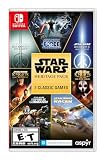
Star Wars: Heritage Pack - Nintendo Switch | $35.48 | Buy on Amazon |
| 2 |

|
Shenmue III Enhanced - Nintendo Switch 2 (CART) | $54.99 | Buy on Amazon |
| 3 |

|
Sonic X Shadow Generations - Nintendo Switch | $24.88 | Buy on Amazon |
| 4 |

|
Star Fox™ - Nintendo Switch 2 | $59.00 | Buy on Amazon |
“Cartridge” and “game card” are usually the same physical medium
Nintendo Switch 2 uses the term game card. Players and retailers often say “cartridge,” but Nintendo does not describe cartridge and game card as two separate Switch 2 technologies. When comparing a “physical cartridge” with a “standard game card,” the useful comparison is between the different kinds of physical releases that may be sold in a box.
Regular game cards
A regular game card contains the game software. Nintendo says Switch 2 supports regular game cards, and inserting one makes the card’s software icon appear on the HOME Menu. The card is the physical medium you insert to start the game.
#1 Best Overall
- The following games are included in the cartridge: STAR WARS Jedi Knight: Jedi Academy (3.6 GB)
- STAR WARS Jedi Knight II: Jedi Outcast (1.1 GB)
- STAR WARS Episode I Racer (254 MB)
- STAR WARS Republic Commando (2.5 GB)
- STAR WARS: The Force Unleashed (3.4 GB)
Game-Key Cards
A Game-Key Card is also physical media, but it does not contain the full game data. Nintendo describes it as the “key” used to download the game to the console over the internet. You need an internet connection and enough free space in system memory or on a microSD Express card for that download. The Game-Key Card must remain inserted whenever you want to play.
Boxes that contain only a download code
Some publishers sell a physical package containing a download code but no game card. The box may look like a physical edition on a shop shelf, yet the software is entirely digital after redemption. Check the package description and the specific listing before assuming a card is included.
Regular game card vs. Game-Key Card: the practical differences
| Question | Regular game card | Game-Key Card | Download-code package |
|---|---|---|---|
| What is on the physical item? | The game software is on the card. | A key that authorizes downloading the game data. | No game card; a code is supplied in the packaging. |
| Is an internet connection needed before first play? | Not established as a universal requirement. Updates or additional content may still require downloads. | Yes. The game data must be downloaded before play. | Yes. The code must be redeemed and the software downloaded. |
| Does the game use console or microSD Express storage? | Do not assume zero storage use; updates and other content can require space. | Yes, for the downloaded game data, on system memory or microSD Express. | Yes, because the complete software is downloaded. |
| Must the physical item be inserted to play? | The card is the physical copy used to launch the game. | Yes, the Game-Key Card must be inserted for play. | No card exists; play is tied to the digital software on the console. |
| Can the physical item move to another Switch 2? | The card can be used in another compatible console. | Yes, but the first launch on that console requires an internet connection and a download. | The code is normally redeemed to an account or console; the package is not equivalent to a reusable card. |
The table describes the format-level rules. A particular release can add its own download, update, account, or compatibility conditions, so read the exact box and title listing rather than relying on the word “physical.”
Quick wins for a faster PC:
Clear out junk files and repair common Windows errorsFree Scan →Fix the driver behind crashes, sound loss and screen glitchesFind Drivers →Repair Windows errors before they cause bigger problemsFix Now →Do physical Switch 2 games need to be installed?
“Installed” can mean two different things: copying the entire game to storage, or downloading updates and extra content. A regular game card is designed to provide the game software from the card, so it is not accurate to say that every regular physical game must be fully installed before it can start. It is equally inaccurate to promise that every regular card uses no storage. The official support material does not establish a zero-storage rule for every regular-card release, and updates, downloadable content, patches, or publisher-specific requirements can use system or microSD Express space.
What happens with a regular game card
- Insert the card with the label facing as shown in the console’s card-slot guide.
- Look for the game’s software icon on the HOME Menu.
- Start the game and follow any on-screen update or additional-download prompt.
- If a prompt requests storage, select available system memory or a microSD Express card and confirm the download.
The card remains the tangible copy of the game. Removing it means the console no longer has that card available to launch, even if updates or other data remain on storage.
What happens with a Game-Key Card
- Connect the Switch 2 to the internet before attempting the first launch.
- Insert the Game-Key Card and select its software icon from the HOME Menu.
- Accept the download prompt and choose system memory or a microSD Express card when asked where to store the game data.
- Wait for the download to finish. Download time depends on the connection and the title’s stated data size.
- Keep the Game-Key Card inserted whenever you play; the downloaded files do not replace the physical key.
If the console lacks sufficient free space, the download cannot complete until you free storage or add a compatible microSD Express card. The card itself does not provide extra capacity for the downloaded files.
What happens with a download-code package
- Redeem the code through the Switch 2 software-store interface while signed in to the intended user account.
- Download the game to system memory or microSD Express storage.
- Launch the installed software without inserting a game card, because the package did not include one.
Treat the code as a digital entitlement, not as a reusable physical game. Before buying, verify whether the code is unused, whether it is restricted to a region, and whether the retailer identifies the package as code-only. Those conditions are title- and seller-specific rather than a general Nintendo format rule.
The Tool Desk
Outbyte PC Repair FREERepair Windows errors before they cause bigger problemsFix Now →Outbyte Driver Updater FREEFix the driver behind crashes, sound loss and screen glitchesFind Drivers →Rank #2
- A Living Open World Adventure: Explore a detailed, story-driven world inspired by rural China, filled with fully voiced characters, daily routines, mini-games, and optional activities.
- Epic Story by Yu Suzuki: Continue Ryo Hazuki’s journey in a unique narrative-focused adventure blending mystery, exploration, and martial arts.
- Authentic Martial Arts Gameplay: Train, learn techniques, and fight in real-time battles that reward preparation, timing, and mastery.
- Enhanced Visuals & Performance: Sharper textures, smoother gameplay, faster load times, and refined presentation across supported platforms.
- Modern Enhancements, Optional by Design: Quality-of-life improvements, accessibility options, and a classic camera mode — all fully toggleable.
Where game data, updates, DLC, and saves are stored
Game data and updates
Nintendo identifies microSD Express as expandable storage for software data, including downloaded games, updates, and downloadable content. This is especially relevant to Game-Key Cards and code-only packages because their game data must be downloaded. A regular card can also need storage for updates or additional content.
Nintendo’s data-management guidance says no individual game currently requires extra storage to play. That means a microSD Express card is a convenience for capacity management, not an automatic purchase requirement for every title or every owner. Check the free-space figure shown on the package, listing, or console download prompt for the specific release.
Save data
Switch 2 stores game saves in system memory regardless of whether the game is played from a card or downloaded. Saves cannot be saved or copied to a microSD Express card. The save therefore belongs to the console’s user data, not to the physical card.
That has two consequences. First, moving a card to another console does not move the seller’s save file with it. Second, deleting or changing the downloaded game data is a storage-management action; it is not the same as transferring or deleting the save. Use the console’s own save-data management and transfer features when you need to move progress.
What a microSD Express card does and does not do
- It can hold downloaded game software, updates, and DLC.
- It can provide room for a Game-Key Card download when internal storage is full.
- It does not hold Switch 2 save data.
- It does not turn a Game-Key Card into a card containing the full game.
- It is not required by every individual game according to Nintendo’s current FAQ.
Does a Game-Key Card still need to be inserted to play?
Yes. Nintendo’s Game-Key Card guidance requires the card to be inserted whenever you want to play. The initial download installs the game data, but the physical card remains the key that authorizes use on that console.
This changes how you organize a library. You cannot download several Game-Key Card titles and leave all of their cards at home while carrying only the console. You must bring the card for the title you intend to launch, just as you would with a regular physical card. A download-code package is different because it has no physical key after redemption.
Can you use a Game-Key Card on another Switch 2?
Nintendo says a Game-Key Card can be used on another Switch 2 system. The first launch on that second system requires an internet connection and a download to that system’s internal storage or microSD Express card. After the download, the physical card is still required to play on that console.
Rank #3
- Past meets present in SONIC GENERATIONS! Modern and Classic Sonic team up to defeat Dr. Eggman and the Time Eater to restore their timeline to normal!
- Spin dash through a greatest-hits collection of 3D and 2D versions of iconic stages from past Sonic games, now with updated visuals and reworked cinematics
- In this new standalone campaign, Black Doom has reemerged and threatens to take over the world. Shadow must journey into his past, confront his memories, and unlock new dark powers to save the world.
- Harness Shadow's new Doom Powers to battle hordes of enemies and tackle platforming challenges like never before. Surf on water, fly over obstacles, and stop time with the return of Chaos Control!
- Rescue Chao hiding in every level, rack up the highest pinball score in the Casino Nights zone, and check out the museum for behind-the-scenes art, music, and more!
In practice, moving the card transfers the physical key, not the downloaded files or save data. Each console that needs to play the title must have enough storage for its own download. A card that has already been used on one system does not eliminate the first-launch download on another.
Free tools Windows power users keep installed
One-click scans. No signup required.
What does physical ownership mean for resale?
A physical card can be handed to another person, but “physical” does not guarantee that the buyer receives a complete, self-contained game. A regular game card is the closest match to the traditional resale model. A Game-Key Card can also move between Switch 2 systems, but the buyer still needs an internet connection and storage for the download. A code-only package may have no transferable software left if its code has already been redeemed.
What transfers with the card
- The physical regular game card or Game-Key Card itself.
- For a Game-Key Card, the ability to trigger the title download on a compatible Switch 2, subject to Nintendo’s requirements.
- The box, inserts, and manuals only if the seller includes them.
What does not transfer automatically
- The seller’s save data, which remains in that console’s system memory.
- The downloaded files already stored on the seller’s console.
- A redeemed download code’s digital entitlement, unless the specific platform rules provide an approved transfer mechanism.
- Any guarantee that the title’s servers, download service, or compatibility status will remain unchanged in the future.
How to estimate resale value responsibly
No reliable resale-price figure or market-demand statistic is established here, so do not assume that one format always retains more value. Check completed sales or current listings for the exact title, edition, region, and condition. Compare like with like: a regular card, a Game-Key Card, and a code-only box are materially different products even when the front artwork is similar.
Record whether the box, cartridge sleeve, inserts, and any unused code are present. State clearly whether the card was tested, whether the game is a Switch 2 edition or an older Switch release, and whether the listing includes only the card. Those details help a buyer understand what can be played immediately and what must be downloaded.
Switch 2 compatibility and older Switch cards
Nintendo says Switch 2 supports compatible Nintendo Switch game cards, but cautions that some Switch titles may not be fully compatible. Compatibility is therefore a title-specific check, not a blanket promise that every older card works identically.
What’s actually slowing this PC down?
Pick the symptom - the matching free tool is one click away.
- Identify the exact title, region, and edition printed on the card or package.
- Check Nintendo’s current title-specific compatibility information for Switch 2.
- Look for required updates or known limitations before selling or buying.
- Do not infer compatibility from the fact that another game from the same publisher works.
A Switch 2 Edition physical card has a separate packaging distinction: Nintendo says these cards include the Switch game and its upgrade pack on the same card. Verify that the box specifically says “Switch 2 Edition” rather than assuming an older Switch card includes the upgrade.
Independent reader supportYour contribution helps us test, update, and keep practical guides available for everyone.How to inspect a listing before you buy
Use this checklist for a new or used physical release:
Rank #4
- Blast off on a high-octane adventure to save a star system from invasion
- Tear through space, soar across planets, and shoot loads of foes out of the sky at every step of the way
- A cinematic take on the Star Fox 64 story, featuring fully voiced dialogue, an epic orchestral soundtrack, and a complete visual overhaul for the Nintendo Switch 2 system
- Enter first-person mode to experience the action from inside the cockpit, and even use mouse controls to fly
- Invite a second player* to join you as a gunner using Nintendo Switch 2 mouse controls
- Identify the medium. Confirm whether the listing says regular game card, Game-Key Card, or download code.
- Read the storage requirement. For a Game-Key Card or code-only package, find the stated download size and confirm that your internal storage or microSD Express card has room.
- Check the play requirement. A Game-Key Card must stay inserted; a redeemed code does not use a card.
- Check the edition. Distinguish the original Switch release from a Switch 2 Edition and verify what upgrade content is included.
- Check compatibility. Use Nintendo’s current information for the exact title, especially for an older Switch card.
- Check condition and completeness. Ask whether the card, case, inserts, and any code are present and whether a code has already been redeemed.
- Check region and account restrictions. Follow the package and retailer’s stated conditions rather than assuming every code or release works in every region.
- Compare like-for-like resale evidence. Search completed sales for the exact edition instead of comparing a regular card with a Game-Key Card or digital code.
Choosing the format for different priorities
| Your priority | Usually the better fit | Reason and compromise |
|---|---|---|
| Play with minimal first-day downloading | Regular game card | More of the game is on the card, although updates or extra content may still need storage. |
| Buy a physical item while accepting a download | Game-Key Card | You receive a movable card, but need internet, free space, and the card inserted for every play session. |
| Carry no card after purchase | Download-code package or fully digital purchase | The software is stored on the console or microSD Express; there is no physical item to lend or resell as a card. |
| Move the game between consoles | Regular card or Game-Key Card | The physical card can move, but Game-Key Card users must download the title on each new console and saves do not travel with it. |
| Preserve a traditional used-game sale | Regular game card | The buyer receives the card itself; still verify edition, condition, compatibility, and any required downloads. |
| Reduce storage pressure for a large downloaded library | Cards for titles available as regular game cards | They can reduce the amount of full-game data that must be downloaded, but updates and DLC can still consume storage. |
These are decision rules, not guarantees about a particular release. The package’s format label and Nintendo’s title information take precedence over a retailer’s generic “physical” category.
Troubleshooting common problems
The card appears, but the game asks for a download
First determine whether the release is a Game-Key Card or a regular card with an update or additional content. Check the box and listing. If it is a Game-Key Card, connect to the internet and free enough space in system memory or microSD Express storage. If it is a regular card, install the requested update or content only if you want those additions; the card’s base software may have different requirements.
Do these 3 things before closing this tab:
1Repair Windows errors before they cause bigger problems2Fix the driver behind crashes, sound loss and screen glitches3Clear out junk files and repair common Windows errorsThe Game-Key Card works on one console but not another
On the second Switch 2, insert the card, connect to the internet, and allow the title to download to that console. The first-launch download is expected when moving the card to another system. Confirm that the second console has enough free space and that the title is compatible with that system.
The console says there is not enough space
Review installed software, updates, and DLC, then free space or install a microSD Express card for software data. A microSD Express card can hold downloaded games, updates, and DLC, but it cannot be used for save data. Do not remove the card while a download is in progress.
The seller says the save is on the card
That description is incorrect for Switch 2. Saves are stored in system memory, not on the game card or microSD Express card. A buyer receives the physical software medium, not the seller’s progress.
An older Switch title does not behave as expected
Check Nintendo’s current compatibility information for that exact title. Switch 2 supports compatible Switch cards, but Nintendo warns that some titles are not fully compatible, so another game’s success cannot establish a universal rule.
A simple decision before checkout
- Look past the word “physical.” Find out whether the product is a regular game card, Game-Key Card, or code-only package.
- Calculate the storage commitment. For a download-based release, reserve the listed space on system memory or microSD Express.
- Decide whether carrying a card is acceptable. Game-Key Cards require insertion every time you play.
- Check the console relationship. Moving a card to another Switch 2 triggers another first-launch download for a Game-Key Card; saves remain with each console’s user data.
- Evaluate resale honestly. Compare the exact edition and condition with completed listings, and disclose whether any included code is unused.
- Confirm compatibility and edition details. This is essential for older Switch cards and for identifying Switch 2 Edition upgrade content.
The best format depends on which inconvenience you would rather accept: downloading and storage, carrying a card, or giving up a transferable physical item. The label on the specific release—not the generic word “cartridge”—provides the answer.
Quick Recap
Product prices and availability are accurate as of the date/time indicated and are subject to change. Any price and availability information displayed on Amazon at the time of purchase will apply.

