
Windows Errors? Fix Them Before They Spread
Repair common Windows errors and clear accumulated junk for a smoother, more stable PC - no reinstall needed.Free scan · no reinstallOutdated Drivers Are Slowing You Down
One free scan finds every outdated or missing driver and matches the right update for your exact hardware.Free scan · exact hardware matchiTechGuides is reader-supported. When you buy through links on our site, we may earn an affiliate commission. As an Amazon Associate I earn from qualifying purchases. Learn more
What you need to do depends on your O2 plan and SIM type. For a new Pay Monthly plastic SIM, insert it and use it. For a new Pay As You Go plastic SIM, insert it and top up. If you’re swapping an existing Pay Monthly SIM, start in My O2 while your old SIM still works; O2 says a swap can take up to 24 hours.
Choose the steps for your situation
| Situation | What to do |
|---|---|
| New Pay Monthly, plastic SIM | Insert the SIM; O2 says it is ready to use. |
| New Pay As You Go, plastic SIM | Insert the SIM and top up to activate it. O2 requires a minimum top-up but does not state the amount on its activation page. |
| Existing Pay Monthly, old SIM still works | Use My O2’s “Install your SIM” process while keeping the old SIM in your device for O2’s security text. |
| New or replacement eSIM | Install the O2 eSIM profile using the setup method O2 provides. |
| Lost or stolen SIM | Contact O2 to block it and arrange a replacement. |
O2’s SIM swap and activation guidance distinguishes new service from a replacement or swap. The steps below explain each route.
Activate a new O2 SIM
Pay Monthly plastic SIM
- Push out the SIM size that fits your device and insert it.
- Allow the device to connect to the network. O2 says a new Pay Monthly plastic SIM needs no separate activation step.
Pay As You Go plastic SIM
- Insert the SIM into your device.
- Top up to activate it. O2 says a minimum top-up is required, but its activation instructions do not specify the amount. Check O2’s current top-up options for the live requirement.
O2 offers several Pay As You Go plan types, including Big Bundles and Rolling Plans; the plan affects how you pay, not the basic SIM-insertion step. See O2’s Pay As You Go plans for current options. O2 also describes Pay As You Go eSIM packs as available in stores, but check current eligibility and availability with O2.
The Tool Desk
Outbyte Driver Updater FREEFix the driver behind crashes, sound loss and screen glitchesFind Drivers →Outbyte PC Repair FREERepair Windows errors before they cause bigger problemsFix Now →New eSIM
- Check that your device supports eSIM.
- Follow O2’s setup instructions to download and install the profile, using the QR code where provided.
- Keep the QR code private. You may need Wi-Fi during setup.
O2 explains preparation and setup in its guide to eSIMs.
#1 Best Overall

- No Contract To Sign
- No Monthly Bills
- Pay As You Go
- Official Dealer Pack
- Great Call & Text Charges
Swap an existing Pay Monthly SIM
If your old SIM still works
- Leave the working SIM in your device and sign in to My O2.
- Select “Install your SIM” and follow the on-screen steps. O2 needs the old SIM available to receive a security text.
- For a physical SIM swap, enter the new SIM’s 13-digit SIM Serial Number (SSN), which begins with 00 and is printed on the back of the SIM.
- Wait for the old SIM to lose signal. O2 says swaps can take up to 24 hours, though they are usually quicker.
- Turn off your device, insert the new SIM, then turn the device back on.
If you do not yet have a My O2 account, O2 explains how to register for My O2.
If the old SIM is lost or does not work
Insert the new SIM and check whether it connects. If it does not, contact O2. O2 may verify your identity and, in some cases, ask you to visit a store with photo ID. Pay Monthly and Pay As You Go SIMs are not interchangeable for a swap.
Rank #2

- READY WHEN YOU LAND — Activate online before you travel, insert your SIM when you arrive in the UK and get connected. Choose the 7, 14 or 30-day option that suits your trip.
- UNLIMITED UK DATA — Use maps, messaging, social media, browsing and streaming throughout your trip with unlimited data in the United Kingdom. No caps. No throttling. No catches.
- CONNECTED ON THE O2 UK NETWORK — Travel with reliable data on the established O2 UK network, helping you stay connected across England, Scotland, Wales and Northern Ireland.
- DATA-ONLY PHYSICAL SIM FOR UNLOCKED DEVICES — Works with compatible unlocked phones, tablets, mobile Wi-Fi devices and 4G/5G routers. This SIM provides data only; it does not include calls, texts or a UK phone number.
- UK-BASED SUPPORT — If you need help before or during your trip, our UK-based team is here to assist with activation, setup and connection questions.
Replace an eSIM
Existing customers can request a replacement eSIM through O2 or an O2 store and receive a new QR code. Check device compatibility, connect to Wi-Fi if needed, and keep the code confidential. O2 says a replacement eSIM is active right away and the old eSIM loses service as soon as the request is made. That timing differs from the up-to-24-hour window O2 gives for a plastic SIM swap.
Do these 3 things before closing this tab:
1Repair Windows errors before they cause bigger problems2Scan for outdated or missing drivers - takes under a minute3Clear out junk files and repair common Windows errorsWhat to do about a lost SIM or unexpected service loss
Contact O2 by phone to block a lost or stolen SIM and arrange a replacement. O2 says a replacement for a SIM reported lost or stolen is sent already active.
Rank #3
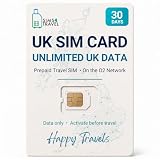
- READY WHEN YOU LAND — Activate online before you travel, insert your SIM when you arrive in the UK and get connected. Choose the 7, 14 or 30-day option that suits your trip.
- UNLIMITED UK DATA — Use maps, messaging, social media, browsing and streaming throughout your trip with unlimited data in the United Kingdom. No caps. No throttling. No catches.
- CONNECTED ON THE O2 UK NETWORK — Travel with reliable data on the established O2 UK network, helping you stay connected across England, Scotland, Wales and Northern Ireland.
- DATA-ONLY PHYSICAL SIM FOR UNLOCKED DEVICES — Works with compatible unlocked phones, tablets, mobile Wi-Fi devices and 4G/5G routers. This SIM provides data only; it does not include calls, texts or a UK phone number.
- UK-BASED SUPPORT — If you need help before or during your trip, our UK-based team is here to assist with activation, setup and connection questions.
Unexpected loss of signal, messages about a SIM swap you did not request, an unrequested PAC, or loss of access to personal accounts can indicate possible SIM-swap fraud. Call O2 immediately if you suspect this, and secure your email, banking, social media and shopping accounts as well. O2 lists 202 for Pay Monthly and 4445 for Pay As You Go when calling from an O2 phone; its fraud-reporting page gives 0344 809 0202 from another phone. Check O2’s contact page for current routes.
O2 also warns about unsolicited texts claiming your SIM is being deactivated or that you must get a new 5G SIM. Do not follow their links; forward suspicious texts to 7726.
Rank #4
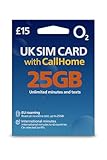
- 📶 25GB High-Speed Data + 5G Access – Stream, browse, and navigate the UK effortlessly with generous 5G data on O2, the UK's award-winning coverage provider.
- 📞 Unlimited UK Calls & SMS – Stay in touch with locals and fellow travelers with unlimited local minutes and texts throughout the United Kingdom.
- 🌍 50 Minutes CallHome – Call family back home with 50 included international minutes from the UK.
- 🚗 Roam in Europe – Your full data, voice, and SMS allowance also works in the EU (CallHome and promotions not available while roaming). UK must be your first stop.
- 🔧 Triple-Cut SIM for All Phones – Fits Standard, Micro, and Nano SIM slots. Works in all unlocked phones with a SIM tray. For best 5G roaming, use a newer, carrier-unlocked device—check with your provider if unsure.
Check SIM size and plan compatibility
O2 plastic SIMs come in standard, micro and nano sizes. Push out the size your device takes; do not cut the SIM to fit. O2 says a free adaptor is available in its stores. A SIM intended for Pay Monthly and one intended for Pay As You Go are not interchangeable for a swap.
Quick Recap
Best Value
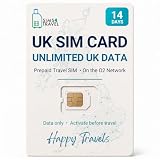
- READY WHEN YOU LAND — Activate online before you travel, insert your SIM when you arrive in the UK and get connected. Choose the 7, 14 or 30-day option that suits your trip.
- UNLIMITED UK DATA — Use maps, messaging, social media, browsing and streaming throughout your trip with unlimited data in the United Kingdom. No caps. No throttling. No catches.
- CONNECTED ON THE O2 UK NETWORK — Travel with reliable data on the established O2 UK network, helping you stay connected across England, Scotland, Wales and Northern Ireland.
- DATA-ONLY PHYSICAL SIM FOR UNLOCKED DEVICES — Works with compatible unlocked phones, tablets, mobile Wi-Fi devices and 4G/5G routers. This SIM provides data only; it does not include calls, texts or a UK phone number.
- UK-BASED SUPPORT — If you need help before or during your trip, our UK-based team is here to assist with activation, setup and connection questions.
Product prices and availability are accurate as of the date/time indicated and are subject to change. Any price and availability information displayed on Amazon at the time of purchase will apply.

