
Quick wins for a faster PC:
Repair Windows errors before they cause bigger problemsFix Now →Scan for outdated or missing drivers - takes under a minuteDriver Scan →iTechGuides is reader-supported. When you buy through links on our site, we may earn an affiliate commission. As an Amazon Associate I earn from qualifying purchases. Learn more
What is the difference between NVIDIA MGX and traditional server designs? MGX is not a single server that a buyer orders in one standard configuration. It is NVIDIA’s modular reference architecture for OEMs and ODMs. A manufacturer starts with a reusable chassis, board, power, cooling and connectivity design, then selects CPUs, GPUs, networking and storage for a particular workload. Traditional server development is usually tied more closely to a specific product family or custom platform. MGX standardizes interfaces and integration points without deciding the final system for every deployment.
That distinction matters when you are evaluating an AI or accelerated-computing purchase. MGX can give a manufacturer a repeatable starting point across single-node, multi-node and rack-scale systems, while the finished server still has to satisfy your power budget, cooling method, network topology, storage bandwidth, rack dimensions and data-center standards. NVIDIA reports faster development and more than 100 possible design combinations, but those figures describe the company’s platform and claims, not an independent benchmark showing that every MGX system is cheaper, faster or easier to operate than every conventional server.
MGX is a reference architecture, not a universal server model
NVIDIA describes MGX as a system-building framework for manufacturers and ecosystem partners. The framework covers designs ranging from single-node servers to rack-scale systems. Its current platform material says the architecture supports more than 100 modular combinations. Those combinations can vary the host CPU, accelerator mix, networking and physical scale while retaining defined mechanical and electrical integration points.
The practical buyer consequence is that “MGX server” is incomplete as a specification. Two systems can both use MGX and have different host processors, GPU counts, network adapters, storage layouts, liquid-cooling loops and rack footprints. The OEM or ODM determines the validated bill of materials and the operating limits. You must therefore compare complete, validated configurations rather than assume that any component carrying an MGX label will work in any chassis.
#1 Best Overall
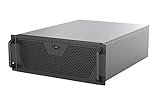
- Engineered for High-Performance Computing: Supports E-ATX motherboards for multi-GPU setups and top-tier hardware, making it a solid foundation for rendering, AI training, and virtualization servers
- Ready for 360mm AIO Liquid Cooling: Directly supports a 360mm radiator for extreme CPU cooling, enabling sustained performance under heavy computational loads without modification
- Triple 120mm PWM Fans for Effective Airflow: Three pre-installed, quiet PWM fans work with the AIO to ensure optimal airflow, keeping GPUs and other critical components cool and stable
- Front-Access 10Gbps USB-C for Fast Transfers: A front-panel USB 3.2 Gen Type-C port delivers up to 10 Gbps transfer speeds, drastically improving efficiency when working with large files
- Versatile Storage Configuration: Accommodates up to 2 x 3.5-inch hard disk drives and 4 x 2.5-inch solid state drives, providing flexible storage options for your server needs
What the architecture standardizes
- A reusable server and rack design starting point for manufacturers.
- Defined integration points for CPUs, GPUs, networking, power, cooling and service access.
- Compatibility with PCIe, Open Compute Project (OCP) and EIA rack specifications.
- A path from an individual node to larger rack-scale deployments.
What it leaves to the system manufacturer
- The exact CPU generation and socket or module arrangement.
- The number and type of GPUs, DPUs, SuperNICs and other accelerators.
- Memory, local storage, shared storage interfaces and their bandwidth.
- Network topology, switch selection, cabling, power supplies and cooling equipment.
- Firmware, software validation, service procedures and the final enclosure dimensions.
NVIDIA names Grace and Vera processors, x86 processors and other Arm-based CPUs among the supported choices. Support for a processor family does not mean that every model is available in every MGX design; the OEM’s validated configuration is the authoritative specification.
How MGX changes the integration process
In a conventional product-development cycle, a server maker may design a motherboard, chassis, power delivery, thermal path and management stack around one processor generation and a relatively fixed accelerator layout. A new CPU or accelerator can require substantial redesign and requalification. MGX instead supplies a reusable architecture in which the manufacturer can retain much of the mechanical and electrical design while changing selected modules.
1. Start with the workload
The manufacturer first identifies the workload’s compute, memory, communication and storage profile. Large model training, inference, scientific simulation, virtualization and general-purpose services do not place the same demands on GPU count, CPU balance, network latency or storage throughput. MGX does not remove this design decision; it makes it possible to express different decisions within a common family of designs.
2. Select the processor and accelerator combination
An OEM can pair an Arm-based host module, an x86 host or another supported CPU arrangement with the accelerator configuration required by the workload. GPU density, host-to-device bandwidth, memory capacity and software support must be checked together. A chassis that physically accepts a module is not automatically validated for every firmware, power or thermal combination.
3. Design the network and storage fabric
Accelerated systems are integrated into a data-center fabric rather than operated as isolated boxes. NVIDIA’s networking architecture documentation separates tenant access, secure management, cluster interconnect and NVLink networks. Cluster interconnect can use Ethernet or InfiniBand. The appropriate choice, and the required bandwidth, depend on the application and scale. Storage may be local, attached through the data-center network or designed as a higher-bandwidth path for a specific training pipeline.
Rank #2

- Server Cabinet Case:The 4u server cabinet case adopts a combined internal architecture.With 7 x PCI slot, providing additional storage space for hardware, networks, servers, or audio/video accessories.
- Lockable design: The 4u rack case comes with a key lock for better security and helps prevent damage, tampering, or theft. The front door foam filter is designed to minimize the dust inflow and prolong the service life.
- High Compatibility: Our 4U computer cabinet is universally mountable in any standard front mount server rack or cabinet, Motherboard Compatibility: 12 x 9.6 ATX/M-ATX/Mini-ITX (smaller than 305mm*245mm/12*9.6inch)
4. Validate the complete bill of materials
The final step is system validation: firmware, drivers, switches, cables, rack power, cooling, monitoring and service procedures must work as a unit. Modularity reduces the need to begin from a blank sheet, but it does not eliminate qualification work. The useful comparison is therefore between validated MGX configurations and validated conventional configurations, not between an architecture label and an unconfigured parts list.
MGX versus traditional server designs: a practical comparison
“Traditional server” covers many designs, from standardized enterprise platforms to highly customized appliance-like systems. The table describes the architectural tendency, not a rule that applies to every product.
Recommended Free Tools
| Comparison area | MGX approach | Traditional design tendency | What to verify |
|---|---|---|---|
| Workload fit | Uses a common architecture with selectable CPU, GPU and network combinations for different workloads. | Often optimized around a defined server model, processor generation or accelerator layout. | GPU and CPU utilization, memory capacity, communication pattern and storage bandwidth under your workload. |
| CPU flexibility | NVIDIA describes support for Grace, Vera, x86 and other Arm-based CPUs, subject to each OEM’s validation. | Usually centered on the processor families supported by that product line and motherboard. | Socket or module compatibility, firmware support, NUMA layout and upgrade policy. |
| GPU flexibility | Allows manufacturers to create multiple accelerator densities and layouts from the reference design. | May offer a fixed list of GPU options or require a new platform for a different density. | Power per GPU, interconnect topology, clearance, thermal limits and supported software stack. |
| Networking | Can be designed around different Ethernet, InfiniBand, DPU and SuperNIC arrangements, with separate management and cluster fabrics where required. | Networking is commonly selected from the adapters and topologies already qualified for the server family. | Port count, speed, latency, switch compatibility, cable paths and oversubscription. |
| Standards and integration | References PCIe, OCP and EIA rack specifications as compatibility foundations while the OEM completes the design. | May use industry standards but can retain more product-specific mechanical, thermal or management interfaces. | Rack rails, power connectors, remote management, firmware update process and interoperability with existing tools. |
| Scale | Extends from single-node systems to rack-scale architectures. | May scale by adding standardized nodes, or may require a separate appliance or rack design for larger deployments. | Cluster expansion plan, switch placement, rack power, cooling distribution and cable length. |
| Reuse across generations | The reference layout is intended to let manufacturers reuse portions of the design as host and accelerator modules change. | A new generation can trigger a new board, chassis or thermal qualification cycle. | Which parts are actually reusable, and how long the OEM supports each module and firmware branch. |
| Service access | Can include service-friendly pathways designed into the chassis; implementation varies by OEM. | Serviceability depends on the product’s original enclosure and component placement. | Replacement procedure, downtime, liquid-loop service, access clearance and field-replaceable units. |
| Site constraints | Still has to meet the selected configuration’s space, power, cooling, storage and network requirements. | Also constrained by those factors, but a fixed design may make the limits clearer earlier. | Measured facility capacity, not just the server’s nominal electrical rating. |
The 6U example: standard chassis, different host modules
NVIDIA’s technical example of an MGX 6U chassis illustrates how standardization and variation coexist. The enclosure is 800 mm high and is described as accommodating multiple host-processor modules, including x86 and Vera, within a common server design. NVIDIA also describes accessible service pathways and a liquid-cooled configuration containing eight RTX PRO 6000 Blackwell Server Edition GPUs.
These are vendor-described design features, not independent test results. The example shows the intended engineering trade-off: a larger, carefully defined chassis can preserve a service and thermal layout while allowing the processor generation or module choice to change. It does not establish that every 6U MGX system has eight GPUs, uses liquid cooling or provides the same service access. Those details belong to the specific OEM configuration.
Integration goes beyond the server chassis
A modular enclosure does not by itself make a cluster interoperable. NVIDIA’s NCP architecture documentation identifies distinct network functions that may need separate physical or logical paths:
Rank #3

- Spacious Chassis: This huge 4U server case comes with 7 internal 3.5" HDD bays. It only supports HDD drives with three screw holes on each side, allowing for a secure, 3-point connection on each side. IT DOES NOT Support HDD drives with two screw holes on each side
- Expandable & ATX/CEB Compatible: 7 PCI expansion slots and ATX and CEB motherboard compatibility give you growth options for all of your needs
- Quiet Cooling: 3 pre-installed cooling fans provide excellent airflow and heat protection at reduced noise. 1 front 120mm PWM fan and 2 rear 80mm PWM fans ensure your drives and chassis avoid overheating
- Front Panel Features: Front panel LED indicators for power and HDD monitoring allows quick, easy visual assessment. Additional utility with 2x USB 3.0 ports and a built-in front panel lock provides extra security for your server case
- Rackmount Design: Standard 4U rackmount form factor allows for easy installation in server racks and data center environments, providing professional mounting solutions for enterprise and home server applications
- Tenant-access network: carries user or application traffic.
- Secure-management network: supports administrative access and control functions.
- Cluster-interconnect network: carries node-to-node traffic and can use Ethernet or InfiniBand.
- NVLink network: supports the accelerator interconnect where the selected platform uses it.
Storage design is equally workload-dependent. A model-training pipeline may need sustained high bandwidth and predictable latency, while an inference service may prioritize capacity, isolation or rapid checkpoint access. The architecture documentation notes that storage approaches and bandwidth requirements vary by application. When comparing MGX with a conventional server, include switches, transceivers, cables, storage arrays, rack distribution and monitoring—not only the compute node.
Reference architectures and NVIDIA endorsement
NVIDIA publishes reference architectures that pair the MGX approach with named OEM server models, configuration sizes and deployment information. Its review criteria include certified nodes, alignment with the proposed network topology and a vetted bill of materials. An endorsed design indicates that NVIDIA reviewed it under that process; it is not a guarantee that the configuration is suitable for every facility, workload or operating practice.
Catalog entries can include systems from manufacturers such as Dell, HPE, Lenovo, Cisco and Supermicro, alongside GPU configurations and deployment-size information. Treat each entry as a starting point for procurement. Confirm the exact CPU and GPU models, memory, network adapters, switch requirements, software versions, rack units, power draw, cooling method, warranty and service-level terms with the manufacturer.
What NVIDIA claims about development speed and cost
NVIDIA reports that more than 90 MGX systems had been released or were in development across more than 25 partners. NVIDIA also says the architecture can reduce development costs by up to three-quarters and reduce development time by two-thirds, reaching six months. These are NVIDIA’s reported potential benefits. They are not independent, controlled comparisons against a defined traditional-server baseline, and they should not be treated as a promise for a particular OEM project.
The defensible interpretation is narrower: reusable mechanical, electrical and interface decisions may reduce duplicated engineering when a manufacturer creates several related systems. The actual schedule and cost still depend on processor availability, board work, thermal qualification, firmware, regulatory testing, supply-chain changes and the complexity of the target rack.
Rank #4

- Supports up to SSI-EEB motherboards
- Supports 360mm radiators and 2x 80mm fans.
- Supports hard drive mounting on expansion card retainer
- 8 PCI expansion slots
- Includes one USB Type-C interface
Where MGX can be a good fit
Organizations building accelerated-computing clusters
If you expect to deploy multiple generations or several accelerator densities, a family of MGX systems can make the procurement conversation more consistent. You can compare validated node types that share rack, network and management assumptions while selecting different compute profiles.
OEMs and ODMs serving several workloads
The strongest modularity benefit is on the manufacturer side. A reusable architecture can support more than one CPU family or accelerator layout without a completely unrelated chassis program for each product.
Sites with strict rack and facility standards
Compatibility with PCIe, OCP and EIA rack specifications can simplify alignment with existing mechanical and electrical practices, provided the specific system follows the required dimensions, connectors and power limits.
Independent reader supportYour contribution helps us test, update, and keep practical guides available for everyone.Where a conventional design may be preferable
A fixed server can be the simpler choice when your workload, software stack and expansion plan are stable and the product already meets your requirements. A conventional platform may have a mature service process, a familiar management toolchain or a lower-complexity thermal design. MGX does not automatically improve reliability, energy efficiency, purchase price or operating cost; the available evidence does not provide a neutral benchmark for those outcomes.
Modularity can also introduce decision overhead. More combinations mean more questions about firmware matrices, spare parts, network topology, liquid-cooling support and lifecycle timing. If your organization cannot validate those dependencies, a narrowly specified platform with fewer options may reduce operational risk.
Best Value

- Roomy Chassis: 2U server case with 4 internal 3.5" HDD bays and 1 extra 5.25" device slot
- Expandable Design: 4 PCI slots and Micro-ATX compatibility for flexible expansion options
- Quiet Cooling: 3 pre-installed 80mm PWM rear cooling fans provide excellent airflow and heat protection at reduced noise
- Front Panel Features: LED indicators for power, HDD, and LAN status monitoring allow quick, easy visual assessment with 2 USB 3.0 ports and built-in front panel lock for extra security
- Rackmount Ready: Standard 2U rackmount design fits seamlessly into server racks with included mounting hardware for professional installations
How to evaluate an MGX system before buying
- Document the workload. Record model size, batch size, concurrency, training or inference pattern, CPU work, memory footprint, checkpoint behavior and required service-level targets.
- Set facility limits. Measure available rack units, per-rack and per-circuit power, inlet temperature, chilled-water or air-cooling capacity, floor loading and maintenance clearance.
- Define the cluster fabric. Decide whether Ethernet or InfiniBand fits the communication pattern, then specify switch bandwidth, port count, cable paths, tenant access, secure management and any NVLink requirements.
- Specify storage behavior. Distinguish local boot and scratch storage from shared datasets, checkpoints and archival capacity. Ask for sustained bandwidth and latency figures relevant to your workload, not only interface labels.
- Compare complete configurations. Request the exact CPU, GPU, memory, DPU or SuperNIC, network adapter, storage, power supply, cooling and firmware bill of materials. “MGX-compatible” alone is not enough.
- Check lifecycle and service. Confirm field-replaceable units, liquid-loop maintenance, spare-part availability, firmware support periods, warranty response and the procedure for adding a different module later.
- Validate software. Confirm operating-system, driver, CUDA or other accelerator-stack support, orchestration integration and security controls for the precise configuration.
- Pilot at representative scale. Measure application throughput, network behavior, storage performance, power and thermal behavior in your facility before committing to a large rack deployment.
Common mistakes and how to avoid them
Assuming MGX is a retail model number
MGX identifies an architecture family. Ask which OEM built the system and which validated configuration is being offered.
Comparing a component list instead of a system
Two nodes with the same GPU count can differ in host bandwidth, interconnect, cooling, firmware and storage. Compare the complete bill of materials and topology.
Ignoring rack-scale dependencies
Cluster switches, transceivers, power distribution, cable management and cooling equipment can determine whether a node works in the intended rack. Include them in the design review.
The Tool Desk
Outbyte Driver Updater FREEFix the driver behind crashes, sound loss and screen glitchesFind Drivers →Outbyte PC Repair FREERepair Windows errors before they cause bigger problemsFix Now →Treating endorsement as a guarantee
NVIDIA’s review and endorsement process can provide useful validation signals, but it does not certify suitability for your workload, facility or service organization. Perform your own acceptance testing.
Applying NVIDIA’s claims as universal results
The reported “up to” cost and time reductions describe potential development benefits attributed to NVIDIA. They are not a measured promise for your procurement or an operating-cost comparison with traditional servers.
Bottom line for the comparison
MGX changes server design mainly by separating a reusable architecture from the final configuration. It gives manufacturers standardized starting points and integration interfaces across CPUs, GPUs, networking and rack scales, while leaving workload, storage, topology, power and cooling decisions to the completed system. Traditional designs may be more fixed or product-specific, but they can be entirely appropriate when their validated configuration already fits the job. Choose MGX when the modular family, generation reuse and rack-scale options solve a defined requirement; choose on the evidence of the complete system, not on the architecture name alone.
Quick Recap
Product prices and availability are accurate as of the date/time indicated and are subject to change. Any price and availability information displayed on Amazon at the time of purchase will apply.
Do these 3 things before closing this tab:
1Repair Windows errors before they cause bigger problems2Scan for outdated or missing drivers - takes under a minute3Clear out junk files and repair common Windows errors
