
Recommended Free Tools
iTechGuides is reader-supported. When you buy through links on our site, we may earn an affiliate commission. As an Amazon Associate I earn from qualifying purchases. Learn more
Nintendo Switch 2 accepts microSD Express cards only for expandable game storage, with support for capacities up to 2 TB. Ordinary microSD, microSDHC and microSDXC cards from the original Switch cannot store or run digital games on Switch 2. A legacy card can still be used to import screenshots and videos.
The console has 256 GB of internal UFS storage, although some of that space is reserved for system use. Downloaded games, updates and DLC can use a microSD Express card; game-save data remains in the console’s system memory. This guide explains compatibility, migration, capacity choices and the limitations that matter before you buy a card.
Which memory cards work with Nintendo Switch 2?
The expansion slot is designed for the microSD Express standard. Nintendo’s support guidance says any card that meets that standard and has a capacity of up to 2 TB can be used. The card must be explicitly marked microSD Express; a high-capacity card described only as microSDXC is not sufficient.
| Card type | Game storage on Switch 2 | Other supported use |
|---|---|---|
| microSD Express, up to 2 TB | Yes. Downloaded software, software updates and DLC can be stored there. | Screenshots and captured videos can be moved between the console and card. |
| Ordinary microSD | No. | Can import screenshots and videos created on an original Nintendo Switch. |
| microSDHC or microSDXC without Express | No. | Can import screenshots and videos from the original Switch, but cannot hold Switch 2 games or saves. |
| USB hard drive | No. Nintendo’s current data-management FAQ says external USB hard drives are not supported. | Not a supported substitute for a microSD Express card. |
“microSDXC” identifies a capacity and file-system category, not the Express interface required by Switch 2. Check the physical packaging and the card itself for the microSD Express designation before opening it. A large card that lacks that marking should not be purchased as a Switch 2 game-storage card.
#1 Best Overall

- NEXT GEN GAMING: Works with Nintendo Switch 2.
- READY FOR TOMORROW. Ready for future products with a PCIe-NVMe interface; performs at UHS-I speeds with microSD UHS-I and UHS-II devices.
- EXPONENTIALLY FASTER PERFORMANCE. Up to 4.4 times faster transfer speeds than our fastest microSD UHS-I cards [9]. Transfer a 2-hour HD movie in less than 3.5 seconds [1]; save up to 2.8 minutes transferring 60 minutes of 4K UHD video [4] shot at 30 fps when paired with the SanDisk PRO-READER SD Express Dual Card (sold separately) [9]
- DURABILITY YOU CAN COUNT ON: Cards are waterproof, temperature-proof, humidity-proof, drop-proof, shock-proof, magnetic-proof, x-ray proof, and wear-out proof [5].
- HEAT MANAGEMENT REIMAGINED. SanDisk ThermAdapt helps keep devices from overheating with a specially designed enclosure and controller that uses dynamic adaptive thermal management.
What the card stores—and what it never stores
Downloaded software, updates and DLC
When a microSD Express card is inserted, Nintendo says it becomes the default location for downloaded software. Digital games, their update data and downloadable content can therefore consume card space rather than the console’s internal storage. This is the main reason to add a card: it expands the space available for downloadable software without replacing the system.
Save data stays in system memory
Game-save data is stored in the console’s system memory. Nintendo explicitly states that game-save data cannot be copied to a microSD Express card. A card is not a save backup and cannot be moved between consoles as a save-data container.
Nintendo’s data-management guidance also identifies Nintendo Switch Online cloud backup for supported titles. That service is separate from card storage: inserting a larger card does not create a second copy of your saves.
The Tool Desk
Outbyte PC Repair FREERepair Windows errors before they cause bigger problemsFix Now →Outbyte Driver Updater FREEScan for outdated or missing drivers - takes under a minuteDriver Scan →Rank #2

- TRANSFER SPEEDS UP TO 800 MB/S: With sequential read speeds up to 800 MB/s, get into your game up to 4× faster than our standard microSD cards (UHS I)¹.
- DYNAMIC THERMAL GUARD: Keeps its cool even when the action heats up. Dynamic Thermal Guard helps reduce overheating for fast, smooth gameplay.
- ALL YOUR GAMES ON ONE TINY CARD: Store all your games and downloadable content (DLCs) with up to 512GB of reliable storage. No deleting. No compromises.
- 6-PROOF PROTECTION WITH 3-YEAR LIMITED WARRANTY: Built to last, made for peace of mind. Anything can happen when you’re gaming on the go. With 6 types of protection²⁻⁹, the P9 Express can handle it all—helping maintain your game progress.
- NEXT-GEN AND BACKWARD COMPATIBLE: Your microSD Express card is compatible with Nintendo Switch 2¹⁰ and microSD UHS-I¹¹ devices, including tablets, drones, cameras and more.
Screenshots and captured videos
Screenshots and captured videos can be moved between system memory and a microSD Express card. This is also the one supported role for an ordinary microSD card previously used with the original Switch: Switch 2 can import those images and videos, but it cannot use that old card to load or save digital games.
How much storage does Switch 2 provide?
Switch 2 includes 256 GB of internal UFS storage. Nintendo notes that a portion is reserved for system use, so the full 256 GB figure is not available for games and captures. The exact usable amount should be treated as lower than the advertised capacity rather than assumed to be 256 GB.
Expansion cards are supported up to 2 TB. The capacity limit applies to the card itself; it does not increase the console’s internal memory or move save data out of system storage.
Rank #3
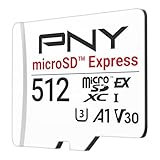
- ELEVATE YOUR GAMING: Engineered with next-generation PCIe Gen 3x1 microSD Express technology to achieve blazing fast performance up to 890MB/s Read and up to 810MB/s Write speeds.²
- LIGHTNING FAST DOWNLOADS: Experience extreme performance up to 4.4x faster than standard UHS-I microSD cards, to spend less time waiting and more time playing! More than double your gaming device’s internal storage with up to 512GB of expanded AAA game space.¹,²
- READY FOR NEXT-GEN GAMING: Compatible with microSD Express Host Devices, including Nintendo Switch 2, and backwards compatible with microSD UHS-I and UHS-II devices like portable gaming devices and more!⁴
- STAY COOL UNDER PRESSURE: Engineered to maximize cooling efficiencies with a heat dissipation dissipative design and adaptive thermal technology.³
- A1 APP PERFORMANCE: A1 Application Performance rating allows users to run gaming apps directly from the microSD card when gaming and delivers faster app launch and performance.
| Capacity option | What it means | How to evaluate it |
|---|---|---|
| 256 GB | Matches the nominal capacity of the console’s internal storage, subject to the internal space reserved by the system. | Compare the card’s capacity with the size of your planned digital library and capture collection. |
| 512 GB | Provides twice the nominal capacity of a 256 GB card. | Check the current regional price and whether the extra space fits your expected downloads. |
| 1 TB | Offers substantially more room for downloads and captures. | Useful to consider when you expect a large digital library; no official game-count estimate is provided. |
| 2 TB | The largest capacity Nintendo says Switch 2 supports. | Compare the cost and availability of one 2 TB card with buying a smaller card now and migrating later. |
There is no capacity that Nintendo identifies as best for every owner. Your decision should be based on expected digital downloads, update and DLC growth, screenshots and video captures, and the card prices available in your region at the time of purchase. Do not assume that a larger capacity improves graphics, frame rates or game performance; the documented reason for requiring microSD Express is compatibility with the faster access needed for smooth operation, not a published ranking of cards by speed.
Windows Errors? Fix Them Before They Spread
Repair common Windows errors and clear accumulated junk for a smoother, more stable PC - no reinstall needed.Free scan · no reinstallCrashes, No Sound, or Screen Glitches?
Random freezes, missing sound and display glitches usually trace back to one bad driver. Find and replace yours safely.Free scan · under a minuteWhat to do when you install a microSD Express card
The first use has an additional requirement: Nintendo says the console needs a system update over the internet before a microSD Express card can be used for the first time. Plan the installation while the console can connect online.
- Confirm the standard. Verify that the card is labeled microSD Express and that its capacity is no greater than 2 TB. Do not rely on “microSDXC” alone.
- Update the console. Connect Switch 2 to the internet and install the required system update before attempting first-time card use.
- Insert the card. With the console powered down or following Nintendo’s on-screen instructions, insert the microSD Express card into the expansion slot.
- Follow the on-screen setup. The console will guide you through preparing the card. Use the prompts shown by your system software rather than assuming that an old card’s contents can be retained for games.
- Check data locations. After setup, downloaded software is saved to the card by default, while save data remains in system memory. Screenshots and videos can be moved between the two locations.
The exact wording of menus can change with system software updates. If the console rejects a card, first recheck the Express marking and capacity limit, then verify that the required online system update completed.
Rank #4

- NEXT GEN GAMING: Works with Nintendo Switch 2.
- READY FOR TOMORROW. Ready for future products with a PCIe-NVMe interface; performs at UHS-I speeds with microSD UHS-I and UHS-II devices.
- EXPONENTIALLY FASTER PERFORMANCE. Up to 4.4 times faster transfer speeds than our fastest microSD UHS-I cards [9]. Transfer a 2-hour HD movie in less than 3.5 seconds [1]; save up to 2.8 minutes transferring 60 minutes of 4K UHD video [4] shot at 30 fps when paired with the SanDisk PRO-READER SD Express Dual Card (sold separately) [9]
- DURABILITY YOU CAN COUNT ON: Cards are waterproof, temperature-proof, humidity-proof, drop-proof, shock-proof, magnetic-proof, x-ray proof, and wear-out proof [5].
- HEAT MANAGEMENT REIMAGINED. SanDisk ThermAdapt helps keep devices from overheating with a specially designed enclosure and controller that uses dynamic adaptive thermal management.
Can an old Nintendo Switch card be reused?
Yes, but only for a limited purpose. An ordinary microSD, microSDHC or microSDXC card previously used in a Nintendo Switch can be used to import screenshots and captured videos to Switch 2. It is not a compatible expansion card for Switch 2 games.
That old card cannot load digital games on Switch 2, cannot become the default destination for new Switch 2 downloads and cannot hold Switch 2 save data. Buying a new microSD Express card is therefore necessary if you want expandable game storage.
Moving data to a larger card
Nintendo recommends using one microSD Express card. If you run out of room, Nintendo says you can copy all data to a larger card. The important limitation is that downloadable software spread across multiple cards cannot later be combined into one card.
Best Value

- Ultra-Fast Read Speeds — Experience read speeds up to 900 MB/s and write speeds up to 620 MB/s, delivering rapid file transfers and smooth performance for gaming, photography, and 4K video recording.
- Optimized for Gaming & Devices – Tested with Switch 2 and compatible with laptops, tablets, cameras, and Android devices that support microSD Express or UHS-I. Ideal for expanding storage without lag.
- 4K Video & High-Resolution Support – Capture and store 4K UHD videos and high-res photos seamlessly thanks to Class 10, U3, V30, and A2 performance ratings.
- Reliable & Durable Design – Built for long-term use with shockproof, temperature-resistant, waterproof, and X-ray-resistant protection, keeping your data safe wherever you go.
- Multiple Capacity Options – Available in 256GB, 512GB and 1TB options to suit your storage needs. Note that actual usable storage may be slightly less due to system formatting and a portion reserved for card management functions, which is a standard industry practice to ensure optimal performance and reliability.
A practical one-card migration plan
- Obtain a replacement microSD Express card within the 2 TB limit.
- Keep the original card intact until the migration is complete; do not erase it first.
- Use Nintendo’s supported data-management and copying process to transfer all card data to the larger card.
- Insert the larger card and check that downloaded software and captures appear as expected.
- Only after verifying the transfer should you retire or reformat the old card.
The one-card recommendation avoids a fragmented library. If games are divided among several cards, Nintendo’s guidance says they cannot subsequently be merged into one card as a combined collection. Plan for one card with enough headroom rather than treating several small cards as an expandable pool.
Independent reader supportYour contribution helps us test, update, and keep practical guides available for everyone.Nintendo-listed microSD Express examples
Nintendo’s Japanese product page lists licensed examples, but these are examples rather than a complete list of compatible products. Nintendo’s compatibility rule remains the deciding test: any microSD Express card up to 2 TB that meets the standard can be used.
| Manufacturer and capacity | Nintendo-listed release date | How to interpret the listing |
|---|---|---|
| SanDisk 256 GB | June 5, 2025 | One licensed example; not stated to be the only compatible 256 GB card. |
| Samsung 256 GB | June 5, 2025 | One licensed example; confirm current regional availability before buying. |
| SanDisk 512 GB | October 1, 2026 | A Nintendo-listed 512 GB example; release timing does not establish a performance ranking. |
Current prices, inventory, warranty terms, endurance and comparative reliability are not established here. Check the listing available in your country and confirm that the product description still states microSD Express. Do not treat the named products as the only cards Switch 2 supports.
Do these 3 things before closing this tab:
1Repair Windows errors before they cause bigger problems2Fix the driver behind crashes, sound loss and screen glitches3Clear out junk files and repair common Windows errorsCommon buying mistakes and how to avoid them
- Buying by capacity alone: A 1 TB or 2 TB label does not prove that a card is microSD Express. Confirm the interface standard.
- Reusing an original Switch game card: A legacy card is suitable for importing screenshots and videos, not for Switch 2 game storage.
- Expecting saves on the card: Save data remains in system memory. Use supported cloud-backup features separately if you need protection for saves.
- Assuming all internal space is available: The 256 GB internal figure includes capacity reserved for system use.
- Planning several cards as one library: Nintendo recommends one card, and software distributed across multiple cards cannot later be combined into one.
- Skipping the first-use update: Nintendo requires an internet system update the first time a microSD Express card is used.
- Expecting a speed or frame-rate upgrade: Compatibility with the Express standard is required for smooth access, but no independent card speed comparison establishes that one compatible model improves gameplay over another.
A simple decision checklist
Before checkout, answer these questions:
- Does the packaging explicitly say microSD Express?
- Is the capacity no more than 2 TB?
- Is the card available from a seller serving your region, with a return policy you understand?
- Have you compared its current price with the capacity you realistically expect to use?
- Are you choosing one card large enough for your planned digital library instead of assuming several cards can be merged later?
- Do you understand that saves remain in system memory and that an old Switch card is limited to importing screenshots and videos?
Does any game currently require extra storage?
Nintendo’s data-management FAQ states that, at the time of its guidance, no individual games required additional storage space to play. That is a current FAQ position, not a permanent guarantee; future software could change storage requirements. A microSD Express card remains useful for downloaded software, updates, DLC and captures even when a particular game does not mandate one.
The bottom line for choosing a card
Buy a microSD Express card, not a conventional microSDXC card, and stay within Nintendo’s 2 TB limit. Select the capacity by comparing one card’s current regional price with the digital games and captures you expect to keep. Use the console’s 256 GB internal storage as a baseline, remembering that some of it is reserved for system functions. Keep saves in system memory, use cloud backup where supported, and migrate the complete library to a larger single card if you eventually need more room.
Quick Recap
Product prices and availability are accurate as of the date/time indicated and are subject to change. Any price and availability information displayed on Amazon at the time of purchase will apply.

