
Recommended Free Tools
iTechGuides is reader-supported. When you buy through links on our site, we may earn an affiliate commission. As an Amazon Associate I earn from qualifying purchases. Learn more
Choose a Nintendo Switch 2 Game-Key Card if you want a physical card you can hand to someone else and are willing to download the full game, use local storage, and keep the card inserted to play. Choose a digital download if you want to access the game from your account without carrying or swapping a card. Both formats put the game data on the console—not on a Game-Key Card—and both use storage. The practical choice is whether you prefer a transferable card or account-linked access.
What is the difference between a Game-Key Card and a digital download?
A Nintendo Switch 2 Game-Key Card is a physical card that holds a key to activate the game, not the full game data. Insert it to prompt the download to the console’s system storage or a compatible microSD Express card. Nintendo says a Nintendo Account is not required to download the game data. After the initial download, you can play offline, but the Game-Key Card must remain inserted. Nintendo’s Game-Key Card overview explains the format.
| # | Preview | Product | Price | |
|---|---|---|---|---|
| 1 |

|
Samsung microSD Express Card – 256GB for Nintendo Switch™ 2 | $59.00 | Buy on Amazon |
| 2 |

|
Pokémon Pokopia - Nintendo Switch 2 | $69.00 | Buy on Amazon |
| 3 |
|
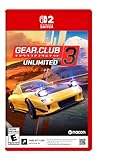
Gear.Club Unlimited 3 – Nintendo Switch 2 (Game-Key Card) | $49.99 | Buy on Amazon |
| 4 |

|
The Witch's Bakery (Game Key Card) - Nintendo Switch 2 | $34.99 | Buy on Amazon |
| 5 |

|
Cronos - Nintendo Switch 2 | $24.26 | Buy on Amazon |
A digital purchase is downloaded to the console or compatible microSD Express card and associated with the Nintendo Account used to buy or redeem it. If you delete the game and later want to download it again, you must use that account. Nintendo describes a regular physical game card differently: it contains the game data, so it is not the same format as a Game-Key Card. Nintendo’s explanation of Game-Key Cards outlines these distinctions.
Quick wins for a faster PC:
Fix the driver behind crashes, sound loss and screen glitchesFind Drivers →Clear out junk files and repair common Windows errorsFree Scan →Scan for outdated or missing drivers - takes under a minuteDriver Scan →Which format is better for your game library?
Choose a Game-Key Card if passing the card along matters
You can lend a Game-Key Card by handing the card to another person. They must download the game data onto their console and keep the card inserted while playing. This makes the card a straightforward way to pass the game between people, but it does not avoid the download or storage requirement.
#1 Best Overall
- Nintendo Switch 2 uses a new standard of expandable memory card called microSD Express (sold separately). This kind of memory card is needed for faster access speeds and to ensure games will run smoothly.
- Please note: Nintendo Switch 2 is only compatible with microSD Express cards. If the microSD cards you have used for Nintendo Switch do not support microSD Express standards, you cannot use them with Nintendo Switch 2.
Choose digital if you prefer account access over carrying cards
A digital purchase is tied to the Nintendo Account used for the purchase or redemption. You can access digital games through Nintendo’s Virtual Game Card system, including lending to members of your account’s family group. Nintendo says this lending process does not require Nintendo Switch Online. It is a specific account-based sharing option, rather than handing someone a physical card. See the Virtual Game Card Guide for Nintendo’s instructions.
Compare title price and edition, not format stereotypes
There is no general rule that Game-Key Cards or digital downloads cost less. Compare the actual price and edition for the game you want, from the seller and region where you plan to buy it. Also check the listed download size: neither format removes the need to store the downloaded game data on the console.
Rank #2
- Shape the world and build a cozy new life with Pokémon as a Ditto transformed to look like a human.
- Use other Pokémon’s moves, like Bulbasaur’s Leafage, to revitalize and navigate the world around you.
- Meet and befriend more Pokémon as you help nature flourish.
- Gather materials to create items and furniture, till the fields to grow delicious crops, build homes for the Pokémon you meet, and more—there’s so much to do!
- Experience a world with varied weather, real-time days and nights, and other surprises.
Do both formats need an internet connection and storage?
Both formats require the game data to be downloaded and stored locally. For a Game-Key Card, you need an internet connection for the initial download and enough free space; once installed, subsequent play can be offline with the card inserted. A digital game can also be played offline when its Virtual Game Card is loaded onto the console. Nintendo’s Game-Key Card overview and Virtual Game Card Guide cover those requirements.
Check the individual game’s required space before buying: Nintendo says the download size appears on Game-Key Card packaging and on the digital store listing. If system storage is insufficient, Nintendo supports compatible microSD Express cards for downloaded games. Choose extra Switch 2 storage based on the titles you expect to install and their displayed sizes; no single capacity is right for every library. Confirm that a microSD Express card is compatible with Switch 2 before purchasing it.
Rank #3
- 40 dream cars from top manufacturers
- 50 tracks to dominate in France and Japan
- New races on French and Japanese highways
- An immersive Story mode based on Japanese car culture
- Extensive customization: mechanical and bodywork; plus, customize your garage
Can you use the games across multiple consoles?
Nintendo says Virtual Game Cards can be loaded across up to two linked Nintendo Switch 2 or Nintendo Switch consoles. A loaded Virtual Game Card can be played offline. Nintendo also documents online-license use for digital purchases while connected to the internet. The rules depend on how the digital game is loaded or accessed, so check Nintendo’s guide to playing games across multiple consoles for the setup that matches your consoles.
A Game-Key Card can be inserted into another console, but that console still needs the game data downloaded and available locally. Save data is associated with the Nintendo Account and console, not stored on the physical game card; moving the card alone does not move a save.
Rank #4
- Includes Official Digital Cookbook
- Your daily life as a witch-baker in Paris!
- Daytime, where Lunne manages her bakery and serves clients with her team of friends.
- Evening, where Lunne explores Paris, builds relationships, discovers the city's secrets and goes inside her friends' troubled heart.
- Night, where Lunne rests, improves her magic, decorates her bakery and spends time in her cosy atelier
How to decide before buying
- Check the exact game and edition. Compare the price in your region and the listed download size for the specific version you want.
- Check your installation situation. For a Game-Key Card, make sure you can get online for its initial download. For either format, make sure there is enough free storage or plan for a compatible microSD Express card.
- Decide how you want to share. Pick a Game-Key Card if you want to hand the card to another person. Pick digital if family-group Virtual Game Card lending fits your needs.
- Consider where you play. If you want to play without carrying or swapping cards, digital is more convenient. If you want a physical item that serves as the play key, choose the Game-Key Card and keep it with the console.
What Nintendo says a Game-Key Card is for
In Nintendo’s 2025 85th Annual General Meeting of Shareholders: Q&A Summary, Nintendo president Shuntaro Furukawa called it “one of the new software distribution methods we have introduced to accommodate the larger game data sizes on Nintendo Switch 2 compared to Nintendo Switch.” He also stated: “The game-key card used for Nintendo Switch 2 does not contain the full game data for the game itself; instead, it stores a key to activate the software.” Read Nintendo’s Q&A summary.
Do these 3 things before closing this tab:
1Repair Windows errors before they cause bigger problems2Scan for outdated or missing drivers - takes under a minute3Clear out junk files and repair common Windows errorsQuick Recap
Best Value
- Cronos: The New Dawn is a brutal third-person survival horror where you fight for the future by salvaging the past. Burn monsters before they merge. Extract souls from the living. Adapt or die.
- Set in a grim world where Eastern European brutalism meets retro-futurist technology, Cronos: The New Dawn lets you experience a gripping story that straddles the line between past and future.
- The enemies you’ll encounter are nightmarish creatures, born from the remnants of humanity – defeating them will require you to make full use of your arsenal.
- The creatures you kill won’t stay dead for long. Fallen enemies can be absorbed by others - through a grotesque process called Merging - to become faster, tougher, and far deadlier.
- This physical edition of Cronos: The New Dawn includes bonus in-game content (delivered via an online update) and a set of collectible stickers. This edition also includes a Nintendo Switch 2 Game-Key Card.
Product prices and availability are accurate as of the date/time indicated and are subject to change. Any price and availability information displayed on Amazon at the time of purchase will apply.

