
What’s actually slowing this PC down?
Pick the symptom - the matching free tool is one click away.
iTechGuides is reader-supported. When you buy through links on our site, we may earn an affiliate commission. As an Amazon Associate I earn from qualifying purchases. Learn more
A full-folder deploy publishes the files in the selected deploy bundle; it does not automatically preserve files that were on production but are missing from that bundle. In a Netlify drag-and-drop deploy, treat the folder as the intended replacement, not as a sync. Before publishing, check what must remain available, include any production-only assets, and verify both expected files and paths that should not exist.
What does a full-folder deploy replace?
It replaces the currently published site with the files included in the new deploy. Netlify describes the publish directory as the location of deploy-ready files and says files outside that directory are not included in site deploys. Its publishing process is atomic: visitors receive the published deploy rather than a file-by-file update in progress. Netlify’s deployment documentation explains those behaviors.


That boundary matters because the folder you upload may not match the site you think you are publishing. A generated output folder can retain retired pages, while assets uploaded directly to production may be absent from both source control and the new output. A replacement deploy can therefore remove files from the live site even when nobody explicitly deletes them one at a time. This is loss from the current published site, not necessarily permanent erasure: an earlier deploy may remain available for rollback, and an independently stored asset may still be recoverable.
How can a bundle be incomplete or misleading?
A generated folder may contain stale pages
In her August 19, 2026 account, Liza Bhadana reports that her site generator left retired pages in the output directory after their source pages were removed. Her site had 111 obsolete game directories and 111 redirects. She observed that existing files could shadow redirects in that setup; this is a report about her configuration, not a universal rule for every host or redirect system. The practical lesson is to inspect generated output rather than assuming it was cleaned simply because source content was deleted. Bhadana’s account describes the incident.
#1 Best Overall
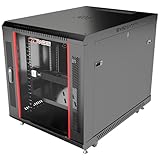
- DEPLOYMENT-READY CONFIGURATION – Pre-configured rack cabinet with PDU, cooling fan, shelf and mounting hardware to reduce installation time and simplify on-site setup.
- FULL-DEPTH EQUIPMENT SUPPORT – 35" cabinet depth with up to 31” usable rail space supports servers, UPS systems and deep networking hardware used in professional installations.
- ALL-IN-ONE INSTALLATION PLATFORM – Integrated power, cooling and mounting components eliminate sourcing delays and streamline deployment workflow.
- MOBILE & ADJUSTABLE ON-SITE – Rolling cabinet with locking casters allows easy transport, positioning and adjustments during installation projects.
- HEAVY-DUTY PROFESSIONAL BUILD – Reinforced steel construction supports up to 160 lbs and includes U-marked rails for precise equipment mounting, designed for installers and integrators.
Production may hold assets that the build cannot recreate
Bhadana also reports that two self-hosted games had assets only on the live site. Those assets were missing from the new bundle, leaving the game pages unable to load them after replacement. If a file exists only on production, it is not protected by a deploy unless you first bring it into the source/build process or preserve a separate verified copy.
A successful response is not always proof that a file exists
A fallback or catch-all route can make a missing path return a normal-looking page, masking a broken asset or file check. In Bhadana’s audit, 104 extracted asset paths were checked: 103 returned HTTP 200, while one fabricated nonexistent path returned 404. Those are figures from her site-specific report, not an independent platform test. Including a known-missing path in verification helps reveal whether the site is incorrectly treating absent files as successful responses.
How do you prepare a safer replacement deploy?
- Confirm the deploy boundary. Identify the exact publish directory that Netlify will use. Files outside it are not included in the site deploy.
- Inventory what must stay live. List required pages, redirects, root-level files, and media. Check whether the generated output still contains retired directories or other stale material.
- Trace asset provenance. For each required asset, determine whether it is committed to source control, generated during the build, or present only on production. Bring production-only files into the source/build process or make and verify a separate backup before replacing the live deploy.
- Assemble the bundle intentionally. Prefer an explicit allowlist of intended site files over blindly copying a cumulative output directory. Exclude stale directories and include every required page and asset.
- Validate the contents. Confirm that required root files are present and that every sitemap URL maps to a file in the bundle. Bhadana reports that, in her audit, all 200 catalogue slugs had pages, all 14 required root files were present, and all 243 sitemap URLs resolved to bundle files.
- Test a path that should fail. Request an intentionally nonexistent asset path and confirm that it returns the expected failure, rather than a catch-all page that makes the check appear successful.
- Review the result and recovery options. Inspect the published site and keep a prior deploy available for rollback where possible. Netlify says previous deploys can be published again while they remain available; that restores a deploy version, but does not establish that production-only assets have been backed up separately.
What did the site-specific audit find?
The figures below are Liza Bhadana’s measurements for her own site and audit, reported August 19, 2026. They are not general Netlify limits or independently verified platform benchmarks.
| Audit item | Reported result |
|---|---|
| Obsolete game directories and redirects | 111 directories and 111 redirects |
| Self-hosted games with production-only assets | 2 games |
| Extracted asset paths checked | 104 total; 103 returned HTTP 200 |
| Fabricated nonexistent path | Returned HTTP 404 |
| Measured asset total versus an earlier note | 142.5 MB measured versus approximately 205 MB noted earlier |
| Catalogue pages, required root files, and sitemap URLs | 200 of 200 slugs had pages; 14 of 14 root files were present; 243 of 243 sitemap URLs resolved to bundle files |
How does a replacement deploy differ from file-by-file uploading?
The key distinction is what defines the release and when visitors see it. An explicit allowlist makes intended contents visible before publishing; a cumulative output folder can carry stale material unless it is inspected. A deploy built from committed or generated assets has a clearer provenance than one that relies on files kept only on production. Verification is stronger when it checks both required paths and a known-missing path.
Rank #3
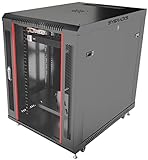
- DEPLOYMENT-READY CONFIGURATION – Pre-configured rack cabinet with PDU, cooling fan, shelf and mounting hardware to reduce installation time and simplify on-site setup.
- FULL-DEPTH EQUIPMENT SUPPORT – 35" cabinet depth with up to 31” usable rail space supports servers, UPS systems and deep networking hardware used in professional installations.
- ALL-IN-ONE INSTALLATION PLATFORM – Integrated power, cooling and mounting components eliminate sourcing delays and streamline deployment workflow.
- MOBILE & ADJUSTABLE ON-SITE – Rolling cabinet with locking casters allows easy transport, positioning and adjustments during installation projects.
- HEAVY-DUTY PROFESSIONAL BUILD – Reinforced steel construction supports up to 160 lbs and includes U-marked rails for precise equipment mounting, designed for installers and integrators.
Netlify documents atomic publishing, while describing file-by-file FTP or S3 uploads as capable of exposing partial updates during upload. This is a difference in release behavior, not a claim that every static host or upload method works identically. Recovery also has two parts: whether the host can republish an earlier deploy and whether assets outside that deploy have their own backup.
Quick Recap
What should you preserve before publishing?
- The exact intended deploy bundle, with its required pages, root files, redirects, and media.
- A verified copy of any required asset that exists only on production; a separate backup location such as an external drive can help, but confirm the copy is complete and readable.
- A recoverable previous deploy, if the host makes one available, plus any independent backup needed for assets not included in that deploy.
- A record of checks showing that expected files resolve and a known-nonexistent path fails as intended.
Product prices and availability are accurate as of the date/time indicated and are subject to change. Any price and availability information displayed on Amazon at the time of purchase will apply.

