
iTechGuides is reader-supported. When you buy through links on our site, we may earn an affiliate commission. As an Amazon Associate I earn from qualifying purchases. Learn more
VitaOS is a free, open-source home-screen replacement that gives a homebrew-enabled PS Vita a modern dashboard for games, movies, music, apps and photos. It is not a Sony system update: you need HENkaku or Enso and VitaShell before installing it. Once installed, VitaOS can organize media and homebrew in one searchable interface, while an optional plugin can make it load at startup and respond to the PS button.
What VitaOS changes on a PS Vita
The Vita’s stock LiveArea remains functional, but it was designed around individual bubbles and folders. VitaOS replaces that starting point with a unified shell. Its Home tab shows quick-resume snapshots along with the time, battery level and weather. A Play area groups PS Vita, PSP and RetroArch systems with box art, previews, collections, favorites and search.
The same dashboard also includes dedicated sections for Movies, Music, Apps and Downloads. Movies uses cover flow and resume support. Music can browse albums, artists, songs and liked tracks, with shuffle and repeat controls. Apps appear in a rearrangeable grid, and Downloads connects to VitaHomebrewDB for discovering homebrew. Files, settings, global search, an on-screen keyboard, notifications, interface sounds and a live tilt-aware background round out the shell.
The project describes VitaOS as “A modern home screen for the PS Vita: games, films, music, apps and a homebrew store behind one fast menu.” It is free software under GPLv3 and explicitly says it is not affiliated with or endorsed by Sony Interactive Entertainment.
#1 Best Overall

- 4948872413602
- PCH-2000ZA11
- PlayStation Vita Wi-Fi Black
What you need before installing
- A PS Vita running HENkaku or Enso.
- VitaShell for installing the package and copying files.
- Enough free storage for the application and its artwork or media database.
- RetroArch for supported retro-game playlists; DaedalusX64 is additionally required for Nintendo 64 games.
VitaOS is homebrew software for an already-modified Vita. It does not turn an unmodified console into a homebrew system, and it is not an official firmware replacement.
How to install VitaOS
- Download the release package. Obtain
VitaOS.vpkfrom the VitaOS project’s Releases page. - Open VitaShell. Transfer the VPK to the Vita by your usual USB, FTP or memory-card method.
- Install the VPK. In VitaShell, select
VitaOS.vpkand confirm installation when prompted. - Launch the bubble. Return to the Vita menu and open VitaOS. The first start scans the card and builds its content view.
- Optionally enable deeper integration. Copy
vitaos_ps.suprxtour0:tai/. Add the plugin under the*mainsection ofur0:tai/config.txt, then restart the console.
Without the plugin, the Vita behaves normally and VitaOS opens like an installed application. With it enabled, VitaOS can start at power-on, the PS button can return to its Home tab, and the shell can reappear after a game ends. If the plugin causes a boot problem, remove its line from ur0:tai/config.txt using VitaShell and restart.
Rank #2

- This Renewed product is tested and certified to look and work like new, with limited to no wear. The refurbishing process includes functionality testing, inspection, and repackaging. The product is backed byand may arrive in a generic box. The product ships with a charger and cable, but does not include headphone, manual or SIM card. Only select sellers who maintain a high performance bar may offer Certified Refurbished products on Amazon.
- Comes with AC Adapter, Charging Cable, and Silicone Button Covers for Joysticks
- Remote Play -Stream a wide range of your PS4 games on your PS Vita system over a local wi-fi network when away from your PS4 system or TV
- Entertainment and Apps -Search videos, check your friend's status, watch your favorite TV shows and movies, stream music, and much much more on the PS Vita system
Where VitaOS finds your content
VitaOS scans the card each time it starts rather than relying only on manually created shortcuts. Correct folder placement and compatible formats therefore matter.
Quick wins for a faster PC:
Clear out junk files and repair common Windows errorsFree Scan →Scan for outdated or missing drivers - takes under a minuteDriver Scan →Repair Windows errors before they cause bigger problemsFix Now →| Content | Location or requirement |
|---|---|
| Installed PS Vita games | Detected from the Vita’s installed-title storage. |
| PSP games | ux0:pspemu/PSP/GAME, launched through Adrenaline. |
| Retro games | RetroArch playlists and their configured ROM folders; RetroArch must be installed. |
| Nintendo 64 games | DaedalusX64 is required in addition to the relevant game files. |
| Movies | H.264 MP4 files up to 960×544 in ux0:video/. |
| Music | Tagged M4A files in ux0:data/music/. |
| Photos | ux0:picture/. |
If a title or album does not appear, check the path, file type, metadata and whether the required player or emulator is installed. Restarting VitaOS forces another scan.
Rank #3

- This Certified Refurbished product is tested and certified to look and work like new, with limited to no wear. The refurbishing process includes functionality testing, inspection, and repackaging. The product is backed by a minimum 90-day warranty, and may arrive in a generic box. The product ships with a charger and cable, but does not include headphone, manual or SIM card. Only select sellers who maintain a high performance bar may offer Certified Refurbished products on Amazon.
- Comes with AC Adapter, Charging Cable, and Silicon Button Covers for Joysticks
- Play over 1,000 PlayStation games, stream PS4 games via Remote Play, and stream PS3 games via PS Now
- App Enabled : PlayStationStore is your one-stop-shop for movies and hot new TV shows, and don’t forget apps like Netflix and TuneIn Radio.
- 5 inch LED Display
Is VitaOS a PS5-style launcher?
It borrows the useful idea of a single, content-first dashboard, but it is not a Sony-designed PS5 interface and does not add PS5 compatibility. Its value is practical: one menu can expose Vita and PSP software, retro systems, media and homebrew instead of making you navigate separate bubbles and folders.
VitaOS compared with other Vita dashboard tools
These projects solve different parts of the organization problem, so choosing one depends on whether you want a complete shell, a catalog installer or tidier bubbles.
Rank #4
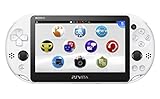
- PlayStationVita (PCH-2006 series) Wi-Fi model body × 1
- USB cable × 1
- AC adapter × 1
- Power cord × 1
- Printed matter × 1 formula
| Tool | Primary role | Best fit |
|---|---|---|
| VitaOS | Full home-screen replacement with games, media, apps, search, downloads and optional boot integration. | Owners who want one daily dashboard. |
| VitaDB Downloader | Browse and install Vita and PSP homebrew, track app state, search, apply themes and customizable backgrounds, with an optional updater daemon. | Users focused on discovering and installing homebrew. |
| Vita Homebrew Sorter | Sort installed homebrew and control how it appears on the stock home screen and in folders; version 1.27 was documented in a 13 May 2024 roundup. | Users who prefer the stock interface but want better bubble organization. |
Storage planning for a media-heavy Vita
Because VitaOS indexes games, video, music and photos together, a large library can consume considerably more space than a typical game-only setup. A compatible Vita memory card or model-specific storage adapter may be useful, but compatibility varies by Vita model and firmware configuration. Verify the exact model support and current availability before buying; VitaOS does not endorse a particular accessory.
Keep backups of saves and configuration files before changing storage. After moving content, confirm that the paths above still exist and allow VitaOS to rescan the card.
How large is the surrounding homebrew ecosystem?
VitaHomebrewDB reported 1,289 entries in 2026: 1,013 PSVITA homebrews, 123 plugins, 126 PSP homebrews and 27 PC tools. The catalog says listed entries had working downloads when counted. Those figures can change as projects are added, removed or updated, so treat them as a time-stamped snapshot rather than a permanent total.
Who should install VitaOS?
- Install it if you regularly switch among Vita games, PSP titles, retro systems and media, and want search, favorites and resume features in one place.
- Use VitaDB Downloader instead if your main task is finding and installing homebrew rather than replacing the home screen.
- Use Vita Homebrew Sorter instead if you like the stock LiveArea and only need cleaner bubbles and folders.
- Skip the change for now if your Vita is unmodified or you depend on a strictly stock Sony interface.
The Bottom Line
VitaOS is the closest thing to a modern all-in-one dashboard for a homebrew-enabled PS Vita: install the VPK through VitaShell, place media in the documented folders, and add the optional plugin only if you want boot and PS-button integration.
Quick Recap
Product prices and availability are accurate as of the date/time indicated and are subject to change. Any price and availability information displayed on Amazon at the time of purchase will apply.
What’s actually slowing this PC down?
Pick the symptom - the matching free tool is one click away.

