

Recommended Free Tools
iTechGuides is reader-supported. When you buy through links on our site, we may earn an affiliate commission. As an Amazon Associate I earn from qualifying purchases. Learn more
MSI GF75 Gaming Laptop: At First Glance
This laptop is one of the latest budget gaming laptops from MSI. MSI seems to offer good value for money with the MSI GF75 Gaming Laptop.
Moreover, the MSI GF75 Gaming Laptop comes with some interesting new upgrades in terms of hardware configuration. For example, the laptop’s GTX 1650 graphics card is an excellent option over its previous model’s GTX 1050 graphics card.
Although some major specs have been improved, the laptop’s chassis and the motherboard are still similar to the previous model’s.
Windows Errors? Fix Them Before They Spread
Repair common Windows errors and clear accumulated junk for a smoother, more stable PC - no reinstall needed.Free scan · no reinstallOutdated Drivers Are Slowing You Down
One free scan finds every outdated or missing driver and matches the right update for your exact hardware.Free scan · exact hardware matchMSI GF75 Gaming Laptop: Design, Dimension, and Weight
The major parts of MSI GF75 are built with solid metal aluminum. Therefore, it feels very strong and sturdy.
#1 Best Overall

- Power Output and Tip: 180 W laptop charger provides 19.5 V 9.23 A output with a 5.5 x 2.5 mm round connector for compatible MSI laptops requiring 180 W or less
- Compatible Gaming Laptop Models: Compatible with MSI GF63 GF65 GF75 GF62 Thin, GS63 GS65 GS73 GS75 GS60 GS70 GS40 Stealth, Razer Blade 15, and Gigabyte G6 KF G5
- GF63 Compatibility: Compatible with MSI GF63 Thin 8RC, 9RCX, 9SCSR, 10SC, 11UC, Thin GF63 12VE, and Thin GF63 12UCX gaming laptop models
- Compatible MSI Computer Charger: Compatible with MSI laptop power cord ratings, including 19.5 V 6.15 A 120 W, 19 V 6.3 A 120 W, 19.5 V 7.7 A 150 W, 19 V 7.9 A 150 W
- Universal Input and Safety: Supports 100 V to 240 V, 50/60 Hz input; FCC and CE marked; built-in safeguards help with short-circuit, over-current, and over-voltage
Furthermore, the laptop’s lid has a very nice black brushed finish with no pattern. It has only the MSI logo positioned very close to the top.
The MSI GF75 Gaming Laptop weighs 2200 g and measures 397 x 260 x 22 – 23.1 mm. It is quite lightweight and portable for a gaming laptop with a 17.3-inches display.
Moreover, it is a bit smaller than other 17-inch gaming laptops. For instance, it is lighter than the Asus TUF Gaming FX705DT (weights 2600 g, with a dimension of 399.8 x 279.4 x 26.6 – 27.6 mm.) and the Dell XPS 17 (weights 2530 g, dimension – 374.4 x 248 x 8.6 mm).
What’s actually slowing this PC down?
Pick the symptom - the matching free tool is one click away.
The laptop’s red-backlit keyboard is well-spaced and it is comfortable for typing. The keys give just the right amount of feedback with a nice feel to them.
MSI GF75 also offers a nice selection of ports. On the left side of the laptop, there is a power connector, an HDMI port, and two 3.2 Type-A USB ports.
Moreover, on the right side of the laptop, there is an RJ-45 port, a 3.2 Type-C USB port, and a Type-A USB port.
Overall, the MSI GF75 Gaming Laptop has a very nice design with an excellent build. Hence, it scores eight in this review.
MSI GF75 Gaming Laptop: Processor (CPU) Performance
The MSI GF75 Gaming Laptop is equipped with an Intel Core i7-10750H processor. The processor has a base frequency of 2.6 GHz and a maximum frequency of 5.60 GHz.
This laptop’s CPU performs remarkably well at regular computing operations such as browsing, document editing, emailing, etc. It also carries out light video editing.
Moreover, you can optimize the performance of this laptop’s CPU by using its Dragon center software. With this software, you can monitor the performance of the laptop’s CPU, adjust the fan speed,
Additionally, with MSI’s Dragon center software, you can enhance your overall gaming experience with MSI GF75 Gaming Laptop.
Rank #2

- Display: 17.3" Thin Bezel FHD, IPS-Level 100%sRGB 1920x1080 16: 9
- Graphics: NVIDIA GeForce GTX1650 [Max-Q] 4G GDDR5
- Processor: Intel Core i7-9750h 2.6 - 4.5GHz
- Memory: 16GB (8G*2) DDR4 2666MHz 2 Sockets; Max Memory 64GB
- Storage: 512GB NVMe SSD
Furthermore, in a Cinebench R15 test, the MSI GF75 Gaming Laptop got a score of 192 in the Multi-core CPU test. Meanwhile, it got a score of 1062 in the Single-core test.
Overall, the MSI GF75 Gaming Laptop performs impressively in terms of its CPU. Therefore, it scores eight in this review.
MSI GF75 Gaming Laptop: Memory (RAM) Performance
The MSI GF75 Gaming Laptop supports up to 64 GB DDR4 RAM. The laptop has 2 RAM slots.
With the 64 GB RAM, the MSI GF75 Gaming Laptop has no issue with multitasking. Moreover, if you initially got the laptop with a smaller RAM, you can upgrade to the 16 GB maximum capacity.
Do these 3 things before closing this tab:
1Repair Windows errors before they cause bigger problems2Scan for outdated or missing drivers - takes under a minute3Clear out junk files and repair common Windows errorsFurthermore, the MSI GF75 Gaming Laptop eased through a series of RAM performance tests. It operated smoothly with 20 browser tabs, an ongoing 5 GB media file download, and two running programs.
In addition, it scored 5, 859 in a PCMark 10 digital content creation test. In the PCMark 10 productivity test, it scored 7,419 points.
In conclusion, the MSI GF75 Gaming Laptop is rated an eight in this review for its excellent RAM performance.
MSI GF75 Gaming Laptop: Storage Options and Performance
MSI offers two internal storage options for GF75 – you get one with an SSD and/or HDD combo. For the SSD, the laptop offers 512 GB PCIe Gen 3 SSD or the 512 GB M.2 SSD NVMe Gen 3.
The Tool Desk
Outbyte Driver Updater FREEFix the driver behind crashes, sound loss and screen glitchesFind Drivers →Outbyte PC Repair FREERepair Windows errors before they cause bigger problemsFix Now →However, you can may get the laptop with the SSD storage mentioned in the last paragraph with a 1 TB SATA HDD.
The Solid-state drive increases the speed of the laptop and also makes it boot very fast. As an example, it takes the laptop less than 10 seconds to start up.
Furthermore, the laptop’s CrystalDiskMark test came out good. The MSI GF75 Gaming Laptop achieved a sequential read speed of 1489.12 MBps.
Rank #3
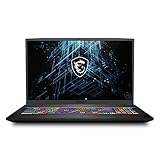
- 17.3" Thin Bezel FHD, IPS-Level 144Hz, 45% NTSC | 1920x1080 16:9
- Intel Core i7-10750H 2.6-5.0 GHz
- NVIDIA GeForce RTX3060 Max-Q 6GB GDDR6
- 16GB (8G*2) DDR4 3200MHz; 2 Sockets, Max Memory 64GB | 512GB NVMe SSD
- RTL8111HS-CG | Intel Wi-Fi 6 AX201(2*2 ax) | BT 5.1
Additionally, it achieved a sequential write speed of 1461.36 MBps.
Quick wins for a faster PC:
Fix the driver behind crashes, sound loss and screen glitchesFind Drivers →Repair Windows errors before they cause bigger problemsFix Now →Scan for outdated or missing drivers - takes under a minuteDriver Scan →Hence, the MSI GF75 Gaming Laptop scores an eight in this review for its excellent storage speed and capacity.
MSI GF75 Gaming Laptop: Graphics Card Performance
The MSI GF75 Gaming Laptop is equipped with an NVIDIA GeForce GTX 1650 Graphics card. The graphics card has a base frequency of 1410 MHz and a maximum frequency of 1590 MHz.
This laptop also has a dedicated VRAM of 4 GB GDDR6.
The laptop’s graphics card performance is as expected when compared to other gaming laptops of its range. It performs excellently at gaming.
Moreover, the MSI GF75 Gaming Laptop is very capable of running the latest games at high settings. You will only need to reduce game settings with very few AAA title games.
Furthermore, the MSI GF75 Gaming Laptop’s performance in Shadow of the Tomb Raider is on level terms with the ASUS ROG GX531GM. MSI GF75 Gaming Laptop played Shadow of the Tomb Raider at 45 FPS – similar to ASUS ROG GX531GM.
Lastly, the MSI GF75 Gaming Laptop had no problem running games like The Witcher 3 (achieved 43 FPS), Overwatch (84 FPS), and Rainbow Six Siege (72 FPS).
Overall, this laptop’s GPU performance is excellent. Therefore, I rate it a nine in this review.
MSI GF75 Gaming Laptop: Battery Life and Performance
The MSI GF75 Gaming Laptop comes with a 3-Cell, 51 Whr Li-Polymer battery. It is expected to last up to 7 hours as advertised by MSI.
However, the laptop’s battery doesn’t last beyond 4 hours 30 minutes. On battery performance tests, the laptop barely exceeds a 4 hours battery life.
Rank #4

- Lightweight for work, travel, or gaming anywhere: A thin-and-light build makes the Thin A15 easy to carry for commuting, trips, or playing when you have downtime.
- Smooth performance for everyday games and multitasking: Ryzen 5-7535HS and GeForce RTX 3050 keep popular titles, apps, and daily tasks running smoothly.
- Clear, fluid motion on a 144Hz FHD display: The 15.6" 144Hz panel keeps action crisp and responsive whether you’re gaming or streaming during breaks.
- Cooling technology built for longer sessions: Cooler Boost’s dual-fan thermal design helps maintain steady performance through extended gaming or work sessions.
- Fast memory and storage for quick loading: 16GB DDR5 and a 512GB SSD offer fast startup, quick access to files, and room for apps and games, supported by HDMI, USB-C, and Wi-Fi 6E.
To give some detailed battery performance examples, the laptop lasted 4 hours with web browsing. This battery performance is achieved by keeping its brightness at 50% and closing background applications.
However, the battery lasted for just 3 hours 30 minutes with web browsing at its highest screen brightness.
Free tools Windows power users keep installed
One-click scans. No signup required.
Moreover, it lasts for about 2 – 3 hours during gaming sessions. However, I will advise that you keep the laptop plugged in while gaming.
Furthermore, it takes close to 2 hours to charge the laptop from 0% to 100%. In conclusion, this laptop’s battery is weak for a 17.3-inch laptop so it scores a six in this review.
Independent reader supportYour contribution helps us test, update, and keep practical guides available for everyone.Frequently Asked Questions
The MSI GF75 Gaming Laptop is a product of MSI’s series of affordable gaming laptops. It is a mid-range laptop with above-average performance. The laptop is thin, but it feels very sturdy and durable.
MSI laptops are good gaming laptops. They’ve gained better recognition and approval of the Tech community over time with their excellent collection of gaming laptops and consumer laptops. Moreover, MSI offers free accidental-damage protection to the products you purchase from them.
MSI laptops are made in Taiwan. MSI (Micro-Star International Co., Ltd, Chinese.) is a Taiwanese multinational information technology corporation that is based in New Taipei City, Taiwan.
MSI is known for the production of gaming laptops. However, they also have a range of laptop collections for regular users and power users. Its gaming series features laptops, desktops, motherboards, graphic cards, All-in-One PCs, and gaming peripherals designed for gamers and power users.
The MSI GF75 Gaming Laptop is very tough and can withstand minor falls. It has a good build quality thanks to its metal body. Moreover, it is a durable laptop that should last you for more than 3 years with proper care and maintenance.
Conclusion
The MSI GF75 Gaming Laptop is an excellent choice if you are looking for a lightweight 17-inch laptop. It is a good budget gaming laptop that delivers excellent gaming performance.
Recommended Free Tools
Good battery life would have complemented its portability. Unfortunately, its battery life is not very excellent.
I hope you found this review helpful. If you found the review helpful, kindly spare a few minutes to share your thoughts by responding to the “Was this page helpful?” question below.
Finally, for more laptop reviews, visit our Laptop Reviews page. You may also find our Laptop Specs page very helpful.
Quick Recap
Product prices and availability are accurate as of the date/time indicated and are subject to change. Any price and availability information displayed on Amazon at the time of purchase will apply.
Quick wins for a faster PC:
Fix the driver behind crashes, sound loss and screen glitchesFind Drivers →Clear out junk files and repair common Windows errorsFree Scan →Scan for outdated or missing drivers - takes under a minuteDriver Scan →


