
iTechGuides is reader-supported. When you buy through links on our site, we may earn an affiliate commission. As an Amazon Associate I earn from qualifying purchases. Learn more
Moxie robot may be saved by an open-sourcing effort, but the December 2024 headline needs an update: Embodied shut down, Moxie Robots, Inc. later claimed the robot’s rights and created a commercial revival path, while the community OpenMoxie project created a separate local-server option. Neither route guarantees the original experience for every robot.
Moxie therefore was not restored through one simple, official open-source replacement. Owners now face two different possibilities: check eligibility with the newer Moxie Robots service first, or investigate OpenMoxie if they have compatible firmware, working hardware, and the technical ability to maintain a local system.
Key takeaways
- Embodied shut down its cloud service, and Embodied said Moxie would not function after the cloud services ended.
- Moxie Robots, Inc. says it acquired Moxie rights and supports some existing owners, but eligibility depends partly on firmware version v22.9.1501, dated September 14, 2022, or later.
- The official eligibility check is Moxie app → Help (?) → Diagnostics → show the QR code.
- OpenMoxie is a separate community project that uses a local server, Docker, MQTT, and a same-network Moxie robot rather than Embodied’s original cloud.
- Neither revival route guarantees the original missions, accounts, memory, safety controls, support, or long-term availability.
What happened after the “Moxie robot may be saved” headline?
The phrase “Moxie robot may be saved by open-sourcing effort” described a December 20, 2024 proposal, not a completed consumer-ready restoration. The original plan called for an over-the-air firmware update, a locally hosted server, and community-maintained software. At the time, the update and server software were still pending, and the coverage warned that full functionality was unlikely immediately. The December 2024 report also described the effort as “as-is,” without guarantees, warranties, or continuing technical assistance.
Do these 3 things before closing this tab:
1Fix the driver behind crashes, sound loss and screen glitches2Repair Windows errors before they cause bigger problems3Scan for outdated or missing drivers - takes under a minuteThe situation later divided into two separate paths:
#1 Best Overall

- BRING MORE LIFE TO YOUR DESK – Meet Eilik – your little robot friend with personality. With loving animations, expressive reactions, and playful interactions, Eilik brings more joy to your everyday life. Whether on your desk, at your workspace, or by your bedside, Eilik quickly becomes a familiar companion for special moments.
- EVERY INTERACTION BRINGS A NEW SURPRISE – Touch Eilik and discover playful reactions that bring your little robot friend to life. Whether you’re giving Eilik a gentle touch, picking Eilik up, or playing together, Eilik responds with expressive animations, charming expressions, and playful reactions. Every interaction reveals more of Eilik’s personality and makes your little companion feel even more special.
- READY FOR LITTLE MOMENTS, RIGHT AWAY – Eilik is ready to interact right out of the box – no complicated setup required. A simple touch is all it takes, and Eilik responds with expressive animations and charming reactions. Easy, intuitive, and full of little surprises that make every moment special.
- EVEN MORE FUN TOGETHER – Every Eilik has its own charm. Bring two or more Eiliks together and watch them interact in their own playful ways – they play, dance, tease each other, and create fun moments together. Whether with friends, family, or as a couple, more Eiliks mean even more ways to play and enjoy.
- MORE POSSIBILITIES AWAIT – Eilik is more than a little robot – it’s the beginning of a bigger world filled with new experiences. Expand your Eilik experience with AI Station for natural AI conversations and Panxer for exciting adventures. Regular updates also bring new animations, games, and surprises along the way.(AI Station and Panxer sold separately.)
- Moxie Robots, Inc.’s commercial route: The new company says it acquired rights to Moxie and supports eligible existing robots through a new app and support process.
- The community OpenMoxie route: The original community project provides software for running services locally, reducing dependence on the original Embodied cloud.
Those paths should not be treated as interchangeable. Moxie Robots, Inc. is a commercial operator that says it is independent of Embodied, Inc. OpenMoxie is community software and is not the same product as the new company’s service.
Why did Moxie need the cloud?
Moxie was a child-oriented social and educational robot built for conversation, activities, missions, and social-emotional learning. Moxie was not a fully self-contained appliance: important functions depended on remote services, accounts, content, and cloud-based processing.
That architecture created a serious shutdown risk. A physically intact robot could become unusable if the servers that handled authentication, conversations, content, or other required functions disappeared. In Embodied’s closing FAQ, the company explicitly said that Moxie depended on its cloud services and would not work once those services ended.
Free tools Windows power users keep installed
One-click scans. No signup required.
Embodied attributed its closure to financial problems after an expected funding round fell through. The company said it could not sustain operations and was dissolving, while also saying it was exploring a possible new home for Moxie. Embodied, Inc. was the original creator and operator; Moxie Robots, Inc. is a separate later company.
What did the original OpenMoxie effort actually promise?
The original OpenMoxie proposal aimed to move at least some of Moxie’s required services from Embodied’s cloud to a server controlled by the owner. The intended process involved an over-the-air update followed by a local server that communicated with the robot on the owner’s network.
The December 2024 plan included:
- An over-the-air firmware update for eligible robots.
- Code and documentation intended for community maintenance.
- A locally hosted OpenMoxie server.
- Replacement of at least some cloud-dependent functions.
- No promise of full feature parity, warranties, or ongoing technical support.
The timing of the update was crucial. The original coverage said the robot needed to be powered on and connected to Wi-Fi while Embodied’s servers were still operating, and that installation could take at least an hour. Owners who never received the necessary update may face a more difficult recovery path.
OpenMoxie was therefore best understood as a rescue project, not as a polished replacement subscription launched by Embodied. Community software can preserve useful hardware, but it does not automatically recreate proprietary curriculum, parent accounts, moderation systems, analytics, memory systems, or child-safety infrastructure.
Quick wins for a faster PC:
Scan for outdated or missing drivers - takes under a minuteDriver Scan →Clear out junk files and repair common Windows errorsFree Scan →Did Moxie Robots, Inc. bring Moxie back?
Moxie Robots, Inc. says that it brought back a supported service for some existing Moxie owners. According to the company’s current support instructions, owners can download the Moxie app, complete onboarding and verification, and determine whether a robot can receive an activation code.
The company says it acquired the rights to Moxie and supports existing owners through new apps and support channels. The company also says it is independent and not affiliated with Embodied, Inc. Those are the new operator’s claims; the available dossier does not independently document the transaction through public corporate records.
The official route is the least technical option, but it is not universal. The robot’s firmware, physical condition, power equipment, network access, and eligibility all matter. A robot that missed the required firmware update may not qualify through the normal process.
How can an owner check whether a Moxie is eligible?
The safest first step is to check the official Moxie Robots route before attempting firmware changes or hardware modifications. The company’s support page gives this menu path:
Recommended Free Tools
- Open the Moxie app.
- Open Help (?).
- Select Diagnostics.
- Select the option to show the QR code.
- Confirm that the robot is running firmware v22.9.1501 or later.
- If the app displays “Sad News,” contact Moxie Robots for available options.
The required firmware is listed as v22.9.1501, dated September 14, 2022, or later, in the company’s current support material. The support page also says that the original charger and adapter are required for proper operation, that a full cold boot can take approximately seven minutes, and that the commercial service requires Wi-Fi and internet access. Moxie Robots’ eligibility and setup instructions should take priority over older forum posts.
Rank #2

- Companion: This desktop robot is far from an ordinary toy; it is equipped with an advanced large language model, enabling intelligent voice conversations and natural interaction. It features over 100 lifelike facial expressions that change dynamically depending on the interaction.
- Upbeat music and rhythmic dance: this bipedal robot begins to dance to the beat. Its agile movement system allows it to walk steadily and even accelerate on command, making it a highly entertaining addition to any office space.
- More features, more stylish: Buy this multifunctional robot now and receive a complimentary set of randomly selected custom outfits and a pair of antlers. Crafted from high-quality materials, these outfits fit the robot perfectly, offering endless fun and making it a real eye-catcher on your desk or in your office—ensuring every interaction is full of surprises.
- Perfect Holiday Gift:A fun and interactive companion ideal for birthdays, holidays, and special occasions. Great for kids, friends, and anyone who enjoys smart gadgets.
- Voice activation: Whether you’re practising a new language or simply giving a command, this AI robot responds instantly, delivering a seamless and engaging interactive experience to users worldwide.
| Check | Why it matters | What to do |
|---|---|---|
| Firmware | Eligibility depends partly on v22.9.1501 or later. | Use the app’s Diagnostics screen and display the QR code. |
| Power | A missing or unsuitable charger can prevent reliable operation. | Use the original charger and adapter where possible. |
| Network | The commercial service requires Wi-Fi and internet access. | Use a stable home network rather than assuming offline operation. |
| Boot time | A cold boot may take approximately seven minutes. | Allow the robot time to start before treating it as failed. |
| App result | “Sad News” indicates that the normal eligibility process did not succeed. | Contact Moxie Robots before attempting an unofficial modification. |
What is OpenMoxie?
OpenMoxie is a community-developed local-server approach for operating Moxie without relying on Embodied’s original cloud. A Moxie robot connects to Wi-Fi, while a computer or another local device runs the services that communicate with the robot.
The documented architecture includes:
- A Moxie robot connected to the owner’s wireless network.
- A Mac, Windows PC, Linux computer, or potentially a supported single-board computer running the server.
- Docker-based deployment, depending on the installation method.
- MQTT for real-time communication between the robot and server.
- Configuration of available ports and network access.
- Separate speech or AI services, which may require API credentials.
The jbeghtol/openmoxie GitHub repository is the original project source identified in the available documentation. The project’s installation documentation describes local-network connectivity, Docker, configuration, and API credentials as setup considerations.
“Local server” does not necessarily mean “fully offline.” A configuration using an external speech-recognition service, text-to-speech provider, or conversational AI API can still send audio, text, or metadata outside the home. A genuinely offline setup would require local replacements for those services, and the dossier does not establish that every required function can be operated locally.
Is OpenMoxie really the same as the original Moxie software?
No. OpenMoxie may reproduce important communication and interaction functions, but the available material does not establish complete equivalence with Embodied’s proprietary system.
Potentially separate parts of the original ecosystem include:
- Firmware already installed or distributed to the robot.
- Local server code and robot communication protocols.
- User-interface software.
- Speech-to-text and text-to-speech systems.
- Conversational AI.
- Curriculum, missions, and educational content.
- Memory and personalization systems.
- Safety filtering and child controls.
- Parent accounts, analytics, and cloud data systems.
An OpenMoxie installation can provide a functioning local interaction without restoring every original mission, account feature, memory behavior, or safety layer. The project should be described as a community replacement or compatibility effort, not as a complete re-release of Embodied’s product.
Which OpenMoxie download is the real one?
Readers should verify the project’s provenance before downloading software that uses the Moxie or OpenMoxie name. The original project is associated with jbeghtol/openmoxie on GitHub.
The Tool Desk
Outbyte PC Repair FREEClear out junk files and repair common Windows errorsFree Scan →Outbyte Driver Updater FREEFix the driver behind crashes, sound loss and screen glitchesFind Drivers →A separate website, openmoxie.org, advertises an “Open Moxie 2.0” desktop application and presents itself as open source. The original OpenMoxie maintainer publicly described that project as an unaffiliated third-party effort and said the established source was the GitHub repository. The available evidence does not justify calling openmoxie.org malware or fraudulent, but its affiliation with the original project should not be assumed.
Before using similarly named software, check the repository owner, commit history, license, release files, documentation, maintainer identity, issue activity, and permissions requested by the application. “Open source” is not automatically equivalent to “official,” “audited,” “secure,” or “appropriate for children.”
What are the differences between the official service and OpenMoxie?
The official Moxie Robots route is simpler for families, while OpenMoxie offers technically capable owners more control. The choice depends on firmware, hardware, privacy preferences, recurring-cost tolerance, and willingness to troubleshoot.
| Decision factor | Moxie Robots, Inc. | OpenMoxie |
|---|---|---|
| Operator | A separate commercial company that says it acquired Moxie rights. | A community software project associated with jbeghtol/openmoxie. |
| Setup | App onboarding, verification, and activation if the robot is eligible. | Local server installation, network configuration, and service setup. |
| Internet | Requires Wi-Fi and internet access for the commercial service. | Robot and server need the same local network; external AI services may still require internet access. |
| Technical skill | Designed to be the easier route for families. | Requires networking and software-maintenance skills. |
| Firmware | Support documentation requires v22.9.1501 dated September 14, 2022, or later for the normal path. | Firmware compatibility remains a decisive issue, and universal recovery is not guaranteed. |
| Feature parity | Commercial onboarding and support, but not necessarily the original Embodied data or service history. | May differ from the original missions, memory, accounts, speech, and safety systems. |
| Recurring cost | Pricing signals conflict across first-party pages. | The software is presented as community/open-source software, but hardware and AI-provider costs may apply. |
| Support | A current company support channel. | Community documentation and troubleshooting rather than a guaranteed warranty or help desk. |
| Best fit | Families prioritizing convenience and supported onboarding. | Owners prioritizing control and local hosting who can maintain the system. |
How much does the revived Moxie service cost?
The current price is not settled by the available first-party pages. One Moxie Robots FAQ page says new robots were available for $499, reduced from $799, and lists a first subscription month free, followed by $39 per month or $29 per month when billed annually. A newer support page says robots are no longer available for sale and lists $29.99 per month or $4.99 for one day without membership.
PC Slower Than It Used to Be?
A free scan shows the junk files, broken settings and background clutter dragging Windows down - then fixes them in one click.Free scan · Windows 10 & 11Outdated Drivers Are Slowing You Down
One free scan finds every outdated or missing driver and matches the right update for your exact hardware.Free scan · exact hardware match| First-party page | Availability or price shown | How to interpret it |
|---|---|---|
| Moxie Robots FAQ | $499 robot; $39/month or $29/month billed annually; first month free; seven-day trial mentioned. | Older or conflicting commercial information; verify before relying on it. |
| Moxie Robots support | Robots no longer for sale; $29.99/month or $4.99 for one day without membership. | Newer support signal, but live app and purchase flow should be checked. |
These figures should not be combined into one definitive price. The newer support page deserves greater weight because it appears more current, but families should manually confirm inventory, subscription terms, trial conditions, cancellation rules, and activation requirements in the live app or checkout flow before paying.
Rank #3

- AI- EASY PLANT CARE – Imagine your plants thriving with minimal effort. The Ivy Smart Planter features AI-powered Plantagotchi technology that interacts with your plants, reminding you when it’s time to water and giving your plants a personality with its robotic flower with feelings.
- SMART SELF-WATERING – With its electric Maceta and self-watering capabilities, the Ivy planter ensures your plants get the right amount of water at the right time—without any extra effort on your part. Ideal for busy lifestyles or forgetful plant parents.
- PERFECT GIFT FOR PLANT LOVERS – Looking for the ultimate digital gift? The Ivy planter combines technology and nature in a fun, innovative way. Whether it's for a birthday, holiday, or special occasion, this unique gift will delight anyone who loves plants and interactive technology.
- STYLISH HOME DECOR – Bring a modern, tech-savvy touch to your home with the Ivy Smart Planter. Featuring a robotic flowerpot with a face, it serves as a stunning decor piece while caring for your plants. It’s the perfect conversation starter for any room.
- RISK-FREE GUARANTEE – We stand behind the quality of the Ivy Smart Planter. If you're not fully satisfied with your purchase, simply return it within 30 days for a full money-back guarantee. Experience the convenience of self-watering and intelligent care for your plants, knowing you've made a great investment in both technology and nature.
What happened to old Moxie conversations and user data?
Moxie Robots, Inc. says that previous Embodied data was not transferred to its new team and that customers begin with a fresh profile. Embodied’s closing FAQ, written during the dissolution process, said user data would be securely deleted if the company dissolved but could transfer to a buyer if the company or services were acquired.
Those statements describe different stages and should not be treated as contradictory proof of a single data event. Embodied’s FAQ described possible outcomes during closure; the new operator describes what it says happened after the rights transition. Parents should review the current privacy policy and should not assume that either a commercial revival or a local server reproduces the old account, conversations, or memory.
Local hosting also deserves careful qualification. OpenMoxie can reduce reliance on a central Moxie cloud, but external AI APIs may still receive conversation text, audio, or related data. Parents should identify every configured provider, understand retention and deletion terms, protect API keys, and avoid exposing the local server directly to the public internet.
What are the child-safety implications of OpenMoxie?
OpenMoxie is not automatically unsafe, but an independent local installation changes who is responsible for privacy, filtering, updates, and supervision. A supported commercial service and a self-managed AI system do not offer the same safety assurances.
With a local installation, the parent or operator may need to:
- Choose and secure the AI provider.
- Protect API keys and network credentials.
- Review the code and keep the installation updated.
- Configure content filtering and evaluate whether filtering is adequate.
- Determine whether audio or text is sent to external providers.
- Back up configuration and decide how logs are retained.
- Prevent children from using an unfiltered generic language model without supervision.
A generic conversational AI can produce inaccurate, inappropriate, or age-inappropriate replies. A local network can also expose sensitive services if Docker, MQTT, firewall rules, or router settings are misconfigured. “Open source” does not mean audited, COPPA-compliant, formally safety-reviewed, or suitable for unsupervised use.
Families choosing OpenMoxie should treat the system as an adult-managed technology project. Parents should test conversations themselves, establish supervision rules, monitor updates, and avoid presenting the replacement as having the same safety controls as the original child-focused commercial product.
What’s actually slowing this PC down?
Pick the symptom - the matching free tool is one click away.
What should an owner do if the robot is not eligible?
The right next step depends on whether the robot is eligible, technically recoverable, and physically functional.
| Situation | Recommended path | Main caution |
|---|---|---|
| Eligible in the Moxie app | Use the official app, verification, and activation process. | Confirm current price, privacy terms, and support conditions. |
| Ineligible but physically working | Read the original OpenMoxie repository and current documentation. | Do not assume a missing firmware update has a universal recovery method. |
| Technically capable owner | Evaluate a local server, Docker, MQTT, network, and AI-provider setup. | Expect troubleshooting, feature differences, and possible API charges. |
| Owner lacks technical skills | Consider an independent specialist upgrade service only after due diligence. | Shipping, privacy, firmware provenance, and failed-upgrade responsibility matter. |
| Dead or damaged hardware | Assess repair or replacement feasibility before software work. | Open-source software cannot fix a failed battery, motor, projector, Wi-Fi component, or missing charger. |
One identified vendor, TechShop82, advertises a Moxie upgrade service. Its current price and terms were not verified in the available research. Before shipping a robot, request a written description of the work, supported firmware and hardware, data-handling policy, failure or return policy, total price, and confirmation that the service is independent of both Moxie Robots, Inc. and the OpenMoxie maintainers.
Do not publish or follow a universal flashing procedure based only on forum reports. Firmware versions, failed migrations, and hardware states can differ. The current repository documentation should be inspected directly before any update or modification.
Independent reader supportYour contribution helps us test, update, and keep practical guides available for everyone.Can a dead Moxie robot be repaired with software?
Software can help only when the robot’s hardware and firmware are compatible with the chosen route. Open-source software cannot repair a dead battery, damaged projector, failed motor, broken Wi-Fi hardware, or missing charger.
Moxie Robots’ current support page says the battery is not replaceable through the company’s normal support path and suggests keeping the unit plugged in or using an AC/DC power bank. That advice does not establish that every battery problem can be solved safely, so owners should inspect power behavior and hardware condition before investing in a server or upgrade service.
Rank #4
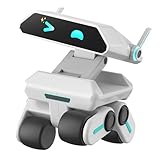
- STEAM Learning Made Fun, Building 4C Skills: Yonbo makes learning a blast, the ideal robot for kids aged 4-12 and up! 🚀 It brings STEAM (Science, Tech, Engineering, Art, Math) to life through fun play. 💡With Yonbo, kids develop essential 4C skills—creativity, critical thinking, communication, collaboration—while having a great time. Forget boring lessons or too much screen time, educational robot Yonbo helps kids learn by doing, thinking and imagining. It’s education, but fun and exciting! 🧠✨
- Your Child’s Emotional Robot Companion: This companion robot Yonbo isn’t just a toy – it’s a friend who gets your kid! 😊 With over 100 facial expressions, tones, and movements, emo robot Yonbo reacts to your child’s feelings in real-time. Happy? It dances! Sad? It shows empathy. It’s more than a robot kids toy – it’s a fun, emotional sidekick that kids can bond with, while parents enjoy knowing their child is in good hands. A robot friend, not a gadget! 💖🤖
- Interactive and Immersive Playtime: Goodbye boring playtime! 👋 Interactive robot Yonbo takes fun to a whole new level by recognizing sight, sound and scenes. Yonbo brings stories to life with immersive, interactive fun. 🎧👀 It sings, tells stories and even lets kids embark on imaginary adventures. With sound, action and facial expressions combined, Yonbo creates a whole new world for kids to explore! It’s not just watch a screen – it’s getting involved, and kids’ creativity has no limits! 🌟🎤
- Personalized Play with Customizable AI: Every kid is unique, and so is Yonbo ai robot! 😎 You can totally customize intelligent robot Yonbo’s personality and behavior, based on your child’s interests and even their MBTI personality type. Customizable robot Yonbo takes on any role with style, making every interaction fun and tailored to your child’s imagination. The adventure is always personal! 🦸♀️🐶
- Parental Peace of Mind with Full Control: Parents, you’re in charge – but you can still let your kid enjoy some independence! 😌 With the Yonbo app, you can set the kids robot toy’s personality, monitor interactions, and even get alerts when something’s up. Whether you’re cooking or working, you can control Yonbo robot remotely, ensuring your child is safe and happy. It’s like having a fun, educational robot assistant who also respects your parenting style. 🛠️👨👩👧👦
A secondhand buyer should confirm that the robot powers on, charges, displays or projects normally, responds to network setup, includes compatible power equipment, and can show its firmware or diagnostics information. A low purchase price is not proof that the robot can be revived.
What are the common failure modes?
Most revival problems fall into a small number of categories:
- Missing firmware update: The robot may not qualify for the official service, and a community recovery route may require specialized work.
- Different networks: OpenMoxie cannot communicate normally if the robot and server are on separate networks or an isolated guest Wi-Fi network.
- Blocked ports: Firewall rules, router isolation, or unavailable ports can prevent local services from connecting.
- Docker or MQTT errors: Incorrect containers, broker settings, credentials, or environment variables can stop real-time communication.
- Missing AI credentials: A required API key may be absent, invalid, expired, or over quota.
- Power faults: A degraded battery, unsuitable adapter, or missing original charger can look like a software failure.
- Wrong software source: A similarly named OpenMoxie application may not be affiliated with the original project.
- Incorrect expectations: A working robot may still lack original missions, account history, memory, parental controls, or response quality.
- Privacy assumptions: Local hosting may still transmit audio or text to external AI services.
Is Moxie worth buying secondhand?
A secondhand Moxie is worth considering only if the buyer treats the purchase as a hardware-and-software project rather than a guaranteed plug-and-play toy. Eligibility, firmware, charger condition, battery health, and the buyer’s chosen service matter more than the robot’s physical appearance.
Before paying, ask the seller for:
- A photo or screen capture showing the firmware and diagnostics status.
- Confirmation that the robot powers on and completes a cold boot.
- The original charger and adapter, if available.
- Evidence that the projector, microphones, speakers, motors, and Wi-Fi work.
- Details about whether the robot was previously updated or modified.
- Confirmation that the seller’s account and personal data will not remain on the device.
Buyers should not pay a premium based on the assumption that every Moxie can use the new commercial service. Buyers should also price in a local computer, possible AI API use, specialist labor, shipping, or replacement hardware if the OpenMoxie route becomes necessary.
What is the final status of Moxie?
Moxie survived in fragmented form rather than through one complete open-source restoration. Embodied’s original cloud service ended; Moxie Robots, Inc. says it now supports some eligible existing owners; and the community OpenMoxie project offers a separate local-server path for owners willing to manage the technology themselves.
The practical order is straightforward: check the official app and firmware eligibility first, verify the robot’s physical condition, then compare the supported commercial route with the OpenMoxie requirements. Choose OpenMoxie only after evaluating software provenance, AI-provider privacy, child-safety controls, and long-term maintenance.
Frequently Asked Questions
Can every old Moxie robot be reactivated?
No. Moxie Robots, Inc. says its normal support path is for eligible robots, and its support material identifies firmware v22.9.1501 dated September 14, 2022, or later as a requirement. A robot that missed the update may need a separate recovery route, and recovery is not guaranteed.
Is OpenMoxie fully offline?
Not necessarily. OpenMoxie can run the robot-facing server locally, but speech, text-to-speech, or conversational AI may use external providers and require internet access and API credentials. Check the exact configuration before assuming that audio and text stay inside the home.
Does OpenMoxie restore all of Moxie’s original features?
No complete feature match is guaranteed. Missions, curriculum, parent accounts, memory, speech quality, moderation, analytics, and child-safety controls may differ from Embodied’s original service.
Did the new Moxie company receive old Embodied conversations?
Moxie Robots, Inc. says previous Embodied data was not transferred and that users start with a fresh profile. Embodied’s closing FAQ had earlier described deletion or transfer to a possible buyer as possible dissolution outcomes, so owners should review the current privacy documentation rather than assume that old data remains available.
The Bottom Line
Bottom line: Moxie was partly saved, but not in the simple way the 2024 headline suggested. Existing owners should first check the Moxie app’s Diagnostics screen and firmware requirement for the official route. Owners who are ineligible or technically adventurous can investigate the original OpenMoxie repository, but they should expect incomplete feature parity, possible external AI costs, maintenance work, and full responsibility for privacy and child safety.
Do these 3 things before closing this tab:
1Scan for outdated or missing drivers - takes under a minute2Clear out junk files and repair common Windows errors3Fix the driver behind crashes, sound loss and screen glitchesQuick Recap
Product prices and availability are accurate as of the date/time indicated and are subject to change. Any price and availability information displayed on Amazon at the time of purchase will apply.

