
iTechGuides is reader-supported. When you buy through links on our site, we may earn an affiliate commission. As an Amazon Associate I earn from qualifying purchases. Learn more
Modernize IT infrastructure one workload at a time, choosing the change that best fits its business value, technical condition, operating requirements and team readiness. Rehosting, platform changes and architectural redesign are different tools—not steps every application must take. The right target may be cloud infrastructure, a managed platform, a hybrid arrangement or a smaller change that first makes a fragile workload stable.
What should modernization achieve?
Start with the outcome, not a preferred technology. A modernization decision should connect business goals and technical standards with the workload’s current condition, dependencies, security and compliance needs, and the capabilities available in potential target environments. Microsoft’s application modernization planning guidance recommends assessing applications individually and balancing return on investment, technical requirements and the organization’s operating model.
Infrastructure and application decisions belong together. AWS Prescriptive Guidance puts it plainly: “Applications and infrastructure are inseparable when it comes to business process quality, availability, and agility.” The statement appears in its phased approach to modernizing applications in the AWS Cloud, whose document history is dated May 2023.
Free tools Windows power users keep installed
One-click scans. No signup required.
What should we modernize first?
Build an inventory of workloads and their dependencies, then assess each against business value and technical risk. Look for conditions that may affect priority, such as outdated technology, an approaching support deadline, fragile operation, security or compliance obligations, and the effort needed to move or change the workload. Microsoft’s preparation guidance emphasizes organizational readiness alongside the workload itself.
#1 Best Overall

- Funny design for a sys admin, network engineer, devops, and more.
- Lightweight, Classic fit, Double-needle sleeve and bottom hem
- Business value: What outcome would a change support, and how important is it compared with other work?
- Technical condition: Is the workload stable enough to change, or should reliability and maintainability be addressed first?
- Dependencies and constraints: Which systems, data, teams, security controls or compliance requirements shape what can change?
- Delivery readiness: Does the organization have the skills, governance, testing and operational capacity for the proposed work?
There is no universal priority score that can replace this assessment. If a workload is unstable, a large architectural change may compound delivery risk; stabilization can be the more appropriate first move. If relevant skills are missing, Microsoft notes that organizations can consider external expertise as part of preparation.
Which modernization path fits each workload?
Choose the scope of change per workload or component. Microsoft describes replatforming, refactoring and rearchitecting as points along a continuum, and notes that a modernization effort can combine approaches. Broader portfolio rationalization can also include rehosting, retaining or retiring an application. The appropriate choice depends on the outcome sought, time frame, component boundaries and available skills—not on a requirement to redesign everything.
Rank #2
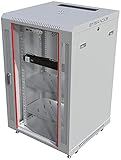
- PROFESSIONAL SERVER RACK CABINET – Wall mount network rack cabinet designed for IT infrastructure installations supporting switches, routers, patch panels, NAS storage, PoE networking equipment and structured cabling systems.
- 24” DEEP NETWORK DEPLOYMENT CABINET – 24” (600 mm) overall depth with 20” usable mounting depth and universal 19-inch rack compatibility for switches, patch panels, security appliances, PoE systems and professional office IT infrastructure installations.
- ACTIVE & PASSIVE COOLING – Ventilated cabinet structure with top-mounted cooling fan promotes stable airflow and temperature control for rack-mounted switches, routers, NAS units and network security equipment.
- SECURE NETWORK CABINET DESIGN – Locking tempered glass door, removable side panels and reinforced steel construction provide controlled access, equipment visibility and efficient airflow for professional IT deployments.
- HEAVY-DUTY MOBILE DEPLOYMENT KIT – Includes 2 vented steel shelves, casters, leveling feet, rack-mount PDU, brush cable entry panels and mounting hardware; supports up to 133 lbs wall mounted or 200 lbs on feet for flexible equipment staging, mobility and professional network infrastructure deployment.
| Path | What changes | When it may fit | Main trade-off |
|---|---|---|---|
| Rehosting | Move a workload with limited changes to its architecture. | When relocation or a near-term infrastructure change is the priority. | Limits the scope of redesign, but does not by itself deliver deeper architectural change. |
| Replatforming | Move to a different platform while making targeted changes. | When a platform capability can address a need without a full redesign. | Requires more adjustment than a move with minimal changes. |
| Refactoring | Change parts of the application to improve how it is built or operated. | When targeted application changes can better support the desired outcome. | Requires engineering and testing effort beyond a basic relocation. |
| Rearchitecting | Make more substantial changes to application structure. | When the expected value of a different architecture justifies a larger change. | Can offer greater potential for scalability or cloud optimization, while increasing time, cost, testing needs and delivery risk. |
| Retaining or retiring | Keep a workload as it is for now, or discontinue it. | When a change is not justified or the workload no longer needs to remain in service. | Retaining postpones change; retiring requires an intentional decision about dependencies and the workload’s role. |
The descriptions are decision distinctions, not guarantees of a particular result. Microsoft’s cloud modernization planning guidance explains how to select and combine approaches according to workload and organizational needs.
Do these 3 things before closing this tab:
1Fix the driver behind crashes, sound loss and screen glitches2Clear out junk files and repair common Windows errors3Scan for outdated or missing drivers - takes under a minuteHow should you compare target environments?
Compare environments against the actual workload: control, management effort, required skills, performance and scalability goals, resilience, security and compliance responsibilities, portability, and day-to-day operating complexity. A provider or deployment model is not best for every organization.
Rank #3

- Customizable Depth Design: Enjoy flexible configuration with 4-post 27U Network rack pen frame featuring 4 vertical rails and adjustable 22"-35" depth range. Offers ample clearance for AV systems, network gear, and cable management while providing multi-angle access to ports and equipment
- Strong Load Capacity: 27U Network Rack is constructed from durable cold rolled steel for better weldability performancedesigned for ventilation with 27U mounting height and 1200lbs (550kg) weight capacity
- Enterprise-Grade Compatibility: Full 27U height (43.5"H) accommodates standard 19" rack-mount equipment. Features pre-installed square holes with included M6 screws/cage nuts. Universal depth adjustment (21"W x 22"-35"D) works seamlessly with switches, patch panels, and UPS systems.
- Quick-Lock Assembly System: Assembly is required, but it's simple. With all the included hardware & witty instructions, you'll have your server rack ready for servers & networking gear in under 20 minutes.
- Multi-Environment Ready: Enterprise-grade solution for server rooms, data centers, broadcast studios, and commercial spaces. Ideal for consolidating IT infrastructure in offices, schools, retail stores, or home lab setups with space-saving vertical organization
| Environment | Potential fit | Operational consideration |
|---|---|---|
| IaaS | When infrastructure control and familiarity are important. | The organization retains more responsibility for managing operating systems and applications. |
| PaaS | When reducing platform-management overhead and using managed platform capabilities are priorities. | Assess whether the platform’s capabilities and operating model fit the application and team. |
| Hybrid | When workloads need to combine existing datacenter investments with cloud services. | Integration, orchestration and governance must work across environments. |
| Multicloud or cross-cloud | When provider choice or distributing workloads across providers is useful to the organization. | Interoperability, monitoring, governance and operations become cross-provider concerns. |
| Edge or hybrid edge | When a workload’s use case and service capabilities support placing some processing closer to where it is needed. | Evaluate the specific use case and test workloads; AWS’s hybrid cloud best practices recommends this kind of assessment for hybrid edge services. |
Microsoft’s strategy guidance and Google Cloud’s hybrid and multicloud planning guidance describe trade-offs rather than a universal winning environment. Compare the responsibilities and capabilities of the candidate target with the workload’s needs before choosing.
Independent reader supportYour contribution helps us test, update, and keep practical guides available for everyone.When do containers, serverless, modern databases or AI capabilities make sense?
These are possible building blocks for particular workload goals, not a checklist for every modernization. AWS’s application modernization strategy discusses containers, serverless technologies and modern databases in relation to emerging technologies such as artificial intelligence, the Internet of Things and machine learning. Microsoft’s Azure application modernization guidance also covers containerization, microservices, data infrastructure and AI integration.
Rank #4

- Sturdy Construction: Made of high quality cold rolled steel, supports up to 110lbs (50kg), providing a durable resilent base for your IT equipment
- Ventilation and Security: one-built-in top fan(with power cable) and flow through ventilation to prevent overheating of the network rack. Tempered glass front door and side panels are lockable to prevent unauthorized access
- Easy equipment configuration: Fully adjustable mounting rails and numbered U positions, with square holes for easy equipment mounting with top and bottom punchout panels for easy cable access.The inner mountable depth is 14.2inch
- Convenient Design: Reversible front door,can be installed on either side to satisfy your door swing orientation preference.Removable top and bottom panels for easy cable management. Compact design of 21.65"Lx17.72"Dx24.25"H and 16inch apart mounting holes are to accommodate stud placement
- Safety& Compliance: PCI & HIPPA and EIA/ECA-310-E compliant for the server rack cabinet
Consider whether a capability solves a real requirement: application design, latency, data location, skills, governance, existing investments or a defined performance and scaling goal. For example, a workload that needs to use existing on-premises data for AI-enabled innovation raises placement and integration questions; Google Cloud includes this as one consideration in its hybrid and multicloud strategy guidance. The need to support an emerging workload does not, on its own, establish that a particular architecture or service is the right answer.
How can you plan and deploy changes safely?
Break complex work into phases with explicit ownership, governance, deployment plans and acceptance criteria. Validate security and compliance, test changes outside production, and plan how the changed workload will be stabilized and operated. Microsoft’s execution guidance covers controlled deployment, reusable infrastructure and a stabilization period.
- Set the scope: Identify the workload and components in the phase, their dependencies, and the outcome the change is meant to support.
- Prepare delivery: Confirm skills, governance, security and compliance requirements, test coverage, deployment ownership and operational responsibilities.
- Test before production: Validate the changed workload in a nonproduction environment against its functional and operational requirements.
- Choose a deployment strategy: For a mission-critical change where downtime must be minimized, parallel deployment can provide a fallback path. It also brings additional infrastructure cost and data-synchronization complexity, so weigh those costs before choosing it.
- Stabilize after release: Monitor the changed workload and resolve operational issues before treating the phase as complete.
What should happen after deployment?
Use actual workload behavior to decide what to improve next. Review performance and usage against the intended outcome, then revisit platform choices and operating practices where evidence supports a change. Microsoft’s optimization guidance identifies serverless, API-first design, containers and DevOps among practices organizations may revisit for cost efficiency, scalability and security. Potential savings or improvements should be measured for the workload rather than assumed from adopting a technology.
Quick Recap
Product prices and availability are accurate as of the date/time indicated and are subject to change. Any price and availability information displayed on Amazon at the time of purchase will apply.

