
iTechGuides is reader-supported. When you buy through links on our site, we may earn an affiliate commission. As an Amazon Associate I earn from qualifying purchases. Learn more
A modern signature analyzer is software that tests a cryptographic digital signature and explains whether the signed data still matches what was signed, whether the signature is associated with the claimed signer, and whether the file follows its signature format. It does not, by itself, prove that the signer intended every consequence, that the document’s statements are true, or that a signature has a particular legal effect.
For a useful result, analyze the right format, separate mathematical verification from certificate trust and format conformance, and treat online processing and retention as part of the security decision.
| # | Preview | Product | Price | |
|---|---|---|---|---|
| 1 |
|
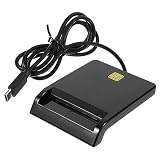
Multi-Function Smart Card Reader for Bank Card Id ATM Sim CAC Portable USB Reader for | $14.79 | Buy on Amazon |
What a modern digital signature analyzer actually checks
Digital signatures use cryptographic algorithms to bind signed information to a signing key. The National Institute of Standards and Technology (NIST) describes the purpose in its Digital Signature Standard: “This standard specifies a suite of algorithms that can be used to generate a digital signature.” In practical terms, a validator recalculates a digest of the signed content, checks the signature value with the corresponding public key, and reports whether the result is consistent with the file presented for checking.
Integrity of the signed content
If even one signed byte has changed after signing, the recalculated digest normally no longer matches the value covered by the signature. A report that says the cryptographic signature is mathematically valid therefore gives evidence that the signed portion has not changed since signature generation. It does not necessarily mean every visible item in a container was signed; some formats contain metadata, attachments, or revisions outside the signed byte range.
#1 Best Overall
- Portable convenience: take this lightweight and portable reader anywhere, integrating it seamlessly with your mobile devices for travel usage,portable USB card reader,universal USB card reader
- Compact and portable multi-function card reader: this small yet versatile card reader is designed for both desktop and mobile use, offering convenience wherever you need it,memory card reader,computer memory card readers
- Universal compatibility: designed to work flawlessly with various operating systems, ensuring compatibility and ease of use,card readers for bank cards,usbc card reader
- Easy setup: simply plug this USB device in and start enjoying of contact-based card operations, such as online bank and signature,usb sim card reader,portable multi-function card reader
- High-speed performance: experience fast and efficient data transfer, saving valuable time and increasing productivity,multi-card reader machine,universal multi-card reader
Association with a claimed signer
A certificate can associate a public key with a person, organization, or service name. A successful signature check shows that the private key corresponding to that public key produced the signature, subject to the certificate and trust decisions made by the validator. It is not the same as independently proving who controlled the key at the moment of signing. Review the certificate subject, issuer, validity period, and trust result rather than relying only on a green “valid” label.
What cryptographic validation cannot establish
- It does not prove that the document’s factual claims are true.
- It does not establish the signer’s intent, authority, or understanding of the transaction.
- It does not determine the legal effect of the signature in every country or transaction type.
- It does not guarantee that an application displayed every signed element correctly.
Those questions require contract, identity, business-process, and jurisdiction-specific evidence in addition to a signature report.
Four different meanings of “valid”
Before opening a file, decide which question you need answered. A single status often hides several independent evaluations.
What’s actually slowing this PC down?
Pick the symptom - the matching free tool is one click away.
- Cryptographic validity: Does the signature value verify against the supplied content and public key?
- Certificate and trust evaluation: Is the certificate acceptable under the trust policy being used, and was it valid for the relevant time? A local trust store, an organization’s policy, and a public trust framework can produce different results.
- Format conformance: Is the signature encoded correctly for its container and profile? A mathematically sound value can still be malformed or placed in an unsupported structure.
- Legal or business acceptance: Does the receiving organization or applicable law accept this signature for the transaction? A technical checker cannot answer that on its own.
Record these outcomes separately. For example, a file may have a valid cryptographic signature but fail a profile rule, or pass a profile check while its certificate is not trusted by your organization.
Choose an analyzer that understands the signed format
Signature syntax is not universal. The ETSI Signature and EAA Conformance Checker describes separate engines for common document and credential families. Match the analyzer to the container before interpreting its result.
| Signed material | Common profile or notation | What to confirm before checking |
|---|---|---|
| Portable Document Format files | PDF and PAdES | Whether the tool reads incremental revisions, embedded certificates, timestamps, and attachments in the particular profile used. |
| Extensible Markup Language | XML and XAdES | Which XML elements are referenced, canonicalization rules, and whether the application resolves external references safely. |
| Cryptographic Message Syntax containers | CMS and CAdES | Whether the service accepts detached signatures, enveloped content, and the required signed attributes. |
| JavaScript Object Notation | JSON and JAdES | How protected headers, detached payloads, and encoding are handled. |
| Associated signature containers | ASiC | Whether all files in the container are covered and how nested signatures are reported. |
| Electronic attestations | Electronic-attestation profiles | The profile and policy identifier expected by the issuing ecosystem. |
If you cannot identify the format, inspect the file extension only as a starting clue; an extension can be misleading. Ask the sender for the signing profile or obtain the original container without opening and resaving it in an editor.
Step-by-step: analyze a signed document
- Preserve the original. Make a read-only copy, record its cryptographic hash in your case notes if your process requires chain-of-custody evidence, and do not “repair” or resave the file before validation.
- Identify the container. Determine whether it is PDF/PAdES, XML/XAdES, CMS/CAdES, JSON/JAdES, ASiC, or another profile. Note whether the signature is attached to the content or supplied as a separate file.
- Select the validation mode. Decide whether you need only mathematical verification, standards conformance, certificate-policy evaluation, or all three. A conformance checker and a deployable validation library serve different purposes.
- Load the file or signature. For an online checker, follow its upload instructions and confirm the provider’s handling terms before submitting confidential material. For a local library, run the validator in an isolated environment with the trust store and policy configuration documented.
- Check the signed bytes. Look for the result covering digest calculation and signature verification. If the report identifies unsigned portions, revisions, or attachments, determine whether those items matter to the business decision.
- Inspect certificate findings. Capture the certificate subject and issuer, validity dates, key-usage or equivalent restrictions, trust-anchor decision, and any warning about revocation or an unavailable status source. Do not treat an unqualified “trusted” label as universal; record which trust list or policy produced it.
- Review timestamps and signing time. A claimed signing time inside a document is not automatically a trusted time. If a trusted timestamp is present, check whether the tool explains what was timestamped and whether the timestamp itself validates.
- Save the report with the original. Export the detailed result, tool version, policy or trust-store version, date of validation, and any warnings. A later recheck can differ when certificates expire, trust lists change, or software updates its rules.
Two useful tool categories
The official tools documented by European standards bodies illustrate why “analyzer” is not one product category.
PC Slower Than It Used to Be?
A free scan shows the junk files, broken settings and background clutter dragging Windows down - then fixes them in one click.Free scan · Windows 10 & 11Outdated Drivers Are Slowing You Down
One free scan finds every outdated or missing driver and matches the right update for your exact hardware.Free scan · exact hardware match| Category | Example documented capability | Best fit | Important decision points |
|---|---|---|---|
| Online conformance checker | The ETSI checker provides standards-based checking with engines for PDF/PAdES, XML/XAdES, CMS/CAdES, JSON/JAdES, ASiC, and electronic attestations. | A quick interoperability or profile check when the file may be submitted to an external service. | Confirm supported profile versions, report detail, upload limits, and handling terms. ETSI states that submitted files are purged after validation; that is the provider’s statement, not an independently audited guarantee. |
| Deployable validation library | The European Commission’s Digital Signature Service (DSS) is documented as an open-source library for creating, augmenting, and validating advanced electronic signatures. Its documentation lists XML, JSON, PDF, DOC, TXT, and ZIP among supported document formats. | Automated workflows, repeatable policy checks, and processing that remains inside an organization’s infrastructure. | Review current documentation for supported profiles, certificate and timestamp reporting, trust configuration, maintenance, and independent assessment before putting it into production. |
Neither category should be selected by brand familiarity alone. Compare the exact input formats, signature profiles, validation scope, policy controls, report clarity, deployment model, data retention, update process, and security review.
How to read common results
“Signature valid”
This normally means the signature value and the covered content agree under the algorithm and key presented. Confirm what content was covered and whether certificate trust was evaluated separately.
“Certificate not trusted”
The cryptographic operation may still succeed. The warning means the validator could not connect the certificate to a trust anchor under its current policy. Check whether the issuing authority is expected in your environment, whether an intermediate certificate is missing, and whether you are validating against the correct regional or organizational trust list.
“Certificate expired”
Expiration is a time-policy issue, not proof that the signature bytes are wrong. Determine whether a trusted timestamp or other evidence establishes that signing occurred while the certificate was valid, and follow the policy governing your transaction.
Recommended Free Tools
“Document modified”
Some formats permit approved incremental updates after signing. Identify whether the change is an allowed annotation, a later signature, metadata, or a change to signed content. A viewer’s visual comparison is not a substitute for the validator’s signed-byte analysis.
“Unsupported” or “conformance failed”
Verify that you selected the correct profile and supplied every required component, including a detached payload or certificate chain. An unsupported profile can reflect a tool limitation rather than a forged signature.
Independent reader supportYour contribution helps us test, update, and keep practical guides available for everyone.Common failure modes and recovery steps
- The file was opened and resaved: Obtain the original from the sender. Office and PDF editors can rewrite structure and invalidate signatures even when the visible text appears unchanged.
- A detached signature arrived without its payload: Request the exact data file and preserve its filename and bytes. A detached signature cannot be verified against a substitute copy.
- Only a screenshot or printout is available: Ask for the digitally signed container. An image can show an appearance but cannot carry the original cryptographic evidence.
- The report differs between computers: Compare application versions, trust stores, policy files, system time, and network access to certificate-status services. Record those variables in the validation log.
- Nested signatures are confusing: Inspect each signature and revision separately. A later signature may validate over a prior signed document without making every earlier certificate trusted.
- Confidential data cannot leave your network: Use a locally deployed validator, restrict logs, disable unnecessary network retrieval, and establish how trust lists and revocation data will be updated.
Privacy and operational controls
Sending a contract, identity record, or source document to an online checker creates a data-handling decision in addition to a technical one. Read the service’s retention, deletion, jurisdiction, access, and logging terms. The ETSI checker page says submitted files are purged after validation, but readers should treat that as a provider assertion rather than an independent audit result.
For sensitive workflows, a local library can keep document processing inside your environment, but it shifts responsibility to your team. Pin the library version, maintain a documented trust-store update process, protect validation logs, and test known-good and known-bad samples after upgrades. Decide whether outbound retrieval of intermediates, revocation data, or timestamp evidence is allowed; blocking all network access can make a report incomplete rather than safer.
Quick wins for a faster PC:
Fix the driver behind crashes, sound loss and screen glitchesFind Drivers →Repair Windows errors before they cause bigger problemsFix Now →Scan for outdated or missing drivers - takes under a minuteDriver Scan →Standards are moving targets
NIST published FIPS 186-5, the current Digital Signature Standard publication, on February 3, 2023. Its publication page includes a May 12, 2025 planning note identifying issues intended for correction in a future revision. That note is a reminder to track revisions instead of freezing an implementation assumption indefinitely.
NIST also reports approval of FIPS 204 and FIPS 205 post-quantum signature standards in 2024. Their approval does not establish that a particular analyzer, document format, certificate authority, or commercial product supports them. Verify algorithm and profile support in the current documentation of the validator and the issuing ecosystem.
When a rule, certificate policy, or format profile changes, preserve the tool version and policy used for each historical decision. Re-running an old file with a new trust configuration can produce a different status without any change to the document.
Digital signatures outside office documents
Signature analysis also appears in product-authenticity and anti-counterfeiting systems. GS1 describes application standards that use independently verifiable signed data and identifies established approaches such as JSON Web Signatures and XML Digital Signatures. In a supply-chain workflow, the analyzer must validate not only the cryptographic value but also the application’s data schema, issuer identity, key-rotation rules, and authorization to make the particular claim. A valid signature on a well-formed message does not by itself prove that the product exists, was shipped, or matches the message.
Scope: digital signatures versus handwritten-signature forensics
“Signature analyzer” can also mean forensic software or laboratory equipment that compares handwritten marks, pen pressure, or writing dynamics. The standards and tools covered here address cryptographic digital signatures and signed electronic documents, not handwriting examination or specialized electronic test equipment. If your task is to compare ink signatures, determine authorship from strokes, or inspect a signing tablet’s sensor data, you need a different evidence model and different specialist tools.
A practical validation checklist
- Keep the untouched original and document its source.
- Identify the container and signature profile.
- State whether your goal is integrity, certificate trust, conformance, or a legal/business decision.
- Use a checker or library that explicitly supports the format.
- Record signed and unsigned content, certificate details, timestamps, trust policy, and warnings.
- Preserve the validator version, trust-store version, report, and validation date.
- For online services, review retention and confidentiality terms before upload.
- For production systems, test updates against known-good and known-bad signatures.
A modern digital signature analyzer is therefore best understood as a set of verifiable checks, not a single yes-or-no opinion. Start with the signed bytes and format, evaluate certificate trust under a named policy, preserve the evidence and tool context, and keep legal or business acceptance as a separate decision.
Quick Recap
Product prices and availability are accurate as of the date/time indicated and are subject to change. Any price and availability information displayed on Amazon at the time of purchase will apply.

