
Windows Errors? Fix Them Before They Spread
Repair common Windows errors and clear accumulated junk for a smoother, more stable PC - no reinstall needed.Free scan · no reinstallCrashes, No Sound, or Screen Glitches?
Random freezes, missing sound and display glitches usually trace back to one bad driver. Find and replace yours safely.Free scan · under a minuteiTechGuides is reader-supported. When you buy through links on our site, we may earn an affiliate commission. As an Amazon Associate I earn from qualifying purchases. Learn more
Minecraft Dungeons II does not have a native WASD control option confirmed by the official game information. To add keyboard movement, players can use community tools: the Nexus Mods WASD Controls package, which requires Blueprint Loader, or the separate wasdmod input-translator app. Their installation methods, layouts and compatibility claims differ, so check the current author documentation before downloading or installing anything.
Choose a WASD method
Mojang’s official Minecraft Dungeons II page identifies the game but does not document either mod or a native WASD setting. The steps below come from the community projects’ own pages, not an official Mojang procedure or independent testing.
| Option | Setup approach | Author-stated caveats |
|---|---|---|
| WASD Controls | Install Blueprint Loader, then place the package in the game’s Paks~mods folder. |
Movement is camera-relative; the default S key conflicts with the multiplayer wheel. |
| wasdmod | Run its setup app to translate keyboard and mouse actions into Xbox controller input; choose a layout. | The project says its Windows executable is not code-signed yet. Linux is listed as untested. |
| MinecraftDungeons2WASD beta | Separate Windows companion release. | The release page describes an unofficial beta for Windows x64 Steam build 1.1.1.0, single-player with one local player, and advises restoring original controls before multiplayer. |
The beta project’s release information and compatibility notes are available from its GitHub release page. Verify the precise project and latest release before using it; the general GitHub address alone does not identify a particular release.
Install the Nexus Mods WASD Controls package
The mod listing names Blueprint Loader as a dependency. Follow its current build and dependency notes before proceeding; game updates can affect mod compatibility.
#1 Best Overall

- Lenticular Minecraft Dungeons II design that shifts from Valorie to Creeper
- TMR thumbsticks deliver smooth, accurate gameplay
- Up to 30-foot low latency wireless connection
- Rechargeable battery with up to 40 hours per charge
- Dual mappable quick-action back buttons
- Install Blueprint Loader. Use the loader version and instructions identified by the mod’s current page.
- Close the game and launcher. The listing instructs users to fully close Minecraft Dungeons II and Minecraft Launcher before copying files.
- Open the game’s Paks directory. Find
DungeonsContentPaksin the installation you actually use. The mod page provides examples for Steam and Minecraft Launcher installations; the location varies by install. - Create the mods folder if necessary. Inside
Paks, create~modsif it is not already there. - Copy the package folder. From the downloaded archive, put the
WASDControlsfolder inside~mods. The expected file path isPaks~modsWASDControlsWASDControls_P.pak. - Launch and configure. In the game settings’ Mods tab, adjust movement keys if needed. The listing says movement is camera-relative and allows alternatives such as arrow keys or ESDF.
Resolve the S-key conflict
The mod listing warns that S is assigned to the multiplayer wheel by default. If you keep the standard WASD movement layout, check the Mods settings and rebind either action as needed; otherwise pressing S may trigger the wheel instead of behaving as expected.
Remove the package
To uninstall this mod, the listing says to delete the WASDControls folder from Paks~mods. This removes the mod package; it does not uninstall Blueprint Loader.
Rank #2

- Collectible figurine inside the grip and a multi-layered design featuring iconic game scenes
- Built-in, rechargeable battery and a 30-foot wireless range
- Expertly designed for all-day comfort and long-lasting performance
- Brighten your gameplay with LED lighting effects that you can change using the ABXY buttons
- Officially licensed by Nintendo and Mojang Studios
Set up the wasdmod alternative
The wasdmod project describes its tool as translating keyboard and mouse input into Xbox controller input. Its Windows installer says it can detect game installs through Steam, Minecraft Launcher or the Xbox app.
- Close the game.
- Run the setup application downloaded from the project’s documentation and click Install.
- Choose Official or Recommended for the control layout.
- Start the game and use the project’s key list or editor to review bindings. The project says F9 displays its key list and its editor can flag conflicts.
If automatic detection fails, the project says to browse to Dungeons-Win64-Shipping.exe. Its documented layouts differ: Recommended assigns right-click to directional dodge and Q/2/3 to skills; Official uses R or mouse side button 4 to roll, right-click to aim, and 1/2/3 for skills. Check the current documentation because bindings may change between versions.
Rank #3
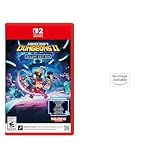
- Drop the pickaxe, grab a sword, and charge into a thrilling new adventure in the Minecraft Dungeons II Deluxe Edition.
- Pre-order Minecraft Dungeons II today and get 2 additional hero skins, the Twisted cape, and the Twisted chicken pet.
- Lenticular Minecraft Dungeons II design that shifts from Steve to Creeper.
- TMR thumbsticks deliver smooth, accurate gameplay with enhanced precision and durability.
- Up to 30 ft (9 m) low latency wireless connection with C Button for GameChat features.
Platform and download cautions
The project documents Mac use through CrossOver and Linux or Steam Deck use through Proton, while explicitly labeling Linux untested. It also says its Windows executable is not code-signed yet. Before running downloaded software, inspect the project source and current instructions and decide whether the tool’s origin and unsigned status are acceptable to you.
Independent reader supportYour contribution helps us test, update, and keep practical guides available for everyone.Understand the separate beta’s limits
The MinecraftDungeons2WASD release page describes an unofficial beta whose stated target is Windows x64 Steam build 1.1.1.0, single-player with one local player. Its author advises restoring original controls before multiplayer. The release notes also say a final public-build probe was not repeated and newer behavior still needs interactive confirmation, so this is not a general-purpose verified route.
Quick Recap
Best Value

- Capture the adventure of Minecraft with the Minecart RC and control Steve in a minecart
- Press and hold a button on the remote controller for a turbo boost
- Press and hold a different button on the remote controller for a wheelie
- Includes lights and an exclusive digital item code for an in-game accessory
- Perfect for Minecraft fans and video-game players ages 6 years old and up
Rank #4

- Unique Minecraft Dungeons II design
- Officially Licensed by Mojang and Nintendo for Nintendo Switch 2, Nintendo Switch, Nintendo Switch Lite, and Nintendo Switch - OLED Model
- High Quality 40mm Speakers for Superior Sound
- Sound Isolating, Bi-Directional Mic with Flip-to-Mute Functionality
- Premium, Noise-Isolating Ear Cushions with Comfortable Over-Ear Fit
Check compatibility before installing
- Confirm the latest game build and mod release notes on the author’s page.
- For the Nexus package, confirm Blueprint Loader is installed and compatible with the mod release.
- Use the instructions for your actual game installation; folder paths are not necessarily identical across launchers.
- Review movement bindings and conflicts after launch, especially the S-key multiplayer-wheel assignment.
- For wasdmod, account for the unsigned Windows executable and platform-specific maturity notes.
- For the beta, stay within its stated game build, platform and single-player scope; do not assume multiplayer compatibility.
Product prices and availability are accurate as of the date/time indicated and are subject to change. Any price and availability information displayed on Amazon at the time of purchase will apply.
Free tools Windows power users keep installed
One-click scans. No signup required.

