
iTechGuides is reader-supported. When you buy through links on our site, we may earn an affiliate commission. As an Amazon Associate I earn from qualifying purchases. Learn more
The “version mismatch between client and server” message means your installed Marvel Rivals client and the live game service are not aligned. Check for an update in the platform or launcher where you installed the game, install any pending update completely, then close and reopen the game. These are sensible first steps, not a guaranteed fix: Marvel Rivals’ official FAQ gives general download and installation advice but does not document a dedicated fix for this exact error.
1. Check for a Marvel Rivals update
Open the library or launcher where you installed Marvel Rivals—Steam, PlayStation, Xbox, Epic Store, or Loading Bay—and check whether an update is available. Install it fully before launching the game. Marvel Rivals lists those platforms in its official FAQ, and its official news page posts patch announcements. Update timing can change, so check the current notice rather than relying on an older version number.
| # | Preview | Product | Price | |
|---|---|---|---|---|
| 1 |

|
Marvel's Guardians of the Galaxy (PS5) | $39.99 | Buy on Amazon |
| 2 |

|
2K Marvel'S Midnight Suns AMÉLIORÉ(E) Anglais Playstation 5 | $34.00 | Buy on Amazon |
| 3 |
|
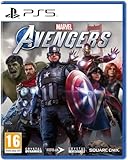
Marvel Avengers PS5 | $109.99 | Buy on Amazon |
| 4 |

|
Dark Horse Comics The Art of Marvel Rivals | $31.22 | Buy on Amazon |
For example, the Version 20261001 notice said the patch would release on October 1, 2026, at 09:00 UTC, with no server downtime. The official news index showed a Version 20261009 announcement as upcoming when it was checked on October 7, 2026. Those notices describe specific update events; they do not establish what version is current now.
What’s actually slowing this PC down?
Pick the symptom - the matching free tool is one click away.
2. Close and relaunch the game
After checking for an update, exit Marvel Rivals completely and start it again. If the update was pending, relaunch only after it has finished installing. Restarting the client is among the general download and installation troubleshooting steps in the Marvel Rivals FAQ, though the FAQ does not promise that this resolves the mismatch message.
#1 Best Overall
- LEAD THE GUARDIANS OF THE GALAXY - You play as Star-Lord, so nothing's off-limits with your bold combat style, from Element Blasters and jet boot-powered dropkicks to tag-team beat-downs. With the Guardians fighting at your side, call the shots and overwhelm your opponents with signature attacks. Meanwhile, the consequences of your decisions will range from light-hearted to downright unexpected as your journey unfolds.
- ALL-NEW STORY - Your newly-formed band of legendary misfits is set to save the universe in this fresh but faithful take on the Guardians of the Galaxy. Somehow, you set off a chain of catastrophic events, leading to a wild ride through mind-blowing worlds inhabited by iconic and original Marvel characters. Turn up the all-star '80s mixtape and get ready to kick it.
- FROM MISFITS TO SUPERHEROES - You're the only thing holding the unpredictable Guardians together, so you'll have to get better at this leadership thing fast. With this offbeat approximation of a family at your side, there will be tears and laughter as you set about tearing into the cosmos together. Whatever's waiting around the next corner, you know it's going to be a blast.
3. If the update will not download or install
Marvel Rivals’ general installation guidance recommends checking network stability, confirming that the device is compatible, and freeing storage space if needed. Once you have addressed those items, check the platform’s library or launcher again for the update.
- Download stalls or fails: Check that your internet connection is stable.
- Installation reports insufficient space: Free storage on the device, then retry.
- Installation completes but the message remains: Fully exit and relaunch the game.
4. PS5: try PlayStation’s general update troubleshooting
If the update itself will not install on PS5, PlayStation’s game and app update guide recommends general steps such as testing the internet connection, restarting the console, and checking that its system software is current. If those do not help, the guide also covers reinstalling the game and using Safe Mode to clear the cache or rebuild the database. These are PlayStation troubleshooting options for update problems, not Marvel Rivals-specific fixes for a version mismatch.
Rank #2
- When the underworld army of ancient demon Lilith rises, it's time to release Marvel's darker side!
- Experience the darker side of Marvel. Rise against Lilith and her underworld army as you experience a deeply personal story that puts you at the center as The Hunter, the first customizable original hero in the Marvel universe. In the face of fallen allies and the fate of the world at stake, it will be up to you to rise up against the darkness!
- MAIN HEROES FROM THE WHOLE MARVEL UNIVERSE. Fight fire with hellfire and lead an unlikely team of experienced superheroes and dangerous supernatural warriors in The Avengers, X-Men, Runaways, and more. Resist Lilith's corruption and take on Fallen versions of some of Marvel's most iconic and powerful characters, including Venom, Sabretooth and even the Hulk!
- FIGHT, THINK AND LIVE LIKE A SUPER HERO. From the legendary Firaxis Games studio comes a deep tactical RPG where you fight and strategize like a Super Hero! Create the perfect squad and customize their abilities, unleashing skills and attacks to devastate the battlefield. Live superhero life at the Abbey, your own mystical secret base, and strengthen personal bonds outside the battlefield.
5. Check for a live-service update or ask official support
If your platform says the game is current but the mismatch persists, check the official Marvel Rivals news page for a current patch or service notice. The reviewed official materials do not confirm a special workaround for a client that is already current while the live service is updating. Avoid assuming that reinstalling or changing settings will solve that situation.
If the problem continues after the basic update and restart steps, the Marvel Rivals FAQ directs players with ongoing download or installation trouble to the Support bot in the official Discord. Use the support route linked from the official FAQ.
Rank #3
- 4020628599690
What the error does—and does not—tell you
A player-reported version of the message reads, “Version mismatch between client and server. Please update the game and try again.” The wording points to a difference between the installed client and the live service, but it does not identify which side is behind or prove that a particular platform has a fault.
The FAQ says players across supported platforms use the same servers, while account data does not currently cross-progress between platforms. That does not establish that one platform is more prone to this error; the available official sources provide no comparative failure data.
Quick Recap
Rank #4
Product prices and availability are accurate as of the date/time indicated and are subject to change. Any price and availability information displayed on Amazon at the time of purchase will apply.
Quick wins for a faster PC:
Clear out junk files and repair common Windows errorsFree Scan →Scan for outdated or missing drivers - takes under a minuteDriver Scan →Repair Windows errors before they cause bigger problemsFix Now →
