
Do these 3 things before closing this tab:
1Repair Windows errors before they cause bigger problems2Scan for outdated or missing drivers - takes under a minute3Clear out junk files and repair common Windows errorsiTechGuides is reader-supported. When you buy through links on our site, we may earn an affiliate commission. As an Amazon Associate I earn from qualifying purchases. Learn more
Use screenshots to inspect Android app appearance, not as the only interface an AI agent can use or as proof that a test passed. For functional coverage, define actions and explicit checks against the app’s UI state; choose Espresso for tests that can work with the app UI and UI Automator when a test must cross into system UI or other windows. AI-guided exploration and screenshots can complement those tests, but should not replace the pass/fail contract.
Why screenshots alone are a weak test contract
A screenshot gives an agent pixels to interpret. It can help reveal a layout problem or show what appeared during a run, but it does not by itself specify the behavior the app was supposed to perform. A screen that looks plausible may still reflect an incorrect state, and visual evidence alone does not establish that the intended action succeeded.

Build functional checks from a sequence of actions, waits for the relevant UI state, and explicit assertions about the expected result. Keep screenshots as artifacts for visual review and debugging. This is a design distinction, not a claim that every screenshot-driven agent fails or that framework selectors never need maintenance.
What’s actually slowing this PC down?
Pick the symptom - the matching free tool is one click away.
Choose Espresso or UI Automator by the test boundary
The key question is whether the test can operate within the app’s UI and codebase, or needs to act outside the app process. Android Developers describes Espresso as a UI test framework with a small, predictable API and recommends it for concise Android UI tests. Its test calls synchronize with the app UI being at rest and with developer-defined idling resources. The documentation says it is aimed at developers familiar with the codebase, while noting that it can also be used for black-box testing. Espresso documentation
#1 Best Overall

- ⚠️ ONLY COMPATIBLE with Android USB-C Phones and iPhone 15, 16, 17 Models (15, 15 Pro, 15 Pro Max, 16, 16 Pro, 16 Pro Max, 17, 17 Pro, 17 Pro Max) ⚠️ Android OS: 9, 10, 11, 12, 13, 14. iOS Operating System: iOS 17-26. Application version – 5.13.0.
- ⚠️ Compatible Android Devices Include: ⚠️Samsung Galaxy S8, S8+, S9, S9+, S10, S10 Plus, S10e, S10 5G, S20, S20+, S20Ultra, S20 FE 5G, S21, S21+, S21 Ultra, S22+, S22 Ultra, S23, S23+, S23Ultra, S24, S24 Ultra, S24+. Samsung Galaxy A31, A32, A41, A50, A51, A51 5G, A51 5G UW, A52, A52 5G, A70, A71, A71 5G, A71 5G UW, A72. Samsung Galaxy Note 8, 9, 10, 10+, 20, 20 Ultra. LG G6, G7, G8, G8s. Google Pixel 3, 3 XL, 3a XL, 4, 4 XL, 5, 6, 6 Pro, 7, 7 Pro, 8, 8 Pro, 9, 9 Pro XL. OS: Android 9, 10, 11, 12, 13, 14. Application version – 5.13.0.
- PORTABLE ON THE GO: Manage your diabetes at or away from home with the Dario device (for iPhone) being small and light enough to fit in your pocket.
- SMART GLUCOSE METER: Track & monitor on your phone with free Dario Health App (US Only). Please make sure to pull the lancet loader back before hitting the release button.
- QUICK & EASY: No coding with results in 6 seconds and only a 0.3µ sample needed.
UI Automator is designed to test an app from outside its process. That boundary suits tests involving system UI, other apps or windows, and release builds with minification. Android Developers’ modern 2.4 API adds predicate-based element finding, explicit waiting and state management, accessibility window nodes for multi-window scenarios, and screenshot/reporting capabilities. The modern API is labeled under development, so check the current guidance and dependency before adopting it. The documentation’s example dependency is 2.4.0-alpha05, checked October 7, 2026; it is an example, not a stable-release recommendation. UI Automator documentation
| Question | Espresso | UI Automator |
|---|---|---|
| Where does the test operate? | Within the app’s UI; synchronization includes app UI and configured idling resources. | Outside the app process, including system UI and other windows. |
| When is it a natural fit? | When the test can work with the app UI and the team has access to its codebase. | When the test must cross app/system boundaries, handle multiple windows, or exercise minified/release behavior. |
| What should you check before adopting it? | Whether the app’s UI and synchronization needs fit the test. | The current API status and dependency; the modern 2.4 API is under development in the cited documentation. |
Neither framework is universally better. Match the tool to the boundary and the UI semantics the test needs to verify.
Rank #2

- Fda Cleared: reliable, clinically proven Accuracy
- 24/7 customer support
- Eligible for FSA reimbursement.
- 5 year product warranty
- Fast 4 second testing with a tiny 0.4 microliter sample size
Use AI-guided exploration as a supplement
Firebase’s App Testing agent for Android is a Gemini-powered preview that accepts natural-language test goals. Test cases can be stored in YAML or the Firebase console, divided into steps, and paired with assertions about what should be visible on the final screen. Results can include issues, screenshots, actions taken, and the agent’s view of detected elements using accessibility information. Successful runs can cache and replay actions, with AI confirmation against assertions; a replay failure falls back to AI actions. Firebase App Testing agent documentation
Those capabilities do not make the runner deterministic. Firebase documents that repeated runs may take different actions while following the same instructions. Complex tasks perform better when divided into shorter steps; scrolling and counting can be unreliable, and apps using FLAG_SECURE appear blank to the agent.
- Timeout: Five minutes per run, according to Firebase documentation checked October 7, 2026.
- Supported actions: Tap, text entry, directional swipe, long press, drag-and-drop, back, and wait.
- Default preview quota: 200 tests per month per Firebase project, as documented October 7, 2026. Each test-case/device combination counts as a test.
Firebase labels the feature a preview release and says it is not subject to an SLA or deprecation policy and may receive limited or no support. Verify the current documentation before relying on the quota or limits, which can change.
Independent reader supportYour contribution helps us test, update, and keep practical guides available for everyone.Run authored instrumentation tests across devices
Firebase Test Lab runs instrumentation tests that your team writes using Espresso or UI Automator on physical and virtual Android devices. It is a device-running service, not a substitute for defining the actions and assertions that make a test meaningful. Firebase’s guide describes maximum test durations of 45 minutes on physical devices and 60 minutes on virtual devices, checked October 7, 2026. Firebase Test Lab instrumentation testing guide
Rank #4

- Professional-Grade Tool:A must-have for repairsmiths, offering reliable data cable testing.
- Portable Design:Compact and lightweight, the DT3 Data Cable Detection Board is ideal for on-the-go electrical diagnostics.
- Efficient Diagnostics: DT3 ON-OFF Data Cable Detection Board swiftly identifies cable issues for quick repairs.
- Versatile Compatibility:Supports for iPhone, Android, and Type-C/Micro Lightning cables, ensuring broad device compatibility.
- Precise Switching:Features a precise ON-OFF switch for easy data cable testing and troubleshooting.
It can also keep screenshots within the test workflow: AndroidX ScreenCapture output can be processed with Firebase’s screenshot processor so screenshots appear with the test results. That makes images useful review artifacts alongside the assertions, rather than a replacement for them.
Physical devices are an option when real hardware coverage matters; the documentation does not establish that every team needs to buy a phone or identify a particular model. Google’s May 19, 2026 Android developer tools post also describes configuring a device in Android Emulator so the Android Studio agent can test an app, along with agent workflows for unit testing and bug fixing. That capability is specific to Google’s documented Android Studio environment and does not establish identical features for every coding agent. Android developer tools update
Quick Recap
Best Value
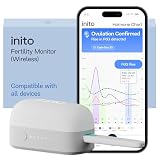
- CONNECTS TO ALL DEVICES - Inito’s latest model works with all iOS and Android devices, syncing wirelessly. It seamlessly fits it into your morning routine without the hassle of attaching a gadget to your phone.
- TRACKS ALL 4 KEY HORMONES IN 1 TEST - Inito measures actual values of estrogen, LH, PdG (urine metabolite of progesterone), and FSH on a single strip so you get a complete picture of your cycle from the comfort of your home. Our advanced Spectral Mapping Technology reads even the weakest signals for lab-grade precision.
- KNOW WHEN YOU’VE OVULATED, DON’T JUST PREDICT IT - Inito confirms ovulation by tracking the rise in your PdG levels, while other tests only track LH and give you a ‘yes’ or ‘no’ result. Get your 6 most fertile days to maximize your chances of conception.
- DESIGNED FOR EVERY CYCLE - Whether you have PCOS, irregular cycles, anovulatory cycles or are trying after age 35, Inito gives you 100% personalized results with actual hormone values. These insights help you confidently find the lifestyle changes, such as diet, exercise, or supplements, that work best for your unique body.
- PRECISE INSIGHTS DRIVEN BY ACTUAL DATA - Every Inito kit comes with access to our free, easy-to-use app for iOS and Android. Receive AI-powered analysis built on the world’s largest fertility hormone dataset, with no monthly subscriptions – just real data, ready to share with your doctor.
A practical workflow for AI-assisted Android testing
- Write down the goal and end state. Specify the user action and the visible or otherwise verifiable result the test must establish.
- Choose the test interface. Use Espresso when the test fits within the app UI; choose UI Automator when it needs system UI, other windows, or behavior outside the app process.
- Use short AI-guided phases for exploration. Break ambiguous navigation into smaller steps, add hints where needed, and state what should be visible at each phase’s end.
- Run on relevant device targets. Use an emulator, physical devices, or both according to the hardware and coverage your app needs. Inspect results, logs, actions, and screenshots rather than treating the final image as the sole verdict.
- Separate functional and visual decisions. Base functional pass/fail on explicit behavior assertions; use screenshot comparisons to review layout and rendering.
Product prices and availability are accurate as of the date/time indicated and are subject to change. Any price and availability information displayed on Amazon at the time of purchase will apply.

