

iTechGuides is reader-supported. When you buy through links on our site, we may earn an affiliate commission. As an Amazon Associate I earn from qualifying purchases. Learn more
Lenovo Legion Y540: At First Glance
The Lenovo Legion Y540 is an entry-level variant of Lenovo’s latest generation of Legion laptops. It is an improvement of its predecessor – Lenovo Legion Y530 in terms of processors, graphic cards, and display.
Lenovo offers the Lenovo Legion Y540 with several configuration options to choose from. However, all its configurations fall between a mid-range price.
Speaking of its price, as of the time of publishing this review (May 2021), the Lenovo Legion Y540 starts at a price of $999.00.
Is the laptop worth this price tag? Find out in the following sections.
#1 Best Overall
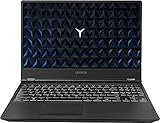
- Powered by latest 9th Generation Intel Hexa-Core i7-9750H Processor @ 2. 60GHz(6 Cores, 12M Cache, up to 4. 50 GHz), Powerful 6-core, twelve-way processing performance.
- 15. 6” FHD (1920 x 1080) IPS anti-glare display: The 1920 x 1080 resolution boasts impressive color and clarity. IPS technology for wide viewing angles. Energy-efficient LED backlight. NVIDIA GeForce GTX 1650 4GB GDDR5 dedicated graphics
- 32GB DDR4 2400 SDRAM Memory for full-power multitasking; 1TB HDD + 512GB PCIE SSD offer enough storage for your files. Pci-e SSDs are great for major gaming applications, multiple servers, daily backups, and more.
- 802. 11 AC (2 x 2) + Bluetooth 4. 1; 3 x USB 3. 1 Gen 1, Mini DisplayPort 1. 4, HDMI 2. 0, RJ45 Ethernet, Kensington Wedge Lock slot, 1 x USB 3. 1 Gen 2 Type-C, 3. 5mm microphone/headphone combo, NOVO hole
- Windows 10 Home; White-backlit Keyboard; Up to 5 hours of battery life
Lenovo Legion Y540: Design, Dimension & Weight
The Lenovo Legion Y740 I recently reviewed is a simple gaming laptop designed to hide its gaming nature. Furthermore, the Lenovo Legion Y540 that I am currently reviewing has done even a better job at hiding its gaming nature.
The Lenovo Legion Y540 design lacks the flamboyance attributed to most gaming laptops. You don’t get an illuminating serpent head nor anything related to that.
As a prove of its lack of flamboyance, the Legion Y540 has lighting in the same areas as the Legion Y740. However, in contrast to the RGB lights on the Legion Y740, instead you’ll get white lights on the Legion Y540.
Moreover, Lenovo designed the Lenovo Legion Y540 as a multi-purpose laptop and not just a gaming laptop. Therefore, its simple design is justifiable.
To buttress its multi-purpose design, for example, instead of designing it with RGB lights like most gaming laptops – which might be inappropriate in professional settings – it was designed with white lights
Additionally, Lenovo has built the laptop’s chassis with black plastic. Despite its plastic build, the laptop still manages to look like a premium laptop.
In comparison with the metallic builds of other laptops in the same category, a plastic build may look inferior. However, the plastic chassis feels solid.
Free tools Windows power users keep installed
One-click scans. No signup required.
Hence, it is safe to say that Lenovo has done a good job in making the Legion Y540 feel like a premium laptop.
Moving on to the laptop design, while the laptop is closed, you will see the Legion logo vertically across the left edge of the circularly textured lid.
The “Y” in the center of the “O” illuminates in white lights.
When you open the lid – which can be done with one hand – you’ll find the 15.6-inch display. The display is held up by 2 hinges.
Outdated Drivers Are Slowing You Down
One free scan finds every outdated or missing driver and matches the right update for your exact hardware.Free scan · exact hardware matchPC Slower Than It Used to Be?
A free scan shows the junk files, broken settings and background clutter dragging Windows down - then fixes them in one click.Free scan · Windows 10 & 11Speaking of the hinges, they can rotate up to 180 degrees, which means that when the laptop is opened, the screen can be turned in the other direction, aligned with the keyboard.
Furthermore, the display is surrounded by slim bezels by its sides and top, except the bottom bezel. The bottom bezel is thicker because it houses the webcam.
Additionally, centered above the webcam is the Legion logo printed in silver.
The position of the webcam results in the capture of the lower face or chest when video chatting. Interestingly, the Lenovo Legion Y740 15 also has this design flaw.
The Tool Desk
Outbyte PC Repair FREERepair Windows errors before they cause bigger problemsFix Now →Outbyte Driver Updater FREEFix the driver behind crashes, sound loss and screen glitchesFind Drivers →Moving your eyes towards the laptop’s base, you will find the power button centered above the keyboard. In addition to that, you’ll also find the island-style keyboard with keys that are curved on the bottom.
Speaking of the keys, they have about 1.8 mm of key travel and a decent force of actuation. Consequently, the keys result in a seamless typing experience.
Additionally, the keys are also white-lit as opposed to the RGB lights of the Lenovo Legion Y740 keyboard. The white light can be configured in two levels to be lighter or darker.
As with most laptops, the touchpad is located below the keyboard. The touchpad supports Microsoft Precision drivers thereby, enabling Windows 10 gestures like swipes and pinch to zoom.
Quick wins for a faster PC:
Clear out junk files and repair common Windows errorsFree Scan →Scan for outdated or missing drivers - takes under a minuteDriver Scan →Swiping on the Lenovo Legion Y540’s touchpad is accurate. However, the tap function isn’t as responsive as I would have loved it to be.
The touchpad itself is not clickable instead, there are two physical buttons below it. The mouse buttons operate uniformly with a clearly audible click.
Moving on to ports, the laptop has a lot of them. Most of the ports are located at the rear, similar to the port placement on the Lenovo Legion Y740.
Rank #2

- ELITE GAMING PERFORMANCE – Legion 5a Gen 11 15.3" Gaming Laptop is built for serious gamers, streamers, and creators who want flagship power in a lightweight, high-end chassis. At under 7.3 lbs, it delivers desktop-class gaming and creative performance without sacrificing portability — a strong choice for competitive gaming, content creation, and demanding multitasking.
- POWERFUL PERFORMANCE – Powered by the AMD Ryzen 7 250 processor (3.30GHz, up to 5.1GHz, 8-Core/16-Thread, 16MB Cache) Integrated NPU AMD Ryzen AI up to 16 TOPS, paired with GeForce RTX 5060 Laptop GPU with a built-in NPU delivering up to 572 trillion operations per second (TOPS) of AI performance. This AI-Powered Gaming PC handles high-FPS gaming, STEM workloads, and creative rendering with ease. Paired with 32GB RAM for smooth multitasking with 1TB PCIe SSD for fast load times.
- STUNNING DISPLAY – This laptop features a 15.3" WQXGA (2560x1600) PureSight OLED display with a 165Hz refresh rate, 1ms response time, and G-SYNC support for ultra-smooth, tear-free visuals. With 500-nit brightness, HDR Support, and 100% DCI-P3 color coverage, it delivers vivid color accuracy alongside class-leading responsiveness for competitive gaming. The 2 x 2W Harman Speakers, 5MP camera with dual microphone and e-shutter also delivers clear video quality for calls and streaming.
- VERSATILE CONNECTIVITY & OS – Equipped with 2x USB4 (Type-C), 3x USB 3.2 (Type-A), and 1x HDMI 2.1, plus Wi-Fi 7 and Bluetooth 5.4 for fast, reliable wireless connectivity. Pre-installed with Windows 11 Pro, enhanced by Lenovo AI Engine+ and Copilot for smarter, more efficient performance.
- PROFESSIONAL UPGRADE NOTICE – The original seal was carefully opened to perform certified RAM/SSD upgrades. The upgraded RAM/SSD components are covered by a 3-year warranty from ME2. All other hardware remains covered by the original 1-year manufacturer warranty through ME2.
Specifically, on the rear, you’ll find a USB Type-C port, a mini DisplayPort, a USB Type-A port, and HDMI. Additionally, you’ll also find a Gigabit LAN port, a power connector, and a Kensington lock slot.
Furthermore, on the left, you will find a USB Type-A port and a 3.5 mm audio jack. Finally, on the right side of the laptop, you will find another USB Type-A port.
At a dimension of 365 x 266 x 25.9 mm and a weight of 2300g the laptop is one of the most compact and portable gaming laptops out there.
In comparison, it is lighter than the Dell G5 15 5590 with a dimension of 364.3 x 273.4 x 23.7 mm as well as a weight of 2680g. It is also lighter than the HP Omen 15 which measures 357.8 x 239.7 x 22.6 mm and weighs 2458.4g.
In conclusion, the plastic build of the laptop may appear to be of inferior quality – however, the lightweight of the laptop has equally resulted in its lighter weight among competitors.
Do these 3 things before closing this tab:
1Repair Windows errors before they cause bigger problems2Scan for outdated or missing drivers - takes under a minute3Clear out junk files and repair common Windows errorsTherefore, I will rate the laptop an eight for its overall design.
Lenovo Legion Y540: Processor (CPU) Performance
The laptop has two processor configuration options. The least of its configuration is the 4-core Intel Core i5-9300H processor which has an 8 MB cache memory.
Moreover, the Core i5 processor has a base frequency of 2.40 GHz and a maximum frequency of 4.10 GHz.
You can also get a 6-core Intel Core i7-9750H processor configuration with 12 MB cache memory. The Core i7 processor has a base frequency of 2.6 GHz and a maximum frequency of 4.5 GHz.
Users can choose any of the CPU configurations based on their budget. However, even with the Core i5 configuration, it is difficult to find faults with the laptop’s performance.
The model I reviewed shipped with the Core i7 processor. The processor is a good multitasker – this is evident in my multitasking test.
In the multitasking test, I had dozens of Google Chrome tabs opened and running applications like Microsoft Word, Spotify, YouTube simultaneously. All these activities ran smoothly at the same without stuttering.
To further evaluate the processor’s performance, I performed a Cinebench test. From the test result, the laptop scored 1271 points which is below the category average score of 1384 points.
Recommended Free Tools
However, the laptop’s performance surpassed that of the CUK Model Z GK5CQ7Z which also has the same processor. The CUK Model Z scored 1261 points.
Based on the test result, I will rate the laptop a seven in this aspect.
Lenovo Legion Y540: Memory (RAM) Performance
The Lenovo Legion Y540 has two RAM slots that support up to 32 GB of DDR4 RAM. The unit I reviewed shipped with 16 GB RAM (8 GB on each slot).
Consequently, with 16 GB of RAM, the laptop was able to handle heavy usage. Moreover, multitasking was not a problem for the laptop.
What’s actually slowing this PC down?
Pick the symptom - the matching free tool is one click away.
For instance, it took the laptop about 9 minutes to transcode a 4K resolution video to a 1080p resolution.
In comparison, the Lenovo Legion Y540 performed better than the Acer Predator Helios 300. The Acer transcoded the same video in 10 minutes.
Furthermore, I performed a PCMark 10 benchmark test. Based on the test result, Lenovo Legion Y540 scored 5997 points.
Comparatively, it outperforms all the competing laptops I pitched it against. For instance, the laptop outperformed the Gigabyte Aorus 15 W9 which scored 5839 points.
Additionally, the performance of Lenovo Legion Y550 also surpasses the average category score of 5743 points.
Rank #3

- EXPLORE YOUR PASSION, ELEVATE YOUR GAME – The Lenovo Legion 5i empowers university gamers to explore their latest passions. With a thinner, lighter design and a Lenovo PureSight OLED display, it excels in gaming, streaming, and coursework on the go.
- GAME WITHOUT COMPROMISE – The Intel Core i7-14700HX processor features newly optimized hybrid architecture and industry leading technology that enables you to go beyond gaming and creation. With Intel, you can do it all.
- GAME CHANGER – Powered by NVIDIA Blackwell, the GeForce RTX 5070 graphics bring game-changing capabilities to gamers and creators. Equipped with incredible AI horsepower, prepare to unleash your creativity and experience next-level graphics fidelity.
- 3-MONTHS PC GAME PASS – Play hundreds of high-quality PC games with your new Lenovo Legion device and 3 months of PC Game Pass, including EA Play. With new games added all the time, there’s always something new to play.
- EXPERIENCE INTELLIGENT DESIGN –Lenovo AI Engine+ enhances FPS in today’s top AAA games while also reducing render times in today's premier creation apps. Easily managed through Legion Space, you can enjoy AI-tuned performance effortlessly.
In conclusion, as a result of its RAM performance which tops the chart, I will rate the Lenovo Legion Y540 a nine in this aspect.
Lenovo Legion Y540: Storage Options & Performance
The Lenovo Legion Y540 supports dual drives, therefore, users can choose a configuration with a PCIe SSD or a 5400 rpm HDD. Additionally, some configurations come in a combination of both HDD and SSD.
The HDD can take a maximum storage capacity of 2 TB while the SSD takes a maximum of 1 TB.
Free tools Windows power users keep installed
One-click scans. No signup required.
My test unit shipped with a 1 TB SSD as well as a 2 TB HDD. To determine the storage performance, I performed a CrystalMarkDisk test.
Based on the test result, Lenovo Legion Y540 recorded a sequential read speed of 972.5 Mbps. In furtherance to this, the laptop also recorded a sequential write speed of 1234 Mbps.
Additionally, I also performed an AS SSD benchmark test. In the AS SSD benchmark, the laptop recorded a sequential read speed of 972.5 MBps.
Additionally, the laptop also recorded a sequential write speed of 1234 MBps
Quick wins for a faster PC:
Scan for outdated or missing drivers - takes under a minuteDriver Scan →Clear out junk files and repair common Windows errorsFree Scan →Comparatively, CUK Model Z GK5CQ7Z recorded a sequential read speed of 2325 MBps and a sequential write speed of 1524 MBps.
Based on the results from my benchmark tests, I will rate the Lenovo Legion Y540 a seven in this aspect.
Lenovo Legion Y540: Graphics Card Performance
The laptop offers a number of GPU configurations. You can buy a model of the laptop with an NVIDIA GeForce GTX 1050 which has 3 GB GDDR5 memory.
Moreover, the GTX 1050 GPU has a base frequency of 1392 MHz and a boost frequency of 1455 MHz.
Crashes, No Sound, or Screen Glitches?
Random freezes, missing sound and display glitches usually trace back to one bad driver. Find and replace yours safely.Free scan · under a minutePC Slower Than It Used to Be?
A free scan shows the junk files, broken settings and background clutter dragging Windows down - then fixes them in one click.Free scan · Windows 10 & 11Additionally, you can get a Lenovo Legion Y540 configuration with an NVIDIA GeForce GTX 1650 MHz. This GPU has a 4 GB GDDR6 memory, a base frequency of 1410 MHz, and a boost frequency of 1560 MHz.
Next, you can get a configuration with an NVIDIA GeForce GTX 1660 Ti. NVIDIA GeForce GTX 1660 T has a 6 GB GDDR6 memory, a base frequency of 1500 MHz, and a boost frequency of 1580 MHz.
The highest graphics configuration is the NVIDIA GeForce RTX 2060. It has a 6 GB GDDR6 memory, a base frequency of 1365 MHz, and a boost frequency of 1680 MHz.
The model I reviewed has the strongest performing GPU – NVIDIA GeForce RTX 2060. To determine the graphics performance, I performed a 3DMark benchmark test.
As a result of the test, the laptop scored 14970 points. The result of the Lenovo Legion Y540 falls short of the category average of 17990 points.
However, the laptop performed better than the Acer Predator Helios 300 that scored 13194 points
Graphics performance is incomplete without some actual gaming tests, therefore I performed some real-life gaming tests as well.
In the test, I played Dota 2 Reborn at different settings and resolutions of 1080p. At ultra settings, the game played at a frame rate of 118.9 fps.
Recommended Free Tools
Also, at high settings the game played at 123.2 fps. Additionally, at medium settings, the game played at 132.5 fps.
Finally, at low settings the game played at 139 fps.
Overall, the graphics performance of the laptop is good, but it does not top the performance chart. As a result of this performance, I will rate it a seven in this respect.
Rank #4

- AMD Ryzen 7 260 Processor (8C / 16T, 3.8 / 5.1GHz, 8MB L2 / 16MB L3)
- NVIDIA GeForce RTX 5060 8GB GDDR7, Boost Clock 2497MHz, TGP 115W, 572 AI TOPS
- 15.3" WUXGA (1920x1200) 16:10, 165Hz, 300-nits, 100% sRGB, Dolby Vision, Anti-glare, IPS Display, G-SYNC
- 16GB (1x16GB) SO-DIMM DDR5-5600 RAM; 512GB M.2 2242 PCIe 4.0x4 NVMe SSD
- Backlit Keyboard, Wi-Fi 6, 802.11ax 2x2, Bluetooth 5.2, Windows 11 Home
Lenovo Legion Y540: Battery Life & Performance
The Lenovo Legion Y540 comes with a 3-cell 57 Whr battery.
What’s actually slowing this PC down?
Pick the symptom - the matching free tool is one click away.
Users can expect up to five hours of battery life per charge. However, the battery life depends on the laptop’s usage.
Most gaming laptops suffer from sub-par battery performance and the Lenovo Legion y540 is not an exception. To determine the battery life, I performed a battery rundown test.
After fully charging the laptop, I set the laptop to power-save mode. Also, I turned off Wi-Fi to enable the laptop to conserve as much power as it can.
Additionally, I set the screen brightness to 50% and volume to 100%. Finally, I looped through a 720p resolution video.
The Tool Desk
Outbyte PC Repair FREEClear out junk files and repair common Windows errorsFree Scan →Outbyte Driver Updater FREEScan for outdated or missing drivers - takes under a minuteDriver Scan →Consequently, the battery lasted 8 minutes 55 minutes. Comparatively, the laptop outperformed the Acer Predator Helios 300 which lasted 3 minutes 19 seconds.
Impressively, the Lenovo Legion Y540 has a fast charge capability. Therefore, charging the laptop from 0% to 100% took around 1 hour 30 minutes.
Finally, I will rate the battery performance a seven due to the decent battery life of the Lenovo Legion Y540.
Frequently Asked Questions
As of the time this article was published (May 2021), the Lenovo Legion starts at a price of $999.00. You could get it at a higher price based on the configuration you are buying.
The Lenovo Legion Y540 was released in 2019.
The Lenovo Legion Y540 is a versatile laptop that can be used by everybody including students. Moreover, at a weight of 2,300 g, it is portable and can be easily carried around.
Yes, there are two RAM slots and the laptop can be upgraded to a maximum of 32GB RAM.
Yes, the Lenovo Legion Y540 supports both SSDs and HDDs. The SSD can be upgraded to 1 TB while the HDD can be upgraded to 2 TB.
Conclusion
The Lenovo Legion Y540 looks different from other gaming laptops and many might take it to be just a regular laptop. However, the laptop is good for gamers who want a nice-looking laptop that doesn’t reveal its capability just from its appearance.
Do these 3 things before closing this tab:
1Repair Windows errors before they cause bigger problems2Fix the driver behind crashes, sound loss and screen glitches3Clear out junk files and repair common Windows errorsAdditionally, the Lenovo Legion Y540 is versatile and can be used for literally anything – be it gaming, video editing, browsing, or even office work. Coupled with its versatility, the laptop has a stylish and elegant design.
Furthermore, the laptop has enough power to get things going. It also offers a wide range of configuration options.
Impressively, all these good specs are offered at a mid-range price.
However, the laptop is not without complaint, my biggest complaints are the placement of the webcam and the battery life.
The battery life isn’t the best, but that’s not surprising. Other than these minor issues, the Lenovo Legion Y540 is a great laptop for all your needs.
I hope you found this Lenovo Legion Y540 laptop review helpful. If you found the review helpful, click Yes to “Was this post Helpful?” below.
You could also review this product with the “Leave a Reply” form found at the end of this page.
Finally, for more laptop reviews, visit our Laptop Reviews page. You may also find our Laptop Specs page very helpful.”
Quick Recap
Product prices and availability are accurate as of the date/time indicated and are subject to change. Any price and availability information displayed on Amazon at the time of purchase will apply.


