
iTechGuides is reader-supported. When you buy through links on our site, we may earn an affiliate commission. As an Amazon Associate I earn from qualifying purchases. Learn more
A third-party script can slow a website, but a copied tag is not automatically a problem. Its cost depends on what it loads and executes, when it runs, the page it appears on, and the visitor’s device and connection. Measure the effect before removing a feature your site depends on.
How a third-party script can affect page speed
A script tag may fetch more than one JavaScript file: it can start a chain of additional requests and consume time parsing and executing code. A script loaded synchronously can pause HTML parsing while it downloads and runs. That can delay the page’s content or functionality.


Adding async or defer changes when a script runs; neither eliminates its download or execution cost. Even analytics code can compete for main-thread time and affect responsiveness. Google’s Addy Osmani and Arthur Evans offer a useful, qualified framing: “If you’ve optimized your code, but your site still loads too slowly, it’s probably the fault of third-party scripts.” That is a reason to investigate, not proof that a particular script is responsible. Google’s guidance on third-party JavaScript explains the performance trade-offs.
Free tools Windows power users keep installed
One-click scans. No signup required.
The wider cost is control
A third party controls at least part of the code’s delivery and behavior. Changes, outages, or compromise at that provider can affect your site; the script may also receive access to page data or functionality. Consider privacy, security, and who is allowed to add tags, not just load time. The HTTP Archive’s 2024 Web Almanac chapter on third parties reports that nearly all websites it examined contained one or more third parties. That prevalence does not mean every third-party script is harmful.
#1 Best Overall

- EXPAND YOUR HORIZONS: 3440 x1440 UltraWide QHD (WQHD) resolution with 21:9 aspect ratio for efficient productivity
- CURVED IMMERSION: The 1500R radius curved VA panel allows for more immersion and better color accuracy. It can also help alleviate eye strain during long hours of working
- RICH COLORS FOR WORK AND PLAY: Ultra Wide-Color technology produces true-to-life images and a wider spectrum of colors with sRBG 123.24 percent , NTSC 99.25 percent color gamut area coverage
- WINDOWS HELLO WEBCAM WITH NOISE-CANCELING MIC: Comes with built-in 5MP webcam, noise canceling microphone, and speakers, perfect for remote working. The webcam is equipped with advanced sensors for Windows Hello facial recognition, which conveniently logs you into your Windows devices in less than 2 seconds
- ONE CABLE IS ALL YOU NEED: USB-C docking transfers high-speed data, high-resolution video signal, and power to your laptop (up to 65W of Power Delivery support) via a single USB-C cable. Play and work in high resolution while simultaneously charging your notebook
How to tell whether a script is slowing your site
Measure the page where the script runs. A script used only on a checkout page may have no cost on an article page, and results can vary with connection, device, and what the provider serves on each load.
- Identify the feature and its owner. Find the tag in your page source, CMS, or tag manager. Record what it does, which pages use it, and whether another tool already provides the same function.
- Record a baseline. Test the affected page with Chrome DevTools, PageSpeed Insights, or WebPageTest. In DevTools, inspect the Network panel for third-party requests and transferred bytes, then use the Performance panel to examine script activity and main-thread work.
- Compare with the suspected script blocked. Block its request or domain in DevTools and reload the same page. Compare the result with the baseline. Blocking is an estimate of that script’s contribution; dependencies or related requests may also change.
- Repeat under constrained conditions. Throttle CPU and network to approximate slower devices and connections. Run each condition at least three times, since third-party resources can vary from load to load, and compare the pattern rather than relying on one result. Google’s testing guidance describes this approach.
- Check the feature still works. Test the relevant user journey with the script enabled and blocked. A faster page is not a useful improvement if it breaks payments, consent controls, measurement you rely on, or another essential task.
Population data can provide context, but it cannot diagnose your site. The HTTP Archive’s 2024 Web Almanac measured third-party JavaScript at 375 KB at the mobile 50th percentile and 1,292 KB at the mobile 90th percentile, by host. At those same percentiles, first-party JavaScript measured 168 KB and 904 KB. It also found that third-party JavaScript requests at the 90th percentile rose from 34 in 2022 to 36 in 2024. These are measurements across websites, not targets or proof that any one tag caused a slowdown. See the 2024 JavaScript chapter.
Rank #2

- Dell UltraSharp U2410 - LCD display - IPS- 24" - widescreen - 1920 x 1200 / 60 Hz
Should you use async or defer?
Choose based on when the code must run and what it depends on. Both attributes let the browser download a script without stopping HTML parsing, but their execution timing differs.
| Loading choice | What happens | Best fit |
|---|---|---|
| Neither attribute (synchronous) | Parsing pauses while the script downloads and executes. | Only when the code genuinely must run at that point in the document. |
async |
Downloads without pausing parsing; pauses parsing to execute as soon as the script is ready. Execution order among async scripts is not guaranteed. | Independent scripts that do not rely on a particular order or on the document finishing parsing. |
defer |
Downloads while parsing continues, then executes after parsing completes. Deferred scripts execute in document order. | Scripts that need the parsed document or depend on earlier deferred scripts. |
Changing the attribute does not make a script’s work free. Check dependencies and required timing before changing it; a script that runs too early or in the wrong order can fail. Google’s third-party JavaScript guidance covers these loading behaviors.
Remove it, delay it, or isolate it?
Use the least disruptive option that preserves a feature people need. Assess value alongside request count, bytes, CPU time, timing, reliability, privacy and security exposure, and whether the function is duplicated elsewhere.
Remove scripts with no clear purpose
If nobody can explain what a tag does or why it remains, identify its owner and test its removal on the pages where it runs. Check the affected feature and user journey before removing it site-wide. Tag managers deserve the same scrutiny: excessive tags and event listeners can add requests and reduce responsiveness, while broad permissions increase security exposure. Limit who can publish tags and audit them regularly.
Rank #4
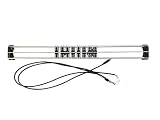
- Exclusively compatible with N scale locomotives, this test stand works with most standard N gauge models, making it a flexible and practical addition to any hobbyist’s collection.
- With a straightforward structure and simple connection design, the rolling test stand can be assembled and put into use quickly without complicated tools or procedures.
- Manufactured from premium metal materials, the test bench offers excellent stability and wear resistance, ensuring reliable performance even with frequent daily use.
- This dedicated test treadmill lets you safely debug, test speed and inspect locomotive performance, greatly upgrading the fun and professionalism of your model train hobby.
- This is not a toy. Not intended for use by children under 14.
Delay work that is not needed immediately
For lower-page embeds, ads, or video, lazy loading can postpone work until it is relevant. This can keep nonessential requests from competing with initial content, but test when the embed becomes available and whether that timing suits visitors.
What’s actually slowing this PC down?
Pick the symptom - the matching free tool is one click away.
Use an iframe when isolation is useful
An iframe can keep third-party JavaScript out of the main page’s execution context. It is not a performance guarantee: the embedded content still uses resources and can affect the page’s onload event. Consider Content Security Policy (CSP) and iframe sandboxing when setting security boundaries.
Best Value
Self-host only if you can maintain it
Hosting a copy yourself may give you more control over delivery, but you then own updates and security fixes. Without a clear maintenance plan, self-hosting can trade dependence on a provider for stale or vulnerable code.
Keep useful analytics non-blocking
Measurement has a cost too. Google recommends asynchronous, non-blocking analytics and avoiding large scripts or long main-thread tasks that hurt responsiveness. A large analytics bundle may affect Interaction to Next Paint (INP); blocking analytics can affect Largest Contentful Paint (LCP). Defer measurement code where its requirements allow, use non-blocking APIs for noncritical work where suitable, and collect only data you use. See Google’s analytics patterns for web vitals.
Independent reader supportYour contribution helps us test, update, and keep practical guides available for everyone.Re-test after changing a tag
After removing, delaying, isolating, or changing a script’s loading attributes, repeat the same page test under the same conditions. Verify both the performance result and the feature’s behavior, then check other pages that share the tag. Keep the change only if the improvement is meaningful and the feature still works as intended.
Do these 3 things before closing this tab:
1Repair Windows errors before they cause bigger problems2Scan for outdated or missing drivers - takes under a minute3Clear out junk files and repair common Windows errorsQuick Recap
Product prices and availability are accurate as of the date/time indicated and are subject to change. Any price and availability information displayed on Amazon at the time of purchase will apply.

