
iTechGuides is reader-supported. When you buy through links on our site, we may earn an affiliate commission. As an Amazon Associate I earn from qualifying purchases. Learn more
Short answer: a 4GB graphics card can still run selected games in 2026, but it is a narrow target rather than a comfortable baseline. You may need lower texture and quality settings, use upscaling when available, and accept that newer demanding games can exceed the card’s memory budget. Whether you need an upgrade depends on the exact GPU, games, resolution, and smoothness you expect.
The evidence is mixed for a reason. Rockstar lists 4GB cards as the minimum for Grand Theft Auto V Enhanced, while AMD says Cyberpunk 2077 recommends at least 6GB of video memory. Independent testing also shows that a 4GB card can remain playable after sensible adjustments, even when the game reports allocating more than 4GB.
What 4GB of VRAM actually limits
Video RAM (VRAM) stores data the GPU needs quickly, including textures, geometry, shaders, frame buffers, and other assets. Capacity is only one part of graphics performance. The GPU’s architecture, shader power, memory bandwidth, driver support, processor, system RAM, storage, and the game engine all affect the result.
PC Slower Than It Used to Be?
A free scan shows the junk files, broken settings and background clutter dragging Windows down - then fixes them in one click.Free scan · Windows 10 & 11Crashes, No Sound, or Screen Glitches?
Random freezes, missing sound and display glitches usually trace back to one bad driver. Find and replace yours safely.Free scan · under a minuteA card with more VRAM is not automatically faster. Extra capacity mainly gives a game more room for high-resolution textures, large worlds, ray-tracing data, and multiple buffers. A slower 8GB card can still perform worse than a faster 4GB card at settings that fit within 4GB. Conversely, once a game needs more memory than the card can provide, a faster GPU can suffer severe stutter because data must be moved between VRAM and system memory.
#1 Best Overall

- Chipset: NVIDIA GeForce GT 1030
- Video Memory: 4GB DDR4
- Boost Clock: 1430 MHz
- Memory Interface: 64-bit
- Output: DisplayPort x 1 (v1.4a) / HDMI 2.0b x 1
That is why “4GB is enough” cannot be answered without naming the game, resolution, quality preset, texture setting, and upscaling option. Treat 4GB as a constraint to manage, not as a universal pass-or-fail specification.
What current official requirements show
Grand Theft Auto V Enhanced: 4GB minimum, 8GB recommended
Rockstar’s PC requirements, last updated December 10, 2025, list a GeForce GTX 1630 with 4GB or a Radeon RX 6400 with 4GB in the minimum configuration for Grand Theft Auto V Enhanced. The recommended configuration names an 8GB GeForce RTX 3060 or an 8GB Radeon RX 6600 XT. The same page notes that downloadable content and programming changes can affect requirements over time. See the current requirements at Rockstar Games’ support page.
| GTA V Enhanced tier | Example GPU | VRAM listed | What it means |
|---|---|---|---|
| Minimum | GeForce GTX 1630 | 4GB | Entry point for running the game; not a promise of high settings or consistent smoothness. |
| Minimum | Radeon RX 6400 | 4GB | Another supported 4GB starting point with its own performance characteristics. |
| Recommended | GeForce RTX 3060 | 8GB | More memory headroom and a substantially different performance class. |
| Recommended | Radeon RX 6600 XT | 8GB | Recommended capacity is double the minimum listed for this edition. |
For comparison, Rockstar’s older GTA V Legacy requirements list much older 1GB-class cards. The contrast illustrates why a game edition and its feature set matter more than a single VRAM rule.
Do these 3 things before closing this tab:
1Scan for outdated or missing drivers - takes under a minute2Clear out junk files and repair common Windows errors3Fix the driver behind crashes, sound loss and screen glitchesRank #2

- 【4GB VRAM for Smooth Multitasking】: Equipped with 4GB DDR3 memory and a 128-bit bus width, this GT 740 provides a significant performance boost over standard 2GB models. It ensures smooth 1080P video playback and lag-free performance for office multitasking and basic graphic design.
- 【Triple Display Versatility (HDMI+DVI+VGA)】: Features a comprehensive output interface including HDMI, DVI, and VGA ports. Connect to modern monitors or legacy projectors without needing expensive adapters. Ideal for setting up a dual-monitor workstation to increase productivity.
- 【The Perfect Legacy PC Upgrade】: An excellent, cost-effective solution for reviving older desktop PCs. This card supports DirectX 12 (11_0) and is fully compatible with Windows 11/10/7, making it the go-to choice for upgrading from integrated graphics to a dedicated GPU.
- 【Low Power & Plug-and-Play】: Designed for high efficiency, this graphics card draws all its power directly from the PCIe slot with no external power connector required. It is compatible with standard power supplies, making installation quick and hassle-free.
- 【Quiet & Reliable Cooling System】: Built with an optimized heatsink and a low-noise cooling fan that maintains stable temperatures even during extended use. Perfect for building a Quiet Office PC or a dedicated HTPC for the living room.
Cyberpunk 2077: a 6GB recommendation
AMD’s Adrenalin Edition 26.8.1 release notes, updated August 20, 2026, state that Cyberpunk 2077 “recommends a minimum of 6GB of video memory.” The note specifically advises owners of the 4GB Radeon RX 9050 who encounter problems to lower or disable graphics-intensive features. This is official guidance for that game and driver context, not a universal minimum for every 2026 title. The release note is available from AMD.
The practical implication is straightforward: a 4GB card may launch the game, but the settings envelope is likely to be tighter than on a card meeting the recommendation. Texture quality, ray tracing, crowd density, shadows, reflections, and resolution scaling are the first areas to examine when memory or frame-time problems appear.
What independent 4GB testing found
Tom’s Hardware tested two older 4GB cards—the Radeon RX 6500 XT and GeForce GTX 1650 Super—in selected games. The results do not represent every 4GB GPU, but they show why capacity alone cannot predict playability.
Rank #3

- Powered by NVIDIA GeForce GT 730, 28nm GK208 chipset process with 902MHz core frequency, integrated with 4096MB DDR3 memory and 64-bit bus width
- More stable performance, compatible with Win11, can automatically install new driver
- Support NVIDIA Surround technology for 4 screens output by dual HDMI and VGA / DP. HDMI Max Resolution-2560x1600, VGA Max Resolution-2048x1536, DP Max Resolution-2560x1600
- Support DirectX 12, OpenGL 4.6, CUDA, OpenCL, DirectCompute and DirectML
- Original half height bracket matches with the low profile brackets make the Glorto GeForce GT 730 graphics card fit well with all PC tower, small form factor and HTPC(except micro form factor)
| Game or scenario | Tested approach | Reported result or limitation |
|---|---|---|
| Fortnite | Medium settings with XeSS Quality | Used upscaling and a reduced preset to make the low-end cards practical for the test. |
| Apex Legends | Reduced settings from maximum to High | Became playable after backing away from the maximum preset. |
| Cyberpunk 2077 | 1080p Medium with XeSS 2.0 Balanced | Total reported memory use was 5,892MB on the RX 6500 XT and 5,706MB on the GTX 1650 Super. |
Those Cyberpunk figures are reported allocations in that test, not a requirement that every computer must provide exactly those amounts. Allocation and actual performance are different measurements. A game can reserve or request more memory than the physical capacity and still run, although frame-time spikes, texture streaming, or visible quality compromises may result. The cards, driver, processor, operating system, and exact settings all affect the outcome. Read the test’s methodology and caveats at Tom’s Hardware.
Tom’s Hardware did not test the 4GB RX 9050 mentioned in AMD’s driver note. Do not transfer the measured behavior of the RX 6500 XT or GTX 1650 Super to that newer model without testing or a reliable benchmark for the exact card.
How to make a 4GB card work better
If you already own a 4GB GPU, change settings methodically rather than dropping every option to Low. The goal is to reduce memory pressure while preserving the settings that matter most to image quality.
Rank #4
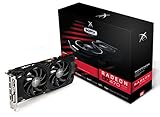
- Powerful Graphics Performance: Features the AMD Radeon RX 470 GPU with 4GB DDR5 memory, delivering smooth gaming experiences and excellent performance for modern titles at 1080p resolution with high graphics settings
- Enhanced Clock Speed: Operates at an impressive 1226MHz core clock speed, providing fast rendering capabilities and responsive gameplay for demanding applications and graphics-intensive tasks
- Triple X Cooling: Equipped with XFX's signature Triple X cooling system featuring a red fan design that efficiently dissipates heat while maintaining optimal operating temperatures during extended gaming sessions
- High-Speed Memory: Utilizes DDR5 video memory technology with 4GB capacity, ensuring rapid data transfer rates and seamless texture loading for enhanced visual quality and reduced stuttering
- Multiple Display Support: Supports multiple monitor configurations allowing you to expand your workspace or create immersive multi-screen gaming setups with ease
- Start at 1080p. Higher resolutions require larger frame buffers and leave less room for textures and effects. If 1080p is unstable, test a lower internal resolution or a supported upscaler.
- Reduce texture quality first when VRAM is the warning. Ultra textures can consume much more memory than Medium or High. Lowering textures often helps more than reducing unrelated CPU-heavy options.
- Disable or reduce ray tracing. Ray-traced effects can add substantial memory and rendering work. Turn them off before making broad changes to geometry or view distance.
- Use supported upscaling. XeSS, FSR, or another game-provided scaler can render internally below the output resolution. Select a quality mode first; Balanced or Performance may be necessary if the game remains unstable, but image sharpness will decline.
- Lower shadows, reflections, volumetric effects, and crowd density. These options can affect both memory use and frame time. Change one group at a time so you can identify the setting that fixes the problem.
- Restart after major changes. Some engines do not immediately release streamed assets when you alter a preset. A full restart gives the game a clean allocation.
- Watch frame-time consistency, not only average FPS. Stutter, texture pop-in, and hitching indicate a memory or streaming problem even when an on-screen counter reports an acceptable average.
Keep the GPU driver current, but do not assume a driver update can create extra physical VRAM. Drivers can improve compatibility and memory management; they cannot turn a 4GB board into an 8GB board.
When a 4GB upgrade is sensible
Consider replacing the card when your preferred games repeatedly require compromises you do not accept, or when the GPU is too slow even after memory-friendly settings. Use this decision framework:
Free tools Windows power users keep installed
One-click scans. No signup required.
- Check the games you actually play. Compare each title’s current requirements, not a generic “2026” rule. Official requirements can change as editions and downloadable content evolve.
- Define your target resolution and preset. A 4GB card aimed at 1080p Medium is a different use case from 1440p Ultra with ray tracing.
- Separate capacity from speed. If the game runs out of VRAM, more capacity helps; if it is simply shader- or bandwidth-limited, a larger memory number alone may not solve the problem.
- Check upscaling support. A title with a good scaler gives a 4GB card more flexibility than one that renders only at native resolution.
- Verify the complete system. Confirm the power supply, case clearance, motherboard slot, display outputs, processor balance, and driver support before buying another GPU.
- Compare the total cost. An 8GB card can provide more headroom, but model-specific performance, price, power use, and compatibility still determine whether it is a good upgrade.
For readers who want current games at higher textures, fewer compromises, or a longer useful life, moving from 4GB to an 8GB-class card is a reasonable category-level goal. It is not a guarantee of performance: the exact model still matters.
Best Value

- Robust 4GB Memory & Quad Display Ready: Equipped with 4GB of fast GDDR5 memory to smoothly handle daily graphics tasks. Features four built-in HDMI ports, enabling a seamless quad-monitor setup directly out of the box—perfect for multi-tasking offices, digital signage, or trading desks.
- Plug-and-Play Installation & Wide Compatibility: Utilizes a standard PCI Express interface for broad compatibility with most desktop PCs. Offers straightforward plug-and-play installation and stable driver support for modern Windows and Linux operating systems, ensuring a hassle-free setup.
- Quiet, Cool & Compact Design: Engineered with a silent fan and efficient cooling system for near-silent operation, making it ideal for noise-sensitive environments. Its low-profile design fits easily into small form factor cases, with both half-height and full-height brackets included for flexible installation.
- Enhanced Multimedia & Everyday Performance: Delivers smooth 1080P video playback and supports hardware-accelerated decoding, offering an excellent experience for home theater PCs (HTPC). Provides capable performance for everyday applications, multimedia tasks.
- Complete Package & Reliable Support: Includes the graphics card, both low-profile and standard brackets, a quick start guide, and screwdriver, which make it simple and quick setup process.
4GB outside gaming: design, engineering, and simulation
Gaming is not the only workload affected by VRAM. NVIDIA’s support guidance for CAD, CAM, CAE, and AEC applications recommends at least 4GB of frame-buffer capacity. The same guidance says simulation workloads may require 12GB or more. That means 4GB can meet the stated baseline for some design and engineering use, while simulation and larger scenes may need substantially more. The guidance is workload-specific and should not be treated as a gaming recommendation; see NVIDIA’s support article.
Professional applications also depend on scene size, viewport resolution, data sets, plug-ins, compute features, and certified driver support. Check the application vendor’s requirements for your particular workflow before assuming that a gaming-oriented card is suitable.
Do not confuse system RAM with VRAM
Microsoft’s Windows 11 requirements specify a DirectX 12-compatible graphics card with WDDM 2.0 or later. The page’s separate “4GB or greater” figure refers to system memory (RAM), not the graphics card’s VRAM. A computer can therefore meet Windows 11’s memory minimum while having a GPU with a different VRAM capacity. Confirm the GPU requirement and the system-RAM requirement independently in Microsoft’s Windows 11 documentation.
A practical troubleshooting path
If the game crashes or shows an out-of-memory message
- Update the game and GPU driver, then reboot.
- Set textures to Medium, disable ray tracing, and reduce reflections and volumetrics.
- Enable the game’s supported upscaler and test at 1080p.
- Close overlays and background applications that consume system memory.
- Use the game’s file-verification tool if crashes began after an update.
- If the issue persists at reduced settings, compare the card with the developer’s current minimum and recommended requirements.
If the game runs but stutters
- Watch for texture pop-in and sudden frame-time spikes, which can indicate streaming pressure rather than a low average frame rate.
- Lower texture quality and view distance before reducing every visual option.
- Install the game on an SSD when its requirements or support notes recommend fast storage.
- Check temperatures and clock speeds so thermal throttling is not mistaken for a VRAM limit.
The 2026 verdict
A 4GB GPU is not universally unusable, but it is no longer a forgiving general-purpose choice for new, visually demanding games. Official requirements place 4GB at the minimum for GTA V Enhanced, while AMD’s 2026 guidance places Cyberpunk 2077 at a 6GB recommendation and tells affected 4GB users to reduce demanding features. Independent testing shows that careful settings and upscaling can still produce playable results in selected games, even when reported allocation exceeds 4GB.
Keep a 4GB card if your games run acceptably at the settings you are willing to use. Plan an upgrade when memory-related stutter, restricted textures, or unsupported features repeatedly interfere with the games and applications you care about. Judge the exact GPU and workload—not the VRAM number in isolation.
Quick Recap
Product prices and availability are accurate as of the date/time indicated and are subject to change. Any price and availability information displayed on Amazon at the time of purchase will apply.

