
What’s actually slowing this PC down?
Pick the symptom - the matching free tool is one click away.
iTechGuides is reader-supported. When you buy through links on our site, we may earn an affiliate commission. As an Amazon Associate I earn from qualifying purchases. Learn more
IP65 and IP67 are not successive levels of the same water test. Both ratings use a first digit of 6, meaning the enclosure is dust-tight. The second digit identifies a different exposure: IP65 is tested against water jets, while IP67 is tested for temporary immersion under standardized conditions. An IP67 label alone does not prove that the enclosure passed the IP65 jet test. Choose the complete marking that matches the water mechanism at your mounting location, then verify the access point’s installation instructions, cable sealing, power requirements and warranty conditions.
What the two IP digits mean
The IP code is defined by IEC 60529. Its first characteristic numeral describes protection against solid ingress; its second describes protection against liquid ingress. In both IP65 and IP67, the first digit is 6.
- 6 (first digit): dust-tight protection. Dust must not enter in quantities that could cause harmful effects during the specified test.
- 5 (second digit): protection against water jets.
- 7 (second digit): protection against temporary immersion under standardized pressure and time conditions.
The European Commission Joint Research Centre’s IEC-based description states: “Ingress of water in quantities causing harmful effects shall not be possible when the enclosure is temporarily immersed in water under standardized conditions of pressure and time.” That is the purpose of numeral 7; it is not a general promise that every kind of spray or jet is harmless.
IP65: dust-tight and jet-resistant
What the water test covers
An IP65 access point has a dust-tight enclosure and has been evaluated against water jets directed at the enclosure. This is the relevant test when the unit may receive wind-driven rain, spray or a directed hose stream within the test’s defined conditions.
#1 Best Overall

- Superior Speeds with MU-MIMO: Equipped with the latest 802.11ac Wave 2 MU-MIMO technology, the EAP225-Outdoor easily delivers dual-band Wi-Fi speeds of up to 1200 Mbps to multiple devices at the same time. Wireless Functions include Reboot Schedule, Enable/Disable Wireless Radio, Multiple SSIDs (Up to 16 SSIDs, 8 for each band). Environment: Operating Temperature: -3070 (-22158 ), Storage Temperature: -4070 (-40158 ), Operating Humidity: 1090% RH non-condensing, Storage Humidity: 590% RH non-condensing
- Indoor/Outdoor Use: The durable, weatherproof enclosure protects the access point against harsh outdoor conditions and provides stable wireless coverage up to 200m+ range at 2.4GHz and 300m+ at 5GHz in outdoor settings. Discreet appearance can also fit with any indoor scenarios
- Integrated into Omada SDN: Omada's Software Defined Networking (SDN) platform integrates network devices including access points, switches and gateways with multiple control options offered - Omada Hardware controller, Omada Software Controller or Omada cloud-based controller. Standalone mode also applies
- Cloud Access: Remote Cloud access and Omada app brings centralized cloud management of the whole network at different sites-all controlled from a single interface anywhere, anytime
- SDN Compatibility: For SDN usage, make sure your devices/controllers are either equipped with or can be upgraded to SDN version. SDN controllers work only with SDN Access Points, Switches and Gateways. Non-SDN controllers work only with non-SDN APs
The rating does not describe an immersion test. Therefore, an IP65 mark by itself does not establish that the device can be submerged, even briefly. It also does not tell you how the unit behaves when water enters through an incorrectly sealed cable gland, an open connector or a mounting arrangement that differs from the manufacturer’s instructions.
When IP65 can be the appropriate choice
IP65 is often a sensible match for an access point mounted under an eave or on a wall where the principal concern is rain and spray rather than flooding. Confirm the actual exposure: a location beside irrigation equipment, a wash-down area or a nozzle that can produce a powerful jet may require a higher jet class or a product that carries both jet and immersion markings.
IP67: dust-tight and temporarily immersible
What the water test covers
IP67 combines the same dust-tight first digit with a temporary-immersion test. Product documentation commonly explains the test as immersion to approximately 1 metre for up to 30 minutes. For example, the manufacturer description for TP-Link’s EAP650-Outdoor uses that 1-metre, half-hour explanation. Garmin’s public rating guide gives the same plain-language description.
Outdated Drivers Are Slowing You Down
One free scan finds every outdated or missing driver and matches the right update for your exact hardware.Free scan · exact hardware matchPC Slower Than It Used to Be?
A free scan shows the junk files, broken settings and background clutter dragging Windows down - then fixes them in one click.Free scan · Windows 10 & 11Those figures explain the standardized rating; they are not permission to pressure-wash a mounted access point or to leave it underwater indefinitely. Pressure created by a jet, moving water or an activity can be materially different from static water pressure at a stated depth. Use the exact conditions and limitations in the model’s own specification.
Why IP67 does not automatically include IP65
It is tempting to treat the second digit as a ladder in which 7 automatically includes every lower water number. IEC-based technical guidance does not support that assumption. An enclosure marked with water numeral 7 or 8 can be unsuitable for the water-jet tests represented by numerals 5 or 6 unless it is separately tested and marked for those jets.
Rank #2

- 【Ultra-Fast True Wi-Fi 6 Speeds】Designed with the latest Wi-Fi 6 technology featuring 1024-QAM, HE60 and Long OFDM Symbol, the EAP650-Outdoor boosts dual-band Wi-Fi speeds up to 2976 Mbps.
- 【Indoor/Outdoor Use】The durable, IP67 weatherproof enclosure with dedicated high gain antennas protects the access point against harsh outdoor conditions and provides the best outdoor wireless experiences. Discreet appearance can also fit with any indoor scenarios.
- 【Integrated into Omada SDN】Omada's Software Defined Networking (SDN) platform integrates network devices including access points, switches & gateways with multiple control options offered - Omada Hardware controller, Omada Software Controller or Omada cloud-based controller*(Contact TP-Link for Cloud-Based Controller Plan Details). Standalone mode also applies.
- 【Cloud Access & Omada Compatibility】Remote Cloud access and the Omada app enable centralized management of your entire network across multiple sites. Control everything from a single interface, anywhere and anytime. Please verify device compatibility with SDN firmware in the product documentation or manufacturer's technical specifications.
- 【Advanced Wireless Tech】Supports Mesh WiFi, Seamless Roaming*(Omada Mesh & Seamless Roaming require the use of Omada SDN controllers), Band Steering, Load Balancing, Airtime Fairness and Beamforming technologies.
When both exposures matter, look for dual coding such as IPX5/IPX7 or IPX6/IPX7, or for an explicit statement that the complete product passed both tests. A plain IP67 marking establishes the numeral-7 immersion claim and the numeral-6 dust claim; it does not, by itself, establish the numeral-5 jet claim.
IP65 versus IP67 at a glance
| Attribute | IP65 | IP67 |
|---|---|---|
| Dust protection | First digit 6: dust-tight | First digit 6: dust-tight |
| Water exposure tested | Water jets (second digit 5) | Temporary immersion (second digit 7) |
| Immersion established by the code? | No; not from IP65 alone | Yes, under standardized numeral-7 conditions |
| Water-jet protection established by the code? | Yes, for the numeral-5 jet test | Not unless the product also carries a jet rating or documentation for that test |
| Typical concern addressed | Rain, spray and directed jets within test conditions | Short-term flooding or accidental submersion within test conditions |
| What remains product-specific | Cable-entry sealing, connectors, mounting, power, wireless design, temperature limits, warranty and any additional ratings | |
Does IP67 include IP65?
No—not automatically. The two ratings use different liquid-ingress tests. If a site can expose the access point to both directed jets and temporary immersion, select a model whose complete marking or technical documentation covers both. Do not infer the jet result from the larger-looking number.
Free tools Windows power users keep installed
One-click scans. No signup required.
Outdoor access-point examples
Manufacturer product pages show how the distinction appears in real networking equipment. These are vendor specifications, not independent comparative tests, and regional pages or hardware revisions can differ.
| Model example | Published enclosure claim | Published power or network detail | How to use the example |
|---|---|---|---|
| TP-Link EAP650-Outdoor | IP67; the product page describes dust tightness and immersion to 1 metre for half an hour | 802.3at PoE+ and passive PoE support; AX3000 Wi‑Fi 6 | Illustrates an immersion-rated outdoor AP; verify whether the exact revision also has a separate jet rating if jets are expected |
| TP-Link EAP110-Outdoor | IP65 during ingress-protection testing | Check the exact regional specification for its power accessories | Illustrates a dust-tight, water-jet-rated model without an immersion claim from the IP65 code |
| TP-Link EAP225-Outdoor | Manufacturer-listed IP65 | Confirm the supplied injector or switch requirements for your region and revision | Another IP65 example; do not substitute its rating for a different hardware revision |
| DrayTek outdoor access points | Outdoor models are described with enclosure and deployment information on the manufacturer page | PoE/PoE+ use is part of the deployment discussion | Shows why enclosure selection and power delivery must be checked together |
Before purchasing any model, verify the exact hardware revision, the full IP marking (including any dual code), supported PoE standard, included injector or adapter, mounting hardware and the manufacturer’s installation and warranty instructions. Availability and specifications can vary by region.
Choose by the water mechanism at the site
Rain and occasional spray
Start with the way water actually reaches the mounting point, not with the highest numeral. Sheltered mounting can reduce direct exposure, but wind-driven rain may still reach the enclosure and cable entries. An IP65 model addresses the water-jet class represented by its second digit; an IP67 model addresses temporary immersion, but you still need to establish whether jet exposure is covered separately.
Rank #3
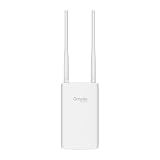
- Blazing-Fast Wi-Fi 6 Speeds: Experience seamless streaming, gaming, and browsing with dual-band speeds up to 1.8 Gbps (574 Mbps on 2.4 GHz + 1201 Mbps on 5 GHz)
- Unlock the power of Omada Cloud Management: Gain advanced features like intelligent network monitoring, remote configuration, AI-driven optimizations, and Zero-Touch Provisioning (ZTP). Manage your entire network with ease, efficiency, and endless possibilities. Also with free Omada Essential version available
- Universal Compatible with the Device Upfront: Seamlessly boost your WiFi coverage with the built-in extender function, designed to work with any device and deliver strong, reliable signal exactly where you need it
- Indoor and Outdoor Use: Built to last, our IP65 weatherproof design, wide operating temperature range (-40F to 158F), and 6kV lightning protection safeguard the access point from heat, cold, dust, rain, and storms, ensuring reliable performance in any outdoor environment
- Long Range WiFi Coverage: Dual-band omnidirectional design delivers strong, seamless signal for whole area coverage
Directed hose or wash-down jets
A hose, sprinkler nozzle or cleaning process produces directed water. IP65’s numeral 5 is the relevant class for ordinary water jets; numeral 6 represents more powerful jets. If the cleaning process can deliver powerful jets, look for an explicit IPX6 or IP66 claim, or a dual marking that includes the required jet class. Do not use an IP67-only statement as evidence of jet resistance.
Flooding or accidental submersion
If a drain can back up, snowmelt can rise around the mounting point or the unit could fall into standing water, temporary-immersion protection is the relevant concern. IP67 addresses that standardized scenario, subject to the stated depth and time conditions. It is not a continuous-immersion rating; IEC water numeral 8 covers continuous immersion under conditions agreed between manufacturer and user that are more severe than numeral 7.
Mixed exposure
Many installations face rain, cleaning jets and a possible flood. In that case, require documentation for each exposure. A dual code such as IPX5/IPX7 or IPX6/IPX7 is more informative than choosing IP67 solely because 7 is a larger number than 5.
Installation details that can defeat an otherwise suitable rating
An IP rating describes the enclosure as tested. The installed system can have additional openings and interfaces that are not protected unless you install them correctly.
- Read the model-specific mounting instructions. Confirm the permitted orientation, required clearances and whether a rain shield or supplied gasket must be used.
- Seal every cable entry. Use the specified gland, gasket or weatherproof connector. An enclosure can meet its test while an incorrectly fitted cable entry allows water into the assembled installation.
- Protect unused ports. Leave covers, caps and plugs in place exactly as directed. Do not assume an exposed Ethernet or reset opening has the same protection as the closed enclosure.
- Inspect the mounting surface. Avoid arrangements that pool water against a seam or force a connector upward where water can collect.
- Use the documented power method. Confirm that the switch, injector and cable meet the model’s PoE or passive-PoE requirements before installing the unit outdoors.
- Check the warranty conditions. Some installation errors, modified housings or unapproved accessories can fall outside the manufacturer’s stated protection and warranty terms.
IP rating is only one part of an outdoor AP decision
Power compatibility
Outdoor access points may support different combinations of standard PoE, PoE+ or passive PoE. The EAP650-Outdoor page, for example, lists 802.3at PoE+ and passive PoE. A separate outdoor-access-point page from DrayTek also discusses PoE/PoE+ deployment. These examples do not make power systems interchangeable: check voltage, wattage, pinout where applicable, injector inclusion and switch compatibility for the exact model.
Recommended Free Tools
Rank #4

- Up to 300Mbps Wi-Fi with 2x2 MIMO technology ; Rate limit on per SSID to restrict the bandwidth of each client
- Built for outdoor Wi-Fi applications ; WPA/WPA2-enterprise, 802.1X with RADIUS secure authentication and rogue access point detection ensure the security of WLAN
- High transmission power and high gain antennas provide a long-range coverage area
- Passive PoE Power over Ethernet support and simple mounting design allow for flexible deployment and convenient installation
- Free Auranet Controller Software lets administrators easily manage hundreds of EAPs
Wireless capacity and coverage
IP digits say nothing about Wi‑Fi generation, radio capacity, antenna pattern, client density or coverage. The EAP650-Outdoor is presented as an AX3000 Wi‑Fi 6 model, but that wireless specification is independent of its IP67 enclosure claim. Choose radio performance and placement for the site, then select an enclosure rating that matches the water exposure.
Materials and environmental limits
The IP code does not, by itself, state resistance to ultraviolet exposure, corrosion, temperature extremes, mounting vibration or chemical cleaning agents. Look for those limits in the product’s environmental specification. An access point near salt spray or industrial chemicals needs evidence about those conditions in addition to a liquid-ingress rating.
Reliability and service life
No source-backed statistic establishes that IP67 access points last longer, fail less often or deliver better Wi‑Fi than IP65 access points. The second digit alone cannot support a lifespan or performance ranking. Installation quality, environmental stress, power integrity and the hardware design all matter.
Independent reader supportYour contribution helps us test, update, and keep practical guides available for everyone.A practical buying checklist
- Identify whether the site has rain, spray, ordinary jets, powerful jets, temporary flooding or more than one of these.
- Write down the complete IP code, not just “weatherproof.”
- For combined jet and immersion exposure, require dual coding or explicit documentation for both tests.
- Confirm the exact regional model and hardware revision.
- Check mounting orientation, cable glands, connector covers and supplied weatherproof parts.
- Match the AP’s PoE or passive-PoE requirement to the switch or injector.
- Verify radio generation, capacity, antenna coverage and placement separately from enclosure protection.
- Read environmental, installation and warranty limitations before drilling or terminating cables.
Common mistakes and how to correct them
Mistake: treating 67 as “65 plus two”
Correction: Read the second numeral as a test category, not a score. IP67 confirms temporary immersion under the numeral-7 test; it does not automatically confirm the numeral-5 jet test.
The Tool Desk
Outbyte PC Repair FREERepair Windows errors before they cause bigger problemsFix Now →Outbyte Driver Updater FREEFix the driver behind crashes, sound loss and screen glitchesFind Drivers →Mistake: assuming a laboratory immersion result permits pressure washing
Correction: Compare the site’s water pressure and direction with the tests covered by the complete marking. Follow the manufacturer’s cleaning instructions and avoid directing a high-pressure stream at the AP unless that exposure is explicitly supported.
Best Value

- Wi-Fi 7 Dual-Band: Faster speeds, less congestion
- IPX6 Weatherproof: Built for harsh outdoor conditions
- 12.5 dBi Directional Antenna: Covers up to 5,000 ft²
- 2.5 GbE PoE+ Port: Power and data over one cable
- 250+ Client Capacity: Ideal for dense deployments
Mistake: ignoring the cable entry
Correction: Treat glands, connectors and unused-port covers as part of the weatherproof installation. Follow the supplied sealing procedure and inspect it after maintenance.
Mistake: selecting by IP number alone
Correction: Evaluate power delivery, wireless requirements, environmental limits, mounting and warranty conditions alongside the enclosure code.
Decision in one minute
- Choose IP65 when the documented exposure is water jets and there is no credible immersion requirement, provided the rest of the installation is suitable.
- Choose IP67 when temporary immersion is a credible risk and the manufacturer’s documentation supports that use.
- Choose a model with separate jet and immersion markings when both directed jets and flooding are possible.
- Do not claim that either rating guarantees better Wi‑Fi or a longer service life; those are separate engineering questions.
Frequently Asked Questions
Is an IP67 outdoor access point safe to hose down?
Not solely because it is IP67. IP67 establishes a temporary-immersion test, while hose exposure is a water-jet test. Use a product with the required jet marking or explicit manufacturer documentation, and follow its cleaning instructions.
Can an IP65 access point survive a flood?
IP65 alone does not establish immersion protection. If temporary submersion is possible, select a model with an IP67 claim or another documented immersion rating that matches the expected conditions.
Does IP67 mean the access point can stay underwater permanently?
No. Numeral 7 covers temporary immersion under standardized conditions. Continuous immersion is a separate, more severe numeral-8 category with conditions agreed between manufacturer and user.
Will upgrading from IP65 to IP67 improve Wi‑Fi range?
No. IP digits describe enclosure ingress tests, not radio range, capacity or throughput. Compare the wireless specifications and antenna design separately.
Quick Recap
Product prices and availability are accurate as of the date/time indicated and are subject to change. Any price and availability information displayed on Amazon at the time of purchase will apply.

