
iTechGuides is reader-supported. When you buy through links on our site, we may earn an affiliate commission. As an Amazon Associate I earn from qualifying purchases. Learn more
Install Superpowers through the instructions for your specific coding-agent harness, then start a fresh session and give it a small coding task. The project’s intended workflow begins with clarifying the request and proposing a design for approval before planning and implementing the change; the exact installation and behavior depend on the host.
What Superpowers does
Superpowers describes itself as “a complete software development methodology for your coding agents, built on top of a set of composable skills and some initial instructions that make sure your agent uses them.” Its README says relevant skills trigger automatically. The aim is to guide an agent through a structured development process rather than simply add a single command.


The repository lists support for Claude Code, Antigravity, Codex App, Codex CLI, Cursor, Devin CLI, Factory Droid, Gemini CLI, GitHub Copilot CLI, Grok Build CLI, Kimi Code, OpenCode, Pi, Qwen Code, Hermes Agent, and Muse. Setup differs by harness. If you use more than one, the project says to install Superpowers separately in each.
How to install Superpowers
Use the current instructions for the harness you actually use. The following examples reflect the project README at the time of writing; marketplaces, plugin names, and commands can change, so check the official Superpowers README before installing. It also has instructions for other supported hosts.
#1 Best Overall
| Harness | Installation route |
|---|---|
| Claude Code | Run /plugin install superpowers@claude-plugins-official. The project also documents a separate Superpowers marketplace route. |
| Codex App | Open Plugins in the sidebar, find Superpowers in the Coding section, select +, and follow the prompts. |
| Codex CLI | Run /plugins, search for superpowers, and select Install Plugin. |
| Cursor | In Agent chat, use /add-plugin superpowers, or find it in the plugin marketplace. |
| Gemini CLI | Run gemini extensions install https://github.com/obra/superpowers. |
| OpenCode | Follow the repository’s current .opencode/INSTALL.md instructions. |
| Pi | Run pi install git:github.com/obra/superpowers. |
For Gemini CLI, the README documents gemini extensions update superpowers as the update command. Other hosts may update differently or automatically; follow their current Superpowers instructions rather than assuming the same command applies everywhere.
What to expect from the workflow
The repository describes a sequence for moving from an idea to reviewed, tested work. It is the project’s intended methodology, not a promise that every harness will behave identically in every session.
- Brainstorming: The agent clarifies what you want to build, explores alternatives, and presents a design in sections for your approval before coding.
- Worktree setup: After design approval, it creates an isolated workspace on a new branch, sets up the project, and checks a clean test baseline.
- Planning: It turns the approved design into small tasks that specify relevant paths and verification steps.
- Implementation: The documented approaches are subagent-driven development, with review after each task, or inline plan execution, with an end-of-branch review.
- Test-driven development: The described cycle is red, green, refactor: begin with a failing test, make the minimal implementation that passes, then improve the code while keeping tests green.
- Code review: The agent checks the work against the plan and reports issues by severity.
- Finishing: It verifies tests, offers choices such as merging, opening a pull request, keeping or discarding the work, and cleans up the worktree.
How to try it for the first time
The README says skills trigger automatically, but it does not prescribe one universal first prompt or verification command for every harness. The following is a practical, informal check inferred from the documented workflow—not an official cross-harness protocol or a reported test.
Recommended Free Tools
- Install Superpowers using the instructions for your harness.
- Start a fresh agent session so the newly installed instructions and skills are available.
- Choose a small, low-risk coding change in a project where you can review the result.
- Describe the goal and ask the agent to work through it. For example:
Add a small validation check for this input. First clarify any ambiguity and propose a design before changing code. - Notice whether the agent asks useful questions and presents a design for approval before moving on to a plan or code. Review the proposed edits and tests yourself; the presence or absence of a particular response is not a universal pass/fail test across hosts.
The repository gives a more concrete installation-verification example for Muse, but that procedure is specific to Muse and should not be generalized to other harnesses.
Independent reader supportYour contribution helps us test, update, and keep practical guides available for everyone.Updates, license, and telemetry
The README says updates are often automatic, while some hosts have explicit update instructions. Check the current instructions for your particular harness when you need to update. The project identifies Superpowers as MIT licensed.
The project also describes an optional visual companion that loads a Prime Radiant logo and includes the Superpowers version, but not project, prompt, or coding-agent details. It documents SUPERPOWERS_DISABLE_TELEMETRY as a way to disable this feature and says Claude Code telemetry opt-outs are honored. These are statements from the project documentation, not an independent audit.
Rank #4
The README mentions enterprise commercial support, additional tooling, or managed spending through Prime Radiant’s sales contact; it does not state prices or service terms.
Crashes, No Sound, or Screen Glitches?
Random freezes, missing sound and display glitches usually trace back to one bad driver. Find and replace yours safely.Free scan · under a minutePC Slower Than It Used to Be?
A free scan shows the junk files, broken settings and background clutter dragging Windows down - then fixes them in one click.Free scan · Windows 10 & 11Quick Recap
Best Value
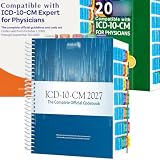
- PRECISION NAVIGATION: Color-coded alphabetical tabs (A-Z) and specialized side tabs for major code ranges enable quick and accurate access to ICD-10-CM 2027 codes
- DURABLE CONSTRUCTION: Premium laminated tabs designed for long-lasting performance and frequent daily use in medical coding environments
- EASY INSTALLATION: Includes alignment card and illustrated installation guide for proper positioning of tabs on your ICD-10-CM 2027 The Complete Official Codebook(Book Not Included)Compatible with AMA ICD-10-CM for Physicians
- COMPREHENSIVE SYSTEM: Complete set of tabs covers both alphabetical index and specific code range sections for efficient reference navigation
- COMPATIBILITY: Specifically designed for use with the AMA/Optum version of the ICD-10-CM 2027 Complete Official Codebook (book not included)
Product prices and availability are accurate as of the date/time indicated and are subject to change. Any price and availability information displayed on Amazon at the time of purchase will apply.

