
iTechGuides is reader-supported. When you buy through links on our site, we may earn an affiliate commission. As an Amazon Associate I earn from qualifying purchases. Learn more
To assess a conflict-zone photo or video, test the post’s claims about who made it, where and when it was recorded, and what it depicts. Don’t decide from appearance alone: genuine footage can be recycled with a false caption, while manipulated media can retain convincing details. Build a case from independent clues; no single search, detector, or visual oddity settles the question.
Start by separating the media from the claim
A file and its caption are two different things to verify. A genuine recording may be mislabeled with a new location, date, or event. Conversely, footage that appears to show a plausible scene may have edited audio or other changes that alter its meaning. Ask precisely what the post claims: who is shown, what happened, where, and when?
Preserve the original post or file if possible, and note the account, posting time, caption, and claimed location. Keep a record of where you found it rather than circulating it further. Avoid reposting graphic material or details that could identify people in danger.
Quick wins for a faster PC:
Scan for outdated or missing drivers - takes under a minuteDriver Scan →Repair Windows errors before they cause bigger problemsFix Now →Check who posted it and whether the event is corroborated
Look at the account’s history and ask whether the poster appears to be the original filmer, a witness, a news organization, or someone sharing material from elsewhere. Seek the earliest available upload, but treat it as evidence of when the content was online—not necessarily when the recording was made. AP’s verification approach includes checking authorship, corroborating facts, and contacting the original filmer where appropriate (AP’s video verification process).
#1 Best Overall
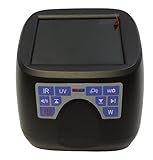
- 60 X amplication
- with light IR(850nm 940nm) UVA(365nm) UVC(254nm) White Blue(470nm) Laser(ATK)
- Built-in rechargeable battery, 4GB internal memory
- With USB connect with computer so that you can copy the images to your PC for next processing.
- For fingerprint analysis , document examination , forensic handwriting analyst , signature analysis,handwriting analysis test
Then look for independent reporting or other credible sources that support the specific event described. Multiple accounts repeating the same post are not necessarily independent corroboration; trace them back to their sources. AP describes confirming facts through multiple independent reliable sources (AP verification guidance).
Search for earlier appearances
Reverse-search the image, or take several distinctive frames from a video and search those. Try more than one search service: indexes and matching methods differ, so a failed search may simply mean the service has no useful match. Bellingcat cautions against relying on a single engine (Bellingcat’s social-media verification guide).
An earlier copy can reveal that a real image or clip is being recirculated with a new caption. It does not, by itself, establish the original recording date or prove that every later claim is false. Likewise, no search result is not evidence that the material is new or original.
Rank #2

- Work on a PC with usb port, suitable for Windows, Mac, Chromebook, Linux and Android phone or tablet
- Light sources: UVA(365nm) UVC(254nm) Infrared(IR) White, Blue light(470nm) Laser(980nm)
- Take pictures and videos with the USB camera software
- 30x to 50x magnification depending on the PC monitor size
- Large view areas, easy to use, files can be saved.
Test the claimed location
Look for features that can be compared with reliable references: distinctive buildings, road layouts, signs, terrain, vegetation, architecture, or language. Check maps, satellite images, street-level imagery, and trustworthy reporting where available. AP describes comparing video details with other information as part of verification (AP’s video verification process).
Phrase the conclusion in proportion to the evidence: a feature may be consistent with a place without uniquely identifying it. Most importantly, a location match does not establish the date or event. Bellingcat documents footage correctly placed in Gaza but recorded months before the event it was later said to show; as Bellingcat social media editor Charlotte Maher puts it, “Even if the footage is from the area, it doesn’t mean it is from the same event” (Bellingcat’s conflict-misinformation guide).
Check the date independently
Geolocation and chronolocation answer different questions. To test a claimed date, compare time-sensitive clues such as shadows, weather, seasonal conditions, or landmarks that appear to be under construction with the claimed timing and independent reporting. Bellingcat’s beginner guide explains practical verification methods, including testing when footage may have been recorded (Bellingcat’s beginner verification guide).
Rank #3

- Features included in Model AF7115MZT: Polarization (PZ), Measurement (MS), Microtouch (MT), Scroll lock (SC), Interchangeable Cap (IC)8 LEDs.
- 10-50X and 220X OPTICAL magnification and 2592 x 1944 (5.0MP) TRUE image resolution, 30 FPS (video).
- SOFTWARE included offers rich features for saving, annotating, comparison, and analysis of captured images. Supports Windows (XP/Vista/7/8/10), Mac OS 10.5 and above, Android, iOS (requires wi-fi adapter).
- Adjustable Precision Stand Model# RK-06
- Carrying case with custom polyethylene foam and integrated handle and latches
These clues may narrow the possibilities, but they can be ambiguous: weather can recur, and a visible change may not have a precisely known date. State only what the comparisons support.
Inspect video frames and sound for mismatches
Watch the clip more than once and examine several frames, especially around cuts or changes in viewpoint. Check whether the soundtrack fits the visible action: speech, impacts, and other sounds may have been dubbed, edited, or taken from another source. Frame-by-frame review and comparison with surrounding context are part of AP’s described process (AP’s video verification process).
Discontinuities or strange-looking details are leads for further checking, not proof of AI generation. Bellingcat describes how fake audio added to repurposed news footage changed its meaning (Bellingcat’s conflict-misinformation guide). A clip can be deceptive without its background image being fabricated.
Rank #4

- 16MP Sensor: Captures detailed photos with a CMOS sensor for everyday shooting
- Optical Zoom: 4x optical zoom with a 27mm wide angle lens for flexible framing indoors or outdoors
- Full HD Video: Records 1080p video for travel clips, family moments, or simple vlogging
- Memory Support: Works with Class 10 SD, SDHC, or SDXC cards up to 512GB
- LCD Screen and Battery: 2.7in LCD screen with 2 AA alkaline batteries for convenient on-the-go use
Use metadata, provenance, and AI detectors cautiously
If you have the original file, inspect any available metadata or Content Credentials. C2PA Content Credentials can provide information about a file’s origin, edits, or AI use, but they do not establish that the depicted scene is true. The Coalition for Content Provenance and Authenticity states: “Provenance information alone cannot tell you whether the digital content is true, accurate or factual” (C2PA explainer).
Interpret a positive provenance signal narrowly: it describes information associated with the file, not independent confirmation of the event. An absent signal means the history is unknown, not that the file is genuine or AI-generated. Compression, cropping, screenshots, and metadata removal can affect provenance signals; OpenAI’s documentation explains these limitations (OpenAI guidance on C2PA in ChatGPT images).
AI-detector outputs are another lead, not a verdict. A detector label does not verify the caption, location, date, or scene, and visual oddities alone are not a reliable basis for declaring a file AI-generated. Use any result as one piece of evidence alongside source history, independent reporting, location and timing checks, and examination of the media.
Best Value

- STEALTHY VIEWING FROM ANYWHERE: Peer around corners and into tight spaces with the only flexible digital spy scope designed especially for aspiring young spies and budding detectives!
- DIGITAL CCD CAMERA: Investigate anywhere as the camera transmits a color image to the 2.3-inch LCD display. Turn the LED light on the tip of the scope on to illuminate dark areas or off for more discreet investigations.
- PLIABLE 26-INCH ARM: The camera sits at the end of the scope, which easily adjusts into virtually any angle and holds its shape until you reposition it.
- GEAR UP: Spy Labs Incorporated's activity kits and equipment provide an engaging and interactive way for kids to learn about detective work, including forensic analysis and tracking techniques. Collect all the essential spy tools and gear in the line and become a first-class secret agent!
- PROMOTES IMAGINATION & CRITICAL THINKING: With Spy Labs, the Detective Gear Experts, kids ages 8 and up take on the role of detective, setting out to unravel mysteries one tough case at a time.
Weigh evidence by the question it can answer
| Method | What it can help establish | What a negative or positive result does not establish |
|---|---|---|
| Reverse search of an image or video frames | Whether a matching image or frame appeared in indexed sources earlier | No match does not prove the media is new or original; an earlier match does not alone establish the recording date. |
| Geolocation | Whether visible features are consistent with a claimed place | A location match does not prove the claimed date, event, or people involved. |
| Chronolocation and independent reporting | Whether time-sensitive details and other accounts fit a claimed date or event | A clue that fits is not conclusive on its own; a mismatch needs investigation rather than an automatic verdict. |
| Frame, audio, and context inspection | Possible editing, dubbing, discontinuities, or mismatch between sound and visible action | A suspicious feature alone does not prove AI generation or establish who made the edit. |
| Metadata or Content Credentials | Available information about file origin, edits, or AI use | Provenance does not establish scene truth; missing information does not establish authenticity or fabrication. |
| AI detector | A signal that may warrant closer examination | A detector label alone does not settle authenticity or the caption’s claims. |
Pause before sharing high-stakes claims
If a post could affect someone’s safety, identify a person, or fuel retaliation, do not publish a confident attribution based on uncertain visual cues. Misidentifying a side, unit, perpetrator, or victim can have serious consequences. Seek corroboration from multiple independent sources and, when feasible and safe, contact the original creator. AP’s newsroom workflow includes authorship checks, corroboration, and permissions (AP verification guidance).
Keep conclusions specific: for example, that a frame matches a location, that an earlier version appeared online, or that the claimed event is not independently corroborated. Don’t turn one established detail into a broader claim about the whole clip. Bellingcat’s beginner guide notes, “Verification doesn’t need to be difficult,” but careful wording matters as much as finding a clue (Bellingcat’s guide).
Quick Recap
Product prices and availability are accurate as of the date/time indicated and are subject to change. Any price and availability information displayed on Amazon at the time of purchase will apply.

