
Quick wins for a faster PC:
Repair Windows errors before they cause bigger problemsFix Now →Scan for outdated or missing drivers - takes under a minuteDriver Scan →iTechGuides is reader-supported. When you buy through links on our site, we may earn an affiliate commission. As an Amazon Associate I earn from qualifying purchases. Learn more
The most important fact is timing: Hogwarts Legacy DLSS 5 was announced for November 5, 2026, so it was not available at the October 13, 2026 evidence date. A crash or visual problem happening now is therefore more likely to involve the game’s existing DLSS features, an NVIDIA app override, a driver or game update, shader compilation, ray tracing, or the base game. Use the symptom-specific fixes below, and do not treat an older workaround as a confirmed DLSS 5 repair.
DLSS 5 is not yet a released Hogwarts Legacy troubleshooting target
NVIDIA announced on October 13, 2026 that Hogwarts Legacy would receive DLSS 5 with 3D-Guided Neural Rendering on November 5, 2026. Until that update is installed, there is no released Hogwarts Legacy DLSS 5 implementation to diagnose. This distinction prevents a common mistake: attributing every crash, flicker, lighting problem, or frame-rate drop to a feature that has not launched.
NVIDIA lists the planned DLSS 5 platforms as GeForce RTX 50 Series, GeForce NOW, and RTX Spark. The announcement does not identify other local GPU families as supported for this integration. GeForce NOW is an access option for someone without a locally supported GPU, not a repair for a broken installation or a guarantee of a particular service tier.
Recommended Free Tools
What the announced feature actually changes
NVIDIA describes Neural Rendering as a final rendering stage. The game’s rendered frame—including artist-created geometry, textures, and lighting buffers—remains the foundation; the DLSS stage adds lighting and material detail. That is broader than describing DLSS only as an upscaler or frame-generation mode.
#1 Best Overall

- EXPLORE AN OPEN WORLD. The wizarding world awaits you. Freely roam Hogwarts, Hogsmeade, the Forbidden Forest, and the surrounding Overland area.
- BE THE WITCH OR WIZARD YOU WANT TO BE. Learn spells, brew potions, grow plants, and tend to magical beasts along your journey. Get sorted into your house, forge relationships, and master skills to become the witch or wizard you want to be.
- EXPERIENCE A NEW WIZARDING WORLD ADVENTURE. Experience the wizarding world in an unexplored era to uncover a hidden truth from its past. Battle against trolls, Dark Wizards, goblins, and more as you face a dangerous villain threatening the fate of the wizarding world.
- Import Region Free PEGI Version
Hogwarts Legacy already supported earlier DLSS technology. NVIDIA’s January 30, 2025 material documents native DLSS 4 Multi Frame Generation support. DLSS 4 features, an NVIDIA app override, and the announced DLSS 5 Neural Rendering update are separate layers. A procedure that changes one layer cannot automatically be called a fix for another.
Identify the failing layer before changing anything
Write down what happens, when it happens, and which hardware and feature path are involved. The documented remedies apply to narrow combinations of symptoms and systems; applying them indiscriminately can make diagnosis harder.
| Question | What to record | Why it matters |
|---|---|---|
| When does it fail? | Before launch, during shader compilation, immediately after changing graphics settings, after a driver or game update, or only after enabling a DLSS option | Each timing points to a different layer. Intel’s shader guidance, for example, is specifically for a launch error on Arc hardware after old shaders may remain. |
| What is the exact symptom? | Crash code, black screen, overexposed lighting, flicker or ghosting, or low frame rate | A historical lighting regression is not evidence for a current crash or performance diagnosis. |
| Which platform is involved? | Intel Arc A-Series local PC, NVIDIA GeForce local PC, RTX Spark, or GeForce NOW | The published steps are not interchangeable across platforms. |
| Which feature path is active? | The game’s native DLSS setting, an NVIDIA app override, ray tracing, or the announced DLSS 5 update | An override can change behavior without changing the game’s own setting. DLSS 5 was not released at the evidence date. |
| What changed immediately before the problem? | A driver version, game patch, graphics-setting change, time away from the game, or shader recompilation | Timing provides a testable lead without assuming that every update is the cause. |
Capture the exact error text and GPU family before deleting files or changing scheduling settings. If the problem does not match a documented case below, treat these steps as non-confirmed experiments rather than guaranteed fixes.
For the documented frequent PC crash: temporarily disable Hardware-Accelerated GPU Scheduling
WB Games’ July 12, 2024 patch notes described a frequent crash on some PC systems that the patch did not resolve. The temporary workaround was to disable Hardware-Accelerated GPU Scheduling (HAGS) when it is enabled. WB Games did not present this as a universal crash solution or as a DLSS-specific fix.
Rank #2

- EXPLORE AN OPEN WORLD. The wizarding world awaits you. Freely roam Hogwarts, Hogsmeade, the Forbidden Forest, and the surrounding Overland area.
- BE THE WITCH OR WIZARD YOU WANT TO BE. Learn spells, brew potions, grow plants, and tend to magical beasts along your journey. Get sorted into your house, forge relationships, and master skills to become the witch or wizard you want to be.
- EXPERIENCE A NEW WIZARDING WORLD ADVENTURE. Experience the wizarding world in an unexplored era to uncover a hidden truth from its past. Battle against trolls, Dark Wizards, goblins, and more as you face a dangerous villain threatening the fate of the wizarding world.
- The Hogwarts Legacy Deluxe Edition includes Thestral Mount, Dark Arts Battle Arena, Dark Arts Cosmetic Set, and 72 Hours Early Access.
- Preorder Hogwarts Legacy Deluxe Edition and receive the Onyx Hippogriff Mount. Content will be delivered as a packed in code with game.
- Open Windows Settings.
- Choose System, then Graphics.
- Find the Hardware-accelerated GPU scheduling option.
- If it is enabled, turn it off.
- Restart the game and check whether the same frequent-crash pattern remains.
The setting may not appear on every Windows configuration. If your system does not show it, do not substitute a different Windows graphics switch and claim it is the same workaround. If the crash began after a different change, or occurs only with a particular DLSS override, record that relationship instead of assuming HAGS is responsible.
Because the WB Games note calls this temporary, keep the original setting documented. After testing, you can restore HAGS if disabling it does not help or if you need to compare behavior under the normal configuration. The patch note establishes only the workaround’s narrow historical context; it does not establish a current DLSS 5 crash rate or a permanent fix.
For Intel Arc launch errors: clear the old Hogwarts Legacy shaders
Intel’s support article, reviewed December 17, 2024, addresses a specific launch crash on Intel Arc A-Series graphics that reports DXGI_ERROR_DRIVER_INTERNAL_ERROR. Intel says old shaders may be involved when the player has been away from the game while graphics drivers were updated. This is a hardware- and symptom-specific procedure, not a general first step for every Hogwarts Legacy crash.
The Tool Desk
Outbyte PC Repair FREERepair Windows errors before they cause bigger problemsFix Now →Outbyte Driver Updater FREEFix the driver behind crashes, sound loss and screen glitchesFind Drivers →- Exit Hogwarts Legacy.
- Open File Explorer and go to
C:ProgramDataHogwarts Legacy. - Remove the files in that folder as described by Intel’s support guidance. Do not broaden the operation to unrelated folders or use it as a generic cache-cleaning ritual.
- Launch the game again.
- Allow Hogwarts Legacy to compile new shaders before judging the result. The first launch can behave differently while this work is performed.
Use this branch only when all of the important qualifiers line up: an Intel Arc A-Series GPU, a launch failure, and the documented DXGI_ERROR_DRIVER_INTERNAL_ERROR symptom or the same old-shader scenario. If you have an NVIDIA GPU, RTX Spark, GeForce NOW, or a different error, this Intel procedure is not established for your case.
Rank #3

- Fight to save your world. Save your sister. Save your soul.
- Fight for everything. Legends are born from trials.
- Epic weaponry, collect a diverse array of melee weapons and define your playstyle with stylish, effective combat.
- Stunning worlds to explore. Prepare to adventure far and wide across dangerous dimensions, majestic lands and strange new worlds.
For overexposed lighting after an NVIDIA driver update: check the timing, not just the picture
WB Games’ July 2024 notes record a historical compatibility problem in which lighting became overexposed after updating NVIDIA drivers to version 555.99. A subsequent patch fixed that issue. This is evidence that a game/driver interaction can produce a visual regression; it is not proof that a current bright, washed-out image has the same cause.
Use the date and driver version as a correlation check:
- Note the NVIDIA driver version installed immediately before the lighting changed.
- Check whether the visual problem appeared directly after that update or after a Hogwarts Legacy patch.
- Look for a matching current release note from WB Games or NVIDIA before changing drivers again.
- Do not describe rolling back a driver as a verified universal remedy when the documented case only says that a later game patch fixed the 555.99-related overexposure.
Separate lighting exposure from other visual symptoms. Flicker, ghosting, a black screen, texture corruption, and low frame rate are not interchangeable with the overexposure case documented by WB Games. Keep ray tracing, native DLSS settings, and any app override in your symptom record so that a later update can be assessed against the right baseline.
Undo an NVIDIA app override and return to the game’s native DLSS setting
NVIDIA’s January 30, 2025 DLSS 4 instructions describe an override workflow. If you enabled an override and the behavior changed, first return to the game’s native setting instead of stacking additional overrides. This workflow concerns supported DLSS features documented for that article; it is not a Hogwarts Legacy DLSS 5 crash fix.
Rank #4

- Play as your favorite character to defend the wizarding world from evil forces: Harry Potter, Hermione Granger, Ron Weasley and Neville Longbottom
- Gain influence to master powerful spells, recruit allies, and uncover magical items
- Enhance your abilities with over 140 cards
- 7 successive game adventures offer increasing difficulty: as you advance through games 1-7 of Harry Potter Hogwarts Battle, you will reveal progressively more challenging adventures and unlock new secrets on your journey to save Hogwarts from the Dark Lord!
- Includes: 252 cards, 4 dice, 7 game boxes, 7 game rules, 4 player boards, 8 villain control tokens, and 70 chip pieces.Perfect for 2-4 players
- Open Hogwarts Legacy and make sure the relevant in-game DLSS feature is enabled.
- Exit the game completely to the desktop.
- Open the NVIDIA app and apply the intended DLSS 4 override.
- Relaunch Hogwarts Legacy and test the same scene or action that exposed the problem.
- To restore the game’s native behavior, return to the override control and select Use the 3D application setting, then relaunch the game.
Do not change the in-game feature and the app override simultaneously if you are trying to identify a cause. Record which state produced the crash, artifact, or performance change. A clean return to Use the 3D application setting removes the app-level change from the comparison; it does not repair a driver, shader, or base-game defect.
How to investigate poor performance without inventing a DLSS 5 benchmark
No official Hogwarts Legacy DLSS 5 crash rate, artifact rate, or performance benchmark was included with the announcement available at the evidence date. NVIDIA’s broad DLSS claims should not be repurposed as a Hogwarts Legacy-specific result. Until the November 5 update is installed and documented, “DLSS 5 performance problem” is a description of a suspected cause, not an established diagnosis.
Build a controlled comparison
- Record the platform: local NVIDIA GeForce, Intel Arc, RTX Spark, or GeForce NOW.
- Record whether the game is using its native DLSS feature or an NVIDIA app override.
- Keep the scene, resolution, ray-tracing state, and other graphics choices the same while testing one change.
- Compare behavior before and after returning the app to Use the 3D application setting if an override was enabled.
- Note whether the slowdown began after a driver or game update, during shader compilation, or after a graphics-setting change.
This method does not promise a higher frame rate. It tells you whether the suspected DLSS layer tracks the change. If performance is poor with the native setting, an override removed, and no matching documented symptom, the available official material does not identify a Hogwarts Legacy DLSS 5 remedy to apply before release.
Do not treat hardware shopping as a fix
The planned integration names GeForce RTX 50 Series, GeForce NOW, and RTX Spark as platforms, but the announcement does not say that buying a GPU fixes crashes, artifacts, or poor performance. Compatibility and troubleshooting are different questions. A replacement game copy or unrelated physical accessory likewise has no documented role in resolving these software symptoms.
Best Value
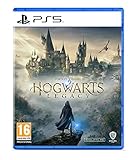
- EXPLORE AN OPEN WORLD. The wizarding world awaits you. Freely roam Hogwarts, Hogsmeade, the Forbidden Forest, and the surrounding Overland area.
- BE THE WITCH OR WIZARD YOU WANT TO BE. Learn spells, brew potions, grow plants, and tend to magical beasts along your journey. Get sorted into your house, forge relationships, and master skills to become the witch or wizard you want to be.
- EXPERIENCE A NEW WIZARDING WORLD ADVENTURE. Experience the wizarding world in an unexplored era to uncover a hidden truth from its past. Battle against trolls, Dark Wizards, goblins, and more as you face a dangerous villain threatening the fate of the wizarding world.
- Please note that although this game is Region Free or Region Unlocked and will work on all systems, this is the international version and may differ from the local version in age rating, labeling or instructions. DLC content may not work unless using an EU Playstation account as stated this is an EU Import Region Free Version
What changes after November 5, 2026
The November 5 date is a planned release date announced by NVIDIA, not evidence that the update had already shipped on October 13. Once the update is available, check the current NVIDIA announcement, Hogwarts Legacy release notes, and platform-specific notes before applying any DLSS 5-specific advice.
- Confirm that the game actually received the update and that DLSS 5 or Neural Rendering appears in the available settings for your platform.
- Record whether the problem began only after that update, rather than labeling an older crash retroactively as DLSS 5-related.
- Check the supported-platform details again; the pre-release announcement names RTX 50 Series, GeForce NOW, and RTX Spark but does not establish support for every other GPU family.
- Look for new release notes covering crashes, artifacts, lighting, shader compilation, or frame rate before using historical workarounds.
- Retest with the NVIDIA app set to Use the 3D application setting if an override is present, so the game’s own behavior is measurable.
New settings or compatibility requirements may make a future procedure different from the pre-release branches in this guide. Do not carry the Intel shader deletion procedure, the HAGS workaround, or the 555.99 lighting history forward as if any were written for the released DLSS 5 implementation.
Common mistakes that prolong diagnosis
- Calling an unreleased feature the cause: before November 5, 2026, investigate existing DLSS features, drivers, overrides, shaders, ray tracing, and the base game.
- Using a symptom-free workaround: HAGS applies to the frequent-crash case described by WB Games; Intel’s file cleanup applies to the specified Arc launch error.
- Deleting shader files on every GPU: Intel’s guidance is for Intel Arc A-Series and the documented launch-error context.
- Assuming every bright image is the 555.99 bug: that historical overexposure issue was fixed by a later patch and does not identify current visual problems.
- Leaving an app override active while testing native settings: restore Use the 3D application setting and relaunch before comparing the game’s own DLSS behavior.
- Using broad DLSS marketing numbers as a game benchmark: no Hogwarts Legacy DLSS 5 benchmark or crash statistic was established in the reviewed announcement.
Quick decision checklist
| Your situation | Most appropriate documented action | What it does not prove |
|---|---|---|
| Frequent PC crashes on a system where HAGS is enabled | Windows Settings > System > Graphics; temporarily disable Hardware-accelerated GPU scheduling and retest. | It is not a universal fix and is not DLSS 5-specific. |
Intel Arc A-Series launch crash with DXGI_ERROR_DRIVER_INTERNAL_ERROR |
Remove the files from C:ProgramDataHogwarts Legacy, relaunch, and allow shaders to compile again. |
It is not a general cache-clearing step for other GPUs or errors. |
| Overexposed lighting that followed NVIDIA driver 555.99 | Recognize the historical game/driver issue and check for the patch that addressed it. | It does not diagnose every current lighting or visual glitch. |
| Changed behavior after an NVIDIA app override | Select Use the 3D application setting, relaunch, and compare with the game’s native setting. | It does not repair unrelated driver, shader, or game defects. |
| Suspected DLSS 5 problem before November 5, 2026 | Verify the date and investigate the existing feature or system layer instead. | There was no released Hogwarts Legacy DLSS 5 fix to apply at the evidence date. |
Bottom line
Before November 5, 2026, Hogwarts Legacy DLSS 5 cannot be the confirmed cause of a crash because the announced integration had not launched. Match the remedy to the evidence: temporarily disable HAGS for the documented frequent PC crash, clear the specified shader files only for Intel Arc’s documented launch error, treat the 555.99 overexposure case as historical, and undo an NVIDIA app override when you need to test the game’s native DLSS behavior. After the update ships, use fresh NVIDIA and WB Games notes for actual DLSS 5 settings and fixes instead of relabeling older workarounds.
Free tools Windows power users keep installed
One-click scans. No signup required.
Quick Recap
Product prices and availability are accurate as of the date/time indicated and are subject to change. Any price and availability information displayed on Amazon at the time of purchase will apply.

