
iTechGuides is reader-supported. When you buy through links on our site, we may earn an affiliate commission. As an Amazon Associate I earn from qualifying purchases. Learn more
You do not export a save file to move The Crew Motorfest to Nintendo Switch 2. The game uses Ubisoft account-based automatic cross-progression and cross-save. Install or obtain the Switch 2 edition, connect the console to the internet, and sign in with the same Ubisoft Account that holds your existing Motorfest progress. Ubisoft says the Switch 2 version can continue progression from supported platforms, but purchases made through another platform’s store do not transfer automatically.
What “transfer” means in Motorfest
Motorfest treats progression as an online account service rather than a save file that you copy between consoles. Ubisoft Help states that “The Crew Motorfest supports automatic cross-progression between all platforms.” Ubisoft’s Switch 2 FAQ likewise says the Nintendo Switch 2 version supports cross-progression and cross-save, allowing you to continue progression across supported platforms.
| # | Preview | Product | Price | |
|---|---|---|---|---|
| 1 |

|
The Crew Motorfest - Nintendo Switch 2 | $49.99 | Buy on Amazon |
| 2 |

|
Minecraft - Nintendo Switch 2 | $29.99 | Buy on Amazon |
| 3 |

|
PGA TOUR 2K25 - Nintendo Switch 2 | $39.99 | Buy on Amazon |
| 4 |
|
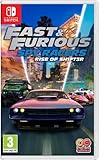
Fast and Furious: Spy Racers Rise of SH1FT3R (Nintendo Switch) | $27.08 | Buy on Amazon |
| 5 |

|
Hercule Poirot: The First Cases (Nintendo Switch) | $36.00 | Buy on Amazon |
That means the important action is account matching: the Ubisoft Account used on Switch 2 must be the one associated with the Motorfest progress you want to continue. There is no Ubisoft-published sequence for exporting a Nintendo Switch, PlayStation, Xbox or PC save, copying it to a microSD card, and importing it on Switch 2. Do not use Nintendo’s ordinary console-to-console system transfer as a substitute for Motorfest’s account sync.
Quick wins for a faster PC:
Repair Windows errors before they cause bigger problemsFix Now →Scan for outdated or missing drivers - takes under a minuteDriver Scan →Clear out junk files and repair common Windows errorsFree Scan →The Switch 2 edition itself is required. Ubisoft announced physical-retail and Nintendo eShop availability for October 8, 2026. If you are attempting this before that release, the Switch 2 edition is not yet available to launch.
#1 Best Overall
- EXPLORE A VIBRANT HAWAIIAN OPEN WORLD - Set across the islands of O'ahu, Maui, and Kauai, join high-speed street races, test your off-road skills on volcanic slopes, and master the curves on the tracks.
- CELEBRATE ALL THE FACETS OF CAR CULTURE - Discover playlists and dive into themed campaigns, exploring car culture worlds like American muscle, Japanese-style street racing, and legendary machines of the past!
- COLLECT THE MOST LEGENDARY CARS - Master every driving challenge and grow your collection of legendary vehicles. Customize your cars and show off your own style in the custom contest mode.
Before you start: requirements and limits
You need the Switch 2 edition
Acquire the Nintendo Switch 2 version through Nintendo eShop or physical retail. Having Motorfest on another platform does not by itself install or license the Switch 2 edition.
You need internet access
Ubisoft says a persistent internet connection is required to play Motorfest on Switch 2. Connect the console before the first launch and keep it online while the game signs in and retrieves your account progression.
You need a Ubisoft Account
A Ubisoft Account is required. More importantly, it must be the same account connected to the platform where your existing Motorfest progress was created. Signing in with a different Ubisoft Account can make the game appear to have no history, even though the original progress still belongs to the other account.
You should separate progress from purchases
Cross-progression concerns game progression. It does not promise that every item you paid for through another platform’s store will be licensed on Switch 2. Ubisoft specifically says content purchased through another platform’s store does not transfer to Switch 2, including purchases made through Xbox, PlayStation, Ubisoft Connect, Epic Games Store and Steam.
| Item | What Ubisoft’s guidance establishes | What to plan for |
|---|---|---|
| Motorfest progression | Supported by automatic cross-progression and cross-save across supported platforms. | Use the same Ubisoft Account on Switch 2. |
| Ubisoft Account identity | Required when playing on a different platform. | Check the account before launching, not after creating a new profile. |
| Paid content bought in another platform store | Does not transfer to Switch 2 according to Ubisoft’s Switch 2 FAQ. | You may need to acquire applicable content again for Switch 2. |
| The Crew 2 Collection Import | Not available in the Switch 2 edition. | Do not expect the separate Crew 2 collection-import feature to appear. |
Step-by-step: continue your existing progress on Switch 2
1. Confirm which Ubisoft Account owns the progress
On the platform where your Motorfest progress is visible, identify the Ubisoft Account connected to the game. If you use more than one Ubisoft login, write down the account email or otherwise verify the account identity before opening Motorfest on Switch 2. The goal is not to match your Nintendo Account name; it is to match the Ubisoft Account associated with the existing progression.
Rank #2
- Build whatever you can imagine in your own infinite world that’s unique in every playthrough.
If you cannot identify the account, do not create a replacement account as a test. A new Ubisoft Account has no reason to contain the progression associated with your original account, and switching accounts later can make troubleshooting harder.
2. Obtain the Nintendo Switch 2 version
Get The Crew Motorfest for Nintendo Switch 2 from Nintendo eShop or physical retail once it is available on October 8, 2026. A copy for another Nintendo system or another platform is not the Switch 2 edition described in Ubisoft’s FAQ.
The Tool Desk
Outbyte Driver Updater FREEFix the driver behind crashes, sound loss and screen glitchesFind Drivers →Outbyte PC Repair FREERepair Windows errors before they cause bigger problemsFix Now →3. Put Switch 2 online
Connect the console to a working internet connection before starting the game. Persistent connectivity is a play requirement, so an offline first launch is not an appropriate way to test whether the save transferred.
4. Start Motorfest and choose the existing Ubisoft Account
Launch the Switch 2 edition and complete its account sign-in prompts. When asked to connect or log in to Ubisoft, use the same Ubisoft Account that holds your existing Motorfest progress. Do not select a different account merely because its display name is more familiar on the Nintendo console.
5. Let automatic cross-progression do the work
Ubisoft’s published guidance does not provide a separate “export,” “import” or “download save” command. After the correct account is connected and the game is online, allow Motorfest to use its automatic cross-progression and cross-save support. The account connection is the transfer mechanism.
Rank #3
- GRAB A CLUB. CHASE GREATNESS. - Team up or face off in Match Play, Scramble, or Skins - online or local. Compete in cross-platform societies, earn seasonal rewards, and rise through daily and weekly tournaments.
- ON GOLF’S BIGGEST STAGES - Take on legends like Tiger Woods or step into their shoes and feel what it’s like to master some of the hardest courses in the world. In a PGA TOUR 2K franchise first, test your grit at The PGA Championship, U.S. Open and The Open Championship.
- YOUR CAREER. YOUR LEGACY. YOUR WAY. - Dynamically simulate rounds, train for tournaments, and evolve your player through new Attribute Point and Equipment Progression systems.
- SEASONS. BACK AND BETTER THAN EVER. - Earn rewards, climb the Ranked leaderboards, and experience regular content updates. Progress at your own pace through past Seasons.
- PGA TOUR 2K25: AIM FOR GREATNESS
6. Check the in-game progression
Proceed far enough into the game to verify that your expected progression is present. Compare a few recognizable milestones from the original platform rather than assuming that a successful sign-in alone proves every entitlement has moved. If progression is missing, stop before making purchases or starting substantial new progress and follow the account checks in the troubleshooting section below.
What should carry over, and what should not
Progression is the part designed to follow your account
Ubisoft describes cross-progression and cross-save as the features that let players continue their progression across supported platforms. The practical result is that your Motorfest progress is associated with the Ubisoft Account, not with a Nintendo system-transfer package. The Switch 2 edition is one of the supported destinations identified in Ubisoft’s announcement and FAQ.
Store purchases are a separate entitlement
A paid add-on or other content purchased through a platform store can be governed by that store’s licensing system. Ubisoft’s Switch 2 FAQ says content purchased through another platform’s store does not transfer to Switch 2 and names Xbox, PlayStation, Ubisoft Connect, Epic Games Store and Steam. Therefore, a returning player should budget for the possibility of acquiring relevant content again through the Switch 2 edition. Do not interpret the appearance of your progression as a promise that every paid item will be unlocked.
The Crew 2 import is not part of this move
Motorfest cross-progression and The Crew 2 Collection Import are different features. Ubisoft’s Switch 2 FAQ says Collection Import from The Crew 2 is not available in the Switch 2 edition. If you are moving from Motorfest on another platform, that limitation does not cancel Motorfest cross-progression; it means the separate Crew 2 collection-import option should not be expected on Switch 2.
Online access remains part of the experience
Persistent internet access is required to play the Switch 2 version. A successful first sync does not turn Motorfest into an offline game, and losing connectivity can prevent normal access to account-linked progression.
Crashes, No Sound, or Screen Glitches?
Random freezes, missing sound and display glitches usually trace back to one bad driver. Find and replace yours safely.Free scan · under a minuteWindows Errors? Fix Them Before They Spread
Repair common Windows errors and clear accumulated junk for a smoother, more stable PC - no reinstall needed.Free scan · no reinstallRank #4
- SH1FT3R is back!
- the criminal racing organization SH1FT3R has returned and they're racing for the ultimate prize - An invisible, untraceable high-tech vehicle. Become your favourite thrill-seeking Spy Racer characters, including Tony toretto, Echo, cisco and Layla Gray. Even unlock SH1FT3R villains in quick race and online multiplayer, in globe-spanning events full of high-speed destruction and thrilling plot twists!
- fight to the finish line
- it takes more than speed to win this combat racing challenge. Armed with 15 Spy gear weapons inspired by the Netflix original series, you'll need to blast past your rivals to earn victory.
- couch co-op and multiplayer.show the whole world you're the fastest, coolest, and most talented Racer! Customize your vehicle with unlockable skins and race against online opponents, AI-controlled drivers, and your friends with couch co-op and online multiplayer.
How to avoid the most common account mistakes
Do not confuse Nintendo and Ubisoft identities
Your Nintendo Account is the account used for Nintendo services and eShop access. Ubisoft’s requirement is specifically a Ubisoft Account. The names can differ, and signing into the correct Nintendo profile does not guarantee that the correct Ubisoft Account is connected inside Motorfest.
Do not create a second Ubisoft Account to bypass a prompt
If the game asks you to sign in, use the account that already has the Motorfest history. Creating a new account may produce an apparently empty game and can lead you to mistake an account mismatch for a failed transfer.
Do not expect a physical cartridge to contain your old save
The Switch 2 release can be purchased physically, but the cross-progression feature is account-based. Inserting the game card is only the installation or ownership step; it is not a save-file import.
Do not repurchase content before checking the account
If progression appears absent or paid content is missing, first verify the Ubisoft Account and internet connection. Buying an add-on immediately does not correct an account mismatch and can make it less clear which entitlement you are trying to recover.
Free tools Windows power users keep installed
One-click scans. No signup required.
Troubleshooting when progress does not appear
The game opens with no existing progression
- Close Motorfest on Switch 2 rather than creating significant new progress.
- Confirm that the Ubisoft Account shown during sign-in is exactly the one associated with Motorfest on the original platform.
- Check that Switch 2 is connected to the internet; Ubisoft requires a persistent connection to play.
- Sign in again using the original account, then allow the automatic cross-progression process to run.
Ubisoft’s public instructions do not describe a manual save-upload operation. If the correct account is connected and progression still does not appear, the issue is not something Nintendo’s system-transfer wizard can repair; it requires account or game support through Ubisoft’s official channels.
Best Value
- Discover the legendary detective in an untold crime story.
- Play as Hercule Poirot in his early years as a detective, when he still had everything to prove.
- Solve a complex murder case where everyone has something to hide.
- Unveil what hides behind the deceiving appearances of the Van den Bosch family.
- Question all the suspects and glean crucial information from them without their knowing..Notice all suspicious behavior as you uncover the dark secrets and rivalries of the upper class..Explore a luxurious house full of buried mysteries. There is more to discover than just the murderer….Use your talents of deduction to link clues in your mindmap.
Some paid items are missing but progression is present
This can be consistent with Ubisoft’s stated purchase limitation. Progression and store entitlements are different. Review whether the missing item was bought through Xbox, PlayStation, Ubisoft Connect, Epic Games Store or Steam. Ubisoft says content purchased through another platform’s store does not transfer to Switch 2, so applicable content may need to be acquired again for the Nintendo version.
You are looking for Collection Import from The Crew 2
That feature is not available in the Switch 2 edition, according to Ubisoft’s FAQ. It is not a missing Motorfest save and cannot be enabled by repeating the account sign-in process.
You cannot play while offline
Reconnect the console to the internet before launching. Persistent connectivity is a stated requirement for the Switch 2 version, so offline testing can produce an access problem that is unrelated to cross-progression.
Do these 3 things before closing this tab:
1Fix the driver behind crashes, sound loss and screen glitches2Repair Windows errors before they cause bigger problems3Scan for outdated or missing drivers - takes under a minuteWhat the Switch 2 version supports
Ubisoft lists the Switch 2 edition at 1080p and 30 frames per second in both TV and handheld modes. These are platform specifications, not a transfer setting; changing display mode does not affect which account progression loads.
Ubisoft announced the Switch 2 release for October 8, 2026, with both physical-retail and Nintendo eShop availability. The announcement and FAQ are the relevant references for release timing, account requirements and cross-save support:
- Ubisoft Help: Cross-progression in The Crew Motorfest
- Ubisoft Switch 2 announcement and FAQ
- Ubisoft Switch 2 FAQ
- Ubisoft News: Switch 2 availability announcement
A practical move-day checklist
- Verify the Ubisoft Account that currently shows your Motorfest progression.
- Obtain the Switch 2 edition, released October 8, 2026 through physical retail and Nintendo eShop.
- Connect Nintendo Switch 2 to the internet.
- Launch Motorfest and sign in with the existing Ubisoft Account.
- Wait for automatic cross-progression and cross-save to load; do not search for a manual export/import menu.
- Confirm recognizable progression in the game.
- Check paid content separately, because purchases made through another platform’s store do not transfer according to Ubisoft.
- Do not look for The Crew 2 Collection Import; Ubisoft says it is unavailable in the Switch 2 edition.
Bottom line on moving Motorfest to Switch 2
The transfer is an account sign-in, not a console save migration. Once you have the Switch 2 edition, an internet connection and the same Ubisoft Account used for your existing Motorfest progress, Ubisoft’s automatic cross-progression and cross-save are designed to let you continue on Switch 2. Treat store purchases and The Crew 2 Collection Import as separate limitations: neither is covered by the progression transfer described for this release.
Quick Recap
Product prices and availability are accurate as of the date/time indicated and are subject to change. Any price and availability information displayed on Amazon at the time of purchase will apply.

