
iTechGuides is reader-supported. When you buy through links on our site, we may earn an affiliate commission. As an Amazon Associate I earn from qualifying purchases. Learn more
There is no Nintendo Switch setting that transfers every demo save automatically. Demo-to-full-game carryover is decided by the individual game. Some titles detect the demo save when you start the full version, some require a manual save first, and others require the full game to be updated and a menu choice such as Carry over.
Use the game’s current publisher instructions before changing or deleting anything. Nintendo’s separate save-transfer feature moves compatible saves between two consoles; it does not import demo progress into a full game.
| # | Preview | Product | Price | |
|---|---|---|---|---|
| 1 |
|
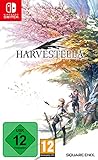
Harvestella Switch | $29.99 | Buy on Amazon |
| 2 |

|
Harvestella | $35.00 | Buy on Amazon |
| 3 |

|
Yoshi's Crafted World - Nintendo Switch | $52.90 | Buy on Amazon |
| 4 |

|
Super Smash Bros. Ultimate - US Version | $52.99 | Buy on Amazon |
| 5 |

|
Minecraft - Nintendo Switch | $29.82 | Buy on Amazon |
What determines whether a demo save can be transferred?
The demo and full release must be designed to recognize each other’s save data. Nintendo does not provide a universal switch for this, and the system cannot convert an unsupported demo save into a full-game save. A publisher may support carryover for one title while another title from the same publisher does not.
Quick wins for a faster PC:
Repair Windows errors before they cause bigger problemsFix Now →Scan for outdated or missing drivers - takes under a minuteDriver Scan →Compatibility can also depend on the game’s edition, region, patch level, and the condition of the demo save. Official instructions may require a manual save rather than relying on an autosave, or may tell you to start the full game only after installing an update. Treat instructions for a different title as examples, not as a procedure you can safely reuse.
#1 Best Overall
- Explore an imaginative world in different seasons, manage your fields, make new friendships
- Face opponents in dynamic battles and reveal the secret of the season of death, "Silentium"
- Dare on the world map, which presents its colourful environments differently in every season
- Learn more about the origin of the world and find out the truth about the disaster
Check these requirements before opening the full game
- Identify the exact title. Write down the complete game name and whether the demo and full game are Nintendo Switch versions. Search the publisher’s support site, manual, or FAQ for “demo save data,” “carry over,” or “transfer to the full game.”
- Check the current version. If the publisher specifies an update, allow the full game to finish updating before looking for an import option. A title can add or change its transfer behavior through a patch.
- Preserve the required demo save. If the instructions call for a manual save, create that save in the demo and leave it intact. An autosave may not satisfy a title’s detection check.
- Record your existing full-game saves. If the full version has already been started, read the publisher’s warning about save slots and overwriting before selecting an import command.
- Keep both versions available until verification. Do not delete the demo or deliberately overwrite a save while you are still determining whether the transfer succeeded.
General procedure for a supported game
The labels and order vary by title, but this sequence covers the decisions most publishers document.
- Find the title-specific instructions. Open the game’s official support page or in-game help and confirm that it explicitly says demo data can be carried into the full version. If the page only discusses moving saves between consoles, it is describing a different feature.
- Finish the required part of the demo. Some games allow a transfer only after a certain point or after creating a particular save slot. Follow the publisher’s wording exactly rather than assuming the latest checkpoint is enough.
- Make a manual demo save when required. Use the game’s normal save command and wait for the save confirmation. For example, the instructions for Monster Hunter Stories 2: Wings of Ruin require a manual save before the full game’s transfer option can appear.
- Install the full game and apply its update. If the support instructions say “latest version,” update before launching the full game. Do not infer that the version shown on the cartridge or download is current.
- Launch the full game with the demo save still present. The title may scan for compatible data at startup, display a prompt, or expose an option on its main menu. Wait for the scan or prompt instead of immediately creating a new save if the instructions warn about slot conditions.
- Choose the title’s transfer command. Confirm the wording and destination shown on screen. A command such as Carry over belongs to that game; it is not a Nintendo-wide menu.
- Check what was imported. Load the resulting save and confirm the expected progress, unlocked items, or other carryover rewards. Some games transfer every save slot, while others use one detected slot or a one-time import.
- Stop if the option is missing. Do not delete the demo, overwrite a full-game save, or repeat random procedures. Recheck the requirements and contact the publisher if its documented conditions are met but the game still does not detect the data.
Official examples: three different transfer patterns
| Game | Is demo carryover confirmed? | Required preparation | How the import is presented | Other stated conditions |
|---|---|---|---|---|
| HARVESTELLA (Nintendo Switch) | Yes, according to Square Enix’s Switch support FAQ. | The cited FAQ does not state a manual-save requirement. | The FAQ confirms support but does not specify a button sequence; follow the current on-screen instructions. | The FAQ says the demo is available only on Nintendo Switch. |
| Monster Hunter Stories 2: Wings of Ruin | Yes, according to Capcom’s support instructions. | Create a manual save slot in the demo. The instructions direct the player to the room and the bed to save. | After the manual save exists, an option should automatically appear in the full game’s main menu. | The automatic appearance of the menu option depends on the required demo save being present. |
| Echoes of Aincrad (Nintendo Switch) | Yes, according to Bandai Namco Entertainment Europe’s instructions. | Update the main game to its latest version before transferring. | If demo data is detected, select Carry over from the prompt. | All save-data slots are transferred. If you started the full game before updating, the instructions say transfer remains possible after the update. |
HARVESTELLA: confirmed support, unspecified controls
Square Enix’s Nintendo Switch FAQ answers yes to the question of carrying demo-version save data into the full game. It does not publish a button-by-button sequence in the cited answer. That means you should not borrow the bed-save procedure from another game or expect a particular prompt at a particular screen. Install the current full version, launch it, and follow the instructions that appear for your copy.
Monster Hunter Stories 2: Wings of Ruin: manual save first
Capcom’s instructions make the manual-save requirement explicit: players must create a manual save slot in the demo. The documented route is to visit the player’s room and save at the bed. Once that save exists, an option should automatically appear on the full game’s main menu to transfer the data. If the option is absent, creating or checking the required manual slot is the first title-specific check; an autosave alone should not be treated as equivalent.
What’s actually slowing this PC down?
Pick the symptom - the matching free tool is one click away.
Echoes of Aincrad: update, then accept the prompt
Bandai Namco Entertainment Europe’s instructions require the main game to be updated to the latest version. When compatible demo data is detected, the game presents a prompt with Carry over. The instructions state that all save-data slots will be transferred. They also state that a player who launched the full game before applying the update can still transfer the data after updating later, so starting early does not automatically make the transfer impossible for this title.
Compare a game’s instructions before you act
When two games use different wording, compare the details rather than assuming they work alike. Confirm five points: whether the publisher explicitly supports demo-to-full carryover; whether a manual save is required; whether the full game must be updated; whether detection is automatic, a main-menu command, or a prompt; and whether the instructions mention timing, save slots, or overwriting.
This comparison explains why the three examples cannot be reduced to one universal recipe. Monster Hunter Stories 2 emphasizes a manual save in a specific location. Echoes of Aincrad emphasizes the latest main-game update and a Carry over prompt, while also saying that all save slots transfer. HARVESTELLA confirms support but leaves the controls to the current game instructions. If a support page omits one of these details, do not fill the gap with another title’s procedure.
What may and may not transfer
A successful import does not necessarily mean every aspect of the demo session appears in the full game. The title’s own instructions determine whether it carries a single detected save, every save-data slot, story progress, unlocked items, settings, or a special purchase bonus. Verify the result by loading the imported save and checking the progress the publisher says should carry over.
Rank #2
- Grow and tend to crops to collect a bountiful harvest between the vibrantly changing seasons
- Collect materials and ingredients to craft and cook items that will aid you on your adventures into the overworld
- Visit different towns and get to know the people who live there, go fishing, and take on various jobs such as Fighter, Shadow Walker, and Mage
- Venture into dungeons with your party to discover the origins of the world and the truth behind the calamity of Quietus along the way
Do not create a new full-game save over the same slot until you understand the import behavior. Some games offer a one-time prompt before normal play begins; others expose an option on the main menu. If an existing full-game save is present, the game may ask which data to retain, but the consulted title instructions do not establish a common rule for every game.
If the full game does not detect your demo save
A missing option does not prove that the game is unsupported, but it is a reason to stop before making an irreversible change. Work through checks in this order.
1. Confirm that the title actually supports carryover
Look for an explicit statement from the game’s publisher. A generic Nintendo save-transfer page cannot establish demo compatibility. If the publisher has never documented carryover, there is no confirmed procedure to follow.
2. Check the demo’s save state
Read the instructions for whether an ordinary checkpoint, autosave, or manual slot is required. For a game with a manual-save rule, return to the demo and create the required slot. Do not assume that completing the same story section in another save type satisfies the check.
Do these 3 things before closing this tab:
1Clear out junk files and repair common Windows errors2Scan for outdated or missing drivers - takes under a minute3Repair Windows errors before they cause bigger problems3. Update the full game
Install any available update and restart the title. Some instructions specifically require the latest version, and a launch made before updating may not show the transfer prompt until the game is current.
4. Look in the correct place
Detection may occur at startup, on the main menu, or through a prompt after the title scans the system. Use the publisher’s labels rather than searching only for the word “transfer.” A game may call the operation Carry over or use another title-specific phrase.
5. Check for save-slot or overwrite warnings
Some games import all slots; others may ask which slot to use or warn that an existing full-game save will be replaced. If the screen does not clearly explain the consequence, cancel and consult the official instructions instead of accepting an uncertain overwrite.
Rank #3
- Explore each stage and then find even more secrets by making your way through the stage backwards on the flip side
- Overcome varied enemies and obstacles, like Zombie Guys, Skelesaurus, Ukiki, and Monty Mole as you seek out hidden collectables; ESRB Content: Mild Cartoon Violence; Genre: Action, Platformer
- Pass a Joy Con controller to a friend for 2 player cooperative exploration
- Clad Yoshi in collectable, protective, handicraft costumes as he makes his way through each stage
6. Preserve the original data and seek title-specific support
The official instructions do not establish one recovery method for every failed transfer. Keep the demo and full-game data unchanged while you verify the requirements, then contact the publisher with the exact game version, console, demo save condition, and message shown on screen.
Do not confuse demo carryover with Nintendo’s console-to-console save transfer
Nintendo’s Transfer Your Save Data feature moves a compatible software save from one Switch console to another. It is useful when changing consoles, but it does not decide whether a demo and full release recognize each other.
The nearby-console process has its own requirements:
- Both consoles must be available and connected to the internet.
- The consoles must be near each other during the transfer.
- The same Nintendo Account must be linked to a user on each console.
- A Nintendo Switch Online membership is not required for this nearby transfer.
Nintendo warns that a successful send deletes the source save. If the target console already has a save for that software, you can cancel or overwrite it; overwritten data cannot be recovered. Those consequences apply to console-to-console transfer, not to the game’s demo-import command, so do not open that system menu as a substitute for a missing demo option.
Nintendo also documents a separate user-and-save transfer for replacing a console. That process moves a user and associated data between consoles and is likewise unrelated to importing progress from a demo into a full game.
The Tool Desk
Outbyte Driver Updater FREEFix the driver behind crashes, sound loss and screen glitchesFind Drivers →Outbyte PC Repair FREERepair Windows errors before they cause bigger problemsFix Now →Why a microSD card cannot transfer the save
Switch game saves are stored in the console’s system memory. Nintendo says save data cannot be copied or saved to a microSD card. A microSD card can hold supported software data, but moving the card does not create a demo-to-full-game import and cannot bypass a title’s compatibility check.
Timing, editions, and regional caveats
Publisher instructions can change when a patch is released, and behavior can differ between a launch version and a current version. Keep the exact game title, the demo and full-game editions, and the installed version in mind when reading support instructions.
Rank #4
- New stages and fighters are joined by the combined rosters of every past Super Smash Bros. Game
- Challenge others anytime, anywhere, whether you're on the couch or on the go
- Play any way you want—locally, online, in TV mode, Tabletop mode, Handheld mode, or even with GameCube Controllers
- Fight faster and smarter with new and returning techniques, like the perfect shield and directional air dodge
- Face off in 2-4 player battles, or play against the computer
The examples above confirm support for specific Nintendo Switch titles. They do not establish a complete list of compatible demos, a universal rule for regional releases, or a guaranteed cross-region transfer. If a publisher’s page is written for a particular region or edition, follow that scope rather than extending it to another release.
No published statistic establishes what percentage of Switch demos support carryover or how often transfers fail. The safest conclusion is therefore title-specific: an official statement is evidence for that game, not for the Switch catalog as a whole.
Free tools Windows power users keep installed
One-click scans. No signup required.
Purchase and setup planning
You do not need a special cable, repair kit, transfer utility, or microSD card for a supported demo import. The relevant requirements are the compatible demo and full game, the correct save condition, and any update or in-game confirmation named by the publisher. A full-game purchase is relevant only after you have confirmed that the particular title supports carryover; buying one compatible example does not make other demos transferable.
If you are deciding whether to buy a full version after playing its demo, check the support page before deleting the demo. Keep enough system storage for the full game and its update, but do not move or copy the save to removable storage as a workaround. If you use a second Switch, first determine whether your goal is importing demo progress on one console or moving an already-created full-game save between consoles; those are separate operations with different risks.
A quick decision checklist
- Publisher confirmation: Is demo-to-full carryover explicitly documented for this exact game?
- Demo preparation: Does the game require a manual save, a particular location, or a particular slot?
- Full-game version: Does the publisher require the latest update?
- Import method: Is detection automatic, a main-menu option, or a prompt such as Carry over?
- Save impact: Will every slot transfer, or could an existing full-game save be overwritten?
- Failure plan: Have you stopped before deleting, overwriting, or using a console-transfer command?
If every answer is documented, follow that game’s sequence exactly. If one is not, treat the transfer as unconfirmed and preserve the original demo data while you obtain clarification from the publisher.
Frequently Asked Questions
Can every Nintendo Switch demo save be transferred to the full game?
No. Carryover is implemented by each game’s developer or publisher. Nintendo has no system-wide setting that converts every demo save, so check the exact title’s current official support page.
Crashes, No Sound, or Screen Glitches?
Random freezes, missing sound and display glitches usually trace back to one bad driver. Find and replace yours safely.Free scan · under a minutePC Slower Than It Used to Be?
A free scan shows the junk files, broken settings and background clutter dragging Windows down - then fixes them in one click.Free scan · Windows 10 & 11Do I need Nintendo Switch Online to move a demo save into the full game?
Demo carryover is an in-game feature, not Nintendo’s cloud or nearby-console service. The title’s own instructions determine the requirements. Nintendo Switch Online is not required for Nintendo’s nearby console-to-console save transfer, but that separate feature does not import demo progress.
Best Value
- Minecraft is a game about placing blocks and going on adventures
- Explore randomly generated worlds and build amazing things from the simplest of homes to the grandest of castles
- Play in creative mode with unlimited resources or mine deep into the world in survival mode, crafting weapons and armor to fend off the dangerous mobs
- Play on the go in handheld or tabletop modes
- Includes Super Mario Mash-Up, Natural Texture Pack, Biome Settlers Skin Pack, Battle & Beasts Skin Pack, Campfire Tales Skin Pack; Compatible with Nintendo Switch only
What should I do if the full game shows no transfer option?
Stop before deleting the demo or overwriting a full-game save. Confirm that carryover is officially supported, create any required manual demo save, update the full game, and check the publisher’s stated menu or prompt. If the documented conditions are met, contact the publisher with your version and the message on screen.
Is an autosave enough, or must I save manually?
It depends on the title. Capcom specifically requires a manual save slot for Monster Hunter Stories 2: Wings of Ruin, made in the player’s room at the bed. Do not assume an autosave meets another game’s detection requirement.
Can I transfer all demo save slots?
Only if the title says so. Bandai Namco’s instructions for Echoes of Aincrad state that all save-data slots transfer. Other games may detect one slot, offer a selection, or provide no slot details in their published instructions.
Recommended Free Tools
I started the full game before updating it. Is the transfer impossible?
Not necessarily. Bandai Namco says Echoes of Aincrad can still transfer demo data after the main game is updated, even if the player launched it earlier. This timing rule is title-specific and should not be generalized.
Can I copy the demo save to a microSD card first?
No. Nintendo says Switch game saves are stored in system memory and cannot be copied or saved to a microSD card. The card cannot bypass a game’s compatibility check.
Does Nintendo’s Transfer Your Save Data menu import demo progress?
No. That menu moves compatible software saves between two Switch consoles. It requires both consoles, internet access, nearby consoles, and the same Nintendo Account linked to a user on each console. A successful send deletes the source save, and overwritten target data cannot be recovered.
The Bottom Line
Demo saves transfer only when the specific game supports carryover. Confirm that support, make the required demo save, update the full game if instructed, and use the title’s own prompt or menu. Keep the original data intact until you verify the result; Nintendo’s console-transfer tools and microSD cards are not substitutes.
Quick Recap
Product prices and availability are accurate as of the date/time indicated and are subject to change. Any price and availability information displayed on Amazon at the time of purchase will apply.

