
Recommended Free Tools
iTechGuides is reader-supported. When you buy through links on our site, we may earn an affiliate commission. As an Amazon Associate I earn from qualifying purchases. Learn more
Use the same Activision account that contains your existing Call of Duty profile. Before opening the new sub-franchise, sign in to that Activision account and link the destination PlayStation, Xbox, Steam, Blizzard, Nintendo, or other supported platform account under Linked Accounts. Progression is tied to the Activision account rather than to the console or PC account.
Progression and unlocked content generally follow that account. Personal settings are different: Activision’s support guidance documents cross-progression, but does not promise an automatic import of controller layouts, sensitivity, graphics, audio, HUD, or every other preference between sub-franchises. Plan to review those menus manually in the new game.
| # | Preview | Product | Price | |
|---|---|---|---|---|
| 1 |
|
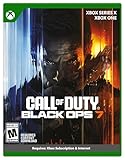
Call of Duty: Black Ops 7 | Cross-Gen Bundle | XBOX Series X and XBOX One | $34.99 | Buy on Amazon |
| 2 |

|
Call of Duty: Modern Warfare 4 | Standard Edition | XBOX Series X | $69.99 | Buy on Amazon |
| 3 |

|
Call of Duty: Black Ops Cold War (Xbox X) | $26.99 | Buy on Amazon |
What transfers, and what does not
A sub-franchise change is not a file-copy operation. The destination game reads the Call of Duty profile associated with the Activision account linked to the platform on which you play. The exact content available can also depend on the destination title, platform, and current season.
| Data type | Expected behavior | Qualification |
|---|---|---|
| Player XP and rank | Available when the destination title supports the same account-based progression system. | Modern Warfare guidance places progress on the Activision/Call of Duty account; Modern Warfare III guidance lists stats and rank on all platforms using the same linked account. |
| Weapon XP, weapon levels, and camo progression | Available for supported content. | Modern Warfare guidance includes Weapon XP; Modern Warfare III guidance specifically lists weapon and camo progression. A weapon or camo that does not exist in the new game cannot appear there. |
| Items earned or unlocked through gameplay | Carry over when recognized by the destination title. | Cross-progression does not make incompatible items usable in a game that has no equivalent item. |
| Battle Pass progress | Can be associated with the same account. | Season and title rules control how a pass is recognized, so check the destination game’s current support information. |
| Campaign progress, completed missions, and challenges | Modern Warfare support guidance identifies these as account-linked progress. | Campaigns are title-specific. A mission completed in one campaign does not become a completed mission in a different campaign unless the destination system explicitly supports that relationship. |
| Personal settings | Do not assume an automatic transfer. | The cited Activision pages do not promise universal import of controller layout, aim sensitivity, graphics, audio, HUD, accessibility, or interface settings between every sub-franchise. |
| Call of Duty Points | Purchased points have platform-specific spending limits in the cited Modern Warfare guidance. | Items bought with those points are shared across linked platforms there. Verify the destination title’s current rules before treating the currency itself as portable. |
Activision’s Modern Warfare support page states: "Game progress in Call of Duty: Modern Warfare is stored on your Activision/Call of Duty account, not your platform account." That is the key distinction when a new console, PC launcher, or sub-franchise is involved.
#1 Best Overall
- XBOX CROSS-GEN BUNDLE – Includes Call of Duty: Black Ops 7 for Xbox Series X, and Xbox One devices with a disc drive.
- CALL OF DUTY: BLACK OPS 7 – Treyarch and Raven Software are bringing players the most mind-bending Black Ops ever.
- CAMPAIGN MODE – Squad up or go solo in an innovative Co-Op Campaign that redefines the Black Ops experience. Take on high-stakes challenges across a wide spectrum of environments, from the neon-lit rooftops of Japan to the Mediterranean coast, and even into the deepest corners of the human psyche.
- MULTIPLAYER MODE – Multiplayer explodes out of the gate with 16 electrifying 6v6 maps and two 20v20 maps at launch. From futuristic Tokyo vistas to the frozen, unforgiving wilds of Alaska, every environment is brimming with danger and opportunity. Master a cutting-edge arsenal and outmaneuver your enemies with an evolved Omnimovement system.
- ROUND-BASED ZOMBIES MODE – The nightmare begins where reality ends. Trapped in the heart of the Dark Aether, the crew is thrust into a vast, ever-shifting hellscape. This isn’t just survival. It’s a descent into madness.
Before you launch the new game
1. Identify the account with the original profile
Find the Activision account that shows your established Activision ID, rank, unlocks, and other Call of Duty data. Do not rely only on the email address currently saved on your console or launcher: a platform account can be linked to an Activision account you no longer remember using.
- Use the account’s Activision ID as the identity check, not just a display name on the console.
- Think back to which email address, sign-in method, or password was used when the original game was first connected.
- If you can still open the old game, inspect the account information shown in its profile or online-services area before signing out.
2. Check Linked Accounts
Open Activision account management and choose Linked Accounts. Confirm that the platform account you will use for the new title appears under the same Activision account that holds the old progression. Supported account types can include PlayStation, Xbox, Steam, Blizzard, Nintendo, and other platforms accepted by the relevant title.
This check matters even if you are staying on the same physical device. A console may have multiple user profiles, and a PC can have separate launcher accounts. The game follows the linked account combination, not the machine itself.
What’s actually slowing this PC down?
Pick the symptom - the matching free tool is one click away.
3. Have the destination title installed and updated
Install the new sub-franchise on the intended platform and apply its available updates. Account services, seasonal content, and entitlement checks can change with a title update. Launching before the platform link is correct can create a blank-looking profile and make the problem harder to diagnose.
Step-by-step: move your profile to the new sub-franchise
- Write down the original identity. Record the Activision ID and the email or sign-in method associated with the account that contains the old progression.
- Sign in to that Activision account first. Use Activision account management in a browser or the sign-in flow presented by the game. Do not create a new Activision account simply because the destination title asks for an initial setup.
- Open Linked Accounts. Review every connected platform. Locate the destination PlayStation, Xbox, Steam, Blizzard, Nintendo, or other supported account and confirm that it is attached to the original Activision account.
- Correct the link before playing. If the destination platform is attached elsewhere, stop and use the account-management controls to associate it with the original profile. Activision’s current account-management guidance says an individual platform account may be unlinked once every 12 months, so do not make trial-and-error changes casually.
- Start the destination Call of Duty title. At the first account or online-services prompt, use the already-linked platform account and the same Activision identity. Allow the game to finish its profile and entitlement synchronization.
- Verify the profile on the main menus. Check the displayed Activision ID, rank, statistics, unlocked content, weapon or camo progression, and any applicable Battle Pass information before spending currency or beginning a long session.
- Rebuild or tune personal settings. Open controller, mouse and keyboard, graphics, audio, interface, HUD, accessibility, and gameplay menus. Copy values from the old title manually where the new title offers equivalent options.
- Test a low-risk activity. Enter a practice, training, private, or otherwise low-consequence mode if the destination game provides one. Confirm that input, aiming, audio, display, and account identity are correct before competitive play.
How to handle settings that do not copy automatically
Settings are preferences, not account progression. Even games in the same family can use different menu names, option ranges, defaults, or input behavior. A sensitivity value of 6 in one title may not feel identical to 6 in another, and a graphics preset can expose different options on different hardware.
Rank #2
- BONUS 2X OFFER — Purchase Call of Duty: Modern Warfare 4 at Amazon and receive 5 hours of Double XP.**
- PRE-ORDER BONUS — Pre-order and unlock the Hunter Killer Operator Skin and the Gilded Pearl Camo Pack.*
- GLOBE‑SPANNING CAMPAIGN — Fight across the Korean Peninsula, New York, Paris, and Mumbai in a high‑stakes narrative where global conflict escalates and survival depends on tactical precision.
- MULTIPLAYER BUILT ON CONTROL — Engage in grounded, precise combat where fluid movement, player choice, and refined mechanics give you greater control in every firefight.
- TACTICAL DMZ OPERATIONS — Deploy behind enemy lines as an off‑the‑books asset, making high‑risk decisions on objectives and extraction in a dynamic mode where every run counts.
Controller and mouse settings
- Record horizontal and vertical sensitivity, aim-down-sights multipliers, response curve, dead zones, trigger behavior, vibration, and button layout from the old title.
- Check whether the new game separates infantry, vehicle, aircraft, or third-person controls. Copy only the categories that exist.
- Use a short practice session to adjust aim rather than assuming numerical equality guarantees the same feel.
- For mouse and keyboard, note mouse sensitivity, field of view, ADS behavior, keybinds, sprint or crouch behavior, and mouse acceleration options.
Graphics and display
Re-select resolution, display mode, refresh rate, field of view, brightness, texture or shader options, frame-rate limits, and motion effects. A console, monitor, GPU, or performance mode can expose a different set of controls than the previous title.
Audio, HUD, and accessibility
Review master, effects, dialogue, music, voice-chat, dynamic-range, subtitle, color, text-size, and screen-effect options. Recheck minimap behavior, damage indicators, hit markers, crosshair appearance, feed placement, and notification preferences. These choices are commonly stored by the individual game rather than guaranteed to follow the Activision profile.
Common move scenarios
| Scenario | What to do | Main risk |
|---|---|---|
| Modern Warfare to a Black Ops title on the same console | Confirm the console profile is linked to the original Activision account, then launch the new title. | Expect account-recognized progression and supported unlocks, but review settings and title-specific content. |
| Old console to a new console | Link the new console account to the existing Activision account before opening the game. | Signing in with a newly created Activision account produces an apparently empty profile. |
| Console to PC | Link the destination Steam or Blizzard account to the original Activision account, then launch through that linked account. | Using a different launcher identity can make the profile appear unlinked even when the old console data still exists. |
| PC to console | Perform the same Linked Accounts check in reverse and verify the console user profile. | Platform-specific currency rules may differ from progression rules. |
| Two people sharing a device | Sign out of the other person’s platform profile and verify the displayed Activision ID before launching. | The game can load the wrong linked account without any hardware fault. |
What Black Ops 7 changes about the check
Activision’s 2025 Black Ops 7 support information describes cross-progression through the Activision account. Gameplay across Co-Op Campaign, Multiplayer, Zombies, and Warzone earns XP toward 55 levels covering weapons, equipment, scorestreaks, operators, and more. Beginning in Season 01, gameplay also counts toward overall player and Battle Pass progression.
The practical implication is that you should verify more than a single level number after signing in. Check the destination title’s player level, weapon and equipment progression, operator availability, scorestreaks, and Battle Pass state. A mode or item introduced by Black Ops 7 can follow its own rules even though the account identity is shared.
Purchases, earned content, and Call of Duty Points
Earned and unlocked content
Modern Warfare guidance includes items earned or unlocked through gameplay, while Modern Warfare III guidance lists unlocked content as available on platforms using the same linked Activision account. That does not mean every item is universal across sub-franchises: a cosmetic, weapon, campaign reward, or operator must be supported by the destination title before it can be displayed or used.
Rank #3
- As Elite operatives, you will Follow the trail of a shadowy Figure named perseus who is on a mission to destabilize the global balance of power and change the course of history.
- Descend into the dark center of this global conspiracy alongside iconic characters woods, Mason and hudson and a new cast of operatives attempting to stop a plot decades in the making.
- Beyond the campaign, players will bring a cold war arsenal of weapons and equipment into the next generation of multiplayer and Zombies experiences.
- Includes Xbox x, and Xbox One version of game on disc. Xbox x standard editions playable on Xbox One. Not playable on disc less Xbox series S.
- Some features may require an internet connection and an online subscription
Items bought with points
In the cited Modern Warfare guidance, items purchased with Call of Duty Points are shared across linked platforms, while the points themselves can be spent only on the platform where they were purchased. Treat that as a title-specific rule rather than a permanent promise for every later release. Seasonal store systems and platform policies can change.
Free tools Windows power users keep installed
One-click scans. No signup required.
Before making a purchase
- Verify the destination game’s current support page and season rules.
- Confirm that the displayed Activision ID is the one holding your existing content.
- Check which platform will receive and spend the currency.
- Do not buy points to test whether an account transfer worked; verify the profile first.
If the new game shows a blank profile
A blank rank, missing unlocks, or an unfamiliar Activision ID usually indicates an account-link problem rather than deleted progress. Stop playing long enough to check the identity; creating new progress on the wrong account can make later troubleshooting confusing.
Branch 1: the wrong Activision ID is displayed
- Exit the destination title completely.
- Open Activision account management and inspect Linked Accounts.
- Identify which Activision account is connected to the current platform profile.
- Sign back in with the account that contains the original progression.
- Relink the platform only when you are certain of the original account and understand the 12-month unlink limitation described in current account-management guidance.
- Relaunch the game and allow synchronization to complete.
Branch 2: the correct Activision ID is displayed but content is missing
- Confirm that the missing item belongs to the destination title and is supported on that platform.
- Check whether the content is tied to a particular season, Battle Pass, edition, or mode.
- Restart the title after account services finish loading and install any pending updates.
- Compare the missing category with the evidence documented for that title: stats, rank, weapon and camo progression, and unlocked content are explicitly listed for Modern Warfare III, while settings are not promised as a universal import.
Branch 3: a platform account is linked to a different Activision account
Activision says that progress and content are not lost when this happens and can be recovered by relinking the platform account to the original Activision account. Do not delete the old account or start transferring items between accounts; the recovery path is to restore the correct association.
Branch 4: only settings are missing
This is expected more often than a missing progression profile. Re-enter settings manually using the old title as a reference. Keep a written record or screenshots of preferred values before changing hardware or games so the next move is quicker.
What not to do
- Do not create a second Activision account just because the new title starts with default settings.
- Do not assume that copying a console save, installing the game on a new drive, or moving files between PCs transfers online progression.
- Do not unlink and relink accounts repeatedly to test possibilities; the current account-management guidance limits an individual platform account to one unlink every 12 months.
- Do not use transfer cables, generic controller utilities, cleanup software, or account services as substitutes for the Activision account link.
- Do not spend Call of Duty Points until the destination game displays the correct Activision identity and you have checked its current currency rules.
Final verification checklist
Use this checklist before treating the move as complete:
- The destination platform account appears under the original Activision account’s Linked Accounts page.
- The new title displays the expected Activision ID.
- Rank, statistics, weapon or camo progression, and supported unlocked content are present.
- Any Battle Pass or seasonal progression is shown under the destination title’s current rules.
- Controller, mouse, graphics, audio, HUD, and accessibility settings have been reviewed manually.
- Call of Duty Points and purchased items have been checked against the destination title’s platform and season restrictions.
- No second Activision account was created to solve a profile-loading problem.
The purchase or installation of a new Call of Duty sub-franchise does not perform the transfer. Correct account identity and platform linking do; the destination game then determines which progression, content, currency, and settings it can recognize.
Quick Recap
Product prices and availability are accurate as of the date/time indicated and are subject to change. Any price and availability information displayed on Amazon at the time of purchase will apply.

