
iTechGuides is reader-supported. When you buy through links on our site, we may earn an affiliate commission. As an Amazon Associate I earn from qualifying purchases. Learn more
Call of Duty HQ does not transfer every setting as one universal profile. It automatically imports settings in its shared, Call of Duty-level layer. Settings managed inside an individual game—including many controller, gameplay, and new-mechanic options—are not automatically imported and must be checked or recreated in the destination title.
How Call of Duty settings transfer works
Call of Duty HQ separates configuration into two levels:
- Shared global settings: Settings that belong to Call of Duty’s common layer can be automatically imported from the previous title.
- Title-specific settings: Settings managed inside a particular game are not automatically imported. Controller layout, gameplay behavior, and options tied to that game’s mechanics may therefore need manual review.
This distinction explains why a move from Modern Warfare III to Black Ops 6, or from Black Ops 6 to Black Ops 7, can appear partly successful: some preferences may already be present while the controller page still needs work.
Blizzard’s launch documentation describes the policy this way: “Other settings that are more game-specific can be managed at the individual title levels of the UI … Settings at this level will not be automatically imported from prior games.”
#1 Best Overall

- We Proudly Customize in USA Original Micro-Soft X-box One/Series X/S Controller using Hydro-dip Painting- it brings life to your regular boring controller. The colors never fade, even if you use it for long hours frequently, all thanks to its most Advanced hydro-dip printing technology.
- These Custom X-box Series X Controllers will add a Cherry to your Gaming Room Decor. These Controllers come with all Original Accessories and their normal working is not affected by the custom printing on them. Since these are not skins, you need not worry about them peeling off after some time or any wrinkles or bubbles on the surface.
- We believe that one shouldn't settle for a normal, plain boring controller when they can have a controller that is colorful, has great artwork on it, have a soft touch feel, and is so much fun! Stand out among all your gamer friends/streamers with these Unique Designed X-box One Controllers.
- Feel confident purchasing your New Wireless Custom X-box Series X/S controller because all controllers are manually Checked for quality by our in-house technicians in the USA and Tested before shipping out. All Controllers are compatible with X-box One, X-box One S/X, X-box Series S/X, and, PC Windows 10 devices.
- High quality and wear-resistant and with your favorite character design on both sides, these controllers include a brand new wireless connection that lets you rid yourself of cable lines to enjoy a great wireless range!
Before changing games, record the setup that feels right
Do this while the old game is still installed and configured. A screenshot of each relevant page is usually faster and safer than trying to remember values during your first match in the new title.
- Controller layout or button preset.
- Individual button mappings, if the game supports them.
- Horizontal and vertical stick sensitivity.
- ADS sensitivity and any separate low- or high-zoom multipliers.
- ADS timing or transition behavior.
- Response curve type and stick dead-zone values, where shown.
- Aim-assist choices.
- Movement, sprint, slide, crouch, and related behavior options.
- Any title-specific options added for the new game’s mechanics.
Use the exact value and label shown in the old game. A note such as “sensitivity 6” may not be enough if the destination title exposes separate horizontal, vertical, ADS, or timing controls.
Step-by-step: move your Call of Duty setup
- Open the destination title through Call of Duty HQ. Select the new game from the HQ interface rather than assuming the last-used title is active. Blizzard’s launch guidance says Modern Warfare III remains available through cross-launch on the All Games tab or the Last Played tile, which is useful when you need to return to the old configuration.
- Check the shared Call of Duty settings first. Review the settings that live at the common HQ level. These are the settings covered by the automatic-import policy. Do not assume that seeing one imported preference means every controller value transferred.
- Enter the destination game’s own settings. Open its settings menu and select the controller page. Menu names and locations can change by title, platform, and patch; there is no single universal button-by-button import path published for every version.
- Compare the controller layout. Match the old preset or rebuild custom mappings. Check the physical action assigned to jump, crouch or slide, reload, interact, melee, equipment, weapon swap, and the pause or menu functions that you use most often.
- Compare aiming behavior. Check stick sensitivity, ADS sensitivity, ADS timing, response curve, and aim-assist options. The official Black Ops 6 controls guidance specifically highlights sensitivity and ADS timing as settings that deserve attention.
- Recreate movement behavior. Review sprint, slide, crouch, and other movement settings that are local to the destination title. New mechanics can introduce options that did not exist in the old game, so copy equivalent behavior rather than forcing a one-to-one value where no equivalent exists.
- Save the destination settings. Confirm each page before leaving the menu. If the game separates controller, gameplay, and advanced controller pages, check all of them.
- Test in a low-stakes environment. Use a training area or an unimportant match. Test movement, aiming, firing, reload, jump, slide, melee, equipment, and weapon swapping before playing competitively.
- Repeat the check for every mode you play. Multiplayer, Zombies, a Black Ops campaign or co-op mode, and Warzone can expose different local settings. A layout that feels correct in one mode should not be treated as verified everywhere.
What transfers automatically and what requires manual work
| Setting area | Expected behavior | What you should do |
|---|---|---|
| Shared Call of Duty settings | Automatically imported when the setting belongs to the common HQ layer. | Open the destination title and confirm the values before playing. |
| Controller layout and custom mappings | Title-specific settings are not automatically imported according to the official documentation. | Compare the controller page and recreate the preset or mappings. |
| Stick sensitivity | May require a destination-title check; sensitivity is specifically identified as an important setting to review. | Copy the old values, then test aim and tracking in the new title. |
| ADS sensitivity and timing | Game-specific behavior can differ even when the number appears similar. | Match both the sensitivity value and the ADS transition or timing option. |
| Response curve, aim assist, and movement options | These may be managed locally by the individual title. | Review each option instead of assuming it followed the global profile. |
| Physical controller hardware | The controller itself does not carry the game’s settings file between titles. | Use the same controller if you like, but configure the destination game separately. |
| Warzone configuration | Warzone has its own continuity context and should not be assumed to match a Black Ops title automatically. | Open Warzone’s controller settings and verify them as a separate destination. |
Why sensitivity can feel wrong after the transfer
A sensitivity number is only one part of aiming behavior. The destination title can expose a different combination of stick response, ADS timing, zoom-specific multipliers, and aim-assist choices. Even when a global preference was imported, a title-specific controller value may still be at its default or at a different setting.
What’s actually slowing this PC down?
Pick the symptom - the matching free tool is one click away.
When aim feels too fast, too slow, or inconsistent:
Rank #2

- Iconic Monkeybomb Design: This officially licensed Call of Duty collectible features the legendary Monkey Bomb character rendered as a detailed 8.5 in tall gaming accessory that expresses your passion for the franchise
- Dual-Purpose Controller Holder: Heavy-duty PVC construction with a sturdy base securely holds gaming controllers, smartphones, and devices without tipping, combining functional organization with display appeal
- Universal Device Compatibility: Grips most gaming controllers including PlayStation 5 DualSense and Xbox Series S/X, plus iPhones, Android phones, TV remotes, and eBook readers for complete desk organization
- Authentic Licensed Collectible: Officially licensed by Activision, this Cable Guys figure delivers genuine Call of Duty authenticity that counterfeit alternatives cannot match for true COD gamers
- Premium Gaming Desk Accessory: Transforms any gaming setup into a professional space while keeping your devices within reach, perfect for streamers, competitive players, and collectors who value quality
- Compare horizontal and vertical sensitivity separately.
- Check ADS sensitivity rather than changing hip-fire sensitivity immediately.
- Verify ADS timing or transition behavior.
- Check the response curve and aim-assist options.
- Test the result with the same weapon type and optic style you normally use.
Change one value at a time. That makes it possible to identify whether the problem is the sensitivity itself or a different aiming option.
Verify each mode instead of relying on one successful test
Multiplayer
Test your complete combat loop: sprint into a fight, aim down sights, fire, reload, swap weapons, throw equipment, jump, and slide or crouch. Multiplayer is often the first place a changed button mapping becomes obvious because actions are performed quickly and repeatedly.
Zombies
Check interact, equipment, armor or equivalent actions, weapon swapping, and movement under pressure. Do not assume a mapping verified in Multiplayer covers every Zombies action.
Black Ops 7 co-op campaign
Black Ops 7 currently includes Multiplayer, Zombies, and Co-op Campaign. Treat the Co-op Campaign as another destination mode and confirm any actions that are presented differently from competitive play.
Rank #3

- ✅【4 Fingers-Operation】 Just use your index and middle fingers to press the L1R1 triggers, that shooting, aiming, left/ right tilted head, moving, jumping, squatting and and lying operations can be performed at the same time, It will be a breeze to defeat the thumb-hold players, also a massive advantage in close range combat because difference in milliseconds can be life or death. No disconnection, response delay, root request or system incompatibility issues.
- ✅【Ergonomic Grip Controller】People may get hands cramps after playing hours of battle royal games with cellphone. DELAM gamepad is specially designed for mobile shooting games, it extends your phone into a traditional Xbox or PS controller, more comfortable for big hands. Phone body and controller are firmly fixed through three contact points covered of rubber pads to prevent the phone sliding, and won't press your on off button and volume keys, or scratch your phone.
- ✅ 【Wide Range Applicable for 4.7-6.5" iPhones & Android Phones (Max Phone Length: 16.8cm include Phone case) 】 Work for PUBG Mobile/ Call Of Duty Mobile/ Free Fire/ Critical Ops/ Rules of Survival/ Knives Out/ Cross Fire/ Terminator 2 Judgment Day/ Survivor Royale as long as the game allows customize and drag the touch points. Please feel free to contact us at the first time.
- ✅【High Sensitive Finger Sleeves】100% brand new. With copper fiber covered, finger sleeves for gaming ensures your every touch is accurate and effective. More sensitive than silver fiber.
- ✅【Sweat-Absorbent & Breathable】High-quality copper fiber mobile gaming sleeves is lightweight, breathable and has good sweat absorbing ability. They allow you to separate your thumb with the touch screen, fast sweat kick-away and fast dry.
Warzone
Warzone has its own continuity context. Open Warzone directly and inspect its controller settings rather than using a Black Ops test as proof that the Warzone layout transferred.
Common problems and the practical fix
Some settings appeared, but the controller layout did not
This is the expected result when a shared setting was imported but the controller layout is managed at the title level. Open the destination title’s controller page and rebuild the layout from your screenshots or notes.
The sensitivity number matches, but aiming still feels different
Check ADS timing, response curve, aim-assist options, and separate ADS values. Then test again in the same type of scenario. Matching one number does not establish that the entire aiming model is identical.
The destination title opens with defaults
Confirm that you launched the intended game from Call of Duty HQ, then inspect both the shared settings page and the individual title settings. If the value is title-specific, manual recreation is required under the documented policy.
Rank #4
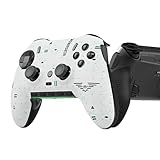
- Four rear, remappable paddles keep your thumbs on the sticks for faster reactions.
- Five fully remappable G-Keys for advanced macros and Corsair iCUE integration.
- Two unique side-mounted SAX buttons are designed to provide additional configurability and fit the natural placement of your fingers.
- OMRON mechanical button switches operate like a mouse click for instant activations.
- Corsair SlipStream ultra-fast wireless-connectivity.
The layout works in one mode but not another
Review the mode-specific settings pages. Multiplayer, Zombies, Black Ops co-op content, and Warzone may expose different local options, so save and test the configuration in the mode where you actually play.
You are considering an adjustable controller
An Xbox Elite controller is mentioned as optional configurable hardware in the official Black Ops 6 controls guide, but buying one is not required to transfer settings. Hardware does not move the game’s settings file; the in-game review and recreation steps still apply.
Independent reader supportYour contribution helps us test, update, and keep practical guides available for everyone.Moving between the games readers ask about most
Modern Warfare III to Black Ops 6
Launch Black Ops 6 through HQ, confirm the shared settings, then open Black Ops 6’s controller page. Use the Modern Warfare III screenshots or notes to recreate the layout, sensitivity, ADS timing, response curve, aim assist, and movement behavior. Test Multiplayer first, then verify Zombies or other modes you use.
Recommended Free Tools
Black Ops 6 to Black Ops 7
Follow the same process. Black Ops 7’s Multiplayer, Zombies, and Co-op Campaign should each be checked after the title-specific values are recreated. New mechanics can add local options that have no direct predecessor, so choose and test those settings rather than assuming an automatic equivalent.
Best Value
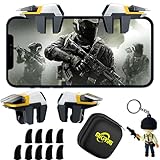
- ✅【Using Tips】These Mobile Game controllers are using the sensitive real mouse micro switch inside. So there are several phones which have the electromagnetic problems. This will cause the triggers touch the screen automatically. Please do not worry about this and you just need to turn off the screen for 5 seconds and turn on the screen again. This issue will solved right away.
- ✅【Perfect Compatibility】These Mobile Game controllers are compatible with iPhone, iPad and most Android Phones, without even remove your case.(The thickness of the compatible mobile phone should be not more than 13mm.) These 6-fingers-operation mobile game controllers are suitable for a variety of shooting games, including PUBG, Call of Duty, Fortnite, Knives Out, Rules of Survival, Survivor Royale, Critical Ops etc. As long as the game allows customizing and draging the keys.
- ✅【Super Gaming Experience】This PUBG game triggers is made of ABS and alloy, durable and ergonomic. 6 trigger PUBG mobile controller electroplated alloy materials, mouse buttons, smooth touch, six-finger linkage, auxiliary pressure grab, one-second burst, dominate the game battlefield, and enjoy the ultimate gaming experience. Call of Duty mobile controller are sensitive to shoot and aim, no Power supply and driver needed, easy to use and high precision, increase your game score!
- ✅【Mechanical Touch】4 triggers PUBG mobile controller designed for longevity with greater durability and responsiveness, more than 2 million click. Fast mechanical keys with medium resistance, precise actuation, audible click sound, and tactile bump feedback. Easy To Use, High Sensitive, Physical Button Feedback. Using this PUBG mobile game controller, you can move, angle adjust, aim and shoot at the same time with the thumbs and index fingers of the left and right hand.
- ✅【Small and Lightweight】The PUBG game triggers are portable and tiny for you to put them into your pocket, and have them for gaming when in office, school, trip, camping and play games anywhere and anytime. With the 6 trigger PUBG mobile controller, you can simultaneously move, turn, aim and shoot by using the index fingers to press the buttons, which can eliminate the trouble that use thumbs only to make all operations.
Black Ops or Modern Warfare to Warzone
Do not treat a successful transfer into a Black Ops title as proof that Warzone matches it. Open Warzone’s own settings, compare the controller and aiming pages with your reference notes, and run a Warzone-specific test.
Keep a reusable settings record
Maintain one short record for each title and mode. Include the date, game version if shown, controller preset, custom mappings, sensitivity, ADS timing, response curve, aim assist, dead zones, and movement options. Capture a new screenshot whenever a patch or seasonal update changes a menu.
When moving again, compare the destination title against that record rather than relying on memory. This also makes it easier to restore a preferred layout after experimenting with a new mechanic.
Free tools Windows power users keep installed
One-click scans. No signup required.
Input devices and anti-cheat restrictions
A standard controller is sufficient for this process. Configurable hardware can provide extra physical controls, but it does not replace the game’s settings menus. Do not use input-modification devices such as Cronus Zen or XIM Matrix; Call of Duty’s anti-cheat update says those devices are not permitted.
The reliable rule
Use Call of Duty HQ’s automatic import as a starting point, not as proof that your complete setup transferred. Confirm the shared layer, manually inspect every destination title’s controller settings, and test each mode you play. That workflow is the dependable way to carry your layout and aiming feel between Call of Duty games.
Quick Recap
Product prices and availability are accurate as of the date/time indicated and are subject to change. Any price and availability information displayed on Amazon at the time of purchase will apply.

