
Do these 3 things before closing this tab:
1Scan for outdated or missing drivers - takes under a minute2Clear out junk files and repair common Windows errors3Fix the driver behind crashes, sound loss and screen glitchesiTechGuides is reader-supported. When you buy through links on our site, we may earn an affiliate commission. As an Amazon Associate I earn from qualifying purchases. Learn more
You can make a useful, repeatable home test with a lux meter, a fixed flashlight-to-sensor distance, controlled room lighting and a time log. The result is illuminance in lux at your chosen distance and the time to a clearly stated endpoint—not a laboratory lumen rating.
For each run, keep the mode, battery condition, aim, distance and surroundings constant. Record the starting reading and readings at regular intervals, then report either time to a practical lux threshold, time to switch-off, or a result aligned with the ANSI/PLATO FL 1-2025 definition. Those endpoints answer different questions.
What a home test can—and cannot—tell you
A home test is best for comparing flashlights under identical conditions or learning how one light’s output changes during use. A fixed-distance lux reading shows how much illuminance reaches one sensor location. It does not, by itself, establish total luminous flux in lumens.
The Tool Desk
Outbyte Driver Updater FREEFix the driver behind crashes, sound loss and screen glitchesFind Drivers →Outbyte PC Repair FREEClear out junk files and repair common Windows errorsFree Scan →Lux is a point measurement
Lux measures illuminance at a surface or sensor. Beam angle, focus, distance and aim all affect the number. If you move the meter, change the distance or let the beam shift, you have changed the measurement as well as the flashlight’s output.
#1 Best Overall
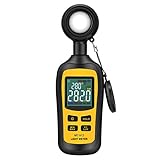
- Measures luminosity from 0 to 200,000 Lux and ambient temperature
- High accuracy of ±3% rdg ± 8 dgts (10,000 Lux)
- 4 digital color LCD screen, MIN/Max readings, data hold, auto power off, and low battery indication
- Wide range of application, use lux light meter for set design, factory, office or home use
- lightweight and compact, 2 years long period warranty
Lumens are total light output
Lumens describe total luminous flux over the flashlight’s full angular output. Streamlight’s explanation of FL 1 measurement describes integrating that output with a spectroradiometer and integrating-sphere system plus calculation software. A consumer lux meter does not perform that integration. Therefore, label a home result as “lux at 1 meter” (or your actual distance), never as lumens.
Perceived usefulness also depends on beam shape
A broad flood beam and a narrow throw beam can have similar total output but produce very different readings at one point. Petzl’s consumer explanation notes that beam distance depends on brightness and especially beam shape. Use the same distance and sensor position when comparing lights, and do not infer reach from a lumen-like number.
Choose the question and endpoint before switching on
“Runtime” is not one universal number. Decide what you need to know, write it down, and use the same definition for every flashlight in a comparison.
Free tools Windows power users keep installed
One-click scans. No signup required.
| Test goal | What to record | Endpoint to report |
|---|---|---|
| Relative brightness comparison | Lux at a fixed distance and aim, starting with the same battery condition | Starting lux and the time-series change for each light |
| Time to usable light | Lux readings at regular intervals | Elapsed time until the light falls below your chosen lux threshold |
| Complete endurance | Lux readings plus a timer | Elapsed time until the light switches off; say that this is a shutoff endpoint |
| FL 1-style context | Output measured after the specified activation interval | For an ordinary mode, time from the 30-second output until output reaches 10% of that value |
| Short-Duration Elevated Brightness (SDEB) context | Output during the one-to-10-second measurement interval | Time until output falls to 90% of the maximum measured in that interval |
A user-defined lux threshold is practical, but it is not automatically an ANSI/PLATO runtime result. State the threshold and distance in the first sentence of your report.
Equipment and conditions
You do not need laboratory equipment for a comparative test. Assemble:
Rank #2

- High Precision & Fast Response: This high-precision illuminance meter delivers lightning-fast readings 2 times per second, ensuring you get accurate light intensity data—perfect for creating the ideal growing environment for your plants.
- FC/LUX Conversion: FC or LUX? The Power is in Your Hands! Effortlessly toggle between FC and LUX to measure light intensity in the unit that suits your gardening needs—precision made simple.
- PEAK Data Recording: Instantly lock in and display the highest light pulse value with a single press of the PEAK button—perfect for measuring lightning, laser beams, and other brief high-intensity sources.
- Low Battery Alert: Stay powered, stay prepared! A handy + - symbol appears when the battery runs low, so you’ll always know when it’s time to swap out the 9V battery and keep your light measurements going strong.
- Versatile Usage: Ready for any setting! Whether indoors or outdoors, this meter is perfect for homes, offices, factories, or measuring sunlight intensity to create the perfect environment for your plants to thrive.
- The flashlight and the mode you intend to test.
- The battery type recommended by the flashlight maker.
- A consistent battery state: fully charged for a rechargeable light, or a fresh, matched set for replaceable batteries.
- An optional digital lux meter. A published flashlight-performance study used an illuminance meter, so this instrument has a direct connection to the task.
- A stable stand, clamp or other way to keep the flashlight aimed without touching it.
- A fixed mount or marked position for the lux sensor.
- A timer or logger for elapsed time and a sheet or spreadsheet for readings.
- A dim room or enclosure that limits stray light and reflections.
Follow the flashlight and battery manufacturers’ instructions. Do not improvise charging, cell combinations or operating conditions that the maker does not permit. A phone timer can improve record keeping, but a phone app does not calibrate the phone’s ambient-light sensor.
Build a repeatable measurement setup
- Pick the distance. One meter is a useful, easy-to-mark distance and was used in a published Lawrence Berkeley National Laboratory study. You may choose another distance, but use exactly the same one for every run.
- Mark both positions. Mark the flashlight’s front position and the lux sensor’s position on the floor, bench or a rigid optical rail. Measure the distance rather than estimating it.
- Fix the aim. Point the flashlight at the center of the sensor. Clamp or support it so that vibration, cable movement and accidental bumps cannot change the angle.
- Control the room. Turn off lights that can reach the sensor, close curtains and keep reflective surfaces out of the beam where possible. A dark box is more controlled than an ordinary room; the LBNL study used one to reduce stray light.
- Keep the sensor orientation constant. Face it the same way in every run. Do not hold it in your hand, because small angle changes can produce a different reading.
- Choose the battery state and mode. Use the same mode and the same battery condition for all compared flashlights. Do not compare one light’s turbo mode with another light’s regulated high mode and call the durations equivalent.
The LBNL setup is a precedent for fixed geometry and reduced ambient light, not a claim that a home arrangement is a complete FL 1 laboratory test.
Run the brightness and runtime test
- Prepare a log. Create columns for elapsed time, lux, mode, battery description, distance, ambient-light condition and notes. Add a field for the endpoint you selected.
- Settle the equipment. Place the flashlight and meter in their marked positions. Verify that the beam hits the sensor and that no person or object blocks the path.
- Start the timer and light together. Activate the flashlight, start the timer immediately and note the first reading you intend to use. If your meter needs a short stabilization period, use the same procedure in every run.
- Take the starting reading. Record lux and the exact elapsed time. For a simple home comparison, a reading soon after activation is useful, but do not label it an FL 1 starting value unless you follow the applicable timing definition.
- Log at regular intervals. Choose an interval, such as every 30 or 60 seconds, and keep it unchanged across tests. Record the displayed lux even when it drops sharply or the light steps down.
- Note events. Write down visible step-downs, flicker, a change in beam, a thermal pause, warning flashes or a switch-off. These events explain a graph that a single runtime number hides.
- Stop at the chosen endpoint. Stop when the reading crosses your declared lux threshold, when the light turns off, or when your FL 1-style criterion is met. Do not silently substitute one endpoint for another.
- Repeat important runs. Reposition the equipment, restore the same battery condition and repeat. Placement, ambient light, battery state and thermal regulation can all affect the result.
Calculate and present brightness retention
For a relative comparison, convert each reading to a percentage of the selected baseline:
relative brightness (%) = (current lux ÷ baseline lux) × 100
Use the same baseline rule for every flashlight. If you want to show how a light behaves after its initial boost, make the baseline explicit—for example, the reading at 30 seconds—rather than mixing an immediate peak from one light with a settled reading from another.
Rank #3
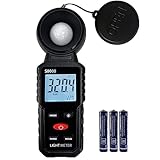
- 【Widely used】S8608 is a digital illuminometer, used for measuring visible brightness, large screen display, wide measuring range, up to 200000LUX, automatic conversion range. Can be widely used in such as schools, hospitals, factories, airports, families and other occasions of brightness measurement.
- Measurement visible brightness, measurement range is wide
- lluminance unit switch,Unit of illuminance:LUX、FC
- Measurement time: S
- MAX/ MIN,Data HOLD,Backlight function
Plot elapsed time on the horizontal axis and lux (or relative percentage) on the vertical axis. A table of time, lux and percentage is sufficient when you do not need a graph. The useful comparison is usually the shape of the curve:
Quick wins for a faster PC:
Scan for outdated or missing drivers - takes under a minuteDriver Scan →Clear out junk files and repair common Windows errorsFree Scan →- Regulated output: readings remain comparatively level until the battery or thermal limit causes a later decline.
- Step-down: an early high value is followed by a discrete drop to a lower level.
- Progressive dimming: readings decline continuously, so a practical threshold may be more informative than shutoff time.
- Unstable operation: flicker or repeated changes should be noted rather than averaged away.
Report the raw lux at the sensor, the distance, the mode, the battery condition and the endpoint. A statement such as “412 lux at 1 meter for 18 minutes, then below 50 lux” is reproducible; “18-minute runtime” without an endpoint is ambiguous.
How ANSI/PLATO FL 1-2025 defines the relevant tests
ANSI’s catalog lists ANSI/PLATO FL 1-2025 as the current edition in this coverage. The standard covers portable directional-lighting performance, including light output, runtime, beam distance, peak beam intensity, impact resistance and water and dust protection. The 2025 revision adds treatment for Short-Duration Elevated Brightness, commonly called a turbo or boost mode.
| FL 1-2025 case | Output measurement window | Runtime endpoint |
|---|---|---|
| Ordinary mode (not SDEB) | Between 30 seconds and two minutes after activation | Output reaches 10% of the initial output measured at 30 seconds |
| SDEB mode | Between one and 10 seconds after activation | Output falls to 90% of the maximum measured in that interval |
These are standardized thresholds, not a promise that a flashlight stays near peak brightness for the whole advertised runtime. A light can begin with a high boost, step down for thermal control, and still satisfy the relevant definition when it reaches the specified endpoint.
“The ANSI/PLATO FL 1 Standard has always been about giving manufacturers, retailers and consumers a consistent way to understand and compare portable lighting performance.”
What’s actually slowing this PC down?
Pick the symptom - the matching free tool is one click away.
Special offer. See more information about Outbyte and uninstall instructions. Please review EULA and Privacy policy.Rank #4
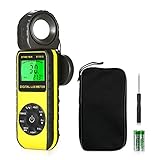 BTMETER BT-881D Digital Illuminance Light Meter with 270º Rotated Sensor
- ☀【HIGH ACCURACY】+/- 4% of readings for 10000 Lux, 1000 FC; +/- 5% of readings +/- 10 digits for 400000 Lux, 40000FC
- ☀【0.4 SECOND RESPONSE】2~3 times sampling per second, Instantly to measure out how much luminosity intensity you’re getting, No more guessing
- ☀【WIDE MEASURE RANGE】 This light meter can measure luminance at 0.01~400,000 Lumens, (0.01~40,000 Foot Candles), Which is much wider than the others. Resolution 0.01
- ☀【EASY TO USE】The light sensor can be rotated 270º, so you don’t need to turn around the light meter to measure luminosity intensity from different angles. Just rotate the sensor, and you can still read the illuminance at front
- ☀【MEMORIZE THE LIGHT READINGS】This Lux Meter can help you record 33 sets of readings,Temp Testing, The RELATIVE measuring mode will show you the difference between current / recorded data. Ideal lux meter to measure light intensity for LED grow lights,garden, plants, school, office, state, LED lights, indoor and outdoor
PLATO technical explainer
The public explanation of the criteria comes from PLATO; the complete standard is sold through ANSI’s catalog. If you need a formal compliance claim, consult the full 2025 edition and its test procedures. A household lux test can provide useful context but does not establish certification.
Compare two or more flashlights fairly
Run the lights under matched conditions. At minimum, compare these four outcomes:
- Early brightness: lux at the same elapsed time and distance. Use a settled reading when your comparison requires one, and identify the time.
- Brightness retention: the percentage curve or lux readings at common time points.
- Time to the same useful-light threshold: for example, the first time each light falls below your selected lux value.
- Battery and mode context: battery chemistry and condition as specified by the maker, mode name, and whether the light started in a boost or turbo state.
Do not compare readings taken at different distances as though distance had no effect. Do not combine a narrow beam aimed directly at the sensor with a flood beam that spreads beyond it and then treat the numbers as total output. If the practical question is “Which light helps me see a path?”, add a separate observation of beam coverage or reach; that is a different measurement from point illuminance.
Independent reader supportYour contribution helps us test, update, and keep practical guides available for everyone.Optional informal methods and their limits
Ceiling-bounce comparison
Bouncing the beam from a ceiling can reduce the influence of a tight hotspot in some home comparisons. The collected sources do not validate one particular do-it-yourself ceiling-bounce protocol, so treat it as an informal relative method. Keep the flashlight height, ceiling location, aim, sensor location and room lighting identical, and label the result as a ceiling-bounce comparison rather than a lumen measurement.
Phone ambient-light sensor
A phone sensor may show rough differences when the phone, app, distance and orientation never change. Its calibration and spectral response are not established here for flashlight testing. Use it only for an informal comparison and report the method; do not present the reading as calibrated lux or lumens.
Best Value

- UNI-T professional digital illuminance meter UT383. Effectively measures light intensity and display results in units of Lux or FC. Range: 0 to 199,900 Lux / 0 to 18,500 Fc. High accuracy of +/-(4 %+8)
- Compact & easy to use. Large 4 digital LCD screen with backlight. 0.5 s sampling time. Overload indication. Max/Min. Data hold. Low battery indicator. Auto shutdown for power saving
- Portable value pack. What you get: 1 x UT383 mini light meter, 1 x packaging box, 1 x paper manual, 1 x e Manual (free download)
- Effective & Versatile. Widely used in lightening enterprise, agriculture and animal husbandry, mining enterprise, laboratory, office, household, street lights construction, camera & studios, photography, etc
- Easy access to UNI-T 7/24 1 to 1 user support. If you encounter any problems during use, please contact us first (via e-mail) and our customer service team will deal with your problem as soon as it is received
Integrating-sphere measurement
An integrating sphere photometer or spectroradiometer system is the appropriate class of equipment for total luminous-flux work. It is specialized and expensive, so it is not a sensible default purchase for a household runtime guide. If total lumens are essential, use a laboratory or qualified measurement service rather than converting one lux reading.
Troubleshoot inconsistent results
The first run is much brighter
Check battery state, mode selection and elapsed-time alignment. A boost mode can produce a short initial peak, while thermal regulation may reduce output quickly. Repeat with the same baseline rule and record the step-down instead of discarding it.
Readings drift when nothing appears to change
Look for room-light changes, reflections, sensor movement, a shifted aim or people crossing the beam. Re-mark the positions, darken the room and clamp both items. Verify that the meter is not being touched or shadowed.
Two runs disagree after careful setup
Check battery temperature and state of charge, then repeat after the light has returned to the same starting condition. Thermal regulation can change output between runs. Report the spread or the individual traces rather than hiding it in one average.
The light never reaches your threshold
Record that the run ended at switch-off or at your maximum observation time, whichever applies. Do not claim a threshold runtime that was not observed. If you need a lower threshold, define a new test and rerun every flashlight at that threshold.
Use a reporting template readers can reproduce
Include these details with every result:
- Flashlight model and tested mode.
- Battery type and starting condition, following the maker’s instructions.
- Lux-meter model or phone-sensor method, if used.
- Flashlight-to-sensor distance and sensor orientation.
- Room or enclosure conditions and how stray light was reduced.
- Activation time, reading interval and every recorded lux value.
- Chosen baseline and the formula used for relative brightness.
- Endpoint: stated lux threshold, FL 1-style criterion, or switch-off.
- Number of repeats and any step-down, flicker or thermal event.
This level of detail lets another person reproduce the comparison and understand why a home result may differ from a package claim. It also prevents a user-defined “usable light” duration from being mistaken for the standardized FL 1 runtime definition.
Bottom line for a home test
Control geometry, mode, battery condition and ambient light; log lux over time; and name the endpoint. A home lux meter can show how illuminance changes and can support fair relative comparisons. It cannot turn a fixed-distance reading into total lumens. For ordinary FL 1 context, the standardized runtime starts with output measured at 30 seconds and ends at 10% of that value; an SDEB test uses the one-to-10-second window and a 90% endpoint. Those definitions are useful reference points, while a threshold or shutoff time is a separate result for your own use.
Quick Recap
Product prices and availability are accurate as of the date/time indicated and are subject to change. Any price and availability information displayed on Amazon at the time of purchase will apply.

