
Quick wins for a faster PC:
Clear out junk files and repair common Windows errorsFree Scan →Scan for outdated or missing drivers - takes under a minuteDriver Scan →Repair Windows errors before they cause bigger problemsFix Now →iTechGuides is reader-supported. When you buy through links on our site, we may earn an affiliate commission. As an Amazon Associate I earn from qualifying purchases. Learn more
There is no universal Zelda amiibo compatibility rule. The same figure can perform a different function in each game, and some games require you to unlock an amiibo feature before the first scan. Check the official support instructions for the exact game, confirm the in-game unlock, then verify what your specific figure can provide and how often it can be scanned.
Nintendo also says amiibo is optional: “You can still play all amiibo-compatible games without using an amiibo figure.” Buy a particular Zelda amiibo for a reward or collection value you actually want, not because its character name guarantees the same bonus everywhere.
What “compatible” means for a Zelda amiibo
Compatibility is a relationship between one figure and one game. Nintendo’s amiibo FAQ explains that “Each amiibo may work with different compatible games in distinct ways.” A Zelda character printed on the box does not tell you whether the figure will be recognized by your game, what it will award, or whether the reward is fixed, random, cosmetic, or functional.
For example, a Zelda-series figure may produce materials in one title, an outfit variation in another, and a special helper or themed equipment in a third. Even when two games recognize the same figure, their unlock timing, scan limits and reward tables can differ. Treat the game’s current Nintendo instructions as the authority rather than relying on a compatibility list copied from another title.
#1 Best Overall
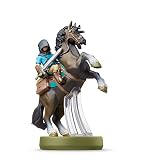
- Made for Play! Discover New Characters, Explore New Game Modes, and So Much More!
- You can use amiibo on your Wii U by tapping them to the NFC touchpoint on the Wii U GamePad.You can also use amiibo on your New Nintendo 3DS and New Nintendo 3DS XL by tapping them to the NFC area on the bottom screen. Alternatively, using the NFC Reader/Writer Accessory you can use amiibo on your Nintendo 2DS, Nintendo 3DS and Nintendo 3DS XL. amiibo are also compatible with the Nintendo Switch
- See individual games for full amiibo functionality
Recognition is not the same as a guaranteed reward
A game can recognize a figure without giving the exact item you expected. Nintendo’s instructions describe randomized items in some cases, while particular figures can be associated with themed equipment, outfit variants or special materials. A “compatible” label therefore answers only the first question—whether the software accepts the scan—not every question about the result.
You do not need an amiibo to play
Amiibo features are optional. If you do not own a figure, you can continue playing an amiibo-compatible game and complete its ordinary progression. The practical decision is whether a specific bonus or the physical collection is worth the figure’s price and availability at the time you buy it.
A reliable compatibility check
Use this process whenever you are considering a figure, especially when a listing promises a particular outfit, weapon or other exclusive item.
What’s actually slowing this PC down?
Pick the symptom - the matching free tool is one click away.
- Identify the exact game and platform. Write down the complete title, not just “Zelda.” The instructions for Breath of the Wild, Tears of the Kingdom and Echoes of Wisdom are different, and another Zelda release may use a different feature or no amiibo feature at all.
- Open Nintendo’s support page for that game. Start with the game’s official amiibo instructions or in-game help. Nintendo’s general FAQ says functionality varies by game, so a result documented for one title should not be transferred to another. Nintendo’s amiibo FAQ is the useful starting point for the general rule.
- Check whether amiibo must be unlocked. Some games hide the scanner until a story or settings milestone. Breath of the Wild and Tears of the Kingdom require the amiibo rune to be unlocked. Echoes of Wisdom requires its amiibo feature to be unlocked, usually about one hour into the game. Scanning before that point will not substitute for the required unlock.
- Read the game’s scan instructions exactly. Confirm the menu path, ability or feature to select, and where the console expects the figure. In Breath of the Wild, Nintendo directs you to unlock the amiibo rune, enable amiibo in Options, select the amiibo ability, and scan at the right control stick. The other games describe their own feature and timing.
- Look for the reward description. Determine whether the game promises general items, randomized drops, a themed outfit, equipment, materials, a paraglider fabric or a special character function. A description that says “may provide” is not a guarantee of a particular drop on every scan.
- Match the exact figure to the reward. Use the figure’s full product name and series, not only “Link,” “Zelda” or another character name. Nintendo’s product page for the Link (Tears of the Kingdom) amiibo, for instance, lists weapons, materials and special paraglider fabric for that game. Check Nintendo’s product description when that is the specific reward you want.
- Check frequency and software requirements. Daily limits are part of the game rules, and Nintendo notes on figure pages that software updates may be required. Confirm the current support page before buying or scanning, particularly if your game has changed since launch.
Quick comparison of the documented Zelda games
| Game | Initial amiibo requirement | What Zelda-series scans can provide | Documented scan limit | Official instructions |
|---|---|---|---|---|
| The Legend of Zelda: Breath of the Wild | Unlock the amiibo rune; enable amiibo in Options; select the amiibo ability. | Random items, including examples such as fish and plants, or a treasure chest; Wolf Link can be summoned as a special helper. | Each figure once per day per Nintendo Account. | Nintendo Support instructions |
| The Legend of Zelda: Tears of the Kingdom | Unlock the amiibo rune before scanning. | Helpful materials and weapons, plus themed paraglider fabric; the exact result depends on the figure and game. | Each figure once per day per Nintendo Account. A unique reward may take more than one scan. | Nintendo Support instructions |
| The Legend of Zelda: Echoes of Wisdom | Unlock the amiibo feature, usually about one hour into gameplay. | Items such as smoothie ingredients or variant outfits; a unique reward may require more than one scan. | Each figure once per day per Nintendo Account, with up to three figures per day. | Nintendo Support instructions |
The table is a guide to the three games covered by Nintendo’s cited instructions, not a complete matrix for every Zelda release, console or figure. For any other title, repeat the seven-step check against that game’s own support page.
Breath of the Wild: how to verify and scan
Unlock and enable the feature
Breath of the Wild does not treat the figure as an automatic early-game shortcut. Nintendo’s support procedure first requires the amiibo rune to be unlocked. In the game’s Options, enable amiibo, choose the amiibo ability, and then scan the figure at the right control stick. Follow that sequence before diagnosing a figure as incompatible.
Rank #2

- Import Game - Japanese Version
- Compatible with US systems (region free)
- Japanese language (other languages may be included)
- Manual and packaging in Japanese language
What a Zelda scan can do
Nintendo describes ordinary Zelda-series scans as a source of items. The official Zelda amiibo page gives examples such as fish and plants and describes a treasure chest outcome. Those are game rewards, not a promise that every Zelda figure produces the same contents. Nintendo’s Breath of the Wild amiibo page provides the series-level descriptions.
Wolf Link is a documented special case. A compatible Wolf Link figure can summon Wolf Link to help in the game, rather than merely dropping a standard item. Nintendo’s support instructions also identify Zelda and 30th Anniversary series figures as examples that can provide items such as fish and plants or a treasure chest. The figure category matters, so compare the exact model with the support description.
Daily use rule
Breath of the Wild allows each figure once per day per Nintendo Account according to Nintendo’s support instructions. If a scan has already been used for that account and figure during the current daily period, repeated attempts do not prove incompatibility. Wait for the limit to reset and check that you are using the same Nintendo Account rule described by Nintendo.
Tears of the Kingdom: figure-specific rewards
Unlock the amiibo rune first
Nintendo requires the amiibo rune to be unlocked before a scan in Tears of the Kingdom. The rune is the gate to the feature; owning a recognized figure does not bypass it. Once the rune is available, use the game’s amiibo ability and follow the on-screen scanning prompt.
Materials, weapons and paraglider fabric
Zelda-series amiibo can provide helpful materials and weapons, and some can provide themed paraglider fabric. The reward is tied to the game’s table for that figure, not to a universal Zelda-series standard. Nintendo’s page for the Link (Tears of the Kingdom) figure specifically identifies weapons, materials and special paraglider fabric as possible rewards in this game. Use the product page to verify that exact figure.
Rank #3
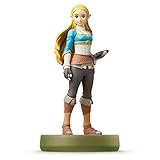
- Import Game - Japanese Version
- Compatible with US systems (region free)
- Japanese language (other languages may be included)
- Manual and packaging in Japanese language
“Possible” is important: Nintendo notes that a unique reward may take more than one scan. A first scan that supplies ordinary materials does not demonstrate that the figure is wrong; it may simply have produced another result in the game’s reward sequence.
Recommended Free Tools
Daily limit
Nintendo’s Tears of the Kingdom instructions state that each figure can be used once per day per Nintendo Account. Plan around that limit if you are pursuing a particular fabric or other unique reward. Do not interpret the one-scan rule as a promise that one scan always delivers the rare result.
Echoes of Wisdom: later feature unlock and three-figure cap
When scanning becomes available
Echoes of Wisdom has its own amiibo feature, which Nintendo says must be unlocked first, usually about one hour into gameplay. Until that feature is available, a supported figure cannot be used through the game’s normal amiibo process.
What scans provide
Scanning The Legend of Zelda series amiibo can provide items such as smoothie ingredients or variant outfits. Nintendo also warns that a unique reward may require more than one scan. The result is therefore both game-specific and potentially sequence-dependent; the character printed on the base is not enough to predict the exact item.
Two separate limits
Nintendo lists a limit of one scan per amiibo figure per day per Nintendo Account and a separate maximum of three amiibo figures per day. If you have already scanned three figures, a fourth figure will have to wait even if that individual figure has not been used that day. Conversely, scanning one figure does not consume the daily allowance for every other figure.
Rank #4

- Compatibility: Wii U, New 3DS, New 3DS LL / XL, Nintendo Switch / OLED
- Release Date: 03 November 2023
- Series: The Legend of Zelda: Tears of the Kingdom
How to compare two Zelda amiibo figures
When deciding between figures, use the following order. It prevents a common mistake: choosing a character first and only later discovering that the desired reward belongs to another model or another game.
- Start with the game. Write down the one title in which you expect to scan. A figure’s usefulness in Breath of the Wild does not establish its usefulness in Tears of the Kingdom or Echoes of Wisdom.
- Confirm recognition and unlock timing. Check the game’s official page and make sure the amiibo rune or feature is available in your save.
- Compare reward type. Decide whether you want ordinary materials, randomized items, weapons, a treasure chest, an outfit variant, paraglider fabric or a special function such as Wolf Link assistance.
- Check whether the reward is figure-specific. Product pages may name a particular figure and list its possible rewards. Do not assume every Link, Zelda or series figure shares that list.
- Account for repeat scans. Note the once-per-day rule and, for Echoes of Wisdom, the three-figure daily cap. If the desired reward can take multiple scans, the waiting period is part of the purchase decision.
- Evaluate price and availability at purchase time. Nintendo maintains a named amiibo character lineup, but stock, regional availability and retailer pricing change. Verify the exact model, packaging and seller details when you buy.
What a failed scan does—and does not—tell you
A scan that appears to do nothing can result from a locked feature, a disabled setting, a consumed daily allowance or an expectation that the game never promised. Work through these checks in order:
- Feature locked: Confirm that you have unlocked the amiibo rune in Breath of the Wild or Tears of the Kingdom, or the amiibo feature in Echoes of Wisdom.
- Wrong menu or ability: In Breath of the Wild, verify that amiibo is enabled in Options, the amiibo ability is selected, and the figure is scanned at the right control stick.
- Daily allowance used: Check whether that figure was already scanned for the Nintendo Account that day. In Echoes of Wisdom, also check whether three figures have already been used that day.
- Reward expectation too narrow: A game may return a randomized item or a normal drop before a unique reward appears. Nintendo specifically notes that some unique rewards can take more than one scan.
- Wrong figure assumption: Recheck the full model name and series against the game’s page or the figure’s official product page. Character identity alone is not a compatibility matrix.
- Software requirement: Check the current Nintendo support page and the figure’s product information for any required software update. Nintendo notes that updates may be required on amiibo pages.
If these checks do not resolve the issue, use the support instructions for the exact game rather than a guide written for a different Zelda title. The three games documented here have different unlocks, rewards and limits, so cross-game troubleshooting can send you in the wrong direction.
Keeping your check current
Amiibo compatibility information can change with software updates, regional product pages and the availability of particular figures. Before purchasing, verify three things on Nintendo’s current pages: the game’s instructions, the exact figure listing and any software-version note. Nintendo’s lineup page is useful for identifying named Zelda figures, but it does not replace the game-specific support page.
The official pages also distinguish between a figure’s existence and its in-game use. A figure listed in Nintendo’s lineup is not automatically guaranteed to work in every Zelda release. The game’s instructions must establish recognition and describe the reward.
Bottom line for buyers and players
To tell whether a Zelda amiibo is compatible, check the exact game first, unlock its amiibo feature, read the documented reward, and match that reward to the exact figure model. Then confirm the daily scan rule and any software requirement. Breath of the Wild, Tears of the Kingdom and Echoes of Wisdom all demonstrate why a series-wide assumption fails: they use different unlock procedures, reward types and limits. Amiibo remains optional, so buy only when the verified reward or collecting value justifies the figure for your game.
Quick Recap
Product prices and availability are accurate as of the date/time indicated and are subject to change. Any price and availability information displayed on Amazon at the time of purchase will apply.

