
iTechGuides is reader-supported. When you buy through links on our site, we may earn an affiliate commission. As an Amazon Associate I earn from qualifying purchases. Learn more
For clear dialogue and convincing surround effects, start with the main listening seat, not the speakers. Build the layout around that reference point: put the center speaker immediately above or below the screen and aim it at the audience, form a practical front-left/front-right triangle around the seat, place side and rear surrounds according to your system’s channel diagram, experiment with the subwoofer position, and run room calibration if your equipment provides it.
The exact arrangement depends on whether you have a 5.1, 7.1 or Dolby Atmos system, the shape of the room, and the receiver or soundbar’s supported configuration. There is no universally best corner, wall or speaker angle. The reliable method is to match the diagram for your actual system, make the speakers point toward the principal listening area, then judge the result from that seat.
Choose the listening position before placing anything
Dolby’s placement diagrams measure every speaker from a central listening point. Select the seat where you watch most often, or the center of the main seating row, before you run cables or drill mounts. This point becomes the reference for the front soundstage, surrounds, height channels and calibration.
Crashes, No Sound, or Screen Glitches?
Random freezes, missing sound and display glitches usually trace back to one bad driver. Find and replace yours safely.Free scan · under a minuteWindows Errors? Fix Them Before They Spread
Repair common Windows errors and clear accumulated junk for a smoother, more stable PC - no reinstall needed.Free scan · no reinstallIf several people watch together, keep the principal seats as close to the room’s central listening area as the furniture allows. A layout that sounds balanced at one end of a sofa can sound uneven at the other end, especially when the system has a single calibration position or a narrowly focused center speaker.
#1 Best Overall
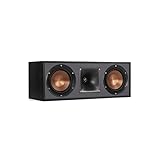
- Dual 5. 25" Spun-copper IMG woofers
- 1" Aluminum lts tweeter mated to a 90x90 square tractrix Horn
- 89Hz - 21kHz plus /- 3dB
- Sensitivity 95dB at 2. 83V/1m
- 400 watts power handling
Check the room and equipment
- Measure the screen wall, side walls and seating area so speakers will not be trapped behind furniture.
- Confirm the receiver, soundbar or amplifier supports the channel layout you intend to use.
- Identify which speakers are ear-level surrounds and which, if any, are overhead or enabled height channels.
- Plan safe cable routes and stable support. Stands can help compatible speakers reach seated ear height, but they are optional rather than a requirement for every system.
- Leave access to the receiver and calibration controls so you can change the configuration after moving speakers.
Understand what the channel numbers mean
A label such as 5.1 or 7.1.2 describes speaker groups, not a guarantee that one format will sound better in every room. The first number counts traditional ear-level speakers, the “.1” identifies a powered subwoofer channel, and the final number in an Atmos-style layout identifies overhead or height speakers.
| Layout | Speaker groups | Placement implication | What to expect |
|---|---|---|---|
| 5.1 | Five traditional speakers and one powered subwoofer | Front left, center and front right form the front stage; surround speakers go around the listening area according to the 5.1 diagram. | A complete surround arrangement for supported 5.1 material. |
| 7.1 | Seven traditional speakers and one powered subwoofer | Side surrounds sit around the listening area, with rear surrounds behind it. | More directional separation than 5.1 when the material and room support the additional speakers. |
| 7.1.2 | Seven traditional speakers, one powered subwoofer and two overhead or height speakers | Height channels are separate from the ordinary ear-level surrounds. | Ear-level surround movement plus a two-speaker overhead or height layer when the receiver and content support it. |
| 7.1.4 | Seven traditional speakers, one powered subwoofer and four overhead or height speakers | Use the 7.1.4 installation diagram for the height positions; do not substitute ordinary rear surrounds for overhead channels. | A larger height layer, subject to the room, receiver and speaker installation. |
Use the chart that matches the system you actually own. Moving a 5.1 speaker according to a 7.1 diagram, or treating height channels as rear surrounds, changes the intended sound field and can make effects appear in the wrong place.
Build the front soundstage
Place the front-left and front-right speakers
Put the left and right speakers on opposite sides of the screen. The main listening seat and the two speakers should form a practical triangle where the room permits. Dolby notes that the actual distance is flexible: speaker power, room size and the available furniture all matter more than forcing an identical measurement in every room.
Aim both speakers toward the principal listening position when that suits the speaker design and room. This orientation, often called toe-in, helps direct the front soundstage at the people who are watching. Keep the pair at a similar height and distance from the listening area when practical, and avoid placing one speaker inside a cabinet while the other is in open air.
The screen should remain visually between the left and right speakers. If the speakers must sit unusually close to the display, keep their left-right relationship symmetrical and use the receiver’s level and distance settings during calibration rather than moving the center seat off-axis.
Rank #2
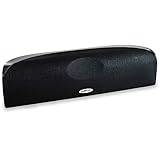
- Time Lens technology aligns the drivers for better soundstaging and imaging in bookshelf speakers
- Desktop speakers: 1/2" silk dome tweeter and dual 2-1/2" Dynamic Balance(tm) mids/woofers
- Curved enclosure with high-gloss finish to match today's flat-panel TVs, speakers for tv
Put the center speaker next to the screen
The center channel carries most movie and television dialogue. Dolby states: “Center speakers are primarily used to deliver dialog.” Place it immediately above or below the display, as close to the screen as the cabinet and ventilation allow, and direct its output toward the audience.
If the center is below the screen, angle it upward toward seated listeners; if it is above, angle it downward. The objective is for voices to appear to come from the screen rather than from the floor or ceiling. Do not hide the speaker behind a solid cabinet door, thick décor or the display itself.
Quick wins for a faster PC:
Scan for outdated or missing drivers - takes under a minuteDriver Scan →Clear out junk files and repair common Windows errorsFree Scan →Fix the driver behind crashes, sound loss and screen glitchesFind Drivers →When a display is wall-mounted, use a secure shelf or bracket that can support the center speaker without vibrating. If the speaker is inside furniture, leave its front unobstructed and recheck the sound from the main seat. A correctly positioned existing center speaker is preferable to adding another channel that the receiver cannot configure properly.
Place the surround speakers for your exact layout
5.1 surround placement
For 5.1, place the surround pair around the listening area using the 5.1 diagram supplied for your equipment. They should create a sense that effects move around the audience rather than staying at the front. Keep the left and right surround roles consistent with the receiver’s labels, and aim them toward the listening area when the speaker and room make that practical.
7.1 surround placement
A 7.1 arrangement adds rear surrounds beyond the side surrounds. The side pair sits around the listening area; the rear pair sits behind it. Use the 7.1 diagram’s angle guides instead of copying a 5.1 placement, because the extra rear channels are intended to create a separate direction behind the audience.
Rank #3

- Classic Good Looks: Our center-channel speaker seamlessly blends into you home environment, regardless of where it is placed. Its elegant and classic design complements any of your home décor .
- Tight, Powerful Bass: The 4 inch woven fiber woofer provides a rich and deep low-end response, adding depth and warmth to your audio experience that is particularly important for movies and TV shows
- Clear Crisp Highs: The center channel speaker features a horn tweeter that delivers crisp and clear high-frequencies and produces a dynamic and detailed soundstage.The horn shape helps to direct the sound directly towards to you, resulting in a more focused and accurate sound.
- Build Your Dream Home Theater: After you position your center speaker below your TV, final set up is super easy and straightforward. It’s designed to work with most home theater receivers or Amplifiers.
- Receiver or Amplifier Required: Must be powered by a receiver or amplifier; They are NOT powered speakers (DOES NOT Support Bluetooth); Speaker wires not included
Do not put both pairs directly behind the sofa. If the room cannot provide meaningful side and rear positions, a well-placed 5.1 system may produce a more coherent field than a nominal 7.1 system with all four surrounds crowded together.
The Tool Desk
Outbyte Driver Updater FREEFix the driver behind crashes, sound loss and screen glitchesFind Drivers →Outbyte PC Repair FREEClear out junk files and repair common Windows errorsFree Scan →Keep ear-level and height channels distinct
In a 7.1.2 or 7.1.4 system, the overhead or enabled height speakers are an additional layer. They do not replace the ordinary left, center, right, side and rear speakers. Follow the installation diagram for the particular height format and verify that the receiver is set to the same channel count.
Overhead installation has extra structural, wiring and aiming considerations. Dolby recommends using experienced professional installers for overhead speakers. Professional help is especially sensible when the speakers must be mounted in a ceiling, when access above the ceiling is limited, or when a heavy speaker needs a permanent bracket.
Find a useful subwoofer location by testing the room
Low bass is not directional in the same way as the output from the other speakers, so the subwoofer has more placement flexibility. There is no corner or wall that is universally best. Put it in a candidate location, play familiar material, and assess the bass from the main listening area.
Try more than one location if the first position sounds weak, uneven or excessively heavy. The best position is the one that gives the listening seat the most even, controlled bass, not necessarily the position that looks most convenient beside the screen. After moving the subwoofer, run calibration again if your system provides it.
Do these 3 things before closing this tab:
1Fix the driver behind crashes, sound loss and screen glitches2Repair Windows errors before they cause bigger problems3Scan for outdated or missing drivers - takes under a minuteRank #4

- Yamaha NS-C210 2-Way Bass-Reflex Center Speaker - 4m Speaker Cable - Yamaha Warranty
- Designed to reproduce the full, dynamic sound of HD sources
- Woofers use light aluminum cones for extra-fast response
- 7/8" balanced dome tweeter
- Elegant Yamaha Piano Black finish, plus choice of three other finishes to match diverse interior
Keep the subwoofer stable and leave the manufacturer’s required ventilation and clearance. Do not judge its position while standing beside it; bass can sound very different at the seat where the audience actually listens.
Run receiver or soundbar calibration
Many soundbars, AV receivers and subwoofers include automatic room-calibration or room-correction modes. These systems listen to the room and adjust levels, timing or equalization for the selected listening position. Availability and controls vary by product, so use the setup procedure supplied with your equipment.
- Finish the physical placement first. Calibration cannot correct a speaker that is in the wrong channel position or hidden behind furniture.
- Select the exact layout in the receiver or soundbar menu, such as 5.1, 7.1 or 7.1.2. The selected format must match the speakers that are connected.
- Run the automatic setup from the principal listening position, following the on-screen instructions for any supplied measurement microphone or test tone.
- Listen from the main seat after calibration. Confirm that a voice remains anchored to the center speaker and that a moving effect travels in the expected direction.
- Repeat the process after moving speakers, changing the seating position or rearranging substantial furniture. The room response has changed, so an old calibration may no longer be appropriate.
Automatic calibration is a useful starting point, not a substitute for correct placement. If dialogue is still unclear, first check the center speaker’s position, aim and channel assignment before increasing its level. For demanding rooms, Dolby also describes professional calibration services that can perform more detailed adjustments.
Arrange seating for both sound and viewing
Use the central listening point as the anchor for the seating plan. The main seats should face the screen directly enough that the center speaker is not firing across the audience. A long, sharply angled sofa can put one viewer much farther from a surround speaker than another.
Recommended Free Tools
When space allows, center the primary row between the left and right walls and keep the most important seats close to the position used by the placement diagram. Arrange the display so viewers do not have to turn their heads substantially to see it; a visually awkward seat is also a poor reference point for judging dialogue and effects.
Best Value

- SLIM CENTER CHANNEL THAT WON’T BLOCK TV - Enjoy crisp, focused dialogues & dynamic, hi-res sound with Polk Monitor XT35, 4" low-profile speaker with a 1" Tweeter & (4) 3" Dynamically Balanced Woofers that delivers an open mid-range and impactful bass
- PREMIUM BUILD QUALITY & MODERN DESIGN - An upgrade to the critically acclaimed Monitor series, the Polk Monitor XT series features latest innovations in affordable, great sounding Polk audio speakers. Their stylish design blends with any home décor
- HIGH RESOLUTION SOUND FROM ALL INPUTS - Monitor XT35's 4- & 8-Ohm compatibility delivers Dolby Atmos & DTS:X surround sound from your favorite sources; including online streaming via Apple Music, Amazon Music HD, Tidal, Spotify and more
- VERSATILITY AT ITS BEST - Slim, compact design allows you to place or wall-mount this center channel below the TV without blocking the IR sensor. Use as center, left, right & surround channels for a stunning experience with Polk home theater speakers
- CREATE AN AFFORDABLE HOME THEATER SETUP - The timbre matched Polk components ensures seamless speaker-to-speaker blending. Add MXT60 tower pair, MXT90 height module and a MXT12 sub to this center speaker to create a unified surround system
If you have more than one row, make the row used for calibration the principal row. Check the other seats afterward, because a single-point calibration cannot make every location identical. If the room forces a side-wall seat, prioritize a layout that serves the central seats rather than distorting every speaker to favor one edge.
Independent reader supportYour contribution helps us test, update, and keep practical guides available for everyone.Compare layouts before adding speakers
Choose a format based on the room, the seating position and the receiver’s capabilities, not on the largest number printed on a box.
| Decision question | 5.1 | 7.1 | Atmos-style height layout |
|---|---|---|---|
| Can the room provide the intended speaker positions? | Usually the simplest full-surround arrangement when front and side positions are available. | Requires useful positions both around and behind the listening area. | Requires the ear-level layout plus suitable overhead or height positions. |
| What additional speakers are required? | None beyond the five traditional speakers and one subwoofer. | Two additional traditional speakers compared with 5.1, used as rear surrounds. | Additional height speakers; 7.1.2 has two and 7.1.4 has four in the named format. |
| What does Dolby identify as the benefit? | A full surround experience for supported material. | Improved directionality over 5.1 for supported material. | A separate overhead or height layer, provided the receiver, content and installation support it. |
| When is it a poor choice? | When the side surrounds cannot be placed around the listening area at all. | When rear speakers must be crowded into the same position as the sides. | When overhead installation is unsafe or the receiver cannot power and calibrate the chosen configuration. |
A smaller, correctly positioned system generally makes a more coherent sound field than a larger system whose speakers cannot follow the matching diagram. Upgrade only when the room and equipment can support the new positions.
What’s actually slowing this PC down?
Pick the symptom - the matching free tool is one click away.
Troubleshoot dialogue and surround problems
Dialogue sounds low, muffled or detached from the screen
- Confirm that the center speaker is connected to the receiver’s center output and is enabled in the selected layout.
- Move it out from behind furniture or the display and aim it directly at the listeners.
- Check that the left and right speakers are not accidentally connected to the center or surround outputs.
- Run calibration again after correcting the position or changing furniture.
- Listen from the principal seat. A center that sounds clear beside the screen can sound dull or distant from the actual listening position.
Effects stay at the front
- Verify that the receiver is set to the layout you physically installed.
- Use the diagram for the actual channel count; rear surrounds cannot create a correct 7.1 field if they are placed beside the sofa.
- Check that side, rear and height speakers are assigned to the correct outputs.
- Confirm the material and playback mode provide surround channels. A system cannot place an effect in a channel that the source does not supply.
Bass is weak in the seat or overwhelming in one area
- Move the subwoofer to another practical location and compare from the listening seat.
- Keep the subwoofer’s level and crossover settings consistent while comparing positions so you are judging placement rather than a changing volume.
- Run room calibration after selecting the better location.
- Check the subwoofer cable and receiver assignment if no low-frequency output is present.
Height effects are missing
- Check that the receiver is configured for the installed height format, such as 7.1.2 or 7.1.4.
- Confirm that the height speakers are connected to the correct amplified channels.
- Review the installation diagram and make sure overhead or enabled height speakers have not been mounted as ordinary rear surrounds.
- Run calibration again after correcting the installation.
Use a listening check after every change
Do not evaluate the system only from the equipment rack. Sit at the principal listening point and use familiar scenes that contain steady dialogue, a voice moving across the front, and effects that travel from the front toward the sides or rear. Listen for three outcomes:
- Dialogue focus: voices should appear to come from the screen, not from one front corner or below the display.
- Front continuity: a sound crossing from left to center to right should move smoothly rather than jump between speakers.
- Surround continuity: ambient sound and effects should wrap around the listening area without one speaker dominating.
Make one physical change at a time, then listen again. Changing several speakers and the subwoofer simultaneously makes it impossible to know which adjustment helped. Once the arrangement is stable, run calibration and keep a note of the selected channel configuration so it can be restored after a reset.
Installation and safety checklist
- Use the principal listening seat as the reference for every placement decision.
- Match the placement diagram to the exact system format.
- Keep the center speaker immediately above or below the screen and aim it at the audience.
- Form a practical left/right triangle around the listening position.
- Place side and rear surrounds in their intended groups rather than clustering them together.
- Treat overhead or height channels as a separate layer from ear-level surrounds.
- Test more than one subwoofer location and judge bass from the seat.
- Secure stands, shelves and brackets, and keep speakers clear of obstructions.
- Run automatic room calibration when available.
- Recalibrate after moving speakers or changing substantial furniture.
- Use an experienced professional for overhead installation when structural or wiring work is required.
The practical rule to remember
Correct home-cinema placement is a repeatable process: center the seating, follow the diagram for the channels you own, aim speakers toward the main listeners, keep the dialogue channel close to and directed at the screen, experiment with bass, and calibrate only after the physical layout is right. The result should be judged from the listening position, because that is where the system is meant to work.
Quick Recap
Product prices and availability are accurate as of the date/time indicated and are subject to change. Any price and availability information displayed on Amazon at the time of purchase will apply.

