
Do these 3 things before closing this tab:
1Repair Windows errors before they cause bigger problems2Fix the driver behind crashes, sound loss and screen glitches3Clear out junk files and repair common Windows errorsiTechGuides is reader-supported. When you buy through links on our site, we may earn an affiliate commission. As an Amazon Associate I earn from qualifying purchases. Learn more
To sell an item in Aion 2, first verify that the specific item is tradable, then compare prices for the same variant in the same market scope. Treat the cheapest listing as an asking price rather than proof of a completed sale, and use recent sale counts or averages when available.
A complete, current official Market workflow, seller-eligibility rule, listing currency and fee schedule is not established by the available official material. Regional client rules may differ, and third-party reports conflict on fees. Use the live Market interface in your region to confirm those details immediately before listing.
| # | Preview | Product | Price | |
|---|---|---|---|---|
| 1 |

|
Aion: The Tower of Eternity Steelbook Edition - PC | $10.99 | Buy on Amazon |
| 2 |
![Aion Classic: QUNA 4800 [Online Game Code]](https://m.media-amazon.com/images/I/41L1H3xiu6L._SL160_.jpg)
|
Aion Classic: QUNA 4800 [Online Game Code] | $100.00 | Buy on Amazon |
| 3 |
![Aion Classic: QUNA 2300 [Online Game Code]](https://m.media-amazon.com/images/I/41O7ppqU9mL._SL160_.jpg)
|
Aion Classic: QUNA 2300 [Online Game Code] | $50.00 | Buy on Amazon |
| 4 |
![Aion Classic: QUNA 400 [Online Game Code]](https://m.media-amazon.com/images/I/51UuLylfUkL._SL160_.jpg)
|
Aion Classic: QUNA 400 [Online Game Code] | $10.00 | Buy on Amazon |
| 5 |
|
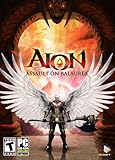
Aion: Assault on Balaurea - PC | $4.95 | Buy on Amazon |
Confirm that the exact item can be traded
Aion 2 does not make every loot drop automatically sellable. Tradeability is attached to the individual item, its variant and sometimes its current binding state.
The Tool Desk
Outbyte PC Repair FREERepair Windows errors before they cause bigger problemsFix Now →Outbyte Driver Updater FREEFix the driver behind crashes, sound loss and screen glitchesFind Drivers →Read the item’s binding and trade labels
Open the item details and look for the game’s explicit trade status. The official Aion 2 item database marks the weapon 잔인무도 as 거래 가능 (tradable) and 개인 거래 가능 (individually tradable). That entry proves the status of that weapon only; it is not evidence that every weapon, armor piece, material or dungeon reward can be listed.
#1 Best Overall
- The Thrill of Flight: Flying is a strategic and integral part of the game, adding a fresh dynamic to all aspects of the genre, including combat, quests, and exploration.
- Stunning World: Discover a meticulously crafted fantasy world brimming with otherworldly inhabitants, mysterious enemies, and ancient secrets.
- Innovative PvPvE: Aion introduces a new dynamic to MMOs by combining both PvP and PvE gameplay into an exciting new style.
- Intense Visceral Combat: Engage in a spectacular and evolving combat system utilizing combos, skill chains, counterattacks, and spectacular aerial combat.
- Ships in Certified Frustration-Free Packaging
Before you price anything, record the exact name and variant, enhancement or attribute information, quality, quantity and condition shown in the client. Two entries that look similar in a search result can have different binding rules or values. If the details panel says the item is bound, soulbound or otherwise restricted, do not assume that a Market listing will override the restriction.
Do not confuse currency types
The official guidebook distinguishes Kina from bound Kina in its dungeon-reward information. That establishes that the currencies are separate, but the cited guidebook material does not state which currency a Market listing consumes, which currency a sale pays, or whether both can be used. Check the currency icon and confirmation text in your regional client instead of inferring the rule from dungeon rewards.
What is and is not confirmed about the current Market
The available official sources do not document a complete, current sequence for opening the Market, qualifying as a seller, creating a listing, paying a fee or collecting proceeds. Use the controls and labels that actually appear in your client; do not rely on a generic menu path from another region or an older build.
Quick wins for a faster PC:
Scan for outdated or missing drivers - takes under a minuteDriver Scan →Repair Windows errors before they cause bigger problemsFix Now →Seller access remains an open question
A guide published by Aion2.help on 2026-09-29 says that selling requires membership. That is a third-party claim and has not been confirmed by the official guidebook or item database material. If your client shows a membership, level, account or other eligibility requirement, follow that displayed requirement. If it does not, do not treat the article’s claim as a universal rule.
Fee reports conflict
Two third-party descriptions give different costs:
| Source | Reported rule | How to use it |
|---|---|---|
| Aion2.help, published 2026-09-29 | 8% sale fee and a membership requirement | Unverified; do not assume it applies to your region or current client. |
| Independent AION 2 Market project and a related article excerpt | 10% tax plus a nonrefundable registration fee | Conflicts with the 8% report; verify the live confirmation screen. |
The official material available for this guide does not resolve the disagreement. Before submitting a listing, read the final confirmation panel for the percentage, any fixed registration charge, whether the charge is refundable, and the currency taken. Cancel if the net amount is not what you expect.
A cautious listing procedure
The following process avoids assuming an undocumented interface. Button names can vary by platform, language and region, so use the closest equivalent control visible in your client.
- Open the Market or Auction House. Start from the in-game commerce feature rather than a player-trade window. If the seller tab is missing or disabled, inspect the account or character notices shown there before troubleshooting the item.
- Search the exact item name. Select the precise variant, grade and attribute combination. Do not use a broad category result as your price reference.
- Recheck the item details. Confirm that the item is unbound or otherwise marked tradable and that its quantity and condition match what you intend to sell.
- Set the quantity and unit basis. Determine whether the interface asks for a total price, a per-unit price or both. Compare competing offers on the same basis; a cheap-looking stack may have a higher unit cost.
- Inspect the market signals. Note the lowest observed unit price, number of competing listings and, where the data source provides them, recent units sold and average sale price.
- Calculate your expected proceeds. Use the fee and any registration charge displayed by the client, not a remembered percentage. The accounting identity is: net proceeds = gross sale proceeds − percentage fee − any fixed registration charge.
- Review the confirmation screen. Verify item, quantity, unit price, gross total, fee, currency and expiration or duration settings if shown. Save a screenshot if the interface gives no later transaction detail.
- Submit and monitor. Recheck the listing after a reasonable interval. If it remains unsold, compare current like-for-like offers again; do not change it solely because another seller posted an unrelated variant.
Compare prices on the right dimensions
Competitive pricing is a comparison exercise, not a universal formula. Before choosing a number, align every material dimension:
| Comparison axis | What to match | Why it changes the decision |
|---|---|---|
| Item identity | Exact name, grade, variant, attributes and condition | A different variant can have a different demand and trade status. |
| Market scope | Region, server and any faction or market boundary used by the client | A quote from another scope may not be available to your buyers. |
| Quantity | Per-unit price and stack size | Total stack cost can hide a high or low unit price. |
| Current ask | Lowest visible listing and the next several comparable listings | The cheapest offer may be a lone outlier or may sell quickly. |
| Completed-sale evidence | Recent units sold and average sale price when available | Completed sales reveal demand better than an unsold ask. |
| Competition | Number of active comparable listings | A crowded market gives buyers more alternatives and can lengthen your wait. |
| Net proceeds | Client-displayed fee and any registration charge | A higher sticker price can produce less currency after charges. |
Use the lowest listing as an ask, not a sale
A displayed lowest price tells you what one seller is requesting. It does not prove that a buyer paid it. An independent, partial EU Market project explicitly warns that its shown lowest price may not be a confirmed sale or necessarily real time. It also notes that an item can be tradable while no listing is currently available.
Rank #2
- Aion Classic currency
- For use in the in-game shop
- Can be used for Daeva Pass to get exclusive daily, weekly, and seasonal quests and rewards
- Can be used for in-game packs and character boosts
When a history signal exists, compare the lowest ask with recent sales and the average sale price. If the lowest ask is far above the recent average and few units have sold, matching it may leave your item unsold. If recent sales are strong and the lowest ask is an isolated outlier, a price near the active cluster may be more defensible. These are decision judgments, not an official Aion 2 pricing rule.
Account for listing depth and urgency
Count comparable listings rather than looking only at the first row. One cheap listing can disappear before your order is visible; dozens of similar listings can create a long queue. Decide whether your priority is a faster conversion or a higher target price, then choose a position consistent with that priority. Record the time and market scope of your observation because prices can move between checking and publishing.
Reading third-party market data correctly
Third-party trackers can add context when the in-game view has little history, but their coverage is observational and may be partial.
Aion2Market metrics
The Aion2Market page reports 552 items, accessed in 2026. Its table exposes the cheapest observed unit price, listing count, a rolling 28-day “Units sold” total and average sale price. The site says the units-sold metric is published once a day, so it is not a real-time transaction feed. Treat the figures as comparison signals for the covered items, not as an official game statistic or a guarantee that the next sale will match the average.
AION 2 Market catalogue limits
The AION 2 Market project states that its EU Spanish-source catalogue contained 8,182 item pages when checked in 2026. That number describes the project’s catalogue, not the official live Market. The project warns that its lowest displayed price may be stale, may not represent a completed sale and may not show every regional listing. Confirm any quote in the intended region and server immediately before creating your own listing.
A practical pricing framework
1. Establish a like-for-like reference range
Collect the lowest comparable ask, the next few comparable asks, the listing count and any recent-sale or average-price data. Exclude different variants, different unit quantities and offers from another region or market scope. If the tracker does not cover your exact item, say so in your own notes and use the live client’s comparable listings instead of substituting a nearby item.
2. Choose your objective
- Faster sale: Position near the lower end of the current comparable range, while checking that the lower listing is genuinely the same item and unit basis.
- Higher target: Price nearer the established sale average or upper part of the active range only when demand and listing depth justify waiting.
- Uncertain demand: Use a conservative ask and set a time to reassess rather than assuming that an expensive listing will eventually sell.
These positions are strategic choices. The sources do not establish a mandatory undercut amount, minimum price or mathematical formula.
3. Convert the ask into a net figure
Write down the gross total and subtract every charge shown by the confirmation screen. Because published reports disagree between 8% and 10% tax, and one report adds a nonrefundable registration fee, do not publish a universal net-price calculator from those reports. If the client shows only a percentage, use that displayed percentage; if it shows both a percentage and a fixed charge, include both before deciding whether the listing is worthwhile.
Rank #3
- Aion Classic currency
- For use in the in-game shop
- Can be used for Daeva Pass to get exclusive daily, weekly, and seasonal quests and rewards
- Can be used for in-game packs and character boosts
For a purely illustrative calculation, a 10,000-Kina gross sale would leave 9,200 Kina after an 8% charge, or 9,000 Kina after a 10% charge, before any fixed registration cost. Those figures demonstrate why the confirmation panel matters; they do not establish which rate your server uses. If a fixed charge also appears, subtract it from the applicable result and check whether it is refundable.
4. Recheck immediately before posting
Market observations decay quickly. Refresh the in-game search and, if you use a tracker, check its timestamp and coverage note. A 28-day total updated once daily can describe demand direction but cannot guarantee the price or availability at the moment you click List.
How to interpret demand and competition together
Price and demand signals are most useful when read as a group. A low ask with many active listings may indicate intense competition, but it does not tell you how quickly those listings sell. A higher average sale price with only a small number of recent units sold may reflect occasional premium transactions rather than a dependable everyday price.
PC Slower Than It Used to Be?
A free scan shows the junk files, broken settings and background clutter dragging Windows down - then fixes them in one click.Free scan · Windows 10 & 11Outdated Drivers Are Slowing You Down
One free scan finds every outdated or missing driver and matches the right update for your exact hardware.Free scan · exact hardware matchUse the listing count to estimate how much inventory a buyer sees before reaching your offer. Use the rolling 28-day units-sold figure to ask whether transactions are happening at all, remembering that the metric is delayed and limited to the tracker’s covered data. Use the average sale price as a reference band, not a promise. If all three signals point in the same direction—few listings, regular sales and an average close to current asks—you have stronger evidence than any single number can provide.
When the signals disagree, avoid false precision. For example, a single low listing beside a much higher cluster may be an outlier, while a large listing count and almost no recorded sales may mean the item is difficult to move at any price. In either case, the regional client’s current listings and confirmation details take priority over an external table.
Common problems and what to check
The item is tradable but cannot be listed
Reopen the item details and confirm the exact variant, binding state and quantity. Then check whether the client displays an account, membership or other seller-eligibility notice. Tradeability of an item and permission to use the Market are separate checks; neither the official item entry nor the guidebook establishes a universal seller rule.
No comparable listing appears
Broaden nothing until you have confirmed the region, server and exact variant. A tradable item may simply have no active offer, and the independent EU project warns that catalogue coverage is partial. Record that there is no visible comparable listing and use any available sale-history signal cautiously.
The tracker’s lowest price is different from the client
Check the tracker’s date, region and catalogue scope. Its lowest value may be stale, observational or drawn from a different market boundary. The live client should control your final listing decision.
Rank #4
- Aion Classic currency
- For use in the in-game shop
- Can be used for Daeva Pass to get exclusive daily, weekly, and seasonal quests and rewards
- Can be used for in-game packs and character boosts
The net payout is lower than expected
Compare the transaction record with the fee and registration details shown during listing. A percentage charge, fixed registration charge or currency conversion may have been applied. Do not assume that a third-party 8% or 10% figure was the rule for your region.
The item sells slowly despite a low ask
Recheck whether your quantity, variant and market scope match the apparent competitors. Then inspect listing count and recent units sold. A low displayed ask without completed-sale activity can indicate weak demand rather than an opportunity to lower the price further.
Independent reader supportYour contribution helps us test, update, and keep practical guides available for everyone.Pre-listing checklist
Use this short checklist whenever you prepare a valuable item:
- Read the item tooltip and confirm the exact tradability or binding label.
- Write down the item’s complete variant, attributes, quality, enhancement information and quantity.
- Confirm that you are viewing the intended region, server and any faction or market boundary.
- Compare unit prices, not just stack totals, and inspect more than the first listing.
- Check recent units sold and average sale price when the data source provides them.
- Note the time of your observation and whether an external tracker updates continuously or once daily.
- Open the final listing confirmation and verify the fee, fixed charge, currency, gross amount and expected net amount.
- Capture the confirmation details if the interface does not clearly expose a later sales record.
This process prevents the most expensive mistakes: listing a bound item, comparing unlike variants, copying a stale regional quote or accepting a payout that does not cover the charges.
What to record for repeat sales
Keep a small log containing the observation time, region or server, exact item variant, unit quantity, lowest comparable ask, listing count, recent-sale and average-price signals, displayed fee and your final net expectation. This makes your next decision comparable without pretending that an old quote remains current. Update the entry whenever the client, region or Market rules change.
Bottom line
Sell only after the item’s own details mark it as tradable, and price it against matching variants in the same market scope. Use lowest asks to map competition, completed-sale signals to gauge demand, listing counts to judge crowding and the live confirmation screen to determine fees and net proceeds. The current official material does not settle seller eligibility, listing currency or Market fees, so verify those mechanics in your regional Aion 2 client every time the rules or interface may have changed.
Frequently Asked Questions
Can every Aion 2 loot item be sold in the Auction House?
No. Tradeability is item-specific. Check the exact item’s binding and trade labels; the official database confirms tradability for 잔인무도, but that does not establish the status of every drop.
Recommended Free Tools
What does the cheapest Market listing tell me?
It is an asking price, not proof of a completed sale. Compare it with other matching listings and, when available, recent units sold and average sale price.
Best Value
- New Instances: Aion: Assault on Balaurea offers eight new instances that provide a range of challenges from solo adventures to full-on Legion raids.
- New Zones: Players will explore the vast lands of Balaurea, the home of the Balaur, ruled by the Dragon Lord Tiamat. The Asmodians and Elyos have established fortresses in the two new zones: Gelkmaros and Ingisson.
- Useful Pets: Aion creates an entire new subsystem for players to explore as characters acquire functional pets capable of storing goods, assisting with crafting, or acting as guardians by alerting their masters to nearby enemies.
- Increased Level Cap to Level 55: Characters will discover new weapons,earn new items, and learn new skills as they explore the dangerous lands of Balaurea in their journey toward level 55.
- Twitter Integration: Aion's new Twitter feed functionality, with its fluid integration into the game, makes it easy for players to display their bragging rights to their friends.
Is the Aion 2 Market fee 8% or 10%?
Third-party reports conflict: one reports an 8% sale fee, while another reports a 10% tax plus a nonrefundable registration fee. The official material does not resolve the disagreement, so use the fee and any fixed charge shown in your regional client.
Do I need membership to sell?
Aion2.help reported a membership requirement on 2026-09-29, but that claim is not confirmed by the official guidebook or item database. Follow the eligibility notice displayed by your current client.
What currency does a Market sale use?
The guidebook distinguishes Kina from bound Kina in dungeon rewards, but the cited material does not specify which currency a listing consumes or pays. Check the currency icon and confirmation text before submitting.
Free tools Windows power users keep installed
One-click scans. No signup required.
Why is a tradable item missing from the Market?
It may have no active listing, or an external catalogue may not cover your region or variant. Confirm the server, market scope and exact item details before concluding that the item cannot be sold.
How often should I trust a third-party price tracker?
Check its date, region and coverage. Aion2Market’s units-sold figure is a rolling 28-day total published once daily, and the independent EU project warns that lowest prices may be stale or not completed sales. Refresh the live client before listing.
How do I price for a faster sale?
After confirming the exact variant and unit basis, position near the lower end of the current comparable range. Treat this as a strategy choice, not an official undercut rule, and account for the live fee when calculating your net proceeds.
The Bottom Line
Verify item-level tradeability, compare like-for-like asks with sale signals, and use the live regional confirmation screen for seller rules, currency and fees. External prices are observations, not guarantees.
What’s actually slowing this PC down?
Pick the symptom - the matching free tool is one click away.
Quick Recap
Product prices and availability are accurate as of the date/time indicated and are subject to change. Any price and availability information displayed on Amazon at the time of purchase will apply.

