
iTechGuides is reader-supported. When you buy through links on our site, we may earn an affiliate commission. As an Amazon Associate I earn from qualifying purchases. Learn more
If you want to refund what is often called the “Shogun 2 Remake,” start at Steam Support, not on the game’s store page. Sign in, open Account Details > View purchase history, select the transaction for Total War: SHOGUN 2 – Complete Edition, choose the refund or request-help option, select the closest reason, and submit it.
Valve’s normal rule is a request within 14 days of purchase with less than two hours of recorded playtime. That playtime includes online, offline and shared-library use. Valve also says requests outside those limits can still be submitted for review, so missing the standard threshold does not automatically make a request impossible.
| # | Preview | Product | Price | |
|---|---|---|---|---|
| 1 |

|
Total War: Shogun 2 | $11.95 | Buy on Amazon |
| 2 |
|
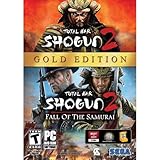
Total War: Shogun 2 Gold - PC | $28.49 | Buy on Amazon |
| 3 |

|
Total War: Shogun 2 - PC | $22.99 | Buy on Amazon |
| 4 |

|
Total War : Shogun 2 | $10.85 | Buy on Amazon |
| 5 |

|
Shogun 2: Fall of the Samurai, Limited Edition - PC | $12.95 | Buy on Amazon |
First, identify the product you bought
“Total War: Shogun 2 Remake” is a colloquial description, not the current official Steam product name. The transaction you need to find is generally labeled Total War: SHOGUN 2 – Complete Edition.
Quick wins for a faster PC:
Scan for outdated or missing drivers - takes under a minuteDriver Scan →Clear out junk files and repair common Windows errorsFree Scan →Fix the driver behind crashes, sound loss and screen glitchesFind Drivers →SEGA describes the Complete Edition as an updated and enhanced PC edition of SHOGUN 2 that includes the released downloadable content. Search for that Complete Edition transaction in your Steam purchase history rather than looking for a product literally named “Remake.” Depending on how the purchase is displayed in your account, you may see a matching Total War transaction instead of the full title.
#1 Best Overall
- Choose from 9 different clans and compete online and offline for the undisputed supremacy of Medieval Japan
- Play through the Main Campaign in single player or invite a friend online to play competitively or cooperatively in Campaign Multiplayer mode
- Developed according to Sun Tzu's principles in the Art of War, the Artificial Intelligence constantly analyzes its situation
- Build and govern cities, recruit and train troops, conduct diplomacy and manage your agents
- Improved land and naval battle gameplay, now with the ability to combine forces and attacks
Steam’s standard refund rule
Valve’s support policy says it will issue a refund when the title was requested within 14 days of purchase and has been played for less than two hours. The policy explicitly counts online, offline and shared-library playtime. The two conditions are normally considered together: being under two hours does not by itself extend the 14-day period, and being within 14 days does not by itself excuse more than two hours of recorded use.
| Factor | What Valve’s standard policy says |
|---|---|
| Purchase age | Request within 14 days of purchase |
| Recorded playtime | Less than two hours, including online, offline and shared-library playtime |
| Request location | Steam Support at help.steampowered.com |
| Outside the standard limits | Valve says the request may still be submitted for review |
Valve’s support FAQ states: “All refund requests are handled through help.steampowered.com.” Use that support site even if you normally manage games through another Steam interface.
How to submit the refund request
- Open Steam Support. Go to help.steampowered.com and sign in to the Steam account that made the purchase. A refund request must be associated with the account containing the transaction.
- Open your account purchase history. After signing in, select Account Details, then choose View purchase history. This is the account-level list Valve identifies for locating purchases.
- Find the Complete Edition transaction. Select the entry for Total War: SHOGUN 2 – Complete Edition, or the matching Total War transaction shown in your account. Check the purchase date before proceeding, especially if several Total War entries appear.
- Choose the refund or request-help path. The available wording can depend on the transaction and its status. Select the option that starts a refund request or asks Steam Support for help with that purchase.
- Select the closest reason. Choose the reason that most accurately describes why you want the refund. If the form provides a text box, explain the relevant facts briefly and accurately, such as an accidental purchase, a technical problem, or circumstances that prevented normal use.
- Submit the request. Review the transaction and explanation, then send the form. Save the confirmation email and any on-screen confirmation. Those records identify the request if you need to refer to it later.
- Monitor Steam Support. Check the account’s support activity and the email address associated with Steam for Valve’s decision or a follow-up question. The cited support guidance does not promise a fixed processing time, so do not treat an absence of an immediate decision as an approval or rejection.
If you have more than two hours or bought it more than 14 days ago
Do not assume that the website will refuse to accept the request solely because it falls outside the usual criteria. Valve explicitly says an out-of-policy request can still be submitted for review. Use the same purchase-history route, select the request-help or refund path that is offered, and give a clear account of the circumstances.
Rank #2
- Brand New in box. The product ships with all relevant accessories
What to explain in an exception request
- When the purchase was made and which transaction you selected.
- The playtime shown on the account and whether that time includes troubleshooting, offline use or shared-library access.
- What prevented ordinary use, if a technical or account problem is the reason.
- Why you are requesting a refund now if the request is outside the usual purchase-age window.
- Any relevant distinction between the base game and the Complete Edition bundle.
Keep the explanation factual. An exception request is a review request, not a guarantee that Valve will override its normal policy. The decision comes from Steam Support after it considers the transaction and the information you submit.
EU and UK customers: a separate withdrawal rule
Valve’s EU/UK guidance describes a statutory withdrawal rule that is separate from the ordinary Steam refund policy. In general, the withdrawal period ends 14 days after purchase or when downloading starts, whichever happens sooner. Starting a download can therefore matter even when the playtime shown on the account is minimal.
This rule is region-specific and concerns statutory withdrawal rights; it should not be treated as a universal replacement for Valve’s standard refund criteria. If you are in the EU or UK, read the wording presented for your transaction and state the relevant timing in your request. If the account or transaction raises a legal-rights question, ask Steam Support to clarify how that purchase is being handled.
Rank #3
- Choose from 9 different clans and compete on and offline for the undisputed supremacy of Medieval Japan. Gain experience to level up your own character-warlord as well as your generals and agents.
- Play through the Main Campaign in single player or invite a friend online to play competitively or cooperatively in Campaign Multiplayer mode.
- Developed according to Sun Tzu's principles in the Art of War, the Artificial Intelligence constantly analyzes its situation and reacts to your every move with greater precision and variety.
- A streamlined User Interface makes management of your kingdom much easier. Build and govern cities, recruit and train troops, conduct diplomacy and manage your agents - each feature is now introduced with comprehensive tutorials
Standard request versus exception request
| Question to check | Standard request | Exception request |
|---|---|---|
| Purchase age | Within 14 days | More than 14 days may still be submitted for review |
| Recorded playtime | Less than two hours | Two hours or more may still be submitted for review |
| Playtime counted | Online, offline and shared-library time all count | Explain how the recorded time relates to your circumstances |
| Region | Apply Valve’s normal policy | EU/UK customers should also consider the download-start condition for statutory withdrawal |
| Product type | Identify the Complete Edition transaction | Identify the Complete Edition transaction and explain any bundle issue |
What happens to the original game and downloadable content?
The Complete Edition is a bundle that includes SHOGUN 2 and its released downloadable content. SEGA’s FAQ says the original SHOGUN 2 remains playable for existing owners. However, the cited guidance does not guarantee exactly how a refund of a Complete Edition purchase will affect every account’s original-game and DLC licenses.
Before submitting, note whether you already owned the original game or any DLC separately. After selecting the transaction, read the confirmation and any license information shown in Steam Support. If the outcome for your particular bundle is not clear, ask Steam Support directly rather than assuming that every component will be retained or removed in the same way.
Checks to make before you submit
- Correct account: Confirm that you are signed in to the Steam account that paid for the transaction.
- Correct title: Look for Total War: SHOGUN 2 – Complete Edition or the matching Total War entry, not a “Remake” label.
- Purchase date: Compare the transaction date with the current date before relying on the standard window.
- Playtime: Use the playtime Steam records, remembering that online, offline and shared-library sessions are included.
- Region: If you are in the EU or UK, consider whether downloading began and mention that timing if it is relevant.
- Bundle ownership: Record whether the original game or DLC was already on your account.
- Explanation: Make the selected reason and any written details consistent with the transaction.
- Confirmation: Keep the confirmation email and support reference after submitting.
Troubleshooting the Steam Support path
The game is not listed in purchase history
First verify the account and open Account Details > View purchase history again. Search for the Complete Edition name or a matching Total War transaction, since the user-facing phrase “Shogun 2 Remake” is not the official product name. If the purchase still does not appear, check whether you are viewing the account that made the payment before contacting Steam Support.
Rank #4
You see more than one Total War transaction
Open each relevant entry and compare its date and description with the Complete Edition purchase you intend to refund. Do not select a separate base-game or DLC transaction merely because its title looks similar. The request should be attached to the transaction that was actually purchased.
The refund option is not shown
Use the available request-help route for the transaction. The absence of the usual button does not establish that no review is possible, because Valve says requests outside its standard criteria may still be submitted. Include the purchase date, recorded playtime and reason so Support can evaluate the case.
Do these 3 things before closing this tab:
1Clear out junk files and repair common Windows errors2Scan for outdated or missing drivers - takes under a minute3Repair Windows errors before they cause bigger problemsYour playtime is over two hours
Submit an exception request rather than changing or omitting the playtime information. Valve’s policy counts online, offline and shared-library playtime, and the support team can see the recorded figure associated with the purchase.
Best Value
- The American, British and French nations played an important part in the story of the Boshin war and your relations with these foreign powers will be integral to unit recruitment and to advancing your technology trees.
- Thirty nine new land units, including modern ranged units - such as the Gatling gun and Armstrong gun - controllable in a new third-person mode.
- New port siege battle type, this new battle type triggers when attempting a naval assault on an occupied enemy port. The attacking fleet must sail into the harbour and capture the port, running the gauntlet of coastal gun defences.
- New land and sea unit interactions, during a land battle, armies can call in offshore artillery support barrages.
- Campaign map bombardments: offshore naval units can bombard armies and cities in adjacent coastal areas on the campaign map itself.
The purchase is older than 14 days
Use the same support flow and explain why you are requesting the refund now. If you are an EU or UK customer, distinguish the statutory withdrawal timing from Valve’s ordinary refund criteria and include when downloading began if that is relevant.
You are worried about losing separately owned content
Identify the Complete Edition as a bundle and state what you already owned. Because the cited pages do not promise one uniform license result for every account, ask Steam Support to confirm the effect on the original game and DLC before relying on an assumption.
You have not received a decision yet
Retain the confirmation email, monitor Steam Support and avoid submitting duplicate requests for the same transaction unless Support instructs you to do so. The available guidance does not specify a guaranteed decision time.
How to write a concise explanation
A useful explanation identifies the transaction and the relevant facts without making claims you cannot verify. For a request within the normal criteria, state that you selected the Complete Edition purchase and briefly give the reason. For an exception, add the exact purchase date, the playtime displayed by Steam and the circumstances that caused the problem. EU/UK customers can add when downloading started if the statutory withdrawal rule is relevant.
Do not describe the product as a “remake” in a way that could cause the wrong transaction to be selected. Use the official Complete Edition name shown in purchase history, then mention “Shogun 2” if needed for clarity.
Quick Recap
Key points to remember
- The request begins at Steam Support and uses Account Details > View purchase history.
- The official current name is Total War: SHOGUN 2 – Complete Edition; “Shogun 2 Remake” is an informal label.
- Valve’s ordinary rule combines a 14-day purchase window with less than two hours of playtime.
- Online, offline and shared-library playtime are included in the recorded total.
- Valve may review requests outside the ordinary limits.
- EU/UK statutory withdrawal guidance has a separate condition tied to when downloading starts.
- The effect of refunding a Complete Edition bundle on original-game and DLC licenses is account-specific in the cited guidance; confirm it with Steam Support.
Product prices and availability are accurate as of the date/time indicated and are subject to change. Any price and availability information displayed on Amazon at the time of purchase will apply.

