
iTechGuides is reader-supported. When you buy through links on our site, we may earn an affiliate commission. As an Amazon Associate I earn from qualifying purchases. Learn more
Redeem the game according to the way your Nintendo Switch 2 bundle delivers it. Some bundles provide a download code that you enter in Nintendo eShop. Others attach a game entitlement to the console and let you register it from eShop. The route, eligible game, account requirements and deadline depend on the exact bundle, country and console package.
Before claiming anything, identify the bundle name and region, then check whether the package contains a code or uses eShop registration. For a registered game, connect the console to the internet, link the Nintendo Account that should own the game, open eShop with that account selected and confirm the bundle registration. For a code, use eShop’s download-code redemption flow and follow the offer’s own expiry and regional terms.
Check which Nintendo Switch 2 offer you actually bought
“Free game with Nintendo Switch 2” is not a universal entitlement. Nintendo bundles are issued for particular countries, retailers, system languages, console SKUs and promotional periods. A general Nintendo bundle FAQ explains how bundled games are delivered, but it does not establish that every Nintendo Switch 2 purchase includes a game or that every region has the same title or closing date.
PC Slower Than It Used to Be?
A free scan shows the junk files, broken settings and background clutter dragging Windows down - then fixes them in one click.Free scan · Windows 10 & 11Outdated Drivers Are Slowing You Down
One free scan finds every outdated or missing driver and matches the right update for your exact hardware.Free scan · exact hardware matchUse the name printed on your receipt, order confirmation, box, insert or promotion page. Confirm the country in which the console was sold and the Nintendo Account region you intend to use. Keep the packaging and purchase documents until the game appears in your account; they may be needed if a code is missing or support must verify the bundle.
#1 Best Overall

- The next evolution of Nintendo Switch
- One system, three play modes: TV, Tabletop, and Handheld
- Larger, vivid, 7.9” LCD touch screen with support for HDR and up to 120 fps
- Dock that supports 4K when connected to a compatible TV*
- GameChat** lets you voice chat, share your game screen, and connect via video chat as you play
- Bundle identity: record the exact bundle or promotion name, not merely “Nintendo Switch 2.”
- Region: make sure the offer applies to the country where the console was purchased and where your Nintendo Account is configured.
- Delivery type: look for a printed or digital download code, or instructions saying the game can be registered through Nintendo eShop.
- Deadline: read the offer terms for a valid-through date. Nintendo’s general FAQ does not provide one universal expiry date.
- Account: decide which Nintendo Account should permanently own the digital game before you begin registration.
If the package does not identify a game benefit, do not assume that opening eShop will create one. Eligibility is tied to the promotion and hardware package, not simply to owning a Switch 2.
The two Nintendo bundle redemption methods
There are two distinct delivery mechanisms. The first gives you a code to redeem. The second exposes a bundle-linked product in eShop so you can register the game directly to an account.
| Feature | Code-based bundle | eShop-registered bundle |
|---|---|---|
| What you receive | A download code supplied with the offer | A game entitlement associated with the console bundle |
| Where you act | eShop’s download-code redemption option | The bundle or product registration prompt in eShop |
| What to verify | Code characters, region and the offer’s expiry date | The correct Nintendo Account and the bundled product shown in eShop |
| When ownership is fixed | When the code is successfully redeemed to an account | When you confirm registration to the selected account |
| If the game is already owned | Follow the code’s error or support instructions | Nintendo says a game already purchased cannot be registered again as the bundled game |
Do not use the code procedure for a registration-only bundle, and do not search for a code when the offer is designed to appear automatically in eShop. The materials supplied with the console determine which column applies.
What’s actually slowing this PC down?
Pick the symptom - the matching free tool is one click away.
Rank #2

- The next evolution of Nintendo Switch
- One system, three play modes: TV, Tabletop, and Handheld
- Larger, vivid, 7.9” LCD touch screen with support for HDR and up to 120 fps
- Race from one course to another through interconnected paths that span the world
- Traverse mountains, forests, cities, and more—with shifting weather patterns and a day/night cycle
How to claim a game registered through Nintendo eShop
This route does not require typing a printed code. The console must be online, and the account chosen during the process is the account that receives the digital entitlement.
- Connect the Switch 2 to the internet. Use the console’s network settings to join a working Wi-Fi connection. Keep the console powered on while eShop checks the bundle.
- Create or link a Nintendo Account. If the intended owner does not yet have an account, create one and link it to the Switch 2 user profile. A local user profile by itself is not the same as a Nintendo Account.
- Open Nintendo eShop. From the HOME Menu, start eShop and select the user whose Nintendo Account should own the game. Do not continue on a child, guest or family member’s profile unless that is the account you intend to use permanently.
- Open the bundle registration prompt. Nintendo’s official flow may show the bundled game or a registration message when eShop recognizes the console. Select the displayed bundle or game icon and review what will be registered.
- Confirm registration. Accept the on-screen confirmation only after checking the account name and the game. Nintendo treats the registration as an account claim; changing users after this point does not move ownership automatically.
- Monitor the download. The download starts automatically after a successful registration. Return to the HOME Menu and check the game icon and download progress. Leave the console connected until the download completes.
Americas settings path when no automatic prompt appears
Nintendo’s Americas support instructions describe an alternative route through eShop settings: open Nintendo eShop, select the user icon, choose Settings, then open Products Bundled with Console and select Download. This path is for a qualifying registration-based bundle. Nintendo can change menu wording as system software and regional interfaces are updated, so a label may differ slightly on your console.
If neither the HOME Menu prompt nor the bundled-products entry appears, stop before buying the game separately. Confirm that the console and account match the promotion, then use the support channel for the purchase region.
Rank #3

- The next evolution of the Nintendo Switch system
- One system, three play modes: TV, Tabletop, and Handheld
- Larger, vivid, 7.9” LCD touch screen with support for HDR and up to 120 fps
- Supports up to 4K resolution** when using a compatible game and TV connected via the included Nintendo Switch 2 dock
- Nintendo Switch 2 plays compatible physical and digital Nintendo Switch games.***
How to redeem a Nintendo Switch 2 game download code
A code-based bundle requires the code supplied with the offer. Codes can be printed in the box, delivered electronically by a retailer or displayed in the promotion’s order information. The offer terms, rather than a generic Nintendo rule, determine the code’s country restrictions and expiration.
Do these 3 things before closing this tab:
1Fix the driver behind crashes, sound loss and screen glitches2Repair Windows errors before they cause bigger problems3Scan for outdated or missing drivers - takes under a minute- Locate the complete code. Check the card, receipt or digital delivery message for every character. Keep the original document until the game is visible in your library.
- Confirm the code’s region and deadline. A code intended for one country or account region may not work elsewhere. Note the exact valid-through date printed in the offer terms; there is no universal expiry date for all Nintendo bundles.
- Open Nintendo eShop on the Switch 2. Select the Nintendo Account that should own the game before entering the code.
- Choose the download-code redemption option. Follow the eShop screen for entering a code and submit the characters exactly as supplied. If eShop reports a region, status or eligibility error, do not repeatedly guess at the code.
- Confirm the game and account. Review the title shown by eShop, accept the redemption and allow the download to begin. The game will be tied to the Nintendo Account used for redemption.
- Check the HOME Menu. Watch the game icon and download progress. If the download pauses, restore the internet connection and let eShop resume it rather than redeeming the code again.
The code route and the registration route are separate. A bundle that says the game is registered through eShop may not include a redeemable code, while a printed code must be entered through the code flow instead of the bundled-products settings page.
Choose the Nintendo Account before you claim
Digital ownership is the most important decision in the process. On a registration-based bundle, Nintendo requires you to select the user account before confirming. On a code-based bundle, the account active when the code is redeemed receives the game.
Rank #4

- The next evolution of Nintendo Switch
- One system, three play modes: TV, Tabletop, and Handheld
- Larger, vivid, 7.9” LCD touch screen with support for HDR and up to 120 fps
- Explore a vast underground world—by smashing your way through it!
- A brand-new 3D platforming action adventure starring Donkey Kong and Pauline
- Use the adult or family Nintendo Account that will continue to use the console and the game.
- Check the account name shown in eShop before pressing the final confirmation button.
- Do not claim the offer on a temporary profile simply to make the download start.
- If several people use the console, agree on the owner first; changing the selected HOME Menu user later does not automatically change the digital owner.
Nintendo states that a bundled game already purchased cannot be registered again as the bundle game. If the account already owns the title, the registration may be rejected because the entitlement is not a second copy. Do not purchase a duplicate solely to force the bundle prompt to appear.
What to do when the game or prompt is missing
| Symptom | Likely check | Next action |
|---|---|---|
| No bundle prompt in eShop | The console may not match the promotion, the account may be in another region, or the offer may require the settings path | Verify the bundle paperwork, open eShop settings and check Products Bundled with Console; contact Nintendo support if the qualifying offer still does not appear |
| The bundled game is already owned | The selected account purchased the title previously | Do not expect a second registration; consult Nintendo’s account guidance or support for the specific promotion |
| The code is rejected | Typing error, expired code, wrong region or code already redeemed | Recheck the original offer terms and characters once, then use regional support rather than guessing |
| A printed code is absent | The insert may be missing from the package or the retailer may have supplied a digital code separately | Follow the support instruction for the purchase region: Nintendo’s Australia/New Zealand FAQ directs customers to the retailer, while the Americas FAQ directs customers to Nintendo support |
| The game was claimed on the wrong account | The registration or code was confirmed while another user was selected | Nintendo points users to its account-transfer guidance, but a transfer is not guaranteed for every entitlement or situation |
| Download does not progress | The console has lost its internet connection or is still processing the entitlement | Check the network connection and the HOME Menu download indicator; let eShop resume before attempting another transaction |
When contacting support, have the console’s bundle name, purchase region, retailer receipt, Nintendo Account details and any code card available. Describe whether the offer was supposed to be code-based or registered through eShop; that distinction determines which troubleshooting path support can use.
Quick wins for a faster PC:
Scan for outdated or missing drivers - takes under a minuteDriver Scan →Clear out junk files and repair common Windows errorsFree Scan →Example: Nintendo’s Japan-only Choose-Your-Game Bundle
Nintendo announced a specific Japan-only promotion on October 6, 2026: the Nintendo Switch 2 Japanese-Language System Choose-Your-Game Bundle. It is scheduled to launch on November 12, 2026. The included download code can be redeemed in Nintendo eShop for one of three games at no additional cost:
Best Value
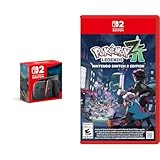
- Experience gaming on a vibrant 7.9" LCD touch screen with HDR support and up to 120 fps, plus 4K output capability when docked to a compatible TV.
- Command your Pokémon in groundbreaking real-time battles and harness the power of Mega Evolution to combat rampaging Rogue Mega-Evolved Pokémon across Lumiose City.
- Enjoy enhanced gameplay with magnetic Joy-Con 2 controllers featuring mouse controls and GameChat for voice chat and screen sharing capabilities.
- Explore the reimagined Lumiose City with its wild zones, shops, and restaurants, all centered around the iconic Prism Tower.
- Connect and play with others through same-system, local wireless, and online multiplayer options with 256GB internal storage for your games.
- Mario Kart World
- Nintendo Switch Sports Resort
- Tomodachi Life: Living the Dream
The code is valid through March 31, 2027. These titles, dates and the Japan-only eligibility apply only to that named bundle. They do not establish a game choice or deadline for an unspecified Switch 2 purchase in another country. A buyer of this promotion should follow the code steps, select the Nintendo Account intended for ownership and complete redemption before the published date.
The wording of Nintendo’s announcement specifies Mario Kart World and Nintendo Switch Sports Resort for Nintendo Switch 2, while Tomodachi Life: Living the Dream is identified as a Nintendo Switch game. Check the package and eShop listing to confirm the version offered in your region before downloading.
Do not confuse a bundle code with Nintendo Switch Game Vouchers
A game code included with a console bundle is not the same benefit as a Nintendo Switch Game Voucher. Nintendo UK’s voucher support states that vouchers cannot be redeemed for Nintendo Switch 2 games and that redeeming vouchers requires an active paid Nintendo Switch Online membership. Those conditions apply to vouchers, not to a game code or eShop entitlement supplied with a Switch 2 bundle.
If you are holding a card from a console package, use the instructions printed for that package. Purchasing a Nintendo Switch Online membership or trying to exchange a voucher will not substitute for the bundle’s own redemption method.
After redemption: verify ownership and finish the download
Once eShop confirms registration or code redemption, check the game icon on the HOME Menu and open its information screen. The title should show download progress or indicate that it is ready to start. If you use multiple profiles, launch the game with the account that received the entitlement first; other users’ access can depend on the console’s account and software settings.
Keep the offer documentation until the download is complete and the game opens. If support later asks for proof that the console was part of a promotion, the bundle name, purchase record and code card provide the relevant details. Do not publish or share an unused code: anyone who redeems it first may attach the game to their own Nintendo Account.
Quick Recap
Quick decision checklist
- Identify the exact Switch 2 bundle, country and purchase date.
- Determine whether the game is delivered as a code or an eShop registration.
- Read the promotion’s title, eligible products and expiry terms.
- Connect the console to the internet and link the intended Nintendo Account.
- Select that account in eShop before entering a code or confirming registration.
- Use the matching redemption route and wait for the HOME Menu download to complete.
- If the offer is missing, the code fails or the wrong account was used, follow the regional support path instead of buying a replacement copy.
Product prices and availability are accurate as of the date/time indicated and are subject to change. Any price and availability information displayed on Amazon at the time of purchase will apply.

